

SSG Audio Optimus for macOS
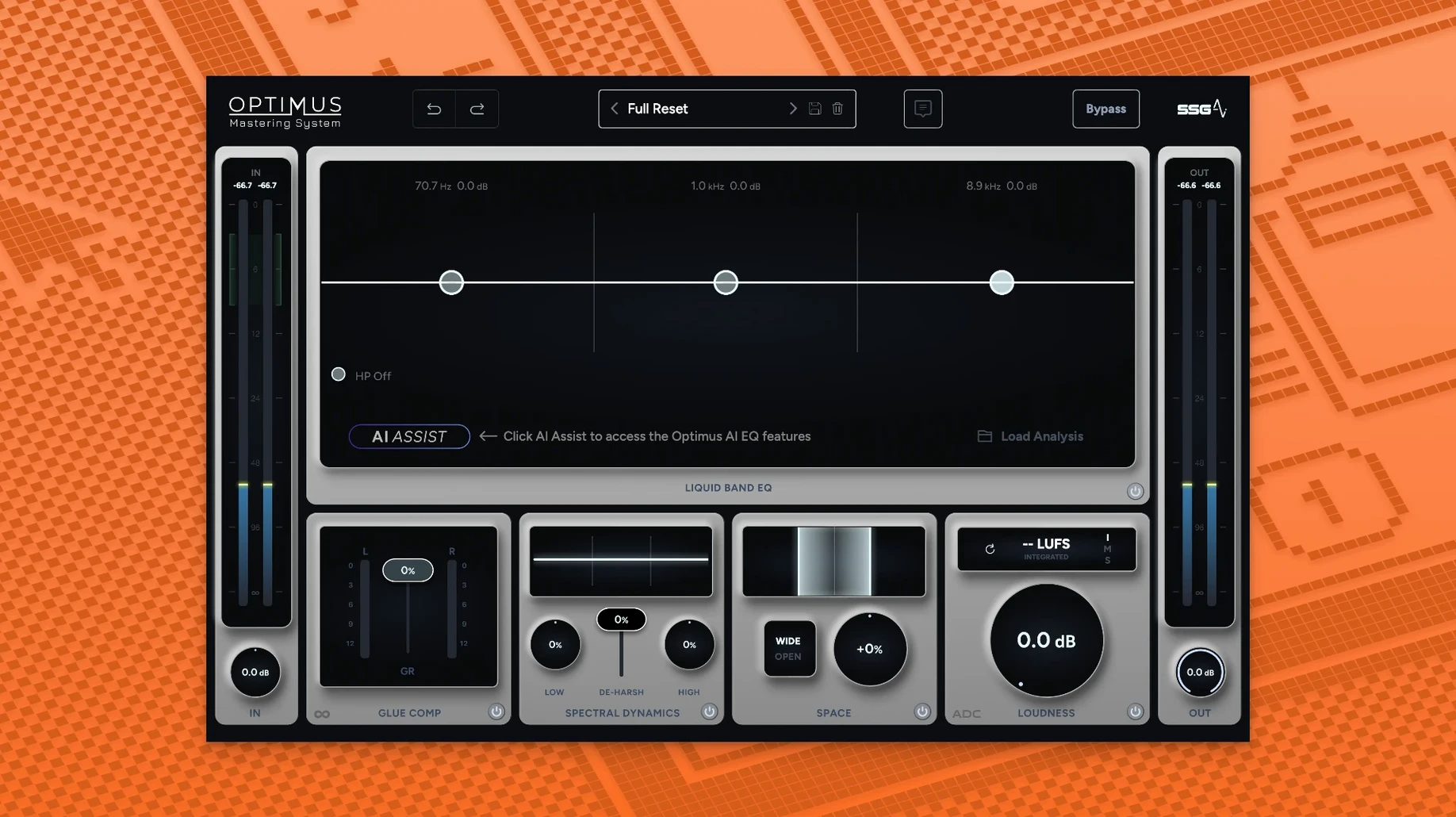
Description
Version 1.5.143 sharpens the two intelligent modules that do the actual work. The sound analysis is faster and more accurate than before, and the dynamic module now monitors audio continuously rather than in snapshots. The result is a louder, clearer output that needs less tweaking after the fact.
What the two modules do
- Sound balance module. Levels out the frequency spectrum so no range pokes through or disappears. It works on captured audio, giving you a static correction that suits the track.
- Dynamic module. Runs in real time. It pushes loudness and intelligibility while the audio plays, constantly reacting to changes in the material.
A quick, clean master from one mix pass
You feed it a mix and it makes decisions about tonal balance and perceived loudness. The AI does not replace a mastering engineer, but it gives you a solid starting point when you need a quick, clean master. The balance module handles the broad strokes; the dynamic module tightens things up without pumping or obvious artefacts. On spoken word or dense electronic mixes, the intelligibility lift is noticeable without the mid-range getting harsh.
DAW-only plugin for AU, VST, and AAX hosts
Does it work as a standalone app or only inside a DAW? Plugin only. You need a host that loads AU, VST2, VST3, or AAX 64-bit — Logic, Ableton Live, Pro Tools, Reaper, and the usual suspects all qualify. There is no standalone version in 1.5.143.
Will it slow down a session on an older Mac? The dynamic module runs in real time, so it does pull its weight. On an Intel machine with 8 GB RAM you can run one instance without trouble. Stacking it on every track is not the idea — it is built for the master bus or a stem group. Apple Silicon handles it easily; fan noise stays quiet even on longer projects.
Does the AI learn from your material over time? No. It analyses each track in isolation and applies corrections based on what it hears in that moment. There is no user profile, no training data that persists between sessions. If you run the same mix twice, you get the same result.
Continuous monitoring catches missed transients
The shift to continuous monitoring in the dynamic module is the biggest practical change. Earlier versions sampled audio in blocks, which could miss short transients or leave the tail end of a fade slightly undercooked. Now the module reads the signal constantly, so quick snare hits and fast dialogue get treated properly. The loudness lift feels more even across a whole track.
The updated sound analysis in the balance module is also quicker to settle. Older builds sometimes took a few seconds to lock onto a frequency curve, especially on sparse material like a piano-and-voice demo. The 1.5.143 analysis grabs a usable profile faster, and the resulting EQ suggestions are less likely to over-correct the low mids on bass-heavy sources.
Compatibility stayed broad. The plugin still loads in AU, VST2, VST3, and AAX hosts, and it runs natively on both Intel and Apple Silicon. If you grabbed an SSG Audio Optimus Mac torrent from a friend's drive, this build runs even smoother — faster analysis, less CPU wobble on the real-time side, and fewer surprises when you switch sample rates mid-project.
What’s new
- Faster, more accurate sound analysis in the balance module
- Dynamic module now monitors audio continuously for louder, cleaner output
Requirements
- macOS 10.13 or later
- 8 GB RAM minimum
- Intel or Apple Silicon Mac
- 64-bit AU, VST2, VST3 or AAX host
FAQ
Which plugin formats does SSG Audio Optimus use?
It loads as AU, VST2, VST3 or AAX inside any 64-bit host on macOS 10.13 or later.
Does it work on Apple Silicon Macs?
Yes, it supports both ARM (Apple Silicon) and x86 64-bit architectures natively.
What does the dynamic module actually do?
It monitors the sound continuously in real time, increasing loudness and intelligibility for a cleaner final output.
Comments 0
Sign in or create an account to leave a comment.
No comments yet…
If you’ve installed it, say how it went. Mention your Mac and macOS version — it helps the next person more than you’d think.
More in VST Plugins
All in VST Plugins-
 Spire
1.5.19
Apple Silicon
Spire
1.5.19
Apple Silicon
-
 Steinberg SpectraLayers Pro
13.0.20-All-in-One
Apple Silicon
Steinberg SpectraLayers Pro
13.0.20-All-in-One
Apple Silicon
-
 Sonic Academy KICK
1.1.8
Apple Silicon
Sonic Academy KICK
1.1.8
Apple Silicon
-
 Sonarworks SoundID Reference
5.12.0
Apple Silicon
Sonarworks SoundID Reference
5.12.0
Apple Silicon
-
 Slate Digital Submerge
1.0.5
Apple Silicon
Slate Digital Submerge
1.0.5
Apple Silicon
-
 Slate Digital Storch Filter
1.0.6
Apple Silicon
Slate Digital Storch Filter
1.0.6
Apple Silicon
-
 Superior Drummer
3.4.4
Apple Silicon
Superior Drummer
3.4.4
Apple Silicon
-
 Slate Digital Murda Melodies
1.1.1
Apple Silicon
Slate Digital Murda Melodies
1.1.1
Apple Silicon