
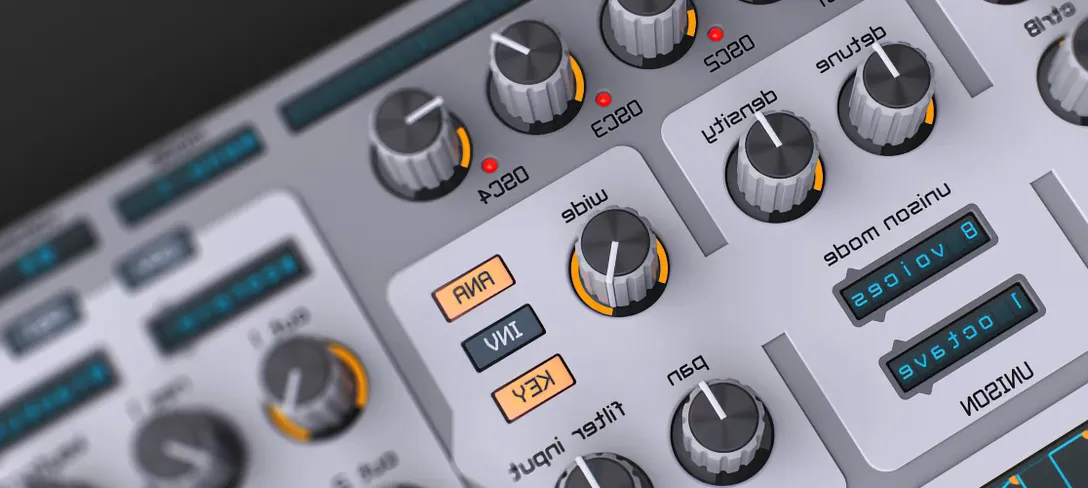
Spire for macOS
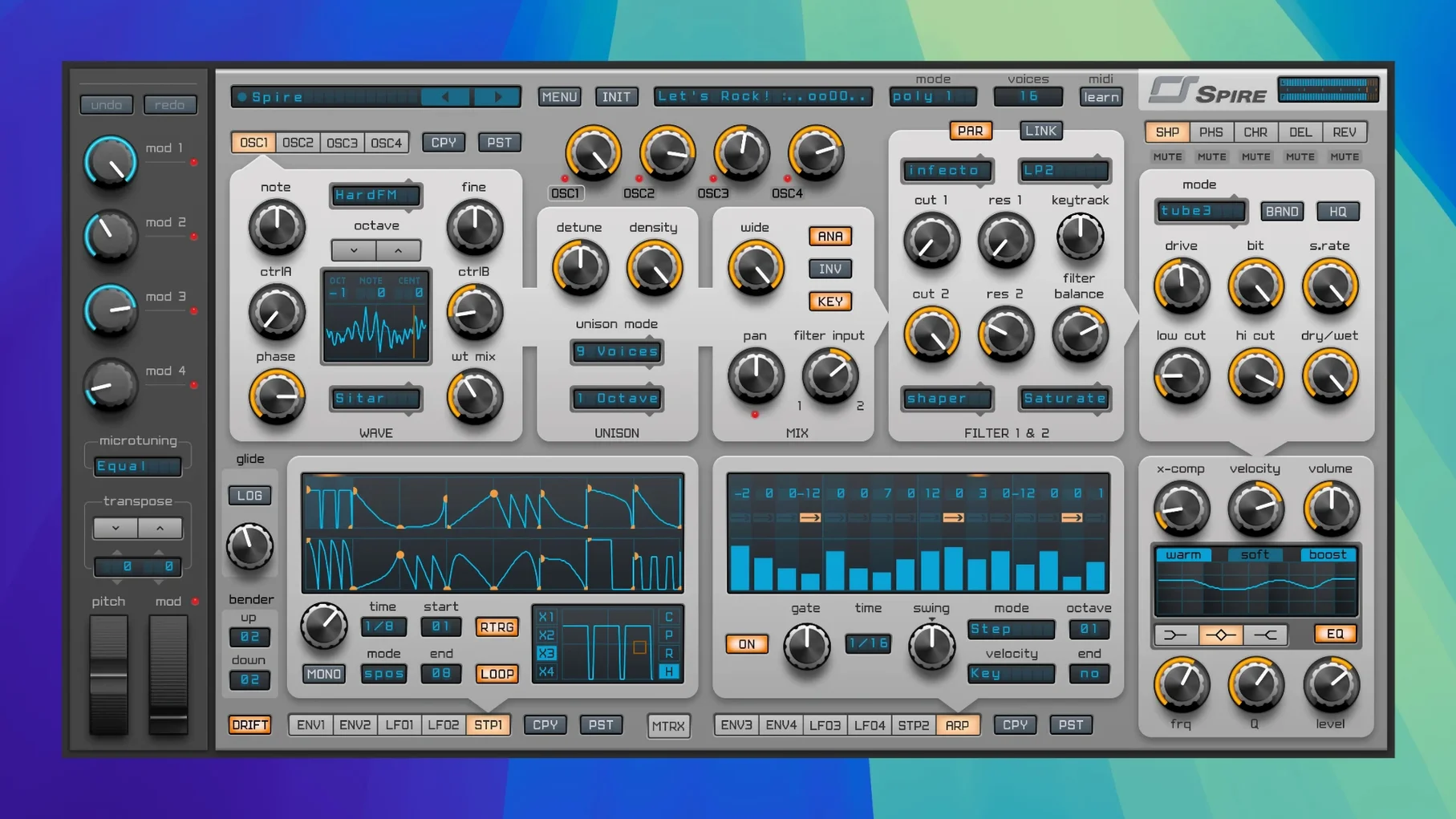
Description
Version 1.5.19 arrived as build 5343, keeping things stable. No fanfare—just a solid point release for a synth that already does its job.
Lead lines and arps
Drop Spire on a MIDI track when you need a sound that cuts through. Four oscillators with wavetable options give you plenty of starting points.
Pad and chord washes
Put it on a bus and feed it a chord progression. The two LFOs and two ADSR envelopes make slow-evolving pads straightforward to dial in.
Bass and rhythmic movement
Reverse-engineer one preset a day with MIDI Learn
Don't try to learn the whole synth at once. Pick ten presets you actually like, drop them into a dummy project, and reverse-engineer one each day. Right-click a control and select MIDI Learn to map it to a hardware knob—makes tweaking feel more like an instrument and less like a spreadsheet.
Set the quality mode to High only during final bounce. While you're sketching, keep it on Normal or Draft. Your Mac's fan won't scream and you'll stay in the flow. Also, save your own init patch within the first hour. A blank slate that matches your template tempo and default MIDI range means you're not starting from the factory init every time.
If the plug-in window opens tiny on a retina screen, check the global settings menu. There's a scaling option tucked away that's easy to miss on day one.
Rescuing a thin lead with the Trance Leads bank
You open last night's half-finished beat. The lead line feels thin. You load a fresh instance of Spire on the synth bus, browse to the Trance Leads category, and land on a preset called Solar Wind. It's close but too bright.
You pull oscillator two down an octave for weight. Open the multimode filter a touch—24 dB low-pass, cutoff around 800 Hz, just enough to soften the top without losing presence. The resonance stays below 30 percent because piercing leads get old fast in a two-hour session.
Next, the arpeggiator. You set it to 1/16 notes, latch it, and hit a four-note chord. Instantly the track has motion. A quick LFO assignment to oscillator one's wavetable position adds a slow sweep that keeps the pattern from sounding static. You bounce a rough eight-bar loop and drag it into the arrangement. Fifteen minutes, done. The rest is mixing.
Modulation matrix does nothing until you set the amount
The modulation matrix is deep, but beginners often route an LFO to a target and forget to set the amount. A destination with zero modulation does nothing, and the synth sounds broken when it isn't. Check the matrix tab before you blame the preset.
Another common one: loading a wavetable in oscillator four and expecting it to sweep automatically. Wavetable position needs a modulator—an envelope, an LFO, the mod wheel. Without it, you're just hearing a static slice.
Steering clear of official activation worries leads some to hunt for a spire crack or a reveal sound spire crack. If you grab a build that crashes Logic the moment you open the arpeggiator, check that your audio buffer isn't set too low for the patch you're loading. A spire vst crack floating around forums tagged spire crack mac may lag a few versions behind, so pairing it with the matching factory content from that release keeps everything in sync.
Finally, don't sleep on the step sequencer's slide parameter. New users program eight rigid steps and call it a day. A touch of slide on steps two and six turns a mechanical pattern into something that breathes.
Bass patch from scratch
Task: a punchy house bass that ducks slightly with each kick drum, no sidechain needed yet—just the sound itself.
- Initialise the patch. Turn off oscillators two, three and four. Set oscillator one to a saw wave.
- Tune oscillator one down an octave. Add a sub-oscillator at half volume, square wave, same octave. This anchors the low end.
- Open the filter section. Choose the 24 dB low-pass ladder model. Cutoff at 300 Hz, envelope amount around 40 percent. The filter envelope will shape the pluck.
- In the modulation matrix, route Filter Envelope to Cutoff. Set the amount so the filter opens briefly then clamps down—short decay on the envelope, around 200 ms. Sustain at zero. This gives the note a tight, punchy attack that naturally dips before the kick's tail.
- Add a second modulator: route Velocity to Filter Cutoff at about 15 percent. Softer notes stay rounder; harder notes bite.
- Switch to the effects tab. Insert the distortion module pre-filter, drive at 20 percent, mix at 30 percent. Just enough harmonics to survive small speakers without muddying the sub.
- Drop a tiny amount of the built-in EQ—cut 200 Hz by 2 dB, boost 1.5 kHz by 1 dB. The bass sits in the pocket between kick and percussion.
- Save. Name it something you'll recognise six months from now.
The whole process takes under ten minutes once you know the signal flow. And because you built it from an init state, there's no leftover modulation you didn't intend. Some producers trawl forums hoping a slay the spire mac torrent will also magically include a soundbank of bass patches like this, and honestly, a patch you dial in yourself will fit your mix better than any downloaded collection ever could.
Use the flexible waveforms to shape low-end that stays tidy. Route an LFO to the filter and you get movement without muddying the mix.
What’s new
Build 5343 for version 1.5.19.
Requirements
- macOS 10.13 or later
- Intel or Apple Silicon Mac
FAQ
Does Spire work on Intel and Apple Silicon Macs?
Yes. Reveal Sound builds Spire for both architectures, so it runs natively on newer Macs and older Intel machines.
What kind of synthesis does Spire use?
It's a virtual polyphonic synth with four oscillators, flexible waveforms including wavetable, plus two LFOs and two ADSR envelopes.
Comments 0
Sign in or create an account to leave a comment.
No comments yet…
If you’ve installed it, say how it went. Mention your Mac and macOS version — it helps the next person more than you’d think.
More in VST Plugins
All in VST Plugins-
 Sonic Academy KICK
1.1.8
Apple Silicon
Sonic Academy KICK
1.1.8
Apple Silicon
-
 Steinberg SpectraLayers Pro
13.0.20-All-in-One
Apple Silicon
Steinberg SpectraLayers Pro
13.0.20-All-in-One
Apple Silicon
-
 Sonarworks SoundID Reference
5.12.0
Apple Silicon
Sonarworks SoundID Reference
5.12.0
Apple Silicon
-
 Slate Digital Submerge
1.0.5
Apple Silicon
Slate Digital Submerge
1.0.5
Apple Silicon
-
 Slate Digital Storch Filter
1.0.6
Apple Silicon
Slate Digital Storch Filter
1.0.6
Apple Silicon
-
 Slate Digital Murda Melodies
1.1.1
Apple Silicon
Slate Digital Murda Melodies
1.1.1
Apple Silicon
-
 Slate Digital Fresh Air
1.0.9
Apple Silicon
Slate Digital Fresh Air
1.0.9
Apple Silicon
-
 Superior Drummer
3.4.4
Apple Silicon
Superior Drummer
3.4.4
Apple Silicon