

Output Portal for macOS
Description
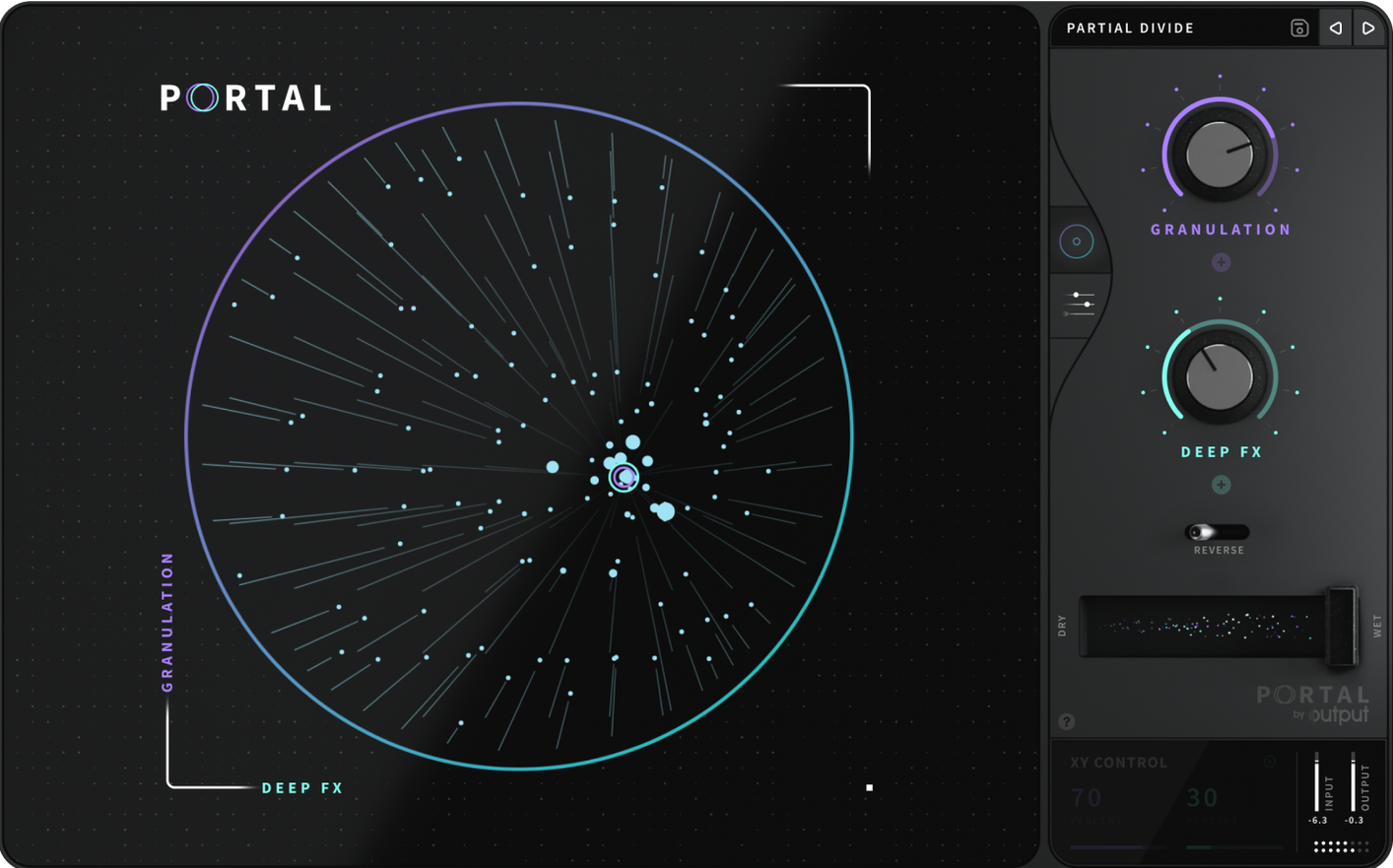
You feed Portal a synth pad, a vocal phrase or a drum loop and it spits back something time-stretched and textured, full of movement you didn't record. It is one of Output's effects products, built for reshaping rather than generating sound from scratch.
Formats and host requirements
- VST3, AU and AAX plugin formats
- Runs natively on Intel and Apple Silicon Macs
- English interface
Grabbing and replaying audio slices at new speeds and pitches
Portal grabs tiny slices of incoming audio and replays them at different speeds, pitches and positions. You can synchronise the grain playback to your DAW tempo or let it drift unsynchronised. The envelope controls add natural variation so the effect never sounds like a stuck CD. Slow things right down, stretch a transient into a wash, or just rough up the edges a little.
Tighter timing when switching presets mid-playback
Version 1.2.1 tidied up a few rough edges that could trip you up in a busy session. The grain engine now holds its timing better when you switch presets mid-playback, so you are less likely to get a jarring glitch while browsing sounds. Output also fixed a bug where the scale lock would drift out of tune after a tempo change in some hosts. If you use Logic Pro, the AU validation hiccup that sometimes flagged Portal as incompatible is gone.
Everyday use feels a little more predictable now. The plugin recalls its last state more reliably when you reopen a project, which matters when you have spent twenty minutes dialling in a texture. No new knobs or features — just a more stable version of the same tool.
Turn off tempo sync to hear what Portal actually does
The factory default loads with a fairly safe grain pattern that does not show what Portal actually does. A few tweaks make it more useful right away.
- Turn off tempo sync once. The synchronised grains are tidy, but unsynced playback is where the interesting textures live. Switch the sync toggle off and drag the grain rate slider slowly. You will hear the character change before you touch anything else.
- Open up the envelope variation. The bottom-right section adds subtle randomness to attack and decay. A small amount — maybe 15 to 20 percent — stops the effect from sounding like a loop. Too much and it gets messy, but a little goes a long way on sustained sounds.
- Set the scale lock early. If you plan to feed it melodic material, pick a scale and key before you start automating pitch. Portal can pitch grains up and down dramatically, and locking to a scale keeps the output musical when you push things far.
First days with Portal
Start with something simple. Drop a held piano chord or a clean vocal phrase onto the track, then cycle through the top row of presets while the audio plays. You will hear the range quickly — from tight rhythmic stutters to ambient washes that barely resemble the original. That is the fastest way to learn what each grain shape does to different source material.
Feed it drums early. A kick and snare pattern through Portal can turn into a glitchy hi-hat texture or a low rumble depending on grain size. Short grain settings work well on percussion; longer grains suit pads and sustained notes. Try both on the same loop and A/B the results.
If you grab a copy from a portal mac torrent or an output portal torrent, make sure you are getting version 1.2.1. Older builds floating around on output portal mac torrent sites had the tempo-drift issue that the update fixed. The current version installs from a standard disk image — mount it, run the installer, pick your plugins folder and you are done. Some people searching for a portal torrent end up with an outdated VST3 that does not validate properly in newer DAWs, so check the version number after you install.
One more thing worth doing on day one: map the wet/dry mix to a MIDI controller. Portal works as a send effect, but riding the mix in real time on an insert channel lets you push a section into chaos and pull it back without touching the mouse.
Requirements
- macOS (native Intel and Apple Silicon)
- VST3, AU or AAX host
Comments 0
Sign in or create an account to leave a comment.
No comments yet…
If you’ve installed it, say how it went. Mention your Mac and macOS version — it helps the next person more than you’d think.
More in VST Plugins
All in VST Plugins-
 Omnisphere
3.0.2c
Apple Silicon
Omnisphere
3.0.2c
Apple Silicon
-
 oeksound soothe2
1.3.3
Apple Silicon
oeksound soothe2
1.3.3
Apple Silicon
-
 Nudist Audio Nudistort
1.2.5
Apple Silicon
Nudist Audio Nudistort
1.2.5
Apple Silicon
-
 noteGRABBER
2.0.0
Apple Silicon
noteGRABBER
2.0.0
Apple Silicon
-
 Neural DSP Soldano SLO-100 X
1.0.0
Apple Silicon
Neural DSP Soldano SLO-100 X
1.0.0
Apple Silicon
-
 Neural DSP Parallax X
1.0.0
Apple Silicon
Neural DSP Parallax X
1.0.0
Apple Silicon
-
 Neural DSP Mantra
1.0.1
Apple Silicon
Neural DSP Mantra
1.0.1
Apple Silicon
-
 Neural DSP Archetype Rabea X
1.0.1
Apple Silicon
Neural DSP Archetype Rabea X
1.0.1
Apple Silicon