

oeksound soothe2 for macOS
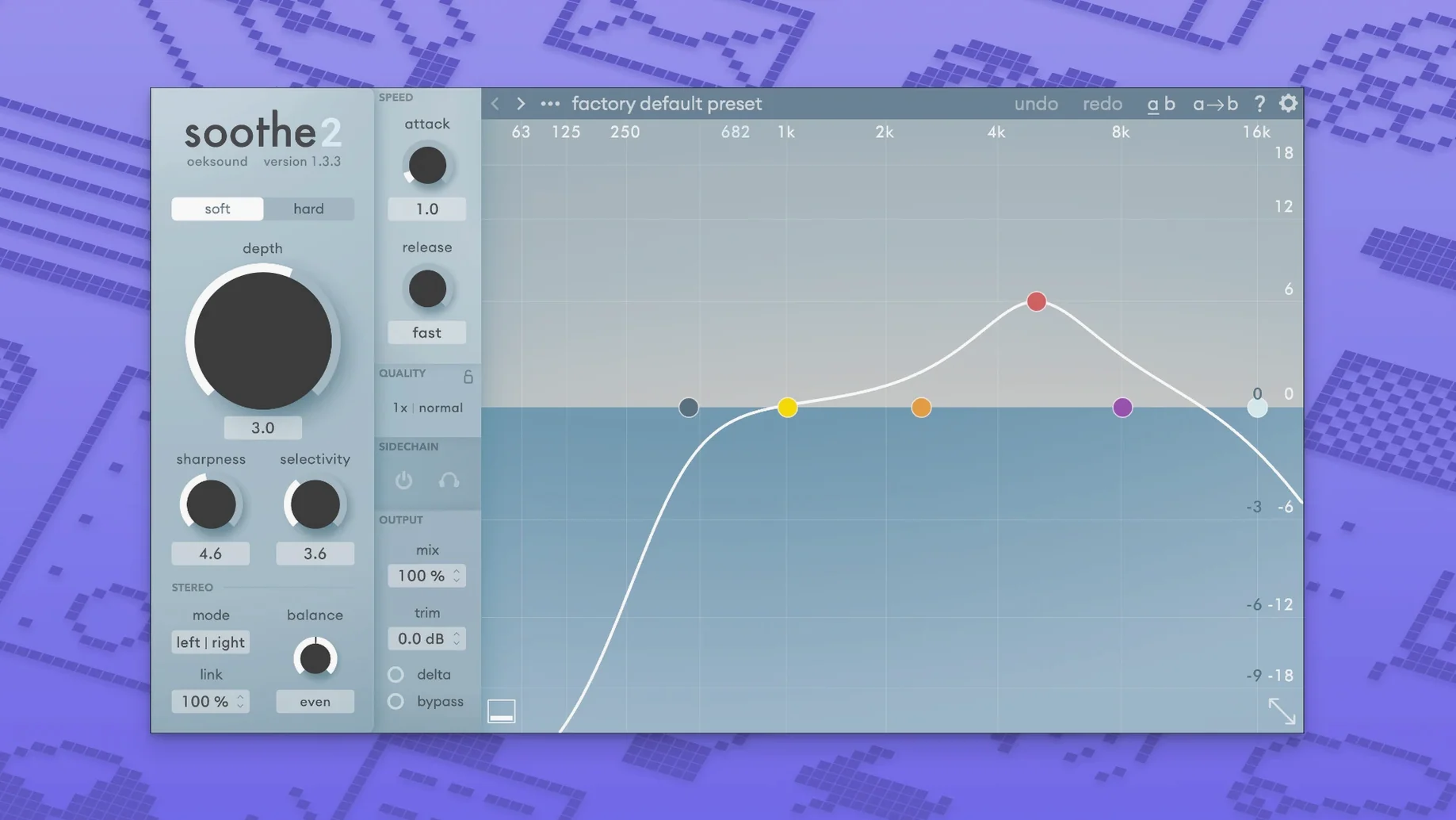
Description
soothe2 runs on any Mac with macOS 10.14 or later, on both Intel and Apple Silicon processors.
| What it is | Version |
|---|---|
| Dynamic resonance suppressor | 1.3.3 |
| Architecture | ARM & x86 64-bit |
| Format | VST, AU, AAX |
Most people reach for soothe2 on a vocal track first. It pulls back sibilance and harsher overtones without you drawing a dozen EQ curves. Drop it on a bright acoustic guitar or a strident synth and it does the same — soft mode for gentle shaping, hard mode when something genuinely grates. On a drum bus it can tame cymbal wash that clouds the midrange. On the master bus it works lightly, just catching a handful of resonant peaks so the final limiter isn't triggered by a rogue frequency. Voice-over editors use it to soften mouth clicks and brittle room tone. Sound designers run it on processed field recordings that have picked up nasty rings. It earns its keep anywhere a sound source needs the edges planed off, without the static feel of a fixed EQ cut.
Logic playback no longer overloads when the window opens
Version 1.3.3 wasn't a feature release. It tidied up two workflow-breaking bugs. Logic users no longer get playback overloads the moment the plugin window first opens — a glitch that could spike CPU and stop a session dead. Pro Tools editors can now modifier-click a parameter without automation going out of sync afterwards. Small things, but they removed two reasons people swear at their screen mid-session.
The release also added a handful of factory presets. Most are starting points for common trouble spots — brittle electric pianos, over-resonant toms, podcast voices recorded in untreated rooms. Nothing flashy, but they cut down the time spent setting attack and release curves from scratch.
Track count you can expect on Apple Silicon
soothe2 has always felt heavier than a standard EQ and lighter than a linear-phase surgical tool. On an M1 or M2 Mac you can run several instances across a mix without thinking about it. On an older Intel machine, especially a pre-2018 model, stacking more than three or four instances on high-quality mode will push the buffer up. Bouncing a track with it baked in is the sensible move there.
Stability in 1.3.3 is uneventful, which is the best kind. It sits in a chain and does its job. I've had it running on dialogue busses for hour-long edits without a dropout or a memory creep. The real-world benefit is that you stop watching the plugin window and just listen. That's the point of a tool built to solve a problem quietly.
What’s new
- Fixes playback overloads in Logic when the GUI opens.
- Fixes automation issues in Pro Tools after modifier-key parameter clicks.
- Adds a few new factory presets.
- Includes minor fixes and improvements.
Requirements
- macOS 10.14 or later
- Intel or Apple Silicon Mac
FAQ
What is soothe2 actually doing to the audio?
It listens for resonant frequencies that stick out and reduces them dynamically, only when they become too prominent. It is not a static EQ curve.
Comments 0
Sign in or create an account to leave a comment.
No comments yet…
If you’ve installed it, say how it went. Mention your Mac and macOS version — it helps the next person more than you’d think.
More in VST Plugins
All in VST Plugins-
 Nudist Audio Nudistort
1.2.5
Apple Silicon
Nudist Audio Nudistort
1.2.5
Apple Silicon
-
 noteGRABBER
2.0.0
Apple Silicon
noteGRABBER
2.0.0
Apple Silicon
-
 Omnisphere
3.0.2c
Apple Silicon
Omnisphere
3.0.2c
Apple Silicon
-
 Output Portal
1.2.1
Apple Silicon
Output Portal
1.2.1
Apple Silicon
-
 Neural DSP Soldano SLO-100 X
1.0.0
Apple Silicon
Neural DSP Soldano SLO-100 X
1.0.0
Apple Silicon
-
 Neural DSP Parallax X
1.0.0
Apple Silicon
Neural DSP Parallax X
1.0.0
Apple Silicon
-
 Neural DSP Mantra
1.0.1
Apple Silicon
Neural DSP Mantra
1.0.1
Apple Silicon
-
 Neural DSP Archetype Rabea X
1.0.1
Apple Silicon
Neural DSP Archetype Rabea X
1.0.1
Apple Silicon