
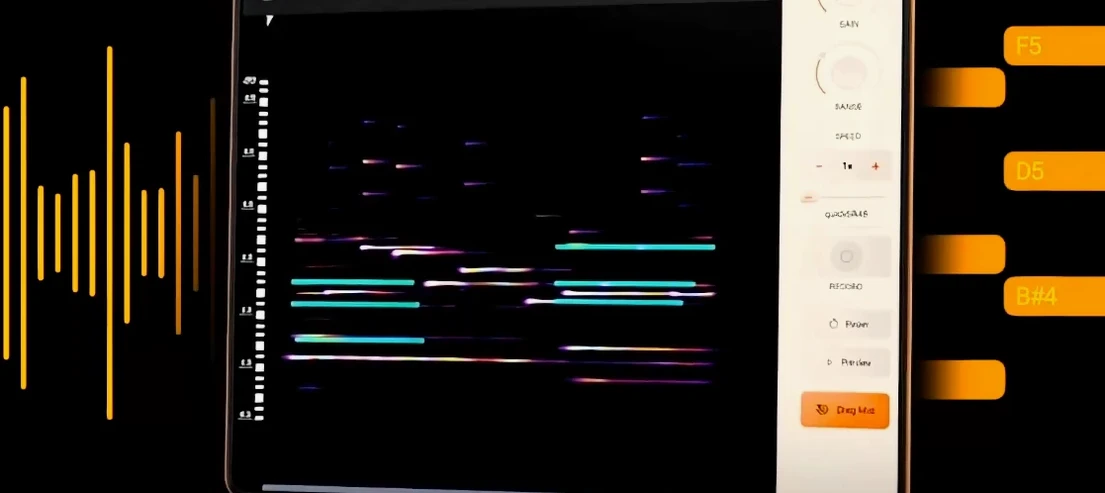
noteGRABBER for macOS
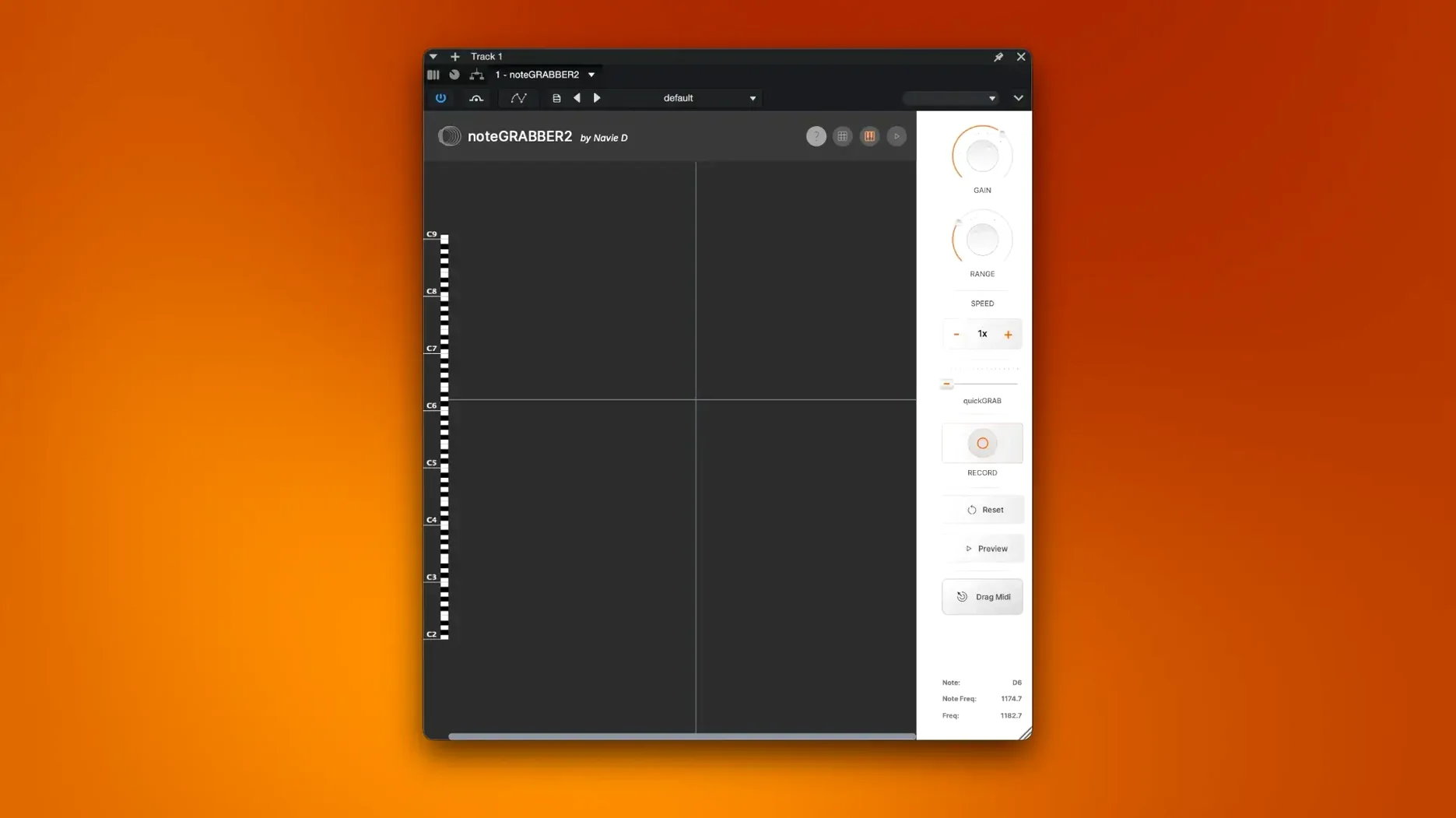
Description
Sample-based producers who build beats from chopped audio. It sits on an instrument track, listening to your sample and spitting out the MIDI notes it finds.
Where do I put it in a session?
On the same track as the sample you want to analyse. It reads the audio on that track and generates matching MIDI data you can send to a synth or sampler on another track.
It demands a direct audio source, not a bus
No. It needs a direct audio source on an instrument or audio track. Routing a bus into it gives it nothing useful to work with—it expects a single sample at a time.
What's a typical job for it?
Grabbing the melody from a dusty loop so you can double it with a bass patch. Or pulling a riff out of a vocal chop and playing it back with a piano sound. It's for rewriting melodies, not drums.
Full mixes turn into MIDI spaghetti
First one: feeding it a full mix and expecting clean results. noteGRABBER analyses everything you give it. Dense arrangements with drums, vocals and pads all fighting for attention produce MIDI spaghetti — notes triggering where no melody exists. Give it a solo'd part, ideally a monophonic line.
Second: not trimming the audio clip first. Silence at the start, tail noise, crackle from a bad loop point — all of it gets interpreted. Chop the section you actually care about before you open the plugin. Five seconds of prep saves ten minutes of cleaning up ghost notes.
Third: ignoring the octave range after conversion. Basslines often get mapped two octaves higher than you'd expect. The MIDI is correct relative to itself, but you'll need to shift it down to where your instrument patch sounds right. Any DAW with a transpose function handles this in one click.
Fourth misconception: that it only works on melodic material. It doesn't. Throw a tabla phrase or a conga loop at it and you'll get a rhythm map you can layer with any percussion sampler. Not what the developer led with, but it's half the reason some of us keep it in the template.
How it actually performs day to day
I've run it on an M1 MacBook Air and an elderly Intel iMac. It does not care. Plugin loads instantly, GUI draws without the sluggish resize some indie plugins suffer from. Analysis on a four-bar loop finishes before your finger leaves the mouse button.
RAM footprint sits around 120 MB on the Intel machine. On Apple Silicon it barely registers. CPU spikes during the analysis pass — a second or two — then flatlines. No background polling, no phantom processing when the transport isn't running. You can leave it sitting on a track in a busy session and forget it's there.
Stability in Logic and Ableton has been uneventful, which is the best thing you can say about a plugin. No crashes during plugin scans, no corrupted sessions after saving. AU and VST3 formats both behave. If you're hunting for a noteGRABBER VST and wondering whether the VST3 version is solid: it is.
One quirk worth noting. On Intel machines running Big Sur, the GUI occasionally goes blank if you open and close it rapidly across multiple tracks. Closing and reopening the plugin window brings it back. Minor, easy to live with.
Day one: rip five samples into a rhodes patch
Day one: pull five samples from old records, trim them to a bar each, run them through the plugin. Send the MIDI to a rhodes patch. Pick the two you like best and delete the other three tracks. You're not building a library — you're learning what this thing hears well and what confuses it.
Day two: feed it something you already produced. A synth line you programmed by hand, bounced to audio. Compare the MIDI it spits out with your original. This teaches you how it handles legato, pitch bends (it ignores them) and fast runs. Useful calibration.
Day three: use the MIDI output to trigger something stupid. Marimba under a vocal chop, harp doubling a 808 melody. The point isn't the finished track — it's training your ear to hear conversion artefacts as creative choices rather than errors. The plugin gives you raw material. What you do with it is the job.
One practical note. Keep a blank MIDI track pre-routed to your go-to piano sound in your template. Drag the noteGRABBER output there every time. Instant audition without hunting through menus while the idea fades.
Requirements
- macOS 10.12 or later
- Intel or Apple Silicon Mac
- VST host
FAQ
Can I use noteGRABBER with drum loops?
It is built for pitched material. A busy drum loop will give you a mess of ghost notes, so stick to melodic samples.
Comments 0
Sign in or create an account to leave a comment.
No comments yet…
If you’ve installed it, say how it went. Mention your Mac and macOS version — it helps the next person more than you’d think.
More in VST Plugins
All in VST Plugins-
 Nudist Audio Nudistort
1.2.5
Apple Silicon
Nudist Audio Nudistort
1.2.5
Apple Silicon
-
 oeksound soothe2
1.3.3
Apple Silicon
oeksound soothe2
1.3.3
Apple Silicon
-
 Neural DSP Soldano SLO-100 X
1.0.0
Apple Silicon
Neural DSP Soldano SLO-100 X
1.0.0
Apple Silicon
-
 Omnisphere
3.0.2c
Apple Silicon
Omnisphere
3.0.2c
Apple Silicon
-
 Neural DSP Parallax X
1.0.0
Apple Silicon
Neural DSP Parallax X
1.0.0
Apple Silicon
-
 Neural DSP Mantra
1.0.1
Apple Silicon
Neural DSP Mantra
1.0.1
Apple Silicon
-
 Neural DSP Archetype Rabea X
1.0.1
Apple Silicon
Neural DSP Archetype Rabea X
1.0.1
Apple Silicon
-
 Neural DSP Archetype Petrucci
1.0.0
Apple Silicon
Neural DSP Archetype Petrucci
1.0.0
Apple Silicon