
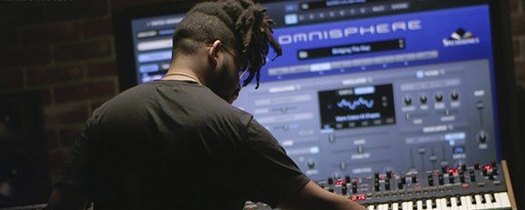
Omnisphere for macOS
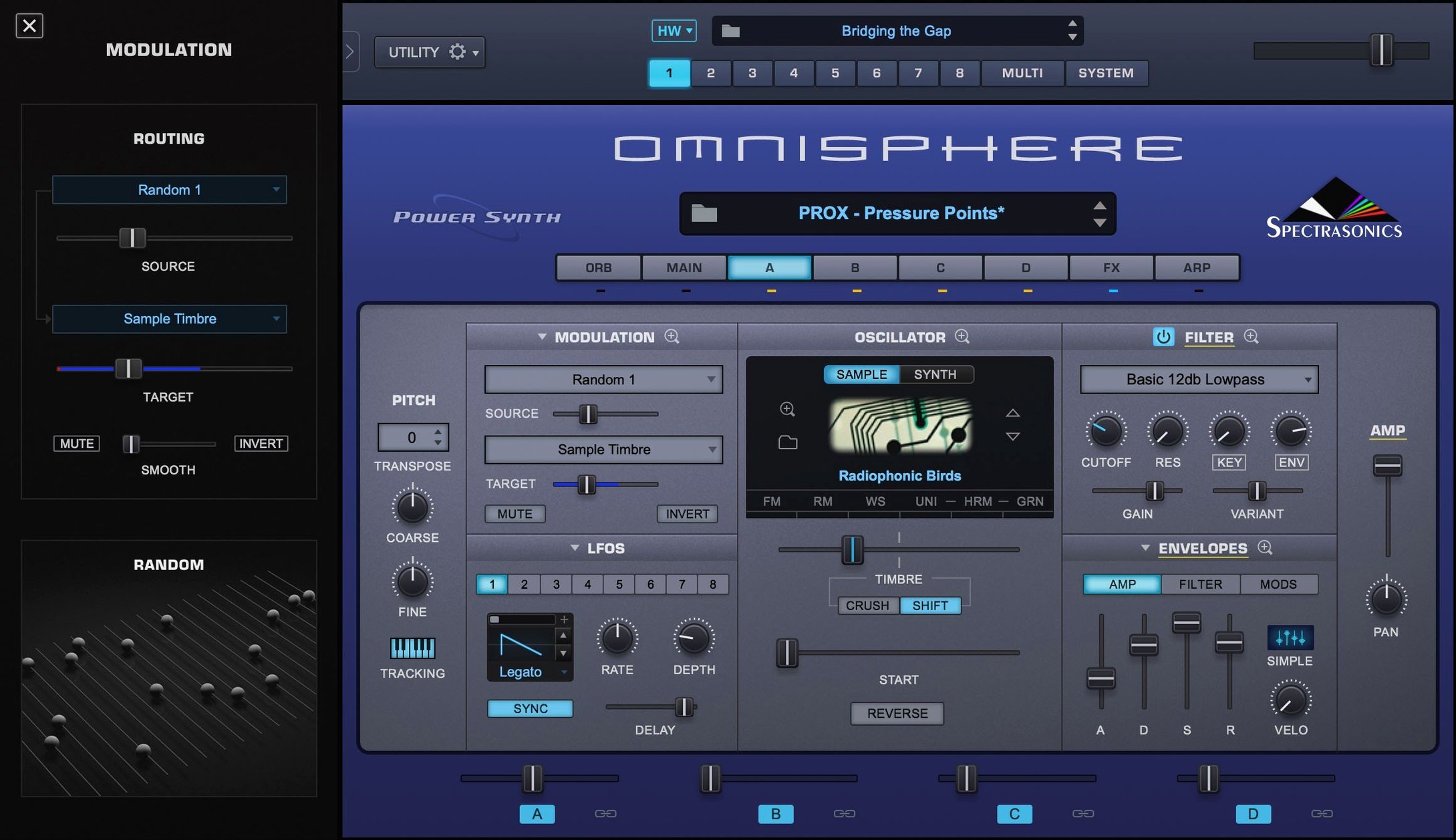
Description
Sound designers and producers who need a single instrument that can do wavetable, granular, sample-based and virtual analogue work often end up here. Omnisphere isn't a special-purpose synth — it's a broad toolbox that sits in the middle of a mix and fills whatever gap you throw at it.
Stack four layers in one patch with per-layer faders
- Layer mixing — stack up to four patches or sound sources, then blend them with per-layer faders, filters and modulation. Gets you from a simple bass tone to a shifting, evolving pad without leaving one window.
- Orb controller — a circular touch interface that morphs multiple parameters at once. Good for finding movement you wouldn't have programmed deliberately.
- Hardware Synth Integration — maps profiles for major synthesizers and MIDI controllers so the hardware controls the software directly. Keeps a hybrid setup from feeling like two separate rigs.
Acoustic dulcimer to detuned wavetable lead in one plugin
Omnisphere's sound sources span acoustic, synthetic and heavily processed textures, so you can pull it up for a realistic-sounding dulcimer, then change patch and get a detuned wavetable lead. The built-in effects rack — delays, reverbs, distortions, modulation — means a patch can sound finished before you touch a channel strip. In a busy track that matters.
Modulation hidden versus modulation color-coded on screen
Put Omnisphere next to Arturia Pigments and you see two different philosophies. Pigments puts its modulation routing front and centre — every LFO, envelope and function generator is visible on one screen, colour-coded and drag-and-drop. That makes it faster for building a patch from scratch when you know exactly what modulation you want. Omnisphere hides more of its routing behind tabs, but gives you a broader palette of sound sources from the start. Pigments does three synthesis types well; Omnisphere does more, and the factory library is an order of magnitude larger.
Native Instruments Massive X is a wavetable specialist. Its oscillators and filters sound excellent for aggressive bass and lead work, and the interface invites deep tweaking of wavetable position. But it doesn't do sample playback or granular, and it has no acoustic sound sources. Omnisphere covers the same wavetable ground with less immediacy in the oscillator panel but much more range once you layer a few sources and add the effects rack.
Against Xfer Serum, the comparison is tighter. Serum's wavetable editor is still the benchmark — you can draw harmonics by hand and see the results instantly on the waveform display. Omnisphere can't match that raw wavetable editing. But Serum is a wavetable synth with a noise oscillator; Omnisphere is a multi-engine instrument with a library deep enough that you often find a sound close to what you need and tweak it, rather than starting from an init patch. Different workflows for different minds.
Runs natively on Apple Silicon with no Rosetta
Does Omnisphere work on Apple Silicon Macs? Yes. The current build runs natively on ARM and x86 64-bit systems, so you won't sit through a Rosetta translation layer. Installation is the same for both architectures.
How much drive space does the full library need? The STEAM folder — where Omnisphere keeps its factory sounds — is provided separately and it is large. Expect to free up around 64 GB. If you are on a laptop with limited storage, plan ahead; you can move the STEAM folder to an external SSD and symlink it, but it must be fast enough for real-time sample streaming.
Can I use my hardware synth as a controller? If your synth is from one of the supported brands, Hardware Synth Integration maps its knobs and sliders to Omnisphere parameters automatically. It also loads profiles that match the hardware's character, so the software responds like an extension of the physical instrument rather than a generic MIDI destination.
What DAWs are supported? The installer gives you standalone, VST, AU and AAX formats. That covers Logic Pro, Ableton Live, Cubase, Pro Tools, FL Studio and most other hosts on macOS 11 or later.
A session with Omnisphere, step by step
You open a project that needs a pad — something airy but with a bit of grit underneath. You load Omnisphere on an instrument track, browse to the Pads category and audition a few patches with the on-screen keyboard. One catches your ear: a layered sound with a soft attack and a faint harmonic shimmer.
You switch to the Layer view and see two sound sources stacked. Source A is a sample-based string texture, Source B is a wavetable oscillator running a slow sweep. You drag the mix fader slightly toward Source B to bring the grit forward. Then you open the Orb controller, set it to affect filter cutoff and reverb mix, and record a pass of automation by dragging your finger across it on a touchscreen. The pad now moves through the track instead of sitting still.
Next you add a third layer — a simple sine wave an octave down — and dial its gain back until it just thickens the low-mids without calling attention to itself. The built-in tape saturation in the effects rack adds warmth without needing a separate plugin. You save the multi, close the window and carry on arranging. Total time: maybe eight minutes, most of it spent listening rather than clicking.
Browser stays snappy after the STEAM folder indexes
Omnisphere loads patches quickly from an SSD, but the first launch of a session can take a moment while it indexes the STEAM folder. Once running, patch browsing is snappy — the browser filters by category, timbre and genre, and results appear as you type. The plugin itself feels solid. Crashes are rare in daily use on a supported macOS version, and the audio engine handles dense multi-layer patches without glitching, provided your buffer size is reasonable.
CPU use varies with patch complexity. A single-layer sample patch is light — you can run dozens of instances on a modern Mac without trouble. A four-layer patch with granular synthesis, wavetable modulation and multiple effects will spike the meter. Freezing tracks or bouncing in place is sensible when you stack several such patches. Memory usage is moderate for the plugin itself; the real demand is disk throughput when streaming samples from the STEAM folder.
If you come across an omnisphere torrent or an omnisphere 3 torrent mac while searching, the STEAM folder has to be intact and correctly placed for the instrument to work at all. A mangled library causes missing samples and patch-loading errors that look like bugs but are really just incomplete data. Same goes for any Spectrasonics Omnisphere torrent — the factory content is the instrument, and without it you are staring at an empty shell. The omnisphere crack mac scene sometimes bundles an older library version that misses patches introduced in later updates, so you lose sounds you would otherwise have.
What’s new
Updates the reference guide for Software 3.0.2c.Requirements
- macOS 11 or later
- Intel or Apple Silicon Mac
- Standalone, VST, AU and AAX formats
FAQ
Does Omnisphere work as a standalone instrument?
Yes. It includes a standalone application as well as VST, AU and AAX plug-in formats for use inside a DAW.
Comments 0
Sign in or create an account to leave a comment.
No comments yet…
If you’ve installed it, say how it went. Mention your Mac and macOS version — it helps the next person more than you’d think.
More in VST Plugins
All in VST Plugins-
 Output Portal
1.2.1
Apple Silicon
Output Portal
1.2.1
Apple Silicon
-
 oeksound soothe2
1.3.3
Apple Silicon
oeksound soothe2
1.3.3
Apple Silicon
-
 Nudist Audio Nudistort
1.2.5
Apple Silicon
Nudist Audio Nudistort
1.2.5
Apple Silicon
-
 noteGRABBER
2.0.0
Apple Silicon
noteGRABBER
2.0.0
Apple Silicon
-
 Neural DSP Soldano SLO-100 X
1.0.0
Apple Silicon
Neural DSP Soldano SLO-100 X
1.0.0
Apple Silicon
-
 Neural DSP Parallax X
1.0.0
Apple Silicon
Neural DSP Parallax X
1.0.0
Apple Silicon
-
 Neural DSP Mantra
1.0.1
Apple Silicon
Neural DSP Mantra
1.0.1
Apple Silicon
-
 Neural DSP Archetype Rabea X
1.0.1
Apple Silicon
Neural DSP Archetype Rabea X
1.0.1
Apple Silicon