
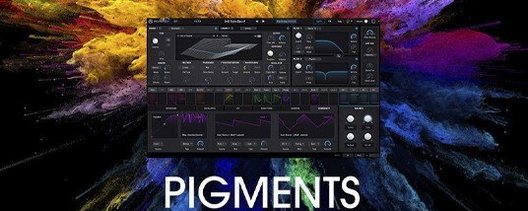
Arturia Pigments for macOS
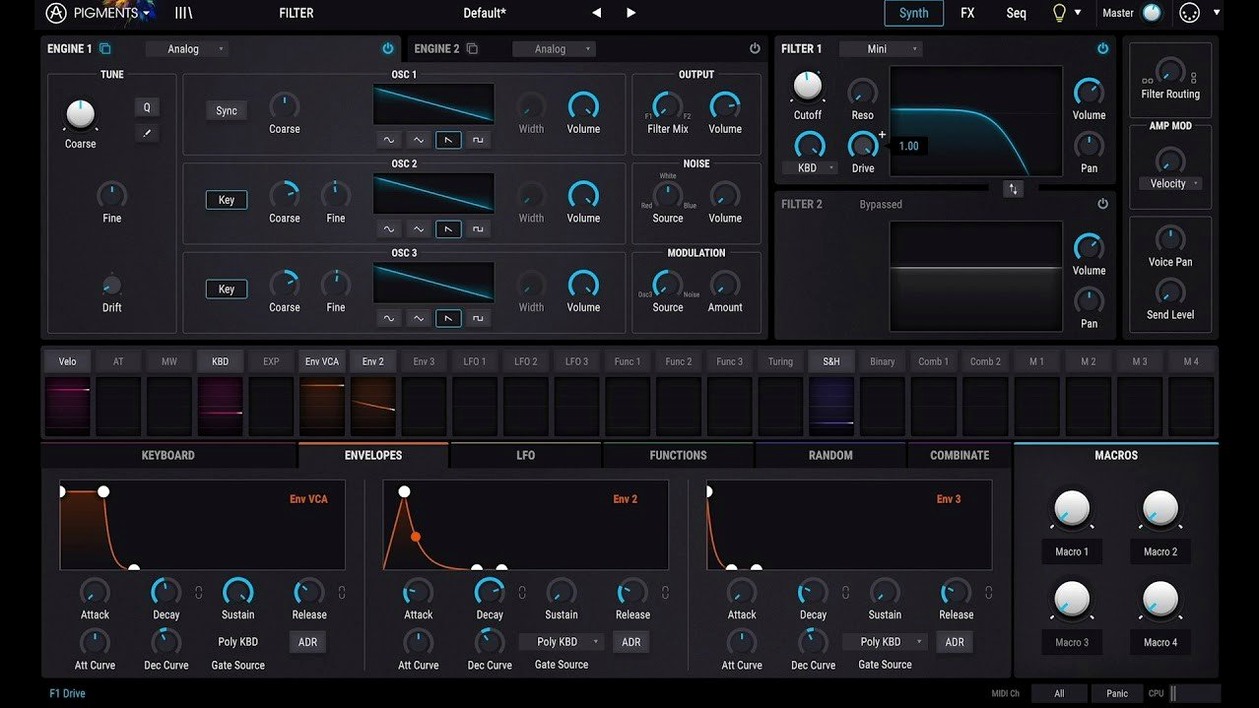
Description
Three engines, one window. Pigments is a software synth plugin that combines wavetable and virtual analog synthesis with a sample engine — and version 7 adds three new filter types to the rack.
- Where it lives: on instrument tracks. Load it, pick a preset or build a patch from scratch, and play it like any MIDI instrument.
- Buses: its built-in effects, now including Corroder, handle tone-shaping inside the plugin. You can still send it to an aux bus if the project needs it, but the internal chain covers most mix duties.
- Sequencing and modulation: the generative sequencer spits out patterns you can tweak in real time. Drag-and-drop modulation lets you assign almost any source to any destination without menu diving.
- Preset work: 150 new factory presets landed in 7.0.1. Good for quick starting points; better when you pull them apart to see how the routing works.
- Typical jobs: evolving pads, dirty basses, plucks that change timbre over eight bars, and anything that needs movement. It earns its keep on projects where static sounds won't cut it.
Tweaks that make the factory preset feel like your own
A fresh install of Pigments opens with sensible defaults, but a few tweaks make the synth feel more like yours. None of these are buried — they just aren't always the first thing people click.
Voice allocation and polyphony
The default voice count is generous, which is fine for fat chords. For monophonic basslines or arpeggiated plucks, switch to Mono or Legato in the voice settings. You get tighter low end and no rogue overlapping tails. While you're there, set the Max Voices to something realistic — 8 voices handles most pad work without unnecessary CPU cycles.
Modulation smoothing
Modulation sources snap to new values by default. If you want LFOs and random generators to glide rather than jump, increase the Smooth slider in the mod source panel. A value around 20–30 ms removes clicks on fast filter sweeps without making the modulation feel sluggish.
Play Page behaviour
The redesigned Play Page in 7.0.1 maps macro knobs to the most expressive parameters per preset. The first thing to change: disable "Load Play Page with Preset" if you prefer a consistent control layout across patches. Otherwise every preset resets your macro assignments, which gets old fast during sound design sessions.
Where it lands next to three other Mac synth plugins
Three other Mac synth plugins come up in the same conversation. Here's where Pigments sits.
Pigments vs. Serum
Serum is a wavetable workhorse with a cleaner, narrower focus. Its wavetable editor is more surgical, and the filter section is simpler. Pigments counterpunches with three extra synthesis engines — virtual analog, samples, and harmonic — plus a modulation system that doesn't need you to open a matrix view. If you only tweak wavetables, Serum is quicker. If you layer engines and route mod sources to effects parameters, Pigments pulls ahead. The Corroder effect in 7.0.1 adds lo-fi grit that Serum users patch together with external plugins.
Pigments vs. Phase Plant
Phase Plant gives you a blank panel and lets you bolt on whatever modules you need. It's more modular in spirit; Pigments is more structured. The upside of Pigments' structure: you spend less time connecting building blocks and more time playing. The downside: you can't strip it down to a single sine oscillator and one effect. For sound designers who think in signal-flow diagrams, Phase Plant wins. For producers who want rapid results from a unified interface, Pigments is the faster path.
Pigments vs. Diva
Diva models analogue circuits and sounds like it. If you want raw oscillator drift and filter saturation that mimics hardware, Diva is still the benchmark. Pigments doesn't try to compete on analogue realism — it competes on modulation depth and digital precision. Patches that evolve over time, morph between engine types, or lean on the sequencer are Pigments territory. Diva does one thing spectacularly. Pigments does five things very well.
Three groups who stick with the six-engine modulation system
Not every Mac user needs a six-engine hybrid synth. Three groups tend to stick with it.
Sound designers building evolving patches. If you make presets for libraries or need sounds that shift over eight bars, the modulation system is the reason. Three envelopes, three LFOs, three random generators, and a sequencer — all assignable by dragging one node to another. The sample engine adds texture that pure synthesis can't fake.
Producers tired of juggling five plugins. Pigments' internal effects chain — now with Rage, Ripple, and Reverb filters plus Corroder — means a single plugin handles synthesis and mix-ready tone. Fewer inserts, fewer busses, fewer windows open. That matters when you're tracking ideas and don't want to stop and load a delay plugin.
Anyone teaching themselves synthesis. The colour-coded interface and in-app tutorials landed for a reason. Modulation routes are visible as coloured lines. Click a destination, see every source that feeds it. It's the closest thing to a wiring diagram without leaving the plugin window. People who learned subtractive synthesis on hardware will find the workflow familiar; people who learned by clicking presets can reverse-engineer patches quickly.
If your Mac handles the CPU load — and most Apple Silicon machines chew through it easily — Pigments earns its slot in the plugin folder. The search for Arturia Pigments crack or Pigments 7 Mac torrent suggests plenty of users want to try before committing, and once it's running the synth asks for no excuses.
Pigments runs on Apple Silicon and Intel 64-bit Macs, macOS 11 or later. The modulation system rewards poking around.
What’s new
Adds a redesigned Play Page. Adds Rage, Ripple, and Reverb filters. Adds Corroder effect. Adds 150 factory presets, 50 wavetables, 30 samples, and 20 noises.
Requirements
- macOS 11 or later
- Intel 64-bit or Apple silicon Mac
FAQ
Does Pigments 7 work natively on Apple Silicon Macs?
Yes. Arturia Pigments runs natively on both Apple Silicon and Intel 64-bit Macs with macOS 11 or later.
What synthesis types does Pigments use?
It is a hybrid synth combining wavetable synthesis, virtual analog synthesis, and a sample-based engine.
Comments 0
Sign in or create an account to leave a comment.
No comments yet…
If you’ve installed it, say how it went. Mention your Mac and macOS version — it helps the next person more than you’d think.
More in VST Plugins
All in VST Plugins-
 Arturia V Collection 11 Pro
2025.20.26
Apple Silicon
Arturia V Collection 11 Pro
2025.20.26
Apple Silicon
-
 Arturia Mellotron V
1.9.3
Apple Silicon
Arturia Mellotron V
1.9.3
Apple Silicon
-
 Arturia FX Collection
2026.02
Apple Silicon
Arturia FX Collection
2026.02
Apple Silicon
-
 Arturia Emulator II V
1.6.2
Apple Silicon
Arturia Emulator II V
1.6.2
Apple Silicon
-
 Arturia Efx AMBIENT
1.0.0
Apple Silicon
Arturia Efx AMBIENT
1.0.0
Apple Silicon
-
 Arturia Analog Lab V
5.12.0
Apple Silicon
Arturia Analog Lab V
5.12.0
Apple Silicon
-
 Ample Sound Ample Guitar LP III
4.0.1
Apple Silicon
Ample Sound Ample Guitar LP III
4.0.1
Apple Silicon
-
 Ample Guitar M
4.1.0
Apple Silicon
Ample Guitar M
4.1.0
Apple Silicon