
Arturia Emulator II V for macOS
Description
Beat-makers who want texture without hunting down fragile 80s hardware. Sound designers after grainy stabs and lo-fi grit. Anyone who remembers the crunch of an 8-bit sampler and wants it inside their DAW without a flight case.
Gritty bass drops and grainy brass stabs
- Laying gritty bass and grainy brass on a chorus drop.
- Running a drum bus through its output stage for instant dirt.
- Pushing pads through the extra modulation and new effects.
- Adding an arpeggiator to the original sample engine workflow.
8-bit grit, not a clean machine
- This is an 8-bit instrument. If you want clean, look elsewhere.
- Needs macOS 11 or later. Runs on Intel and Apple Silicon.
- The 250 original presets are a starting point, not the whole library.
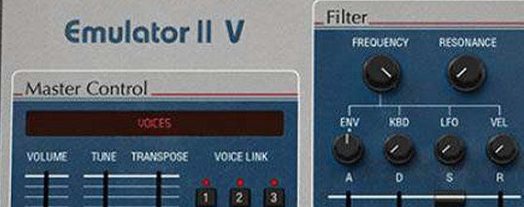
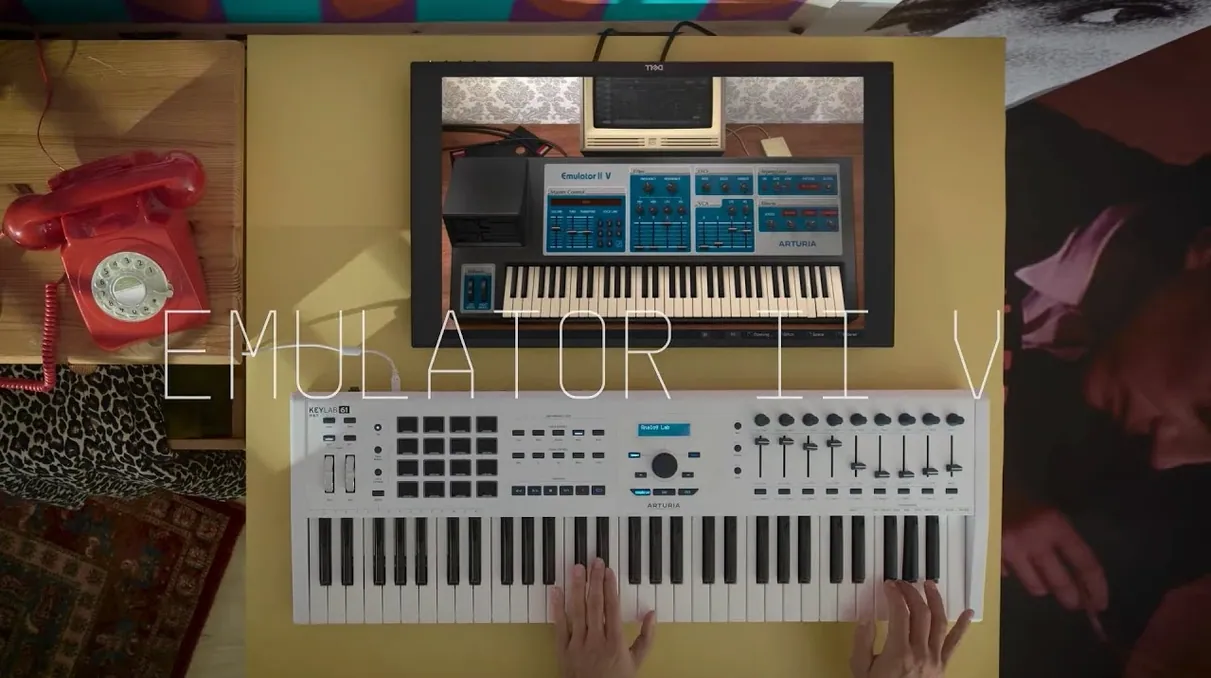
- Parameter editing is done through a single graphical interface, not a stack of menus.
Building a crunchy bass patch from scratch
Start with a raw sample from the included library. A square-wave synth tone or a muted guitar pluck works well. Load it into a slot and set the root note to C3 so you have room to play up and down the keyboard.
Step into the sample editor. Trim the start point tight to the transient. Lo-fi character comes from the truncation, not from processing. Set the loop points on a single cycle near the tail. Let it buzz.
- Dial the sample rate down to 27.7 kHz. The companding engine crunches the transients at lower rates, and that is the sound you are chasing.
- Set the VCF to low-pass. Cutoff around 2 kHz, resonance at 3. Keystroke tracking at 50% so higher notes open the filter slightly.
- Assign a slow LFO triangle wave to the filter cutoff. Depth around 15%. Now the bass breathes.
- On the amp ADSR, set a fast attack, medium decay, sustain at 70%, short release. You want punch, not drone.
- Layer a second voice an octave below. Drop its level by 6 dB and nudge the sample start 20 ms later. Instant weight.
Run the output through the onboard tape-style saturation and add a touch of chorus. Not much. Just enough to spread the grit across the stereo field. Save the patch. That is your go-to bass for the next six months.
Learn ten presets that map its core range
Do not audition presets for three hours and call it a day. You will forget half of them by tomorrow. Instead, pick ten presets that span the instrument's range: a bass, a pad, a brass stab, a string swell, a tuned percussion hit, a drum kit, a vocal phrase, a sweep, a pluck, a noise texture. Star them in the browser.
Now tweak each one. Move the filter cutoff. Shorten the amp decay. Swap the LFO destination. The interface shows every parameter on one panel, so you see the routing change as you turn a virtual knob. That is the fastest way to learn how the original architecture behaves when you push it.
Build a simple drum pattern in your DAW and load four instances across kick, snare, hats and a percussion hit. Treat each instance as a separate voice, just like the original hardware. Pan them. Run the snare through a short reverb. Bounce the loop to audio and drag it into a sampler. Now you have a custom kit with the Emulator's imprint baked in, and you can free up the CPU.
Try the arpeggiator on a chord stab. Set it to octave jumps and a dotted-eighth rhythm. Record the MIDI output to a separate track. Edit the notes by hand afterwards. The arpeggiator is a performance tool, not a composition crutch. Its real value is generating ideas you would not play manually.
Thin presets in a busy mix demand space, not EQ
Presets sound thin in a busy mix. This instrument is 8-bit companding into a 27.7 kHz engine. It will never fill a spectrum like a modern wavetable synth. The fix is not EQ. It is arrangement. Carve space for it. Let the Emulator sit in the midrange where its grain cuts through, and pull competing elements out of its way.
Sample loops click at the boundary. The original hardware had clicky loops. That is part of the charm. If you want a smoother loop, find a zero-crossing point near the end of the waveform and set the loop end there. Then drag the loop start to a matching zero-crossing. Tighten the loop length by a few samples. It will never be pristine, but it will stop poking you in the ear.
CPU spikes with multiple instances. Eight voices of polyphony per instance adds up. Bounce tracks to audio early. Commit to the sound. The Emulator II was a sampler. Its software recreation works best when you treat it the same way: sample it, print it, move on.
Arpeggiator sync drifts in a slow project. Check that your DAW is sending MIDI clock to the plugin and that the arpeggiator is set to external sync. If the tempo wavers, toggle the sync setting off and back on. Some hosts need a bar to lock in properly.
The output stage distorts when you layer voices. Each layer hits the modelled VCA and output circuitry. Stacking three or four voices with high sustain levels pushes the gain staging into clipping territory. Back off the voice levels by 3 dB each. The grit stays. The digital clipping does not.
Requirements
- macOS 11 or later
- Intel or Apple Silicon Mac
- Interface language: English
Comments 0
Sign in or create an account to leave a comment.
No comments yet…
If you’ve installed it, say how it went. Mention your Mac and macOS version — it helps the next person more than you’d think.
More in VST Plugins
All in VST Plugins-
 Arturia Efx AMBIENT
1.0.0
Apple Silicon
Arturia Efx AMBIENT
1.0.0
Apple Silicon
-
 Arturia FX Collection
2026.02
Apple Silicon
Arturia FX Collection
2026.02
Apple Silicon
-
 Arturia Analog Lab V
5.12.0
Apple Silicon
Arturia Analog Lab V
5.12.0
Apple Silicon
-
 Arturia Mellotron V
1.9.3
Apple Silicon
Arturia Mellotron V
1.9.3
Apple Silicon
-
 Arturia Pigments
7.0.1-6772
Apple Silicon
Arturia Pigments
7.0.1-6772
Apple Silicon
-
 Arturia V Collection 11 Pro
2025.20.26
Apple Silicon
Arturia V Collection 11 Pro
2025.20.26
Apple Silicon
-
 Ample Sound Ample Guitar LP III
4.0.1
Apple Silicon
Ample Sound Ample Guitar LP III
4.0.1
Apple Silicon
-
 Ample Guitar M
4.1.0
Apple Silicon
Ample Guitar M
4.1.0
Apple Silicon