
Arturia Analog Lab V for macOS
Description
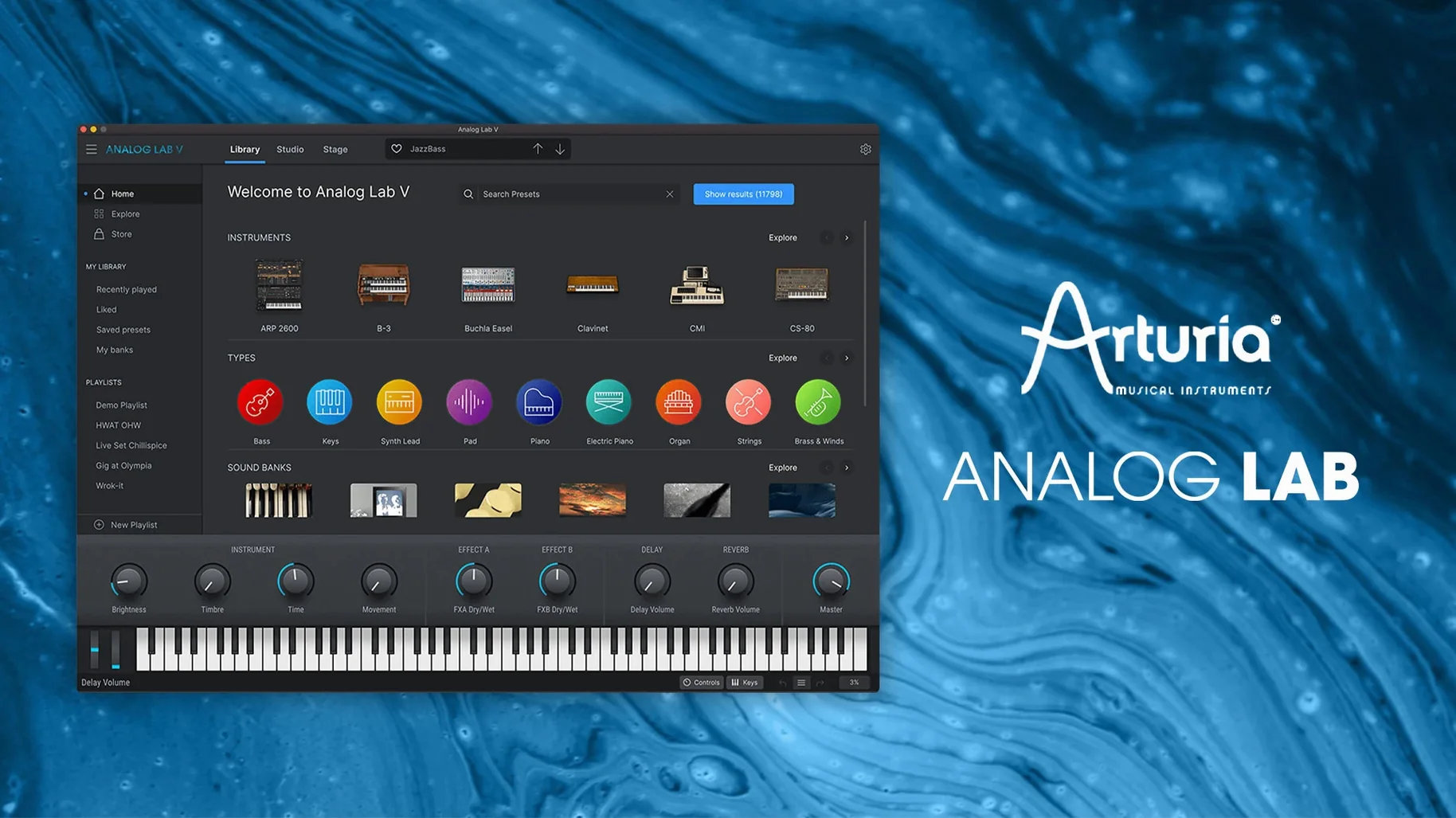
Scrolling through a hundred synth plugins just to find a workable pad stops being creative about three minutes in. Arturia Analog Lab V puts thousands of curated presets from their instrument range into a single browser, so you reach for sounds instead of hunting for them. It covers vintage recreations and modern textures alike.
Where to slot it in
Drop it on a keyboard track when you need a lead or a chord part fast. Browse, pick a preset that gets you close, then start twisting knobs. Projects that already use sounds from an older Analog Lab version open without converting anything.
What it brings to a session
Think of it as the player for a back catalogue you might not own outright. It gives access to iconic electric piano, organ, and synthesizer presets drawn from dozens of modelled instruments. You can treat it as a sketchpad while writing, or keep the part in the final mix if the preset sits right. The plugin runs natively on both ARM and x86 64-bit Macs from macOS 11 onward.
Bass with bite in under a minute
You open a track that needs a bass part. Not a plucked bass, not a sub — something with bite and a bit of grit that won't swamp the kick. You load Analog Lab V on an instrument track. The plugin takes a second or two, then shows the last preset you used.
- Click the browser icon in the top bar. The main window splits, showing categories on the left — Basses, Pads, Leads, and so on.
- Select Basses. The tag strip below the search bar fills with options like Synth Bass, Electric Bass, Acoustic Bass. You click Synth Bass. The preset list narrows to a few hundred.
- Type "dirty" in the search field. Sixteen presets stay visible. You arrow-key down the list, playing a low C on your controller as each one loads. The third one, something called "Dirty PWM Bass," sounds close but a bit polite.
- You reach for the four macro knobs in the centre panel. Twist Drive clockwise. The sound breaks up just enough. You drop the Filter back a touch to take the edge off the top end. Done in under a minute.
You hit record and play the part. Later you might open the full instrument view — if you own the V Collection licence for the synth that preset came from — and tweak the envelopes properly. But the macro edit already sits in the mix without any fuss.
Queue up presets with Playlist mode
Some things in Analog Lab V aren't advertised loudly but make a real difference once you notice them.
- Playlist mode. Click the playlist icon next to the search bar. You can queue up presets in order and step through them with a single click or MIDI program change. Useful for live sets where you need to switch patches without taking your hands off the keys.
- MIDI map assignment. Right-click any macro knob or fader, move a controller on your hardware, and it's mapped. No menu diving. The mapping window shows everything currently assigned so you don't double-book a knob.
- Preset history. The clock icon in the top bar keeps a list of the last twenty or so presets you loaded. If you auditioned something interesting six clicks ago and can't remember which category it was under, the history has your back.
- Shift-click on the Random button. Rather than a completely blind jump, it picks a preset from your current filtered list. If you've narrowed things to Synth Pads with the "warm" tag, random stays within that pool.
- Double-click a macro to reset it. No need to squint at the tiny centre marker. Double-click returns the knob to its saved value.
When the plugin won't show in your DAW
Most problems come down to three things: installation quirks, plugin scanning, and controller recognition.
Plugin doesn't appear in your DAW after installing. Analog Lab V installs AU, VST2, VST3 and AAX versions. Some hosts only scan specific formats. Check your DAW's plugin manager and make sure the format you expect is enabled. On Apple Silicon Macs running a DAW under Rosetta, the native ARM version won't show — you need to run the host natively or install the Intel build if Arturia provides it.
Presets take too long to load. The first time you browse after installation, Analog Lab V builds a preset database. Give it a minute. If loading stays sluggish weeks later, check that the Arturia preset folder hasn't been moved from its default location. Moving it forces a rebuild every launch.
A controller works in standalone but not in the plugin. The standalone app grabs MIDI ports directly. Inside a DAW, the host manages MIDI routing. Make sure your controller is set as an input device in the DAW's track inspector or input section, not just plugged in. If the DAW sees it but Analog Lab V doesn't respond, open the plugin's Audio & MIDI settings (gear icon, top right) and confirm the correct port is active.
Macros don't seem to affect the sound. Not every macro is mapped on every preset. The four knobs and the XY pad are assignable per patch by the sound designer. If a knob does nothing, the preset creator left that slot empty. You can right-click and assign it to a parameter yourself, but the original preset won't change — save your own version if you want to keep the mapping.
Apple Silicon support arrives in 5.12
Version 5.12 brought native Apple Silicon support across the whole plugin chain, so there's no Rosetta translation step if you're on an M-series Mac. Load times improved noticeably on ARM machines after that build.
The preset browser got a tagging refresh. You can now combine more tags in a single search without the list emptying too aggressively — older builds used strict AND logic that killed results if you picked two tags that rarely overlapped. The current version uses a softer match that shows the closest hits even when not every tag lines up.
MIDI program change handling is tighter. Earlier versions sometimes missed the first program change message after a preset load. Build 6227 fixed that, so live performers stepping through a playlist via footswitch get reliable switching.
A handful of V Collection 10 and 11 instrument presets that previously showed as "locked" in Analog Lab V now preview properly even without a full V Collection licence. You can hear them and use the macros; you just can't open the full instrument editing panel. That means more sounds are genuinely playable straight out of the box.
A pulsing drone before the 11 a.m. deadline
Someone scoring a short film needs a pulsing, uneasy drone for a scene transition. They don't want to build it from scratch — the deadline is this afternoon and the director wants to hear options by eleven.
They open Analog Lab V in standalone mode, set the buffer low, and type "drone" into the browser. Forty or so presets appear across Pads, Soundscapes, and Textures categories. They tag "dark" and "evolving" and the list drops to nine. Each one gets a quick audition with a held chord. The third one, a CS-80-based soundscape, has the right slow filter movement but feels too clean.
They pull the Texture macro up to introduce some grit from a secondary layer. They drag the XY pad to the bottom-left corner, where the preset designer mapped reverb wet level and a low-pass cutoff — the sound gets hollow and distant. They record a few minutes of MIDI notes with slow fader movements, then bounce the audio.
Twenty minutes from opening the plugin to an audio file ready for the timeline. Nobody asked which synth engine made the sound. The preset browsing made it possible, and the macro controls made it fit.
Requirements
- macOS 11 or later
- Intel or Apple Silicon Mac (both supported natively)
FAQ
Does Analog Lab V work on Apple Silicon Macs?
Yes. It runs natively on both ARM and x86 64-bit Macs from macOS 11.0 onwards.
What's the difference between Analog Lab V and Analog Lab Pro?
Analog Lab Pro is the new product name, but the software and plugins themselves still use the Analog Lab V name.
Will my old sessions break if I update?
No. You can open existing projects that used earlier versions without changing any sounds.
Comments 0
Sign in or create an account to leave a comment.
No comments yet…
If you’ve installed it, say how it went. Mention your Mac and macOS version — it helps the next person more than you’d think.
More in VST Plugins
All in VST Plugins-
 Arturia Efx AMBIENT
1.0.0
Apple Silicon
Arturia Efx AMBIENT
1.0.0
Apple Silicon
-
 Arturia Emulator II V
1.6.2
Apple Silicon
Arturia Emulator II V
1.6.2
Apple Silicon
-
 Arturia FX Collection
2026.02
Apple Silicon
Arturia FX Collection
2026.02
Apple Silicon
-
 Arturia Mellotron V
1.9.3
Apple Silicon
Arturia Mellotron V
1.9.3
Apple Silicon
-
 Arturia Pigments
7.0.1-6772
Apple Silicon
Arturia Pigments
7.0.1-6772
Apple Silicon
-
 Arturia V Collection 11 Pro
2025.20.26
Apple Silicon
Arturia V Collection 11 Pro
2025.20.26
Apple Silicon
-
 Ample Sound Ample Guitar LP III
4.0.1
Apple Silicon
Ample Sound Ample Guitar LP III
4.0.1
Apple Silicon
-
 Ample Guitar M
4.1.0
Apple Silicon
Ample Guitar M
4.1.0
Apple Silicon