
VueScan Pro for macOS
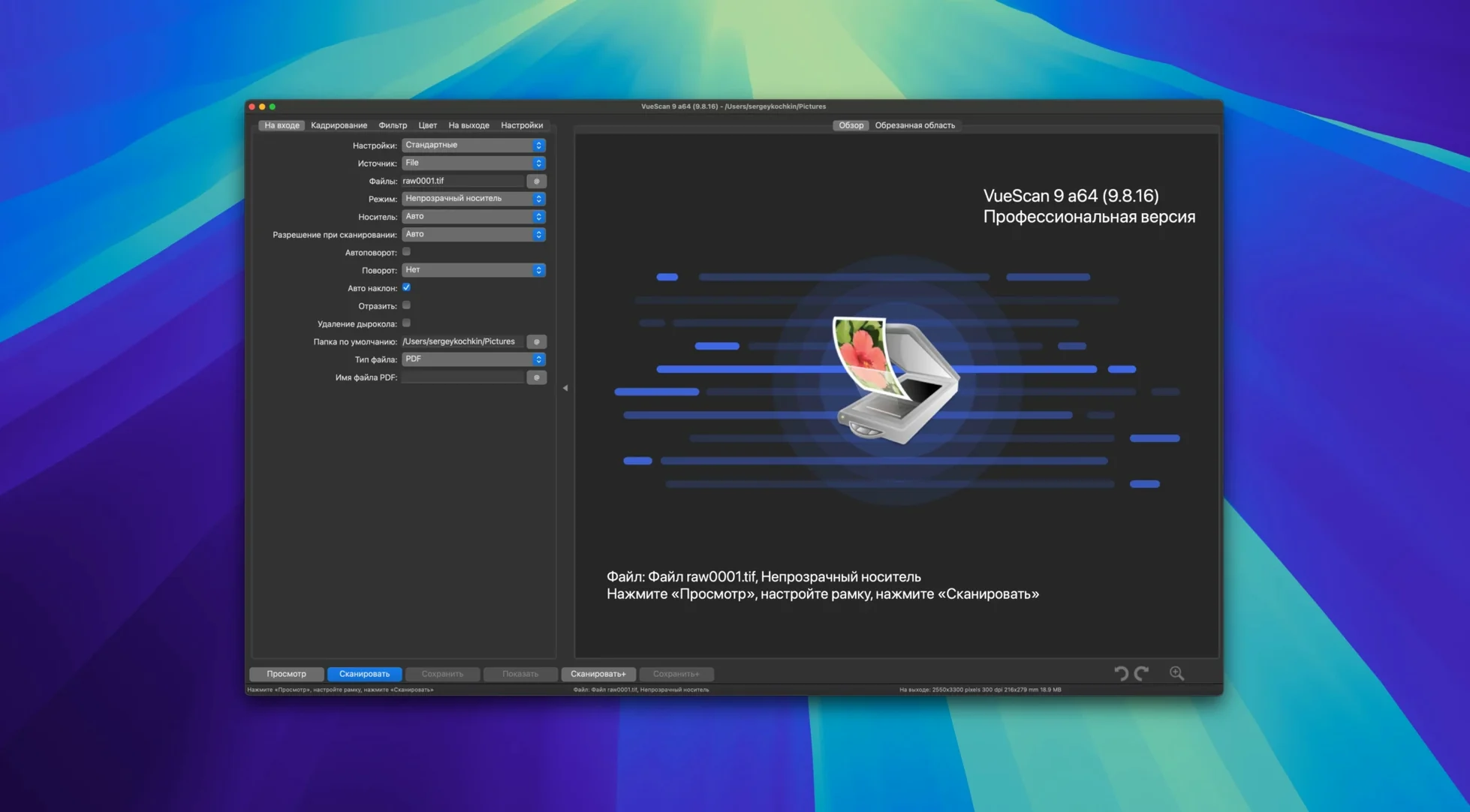
Description
If the scanner that came with your Mac stopped working after an OS update, VueScan Pro is probably the reason it still scans. It supplies its own scanning software for more than 6,000 models, so you're not waiting on a manufacturer who gave up years ago.
Will it run on your Mac and wake your scanner
- Will it run on this machine? Version 9.8.57 is a universal binary for Apple Silicon and 64-bit Intel Macs. It needs macOS 10.15 Catalina or later.
- Does it actually talk to my scanner? If the scanner is in that 6,000-model list, yes. On many models it works with the built-in driver and supplies its own scanning software on top.
- Can I fix faded slides and negatives? There's an infrared scan channel for removing dust and scratches. You also get full manual control over exposure, colour correction, maximum colour depth and output file format.
- Is batch work less tedious now? The 9.8.57 update added batch processing for colourise and super-resolution, plus file names with varying increments like file001+2.jpg and date substitutions in folder names.
What the recent releases changed for day-to-day scanning
Version 9.8.57 didn't overhaul the interface. It made the stuff you do repeatedly less fiddly. Batch processing for colourise and super-resolution means you can queue a stack of scans and let them run while you get on with something else. No more babysitting the progress bar between each frame.
AI-assisted touch-up got a quality bump. If you use that feature, you probably noticed fewer artefacts around edges — hair, tree branches, text on worn documents. It's not magic, but it saves a round-trip to another editor more often than it used to.
The date and time substitutions in folder names are the kind of thing that sounds minor until you archive two years of invoices. Type %Y-%m-%d once, and every session lands in a dated folder without you thinking about it. Paired with the new varying increment filenames — file001+2.jpg giving you file001, file003, file005 — numbering odd-even batches of negatives takes about three seconds.
Eighteen new scanner profiles arrived: seven Epson and eleven Brother models. If you own one of those, the software now recognises it without the generic driver dance. USB scanner support on macOS also tightened up, which matters most on machines where a scanner would occasionally vanish after sleep.
Your flatbed wakes up the moment VueScan Pro opens
You lift the lid on a flatbed that hasn't been used since the last macOS upgrade. The manufacturer's app bounces once in the Dock and quits. You open VueScan Pro instead.
The scanner wakes up immediately — the software found its own driver years ago, and it remembers. You drop six 35mm negatives into the holder, close the lid, and hit Preview. The strip appears in about twenty seconds. A quick drag of the crop frame, and you set the first frame to scan at 4800 dpi, 48-bit colour, with infrared cleaning on.
You switch to the Batch tab. The list shows frame001 through frame006, each inheriting the same settings. You type negatives/roll03/%Y-%m-%d/frame into the folder field, and the output naming sorts itself. One click starts the sequence. While the scanner hums through the first three, you open the Colour tab on frame002 and nudge the red channel down by a hair — that sunset shot always came back too warm from the lab. The correction writes into the saved file, not just the preview.
Halfway through, you remember a faded print tucked in the box. You swap the negative holder for the photo, drop the resolution to 600 dpi for a quick archive copy, and let the restore filters do their thing. The unsharp mask and grain reduction work together without you tweaking sliders for five minutes. You save the raw scanner data alongside the TIFF, in case you want to reprocess it later without the scanner plugged in.
The whole lot — six negatives, one print, raw backups — finishes in under ten minutes. You close the lid, and the scanner powers down. VueScan sits quietly in the background, ready for the next time an OS update breaks everything else.
Worth it if you'd rather spend an evening scanning than troubleshooting drivers.
The installer includes activation instructions. Worth it if your scanner still powers on but the manufacturer's software no longer does.
What’s new
Version 9.8.59 brings a round of developer fixes and small improvements across scanning and stability.
Requirements
- macOS 10.15 (Catalina) or later
- Runs natively on Apple Silicon
FAQ
What if macOS blocks the installer?
Right-click the package and choose Open from the menu, then confirm in the dialogue. The same goes for the app the first time you launch it.
Comments 0
Sign in or create an account to leave a comment.
No comments yet…
If you’ve installed it, say how it went. Mention your Mac and macOS version — it helps the next person more than you’d think.