

PDFelement Pro for macOS
Description
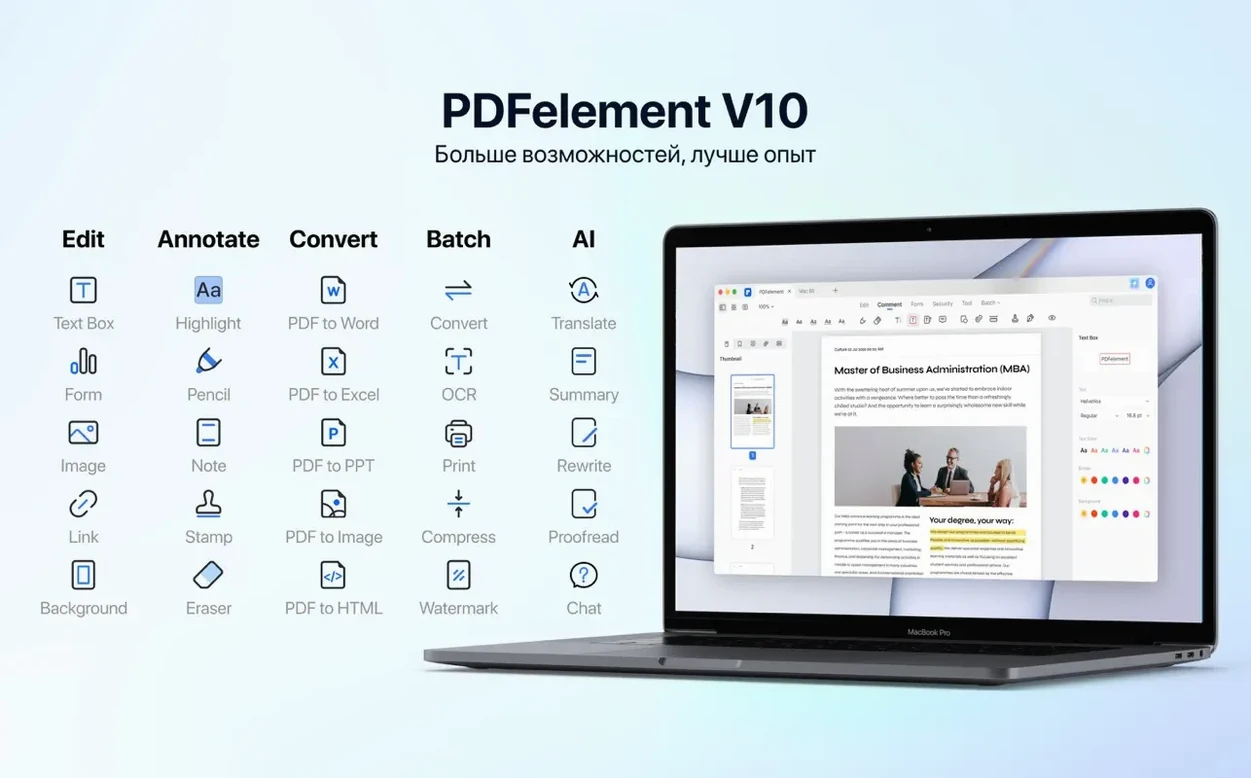
Eleven interface languages and one click between reading a scan and searching its text. PDFelement Pro puts OCR, conversion and annotation inside a single Mac window, with batch processing for the days when you have forty files and no patience left.
- OCR in this build. Grabs text from scanned PDFs and image-based documents so you can search, copy or edit the words instead of retyping them.
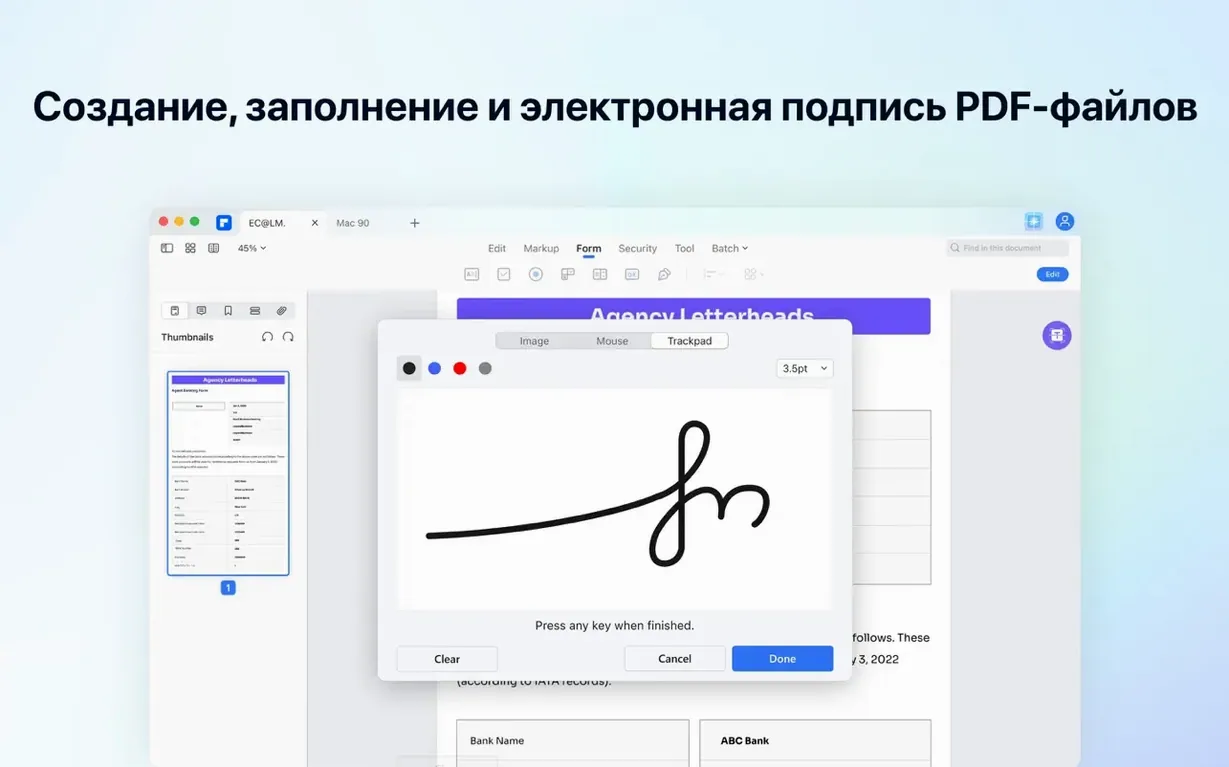
- Fillable forms from scratch. Drop in buttons, checkboxes, radio buttons and drop-down lists to turn a flat PDF into an interactive form, then add digital signatures where needed.
- Batch PDF processing. Convert, compress or apply Bates numbering across multiple files in one run rather than opening each one separately.
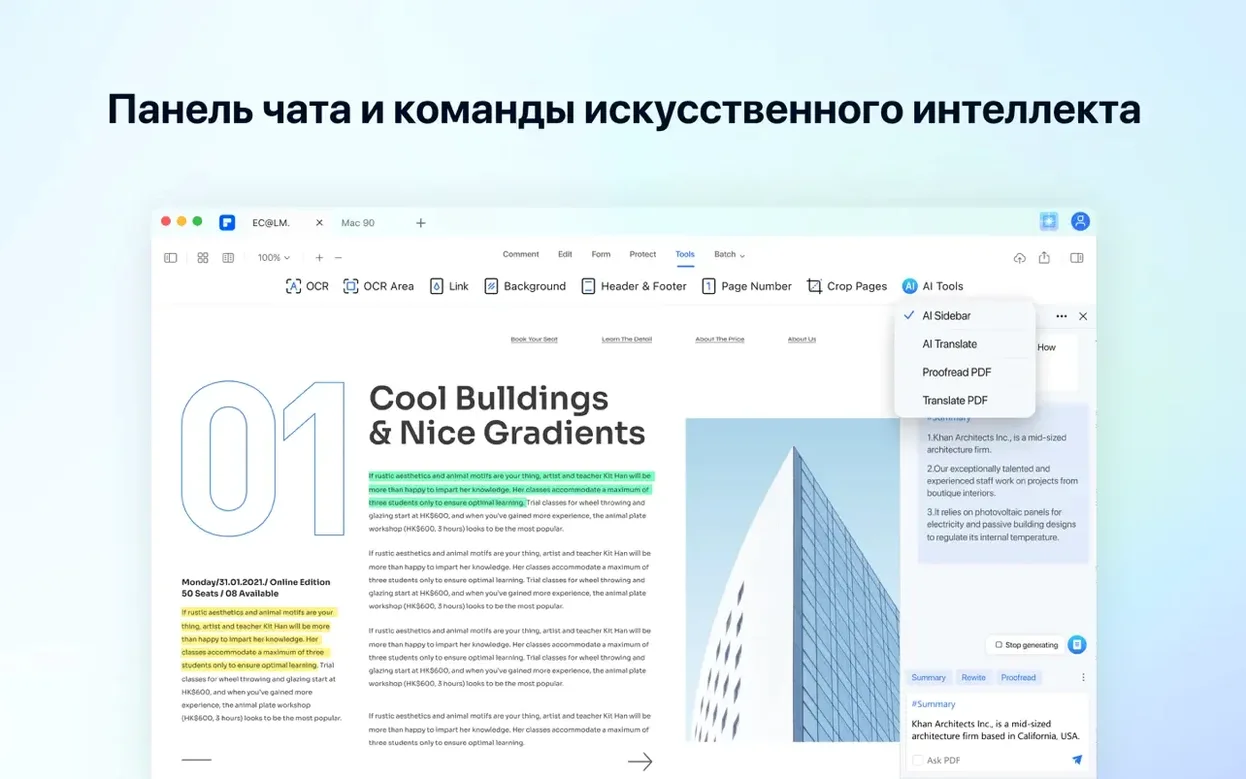
- Built-in AI tools. Summarise, translate or pull out key points from a document without leaving the app.
Editing, converting and annotating sit alongside the signing tools, so a contract review and a form fill can happen in the same place. It runs on Intel Macs from macOS 11 onward.
Replace or extract pages from the thumbnail sidebar
Right-click any page thumbnail in the sidebar and you get a menu most people scroll past. Replace Page swaps in a different PDF without disturbing the rest of the document. Extract Pages saves selected sheets as a new file in one step. Neither needs a trip to the menu bar.
The OCR language selector sits in a toolbar dropdown. If you scan documents in two languages, you can pick the correct one before each recognition run. Leaving it on the wrong language produces gibberish — switch it early and the results are surprisingly clean.
Dragging an image file straight into the PDF editor window creates a new page from that image. It works with PNG, JPEG and TIFF. No import wizard, no dialogue box. If the image is a photo of a receipt, running OCR on it afterwards makes the text searchable.
When you stamp Bates numbers across multiple files, the numbering sequence continues across the batch. The dialogue lets you set a prefix, a starting number and the position on the page. Court bundles and document productions become a morning task instead of an afternoon one.
Print straight into the editor from any Mac app
PDFelement installs a print-plugin extension that appears in the PDF dropdown of any Mac print dialogue. From TextEdit, Pages, Safari, anything with a standard print sheet, you can send output straight into the editor for annotation or conversion. No saving an intermediate file first.
The app reads Microsoft Office formats directly — drop a DOCX, XLSX or PPTX onto the window and it converts to PDF without Office installed. The layout holds up well, including tables and embedded images. Going the other way, exporting a PDF to an editable Word document preserves paragraph structure better than most online converters.
Finder integration goes further than the print plugin. Select a group of PDFs, right-click and choose Open With to load them all into PDFelement in one window as separate tabs. From there, the batch tools can merge, compress or OCR the lot without dragging files around.
For people who keep reference material in Apple Notes, dragging a PDF page thumbnail out of the sidebar and into a note embeds that single page as a preview. It is quicker than exporting the page and attaching it.
Scrolling stays smooth on a 2018 Intel MacBook Pro
"Will it slow down on an older Intel Mac?" Not in a way you will notice. On a 2018 MacBook Pro with 16 GB RAM, opening a 200-page document and running OCR takes about twenty seconds. Scrolling stays smooth. The AI summariser adds a few seconds of processing on large files but nothing that interrupts typing or switching tabs.
"Does the OCR handle handwriting?" It reads printed text reliably across those 29 languages. Handwritten notes are hit-and-miss — neat block capitals sometimes come through; cursive almost never does. Treat it as a typed-text recognition tool and you will not be disappointed.
"Can I edit text in a scanned page?" Yes, after OCR. The recognised text becomes an invisible overlay on the image, and the editing tools let you fix typos, change fonts or adjust line spacing. The underlying image stays the same, so edits look slightly different from the original scan but the words are correct.
Some people search for a PDFelement torrent or a Wondershare PDFelement Mac crack to get straight into the full toolkit. This build includes the complete Pro feature set, including OCR and batch tools as they are available in version 12.1.28.
The ribbon hides once you pick a tool mode
Launch time on an Intel machine is about four seconds from a cold start, two seconds when reopening. The window layout uses a tabbed ribbon that stays out of the way once you pick a tool mode — edit, comment, convert, or the AI panel.
Memory use sits around 300–400 MB with a handful of documents open. It climbs above 600 MB during batch OCR on large scanned files, then drops back down. No memory leaks over a full working day that I have seen. The app has crashed once in months of use, and that was on a corrupted PDF that Preview also refused to open.
Dark mode support follows the system setting, and the toolbar icons are readable in both modes. The AI panel slides in from the right without reflowing the document, so you can ask it to summarise a section while keeping your place on the page.
Scrolling through a 300-page technical manual with embedded diagrams feels close to Preview in fluidity. The redaction tool paints a black bar that burns into the file on save — it warns you beforehand, and the warning is clear enough that nobody will accidentally ruin their original. Export a redacted copy instead of overwriting, and you keep the clean master.
If you are hunting for a wondershare pdfelement full mac build that does not nag you about missing features, this one stays quiet and works. No watermark, no trial expiry prompts interrupting batch jobs.
What’s new
Adds OCR to this build.
Requirements
- macOS 11 or later
- Intel processor
FAQ
Can PDFelement create fillable forms on a Mac?
Yes. You can add interactive fields such as buttons, checkboxes, radio buttons and drop-down lists, then apply digital signatures to the finished form.
Comments 0
Sign in or create an account to leave a comment.
No comments yet…
If you’ve installed it, say how it went. Mention your Mac and macOS version — it helps the next person more than you’d think.
More in Office
All in Office-
 PDF Reader Pro
6.0.0
Apple Silicon
PDF Reader Pro
6.0.0
Apple Silicon
-
 PDF Expert
3.13.4
Apple Silicon
PDF Expert
3.13.4
Apple Silicon
-
 Pages Creator Studio
15.3.1
Apple Silicon
Pages Creator Studio
15.3.1
Apple Silicon
-
 OmniReader Pro
3.4.4
Apple Silicon
OmniReader Pro
3.4.4
Apple Silicon
-
 OmniPlan Pro
4.11.0
Apple Silicon
OmniPlan Pro
4.11.0
Apple Silicon
-
 Numbers Creator Studio
15.3.1
Apple Silicon
Numbers Creator Studio
15.3.1
Apple Silicon
-
 QuickBooks Mac Plus
23.1.9.R10 Plus
Apple Silicon
QuickBooks Mac Plus
23.1.9.R10 Plus
Apple Silicon
-
 Nitro PDF Pro
13.3.1
Apple Silicon
Nitro PDF Pro
13.3.1
Apple Silicon