
GraphPad Prism for macOS
Description
GraphPad Prism combines biostatistics, nonlinear regression, and scientific graphing in one application. It's the tool you reach for when a spreadsheet isn't enough and you need proper analysis with publication-ready figures. Version 11.1.0 needs macOS 11 or later and runs on Apple silicon and Intel.
Where to begin
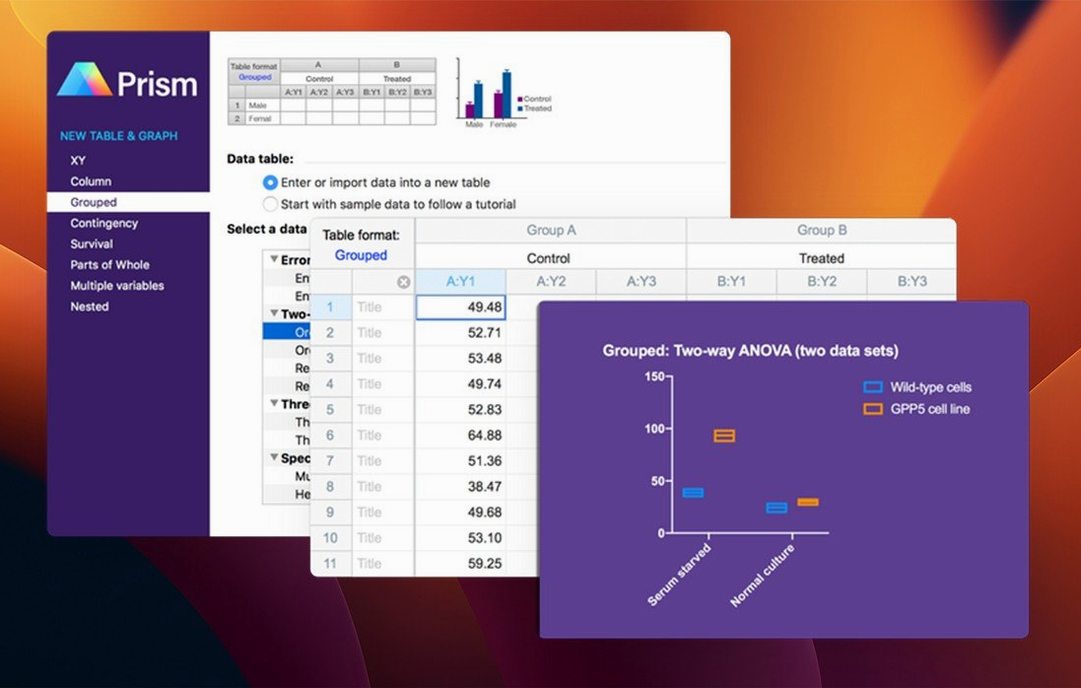
- Pick the right data table. The welcome screen lists table types by the analyses they support. Choose based on your experimental design — grouped, nested, or survival data — not just what the data looks like.
- Use the analysis checklists. Prism includes tools for choosing statistical tests and interpreting results. Work through one when you're unsure whether you need a parametric test. It explains the assumptions in plain terms.
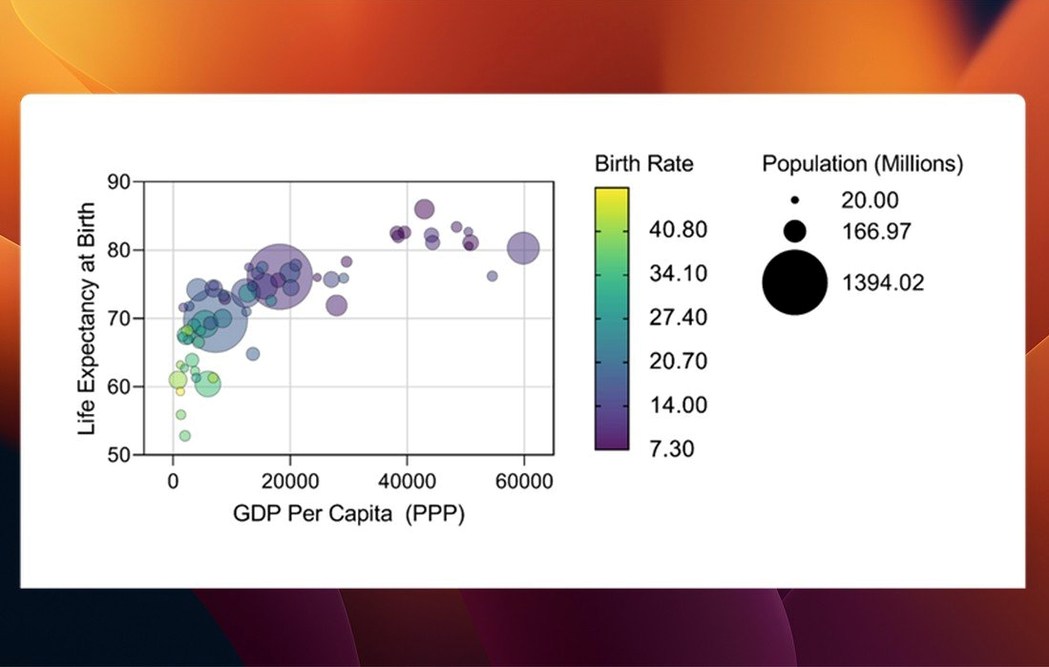
- Try the new graph types. Version 11 adds graph styles for multiple variables tables. If you're working with more than one outcome measure, these give you clearer layouts without manual fiddling.
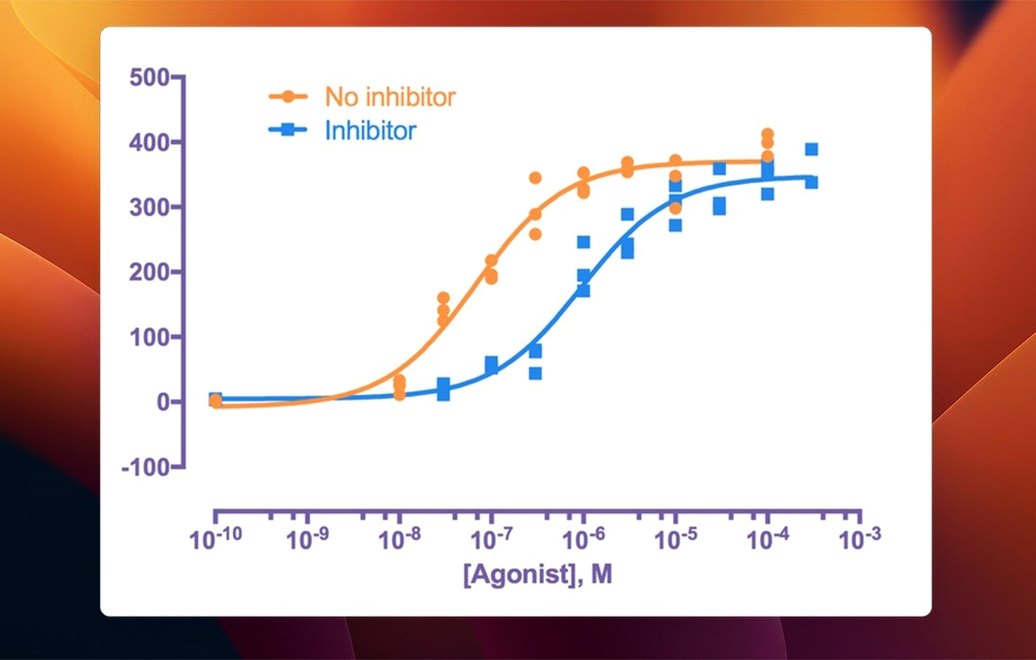
- Explore the nonlinear regression dialog. Pick a built-in model, go to the diagnostics tab, and let Prism flag any questionable fits. It's a fast way to learn what the residuals and confidence bands are telling you.
Sharing work across apps
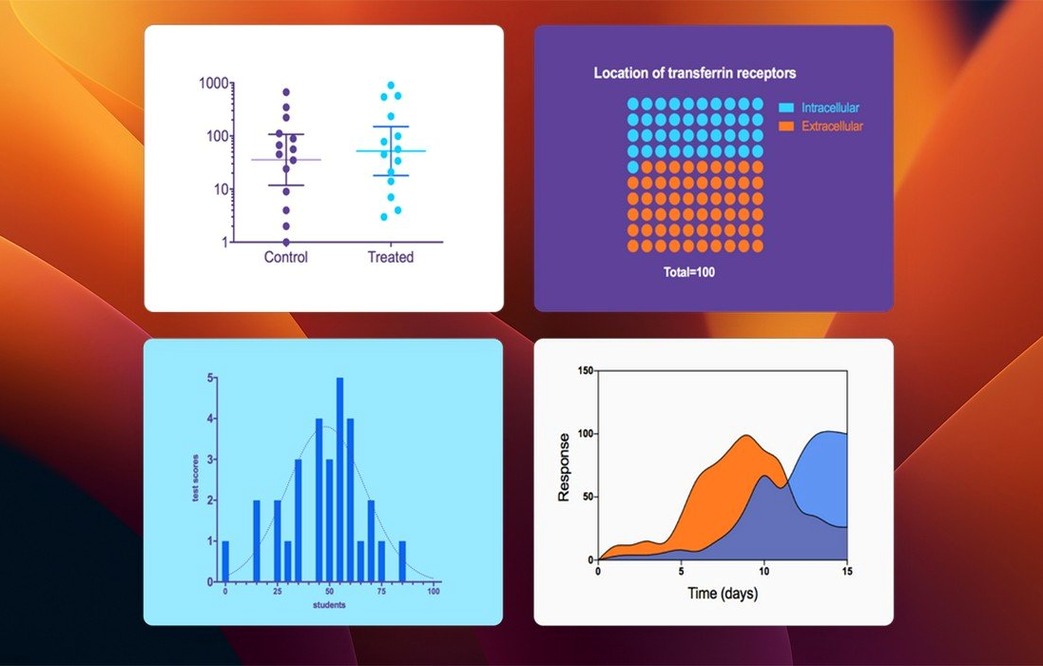
The copy-and-paste link between Prism and other apps is tighter than it looks. Select a graph and press Cmd-C. Paste it into PowerPoint or Keynote and you get a vector image that stays sharp. Double-click it later, and Prism opens the original file so you can adjust font sizes or axis labels without re-exporting.
For Word and Pages, drag the graph directly from the navigator panel. It lands as a PDF object. The resolution holds up when the document goes to print, and there is no pixelation if a reviewer zooms in. If you need to send raw data to a colleague who does not use Prism, export a table as CSV first — Prism remembers the delimiter settings between sessions.
macOS integration helps in other ways. The app respects Dark Mode, which is easier on the eyes during a long analysis session. Quick Look in Finder shows graph previews without opening the file. Spotlight finds .pzfx files by name, so you are not digging through folders.
Unexpected conveniences
- Right-click a data cell and choose Exclude. The point vanishes from the graph and analysis immediately but stays visible as a greyed-out value. You can bring it back at any time. It is the cleanest outlier-handling method I have seen — no deleting, no regret.
- Hold Option while drawing a selection rectangle on a graph. It snaps to data points instead of freehand. That makes it easy to grab exactly the cluster you want to annotate.
- The floating notes window on any data table. Use it for session logs: which transformation you applied, why you excluded group 3, what the PI suggested. The notes travel with the file, not a separate text document.
- Undo stacks deep. Cmd-Z works across analysis steps, graph formatting, even data exclusions. Do not be shy about experimenting.
First days with 11.1.0
Open a file from an older Prism version without hesitation. This release reads formats back to version 4 and preserves everything — custom colour palettes, embedded analysis scripts, linked sheets. The first time you save, it creates a new .prism-extension file. Keep the old one as a backup.
Spend ten minutes setting up your default graph appearance. Create a graph, adjust the axis thickness, font family, and background colour, then right-click the graph and choose Set as Default. Every new graph you make from that point inherits those settings. It saves a surprising amount of time compared to reformatting each figure.
If your institution uses single sign-on, the new browser-based activation in 11.1.0 means you authenticate through your organisation's portal instead of managing a separate licence file. The first launch walks you through it. Once activated, Prism works offline — it does not phone home for every session.
When you encounter a dataset that suits a multiple-variables layout, try the new categorical level ordering. Drag the categories into the order that makes sense for your figure, not the alphabetical default. The bars and box-and-whisker plots follow immediately. It is a small thing, but it removes a tedious workaround.
Finally, check the analysis dialog for your most-used tests. Variable selection has been streamlined — fewer clicks to assign columns to factors, especially in t tests and two-way ANOVA. The muscle memory from earlier versions still works, but the new layout is faster once you adjust. Worth spending a morning just running dummy analyses to learn the new flow.
Start with a small dataset you already understand. That way you're learning the workflow, not debugging the biology.
What’s new
- Adds new graph types for multiple variables tables.
- Adds categorical level ordering for multiple variables data tables.
- Adds streamlined variable selection in analysis dialogs.
Requirements
- macOS 11 or later
- Apple Silicon or Intel Mac
Comments 0
Sign in or create an account to leave a comment.
No comments yet…
If you’ve installed it, say how it went. Mention your Mac and macOS version — it helps the next person more than you’d think.