EndNote for macOS
Description
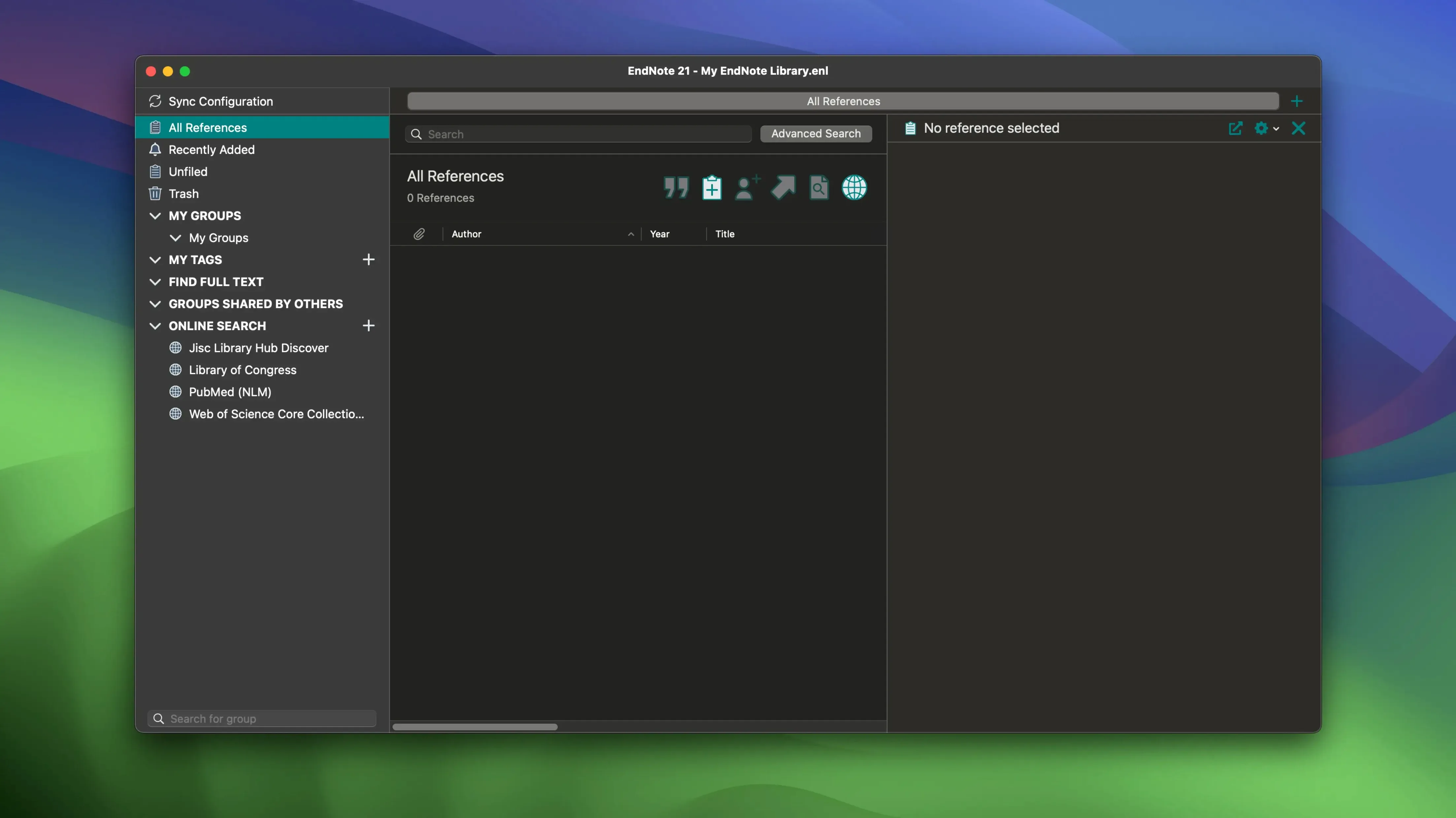
Researchers writing theses, dissertations, or journal papers know the drill. You amass a mountain of PDFs, scribbled notes, and half-remembered sources. EndNote is the grim organiser that stops it all from turning into chaos.
Drop in a reference and attach the full-text PDF. Add a few colour-coded tags so you can find it again. When you draft in Microsoft Word or Google Docs, the Cite While You Write tool inserts the citation and builds the bibliography in your chosen style. No copy-pasting. No formatting panic the night before a deadline.
Sync your library across machines. PDFs, annotations, and notes come with you. If you mess up a reference entry, you can restore an earlier version rather than reconstructing it from scratch. This latest build also squashes a crash in Word that used to trigger when Select Matching References appeared.
Cite, sync, and colour-code your sources
- Inserting citations directly into Word and Google Docs
- Syncing a full library—references, PDFs, and notes—across devices
- Restoring earlier versions of individual references
- Tagging and colour-coding sources for quick retrieval
Built for journals, not for fleeting notes
- Designed for formal academic writing, not casual note-taking
- Library syncing requires an EndNote account
Dumping references without PDFs or tags
The biggest one is treating the library like a dumping ground. New users import dozens of references, leave the default tags, and never attach PDFs. Six months later they cannot remember why they saved a paper or which project it belonged to. Spend the extra five seconds to tag each entry and drag the PDF onto it. Future you will be less grumpy.
Another classic is editing citations in Word by typing over them. The moment you refresh the document, EndNote overwrites your changes. Always use the Edit & Manage Citations pane—never the keyboard—to tweak how a reference appears in the text.
Some people try to keep one giant library for everything. It works until a dissertation, three papers, and a book chapter collide. Separate libraries per major project keep the tag list sane and the sync faster. You can still export references between them when needed.
Finally, ignoring the restore feature. If you accidentally overwrite a reference with bad metadata from an online search, you can roll it back. Right-click the entry, open the version history, and pick the state from before the damage. Few discover this until after they have manually retyped a dozen fields.
When your bibliography has to survive co-authors
Doctoral candidates and postdocs who publish regularly. They live inside Word or Google Docs, juggle hundreds of sources, and need their bibliographies to survive co-author revisions without breaking. For them, Cite While You Write is not a convenience—it is the only way to stay sane when a supervisor asks for a twelfth-round formatting change.
Librarians and research administrators also lean on it heavily. They build shared libraries for departments, curate tags, and set up output styles so colleagues do not have to argue about citation formats. The colour-coded tags let them flag approved sources versus ones awaiting verification.
Undergraduates writing a single term paper might find it overbuilt. A simpler reference tool often does the job with less clicking. But anyone heading into a multi-year research project will grow into what EndNote offers, and the cloud restore features mean a lost laptop does not mean a lost bibliography.
Start with a clean library, not a network drive
- Create a fresh library. Call it something obvious like
dissertation_lit_review.enl. Put it in a folder that syncs locally, not on a flaky network drive. - Search from within EndNote. Use the online search mode to pull records from PubMed or your institution's catalogue. Grab the metadata and the PDF in one step where possible.
- Tag ruthlessly. Add tags for themes, methods, and relevance level. Something like qualitative, high-priority, chapter-2. Colour-code the tags so a glance at the sidebar tells you which piles are which.
- Attach missing PDFs. Drag them in. EndNote renames and files them inside the library's data folder so you stop losing things across your Downloads directory.
- Annotate as you read. Highlight key passages in the built-in PDF viewer. The annotations sync if you use cloud sync, so your iPad can pick up right where you left off.
- Start writing in Word. Use the Insert Citation button to drop references into the text. Choose your output style—APA, MLA, whatever the department demands—before you write a single paragraph. Changing it later is painless.
- Review the draft bibliography. Run the Format Bibliography command. Scan for missing DOIs, odd capitalisation, or sources that slipped in without PDFs. Fix them in the library, not in the Word document.
- Restore anything that goes sideways. If a batch import corrupted a reference's author field, right-click and pull the earlier version. Keep writing instead of troubleshooting.
This sequence turns what could be a weekend of formatting pain into something you finish before lunch. The tool does not write the review, but it removes every excuse for a messy reference list.
Requirements
- macOS 10.14 or later
- Runs on Intel and Apple Silicon Macs
FAQ
Can I use Cite While You Write with Google Docs?
Yes. EndNote includes a Cite While You Write add-on for Google Docs as well as for Microsoft Word.
Does syncing include my PDFs and notes?
It does. PDFs, notes, and annotations all sync across devices when you use EndNote's sync feature.
What was fixed in the 2025.3 update?
Version 2025.3 for macOS resolves a crash in Microsoft Word that occurred when Select Matching References appeared.
Comments 0
Sign in or create an account to leave a comment.
No comments yet…
If you’ve installed it, say how it went. Mention your Mac and macOS version — it helps the next person more than you’d think.