
Wipr for macOS
Description
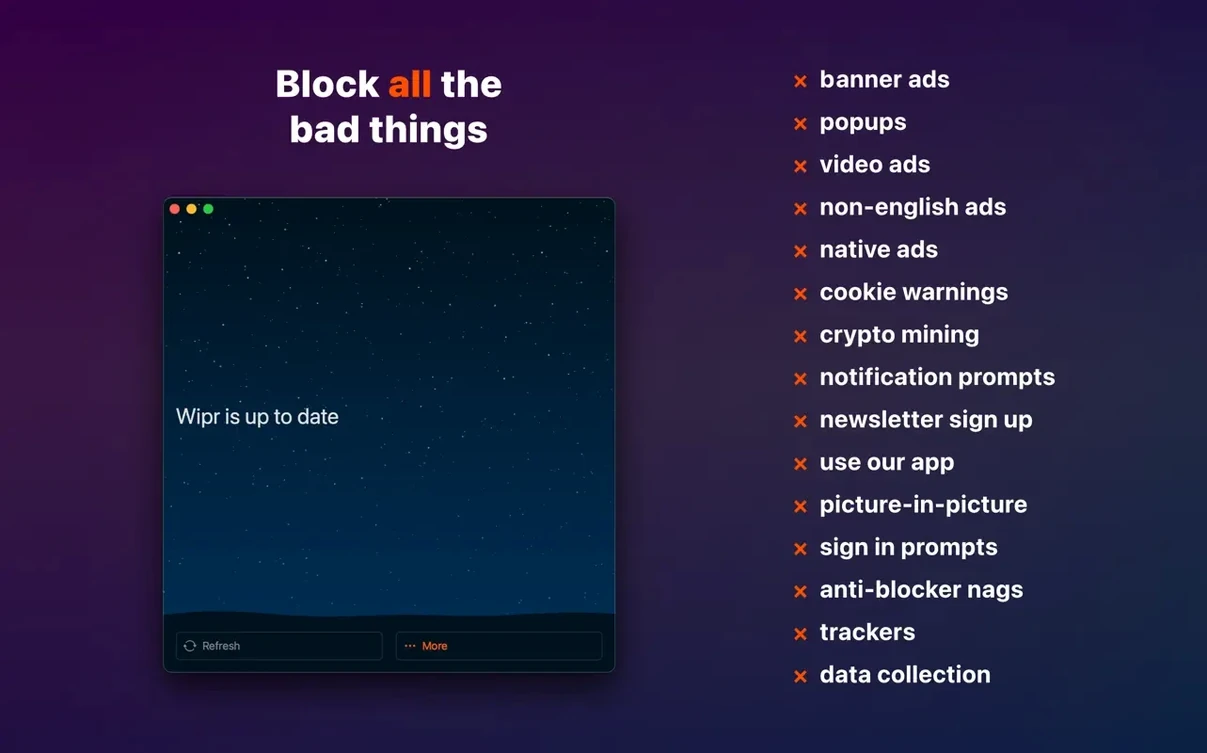
Safari gets cluttered fast. Ads steal half the page, cookie notices interrupt reading, and trackers follow you around. Wipr strips that noise away without any setup dials to fiddle with.
Does Wipr work on my Mac?
It runs on any Mac with macOS 10.13 or later, Intel or Apple Silicon. The blocking lists update twice a week, so new annoyances get caught quickly.
Pages stripped of ads, popups, and cookie nags
Ads, popups, trackers, cookie warnings, and other web junk. Pages load faster because less data gets downloaded in the background.
What changed in version 2.38?
Two checkboxes to visit right after installing
Wipr opens with almost no interface — that’s the point. But there are two things worth checking straight away.
Open Safari’s Preferences and go to the Extensions tab. Tick the box next to Wipr if it isn’t already active. Then switch over to the Websites section of that same pane and, under Content Blockers, set Wipr to “On” for all sites. The default is often “On” everywhere, but sometimes a stray click leaves it off for a domain you visit daily.
Inside the Wipr app itself, the only controls live in its menu bar icon. Click it and you’ll see a list of extras you can toggle. I turn on Wipr Extra immediately — it catches cookie notices and those “sign up for our newsletter” overlays that blocker lists alone miss. The Block adult content toggle is off by default; flip it if children use the Mac. That’s it. No custom filters to write, no allowlists to maintain.
A real workflow: reading news without the noise
Let’s say you open a regional news site. Without Wipr you’d get auto-playing video ads, a full-screen cookie banner, and three tracking scripts loading before the headline appears. Here’s how Wipr changes that.
- Launch Safari and load the site. Wipr’s blocklist fires before the page paints — no flash of ads first.
- The cookie notice vanishes. Wipr Extra handles it so you don’t have to click “Accept All” and feed data to a dozen ad networks.
- Scroll through the article. Inline ads between paragraphs are gone. The text reflows naturally. No blank gaps where banners used to sit.
- If a site breaks — rare, but it happens — click the Wipr menu bar icon and choose Reload without Wipr. The page refreshes with blocking disabled for that one tab. It’s a temporary bypass, not a permanent whitelist entry you’ll forget about.
The whole routine takes no extra clicks compared to browsing unprotected. You just read. Pages that used to pull 15 MB of trackers and ad scripts now load in under a second on a decent connection.
How Wipr fits with other apps and macOS features
Wipr is a Safari content blocker extension, not a system-wide firewall or VPN. That means it works alongside other privacy tools without conflict.
If you run Little Snitch or Radio Silence, Wipr handles the browser side while those apps catch phoning-home from desktop software. They don’t step on each other’s toes. The same applies to a VPN — Wipr blocks content in the page, the VPN encrypts the connection. Two different layers.
For Handoff users, Wipr works on iPhone and iPad too. If you have it installed on all your devices, the same blocking policies apply everywhere. Reading a long article that you handed off from iPhone to Mac? No cookie notices on either screen.
macOS’s built-in Reader mode pairs especially well with Wipr. After Wipr strips the ads and popups, hitting Shift-Command-R gives you a clean text view with custom fonts and spacing. It’s the closest thing to a printed page you’ll get on a screen.
One thing to note: some third-party password managers that inject JavaScript into login fields can occasionally trip a false positive in Wipr Extra. If a login page acts odd, use the Reload without Wipr option I mentioned earlier. It almost always clears the issue, and the blocklist updates twice a week mean the false positive usually gets fixed without you reporting it.
The Wipr Extra improvements now cover many more websites, and the app got accessibility fixes.
What’s new
- Wipr Extra improvements on many websites.
- Accessibility improvements.
Requirements
- macOS 10.13 or later
- Apple Silicon or Intel 64-bit Mac
- Safari browser
FAQ
Does Wipr handle cookie consent popups?
Yes, it blocks cookie warnings and other web annoyances so you can just read the page.
Comments 0
Sign in or create an account to leave a comment.
No comments yet…
If you’ve installed it, say how it went. Mention your Mac and macOS version — it helps the next person more than you’d think.