ViWizard Spotify Music Converter for macOS
Description
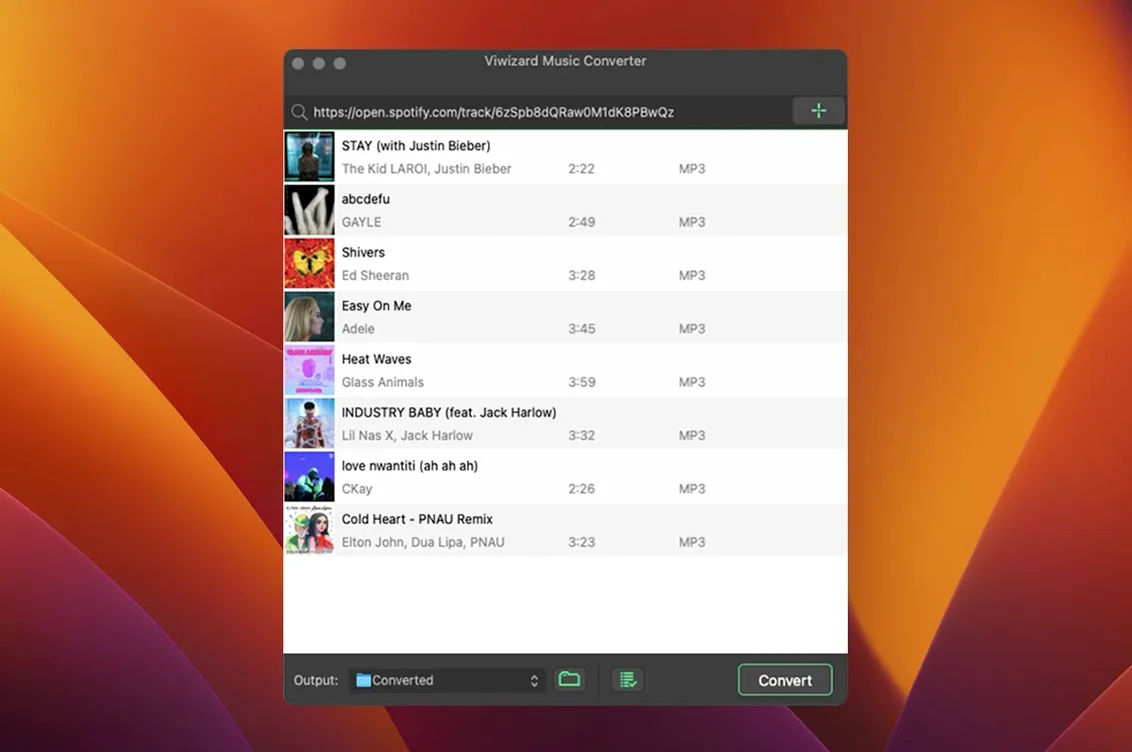
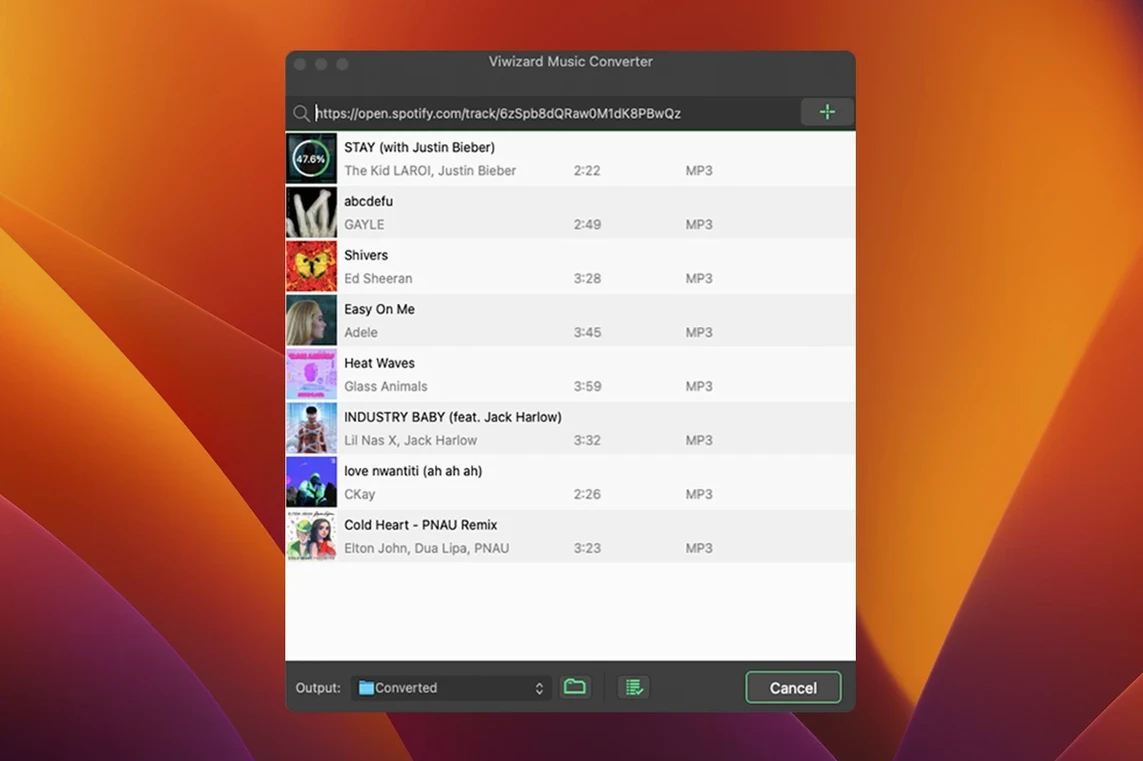
ViWizard Spotify Music Converter is a desktop tool that turns Spotify tracks and playlists into plain audio files you can keep.
Web player engine, same formats and ID3 tags
- Runs on the built-in Spotify Web Player — no extra app needed.
- Writes to MP3, FLAC, WAV, AIFF, M4A, and M4B.
- Preserves metadata so your library stays tidy.
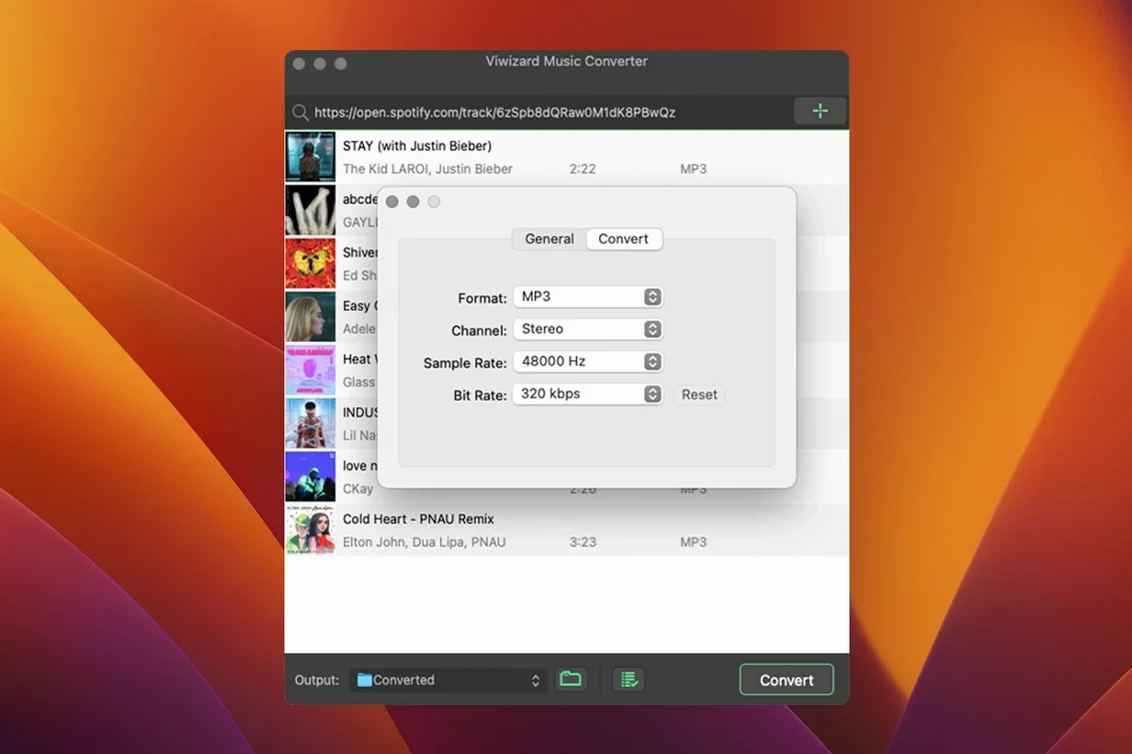
- Lets you set channel, bitrate, and sample rate before converting.
- Can auto-sort output by artist or album folder.
- Interface in English, German, French, and Japanese.
- Requires OS X 10.10 or later; Intel Macs only.
Version 2.17.0
This build brings no new features to the table. It's a maintenance release, keeping the converter compatible with Spotify's current web player and macOS. If you used an earlier version, the workflow hasn't changed — mount the disk image, bypass the Gatekeeper prompt, drag the app to Applications, and launch. All the output formats and sorting options remain as they were.
Plain files any audio tool can read
For a converter that pulls from Spotify’s web player, ViWizard sits surprisingly well alongside other Mac audio tools. The files it produces are plain and unprotected, so anything that reads MP3 or FLAC can pick them up straight away. Point Music or the TV app at the output folder, and tracks appear in your library complete with artwork and artist tags. Podcasts land with episode titles intact, making them easy to drop into a separate playlist app like Pocket Casts or an audiobook player that prefers M4B chapter markers.
Finder tags and Spotlight get the metadata too. If you’ve set ViWizard to sort by artist, the folder structure is already sensible — no manual renaming needed before you drag it onto an iPod shuffle, a USB stick for the car, or a Plex music library.
One small compatibility note: because the app runs through Spotify’s web player rather than the native Mac client, you’ll want a decent internet connection while converting. It’s not a background downloader you can set and forget offline.
DJs, performers and playlist hoarders
Three groups tend to land here and stay.
DJs and live performers. If you need tracks as real files — for Serato, Rekordbox, or a USB that plugs straight into CDJs — a streaming playlist is no use. ViWizard gives you the WAV or FLAC versions that DJ software expects, with no extra transcoding step.
Audiobook and podcast listeners who prefer dedicated players. Spotify’s playback controls for long-form audio are fine, but a purpose-built audiobook app remembers your position across chapters. Converting to M4B lets you move long listens into an app that actually handles them properly.
People stuck with patchy mobile signal. If your commute dips through tunnels or you live somewhere with spotty coverage, having local copies means playback doesn’t cut out. A batch conversion run overnight leaves you with a folder full of music that works everywhere.
Lighter than Sidify, no tag editor or burner
Next to Sidify Music Converter, ViWizard feels lighter. Both use the web player method and preserve metadata, but Sidify adds a built-in tag editor and a CD burner module — extras that sound useful but add interface clutter if all you want is straight conversion. ViWizard stays focused on the one job.
NoteBurner Spotify Music Converter offers a similar feature set and a slicker interface, though its Mac version has sometimes lagged behind the Windows release in updates. ViWizard’s macOS build has been steady for longer, and it still runs as far back as OS X 10.10, which matters if you keep an older Mac around for media tasks.
TuneFab Spotify Music Converter aims at the same space but bundles more output presets aimed at specific devices. ViWizard skips the presets in favor of letting you dial in sample rate and bitrate yourself. That makes it a better fit if you know exactly what settings your gear expects, rather than wanting a one-click “for iPhone” button.
Requirements
- OS X 10.10 or later
- Intel processor
FAQ
Which audio formats can it write?
It exports to MP3, FLAC, WAV, AIFF, M4A, and M4B, with control over channel, bitrate, and sample rate.
Does it need the Spotify desktop app installed?
No. It uses the built-in Spotify Web Player, so you just need the converter itself and a Mac running OS X 10.10 or later.
Comments 0
Sign in or create an account to leave a comment.
No comments yet…
If you’ve installed it, say how it went. Mention your Mac and macOS version — it helps the next person more than you’d think.