
TunesKit iPhone Unlocker for macOS
Description
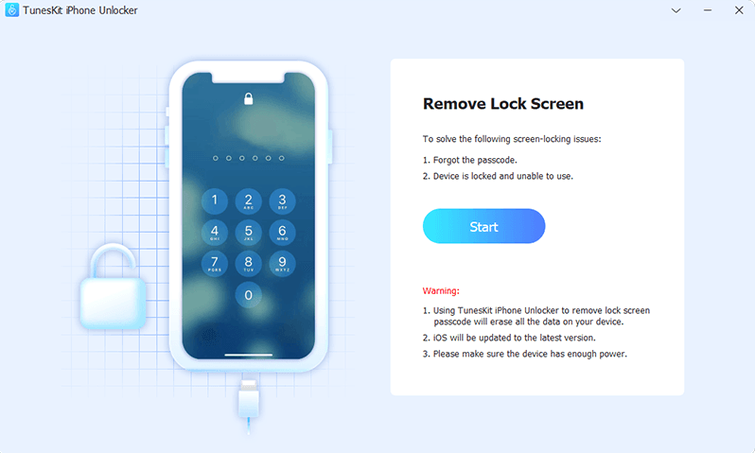
Someone hands you a work phone with an MDM profile that won't budge, or a family iPad locked by a forgotten six-digit code. That's the situation TunesKit iPhone Unlocker is built for.
What each mode actually does
Screen lock removal — wipes the passcode when Touch ID isn't reading or the digits are long gone. Apple ID removal — detaches an iCloud account from an iPhone or iPad without the password. MDM lock — strips the remote management profile that ties a device to an employer's server. Screen Time — clears a restrictions passcode so you can set fresh limits.
Before you start
The app runs on Intel Macs with OS X 10.11 or later. Interface is English only. Mount the disk image, run the Gatekeeper helper, and press Enter when Terminal asks. Drag the app to Applications afterwards.
When a smashed screen locks you out
Picture a second-hand iPhone 8 bought for a teenager. The digitizer is cracked in two places and the right third of the screen won't register touches. The seller swore they'd wiped it, but a six-digit passcode appears on boot and three of the six key positions are unreachable through the damaged glass. Without a working display, iTunes restore is a gamble — it demands the passcode before trusting the computer.
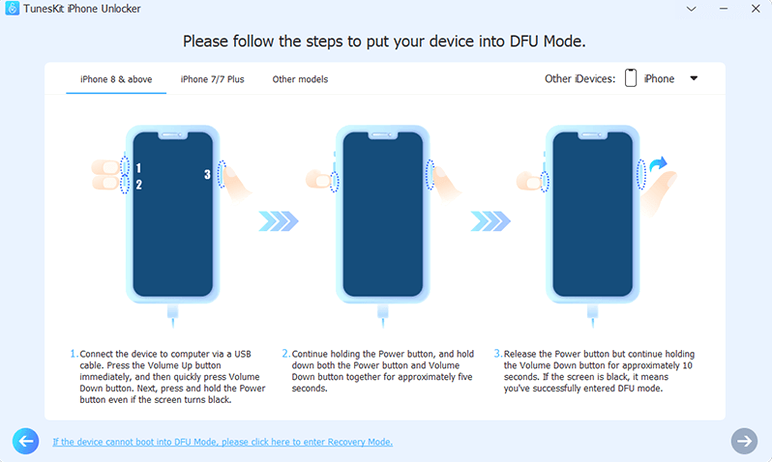
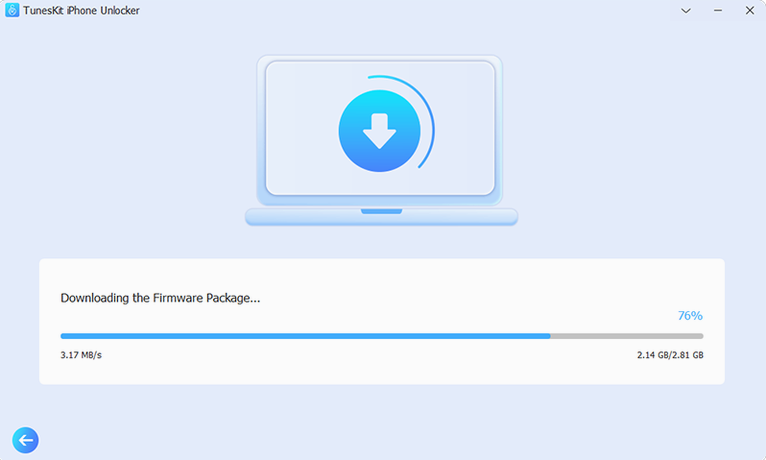
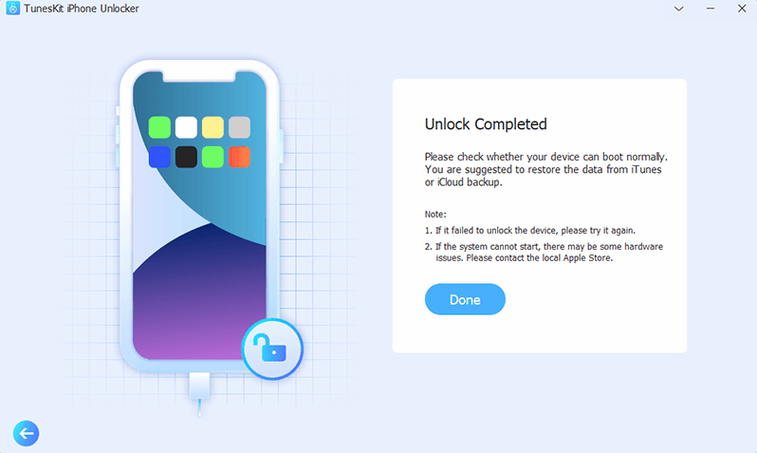
Plugging the device into TunesKit iPhone Unlocker sidesteps the broken glass entirely. The Mac reads the device in recovery mode, the app downloads the matching firmware, and twenty minutes later the phone is at the setup screen with no passcode in sight. The screen still needs repair, but at least the device isn't a paperweight while waiting for parts.
Where it splits from AnyUnlock, 4uKey, and FoneLab
Three names keep appearing alongside TunesKit iPhone Unlocker: iMobie AnyUnlock, Tenorshare 4uKey, and FoneLab iOS Unlocker. The overlap is real — all four handle screen locks and Apple ID removal — but the differences sit in the details that matter when a device is already misbehaving.
iMobie AnyUnlock covers roughly the same checklist and adds a password manager on the side. It leans on a friendlier interface, but it nags about companion products more than a tool should when you're knee-deep in recovery mode. For a one-off unlock, the extras are noise.
Tenorshare 4uKey is the speed demon. It shaves minutes off the firmware download-and-flash cycle for screen passcodes, but MDM removal needs a separate purchase — the single app doesn't bundle everything. If MDM is half the reason you're here, that split gets old.
FoneLab iOS Unlocker is the quiet one. It does screen and Apple ID fine, but its MDM support arrived late and activation lock handling is patchier across iOS versions. Users chasing a locked iPhone X on iOS 16 often end up elsewhere.
TunesKit iPhone Unlocker sits in the middle: not the fastest downloader, but the only one in this group that wraps screen lock, Apple ID, MDM, Screen Time, and activation lock into a single tool without add-on pitches. For a help-desk machine that might see three different unlock jobs in a week, that single-window approach pays off.
Shortcuts worth knowing
Three things the interface doesn't advertise loudly:
- Skip the auto-detect. When the app can't recognise a device stuck in a boot loop, hold the Home or volume-down button while connecting the cable. The manual mode button lights up sooner than the progress spinner gives up.
- Firmware reuse. If you unlock two devices of the same model on the same Mac within a few days, the downloaded IPSW file still sits in
~/TunesKit/. Point the file picker at it instead of downloading again. Saves about six minutes on a decent connection. - Screen Time without full wipe. Most people assume clearing Screen Time means nuking the device. It doesn't here. The Screen Time module removes only the restrictions passcode — settings, media, and apps stay put. It's a ten-minute job that leaves the home screen untouched.
One last thing: if you're searching for a tuneskit iphone unlocker full version free download or stumbled across a TunesKit torrent claiming a newer build, check the version number against what's actually installed. A TunesKit iPhone Unlocker crack download that promises iOS 17 support while the real tool lists 16.7 as its ceiling is just packaging old code with new labels. The genuine 2.7.0.16 build does what it says on the tin — no more, no less.
Requirements
- OS X 10.11 or later
- Intel x86 64-bit processor
- English interface
FAQ
What kinds of locks can TunesKit iPhone Unlocker handle?
It can remove four types: screen passcodes, an Apple ID linked to the device, MDM management profiles, and Screen Time passcodes.
Comments 0
Sign in or create an account to leave a comment.
No comments yet…
If you’ve installed it, say how it went. Mention your Mac and macOS version — it helps the next person more than you’d think.