Tenorshare UltData for macOS
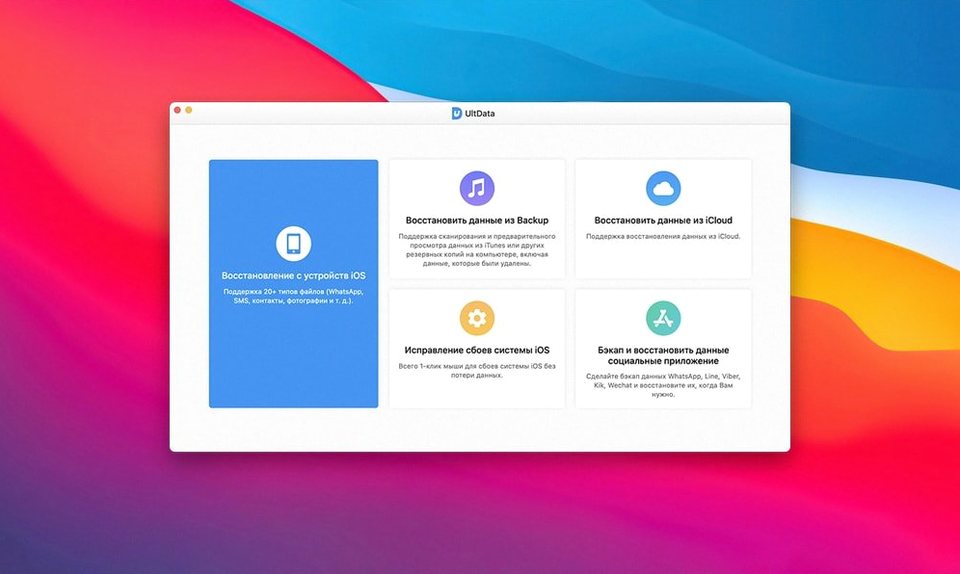
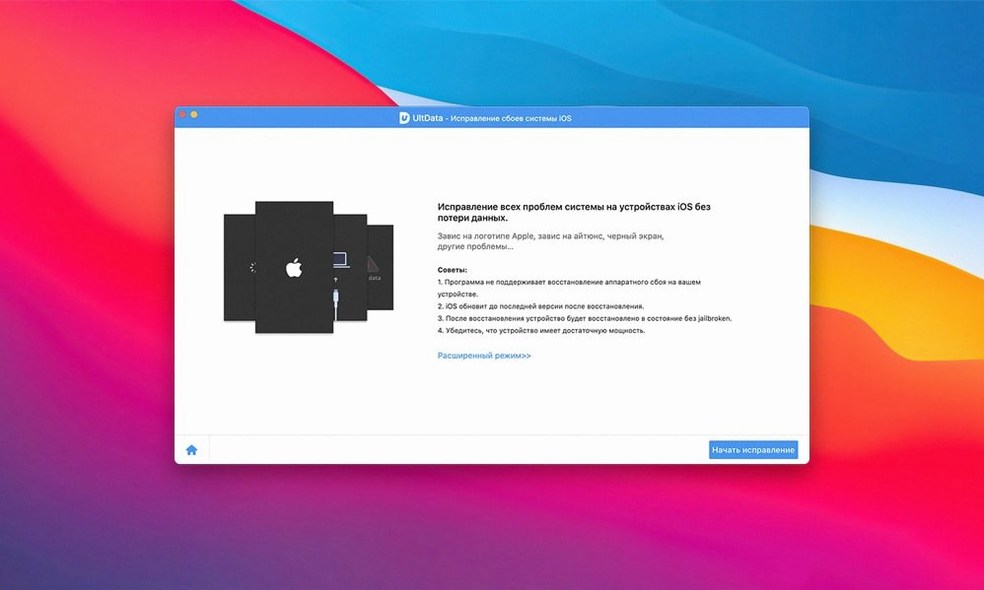
Description
App Documents. Most recovery tools stop at camera roll and contacts. UltData lets you pull back app-specific files—Kik attachments, WeChat PDFs, Viber voice notes, WhatsApp videos. That alone changes who the app is for.
Good for
- Three recovery modes: recover from device, extract an iTunes backup, or pull data from an iCloud backup.
- App-data recovery that covers Kik, Viber, WeChat, WhatsApp, Tango and LINE—photos, videos, documents and audio.
- Safari history recovery, which most tools skip.
- Broad device support: iPhone X through to iPhone 11 Pro Max, plus every iPad, iPad Air, iPad mini and iPad Pro.
- Eleven interface languages, including Arabic, Russian, Japanese and both Chinese scripts.
Keep in mind
- This is a 64-bit Intel app. It runs on Apple Silicon under Rosetta but has no native ARM build.
- Requires OS X 10.8 or later—older OS support is broad, but the architecture is Intel-only.
A real recovery workflow: getting back a lost WhatsApp photo
Someone sends you a photo on WhatsApp. You see it, close the chat, and realise three days later you never saved it. The sender has deleted it from their end. Here is how that recovery actually plays out with UltData.
- Stop using the phone. Anything you do writes data, and iOS can overwrite the space that photo still occupies. Put the phone in Airplane Mode if you want to be thorough.
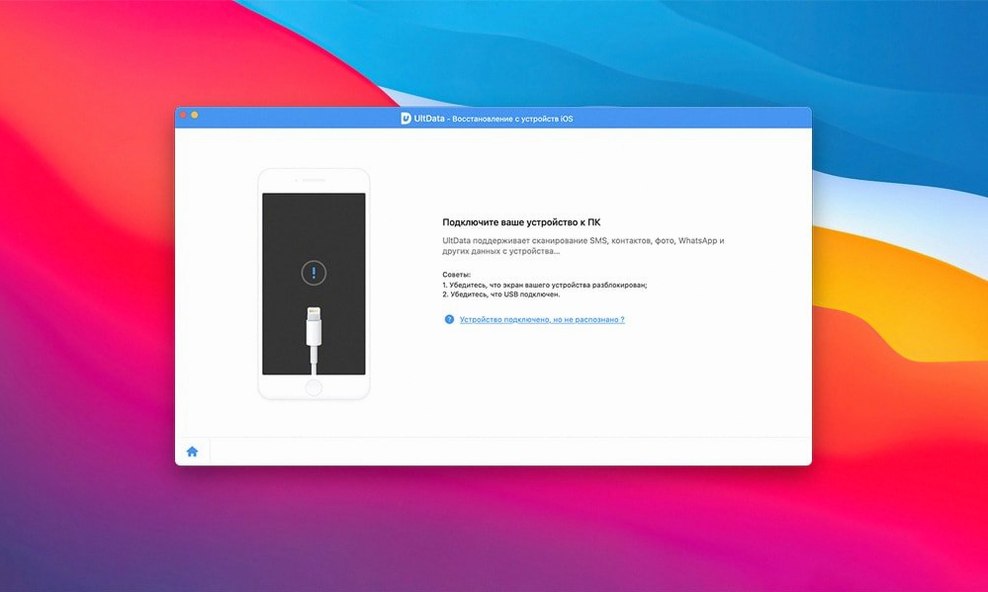
- Connect to your Mac. USB cable, no Wi‑Fi tricks. UltData needs a wired connection to scan the device properly. Unlock the phone and tap “Trust” when the prompt appears.
- Choose “Recover from iOS Device”. The app lists three modes. For something deleted recently and never backed up, scanning the device directly gives you the best shot.
- Select only WhatsApp attachments. The scan can take twenty minutes if you tick everything. Narrow it to “App Photos” and “App Videos” under WhatsApp. You can always scan wider later.
- Preview before you recover. UltData shows thumbnails of what it finds, even for files the Photos app cannot see. Find your image, tick the box, and recover it straight to the Mac.
If the device scan finds nothing, switch to “Recover from iTunes Backup”. Even an older backup might hold the file if you received it before the backup ran. The app extracts the backup without overwriting anything current on the phone, which is safer than a full restore.
When UltData won't see your iPhone, try a data-sync cable first
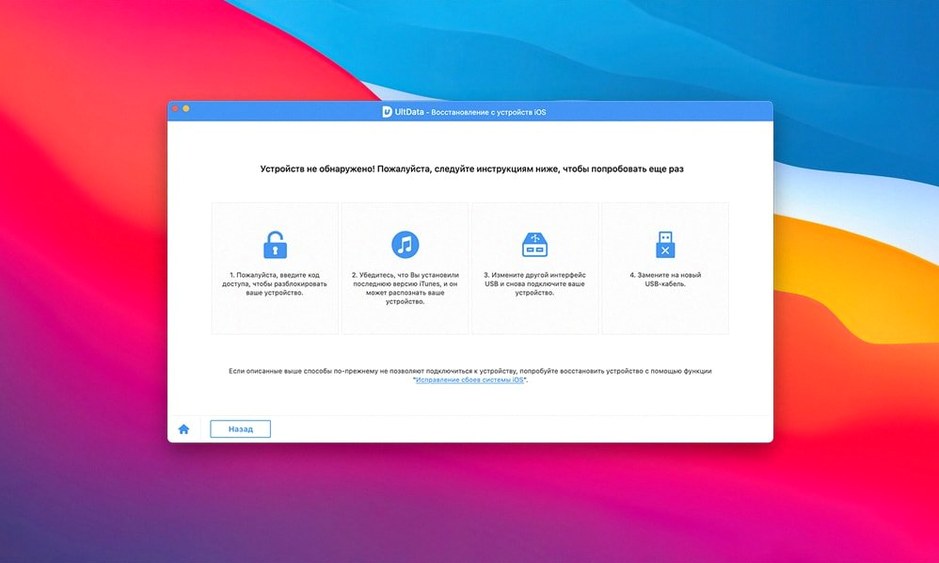
UltData does not see the device. Nine times out of ten, the USB cable is charge‑only. Swap it for a data‑sync cable. If that fails, open System Information on the Mac and check under USB. The iPhone should appear by name. If it does not, try a different port—some hubs cause timeouts during the scan.
Scan gets stuck at a percentage. This usually happens when the phone’s screen locks mid‑scan. Keep the phone awake and unlocked. On iOS 12 and later, disable Auto‑Lock temporarily in Settings. UltData talks to the phone’s file system, and a lock screen interrupts the handshake.
iCloud backup download takes forever. UltData pulls from Apple’s servers, so speed depends on your broadband, not the app. Two‑factor authentication adds a step: the code prompt appears inside UltData, but it can time out fast. Have your trusted device ready before you click “Recover from iCloud Backup”.
Rosetta performance on Apple Silicon. The app is Intel‑only. It runs fine under Rosetta 2, but large backups can feel sluggish compared to native ARM apps. Close other Rosetta processes if a scan drags—each one claims a slice of the translation cache.
No jailbreak needed — it reads what iOS already exposes
Will it jailbreak my phone? No. UltData works through iTunes‑style USB access. No jailbreak, no modified firmware. The app reads what iOS already exposes to trusted computers. Some competitors require a jailbreak for deeper app data; UltData gets to Kik, WeChat and WhatsApp without one, which is why the app-data support matters.
Can it recover data after a factory reset? Partly. If you wiped the phone and set it up as new, the device scan will not find old files—the encryption keys changed. But if you have an iTunes or iCloud backup from before the reset, UltData can extract files from that backup. The backup does not need to be on the phone.
Does it work with the latest iOS? The version at hand, 9.5.0, supports up to iPhone 11 Pro Max and the iOS that shipped with it. Tenorshare has kept pace with iOS releases historically, but check the developer’s notes if you run something newer. The app’s three‑mode design gives it fallbacks: if device scan fails on a bleeding‑edge iOS version, iTunes and iCloud backup extraction usually still work. People searching for tenorshare ultdata for mac often miss that point—the backup modes are version‑agnostic.
What is the difference between this and an iCloud restore? An iCloud restore wipes the phone and puts everything back, including the problem you were trying to fix. UltData extracts specific files from iCloud without touching the device. You get the lost photo without losing anything else.
Worth it if you need app‑data recovery beyond the camera roll and do not want a jailbreak.
Requirements
- OS X 10.8 or later
- Intel 64-bit architecture (Apple Silicon via Rosetta)
Comments 0
Sign in or create an account to leave a comment.
No comments yet…
If you’ve installed it, say how it went. Mention your Mac and macOS version — it helps the next person more than you’d think.