Swinsian for macOS
Description
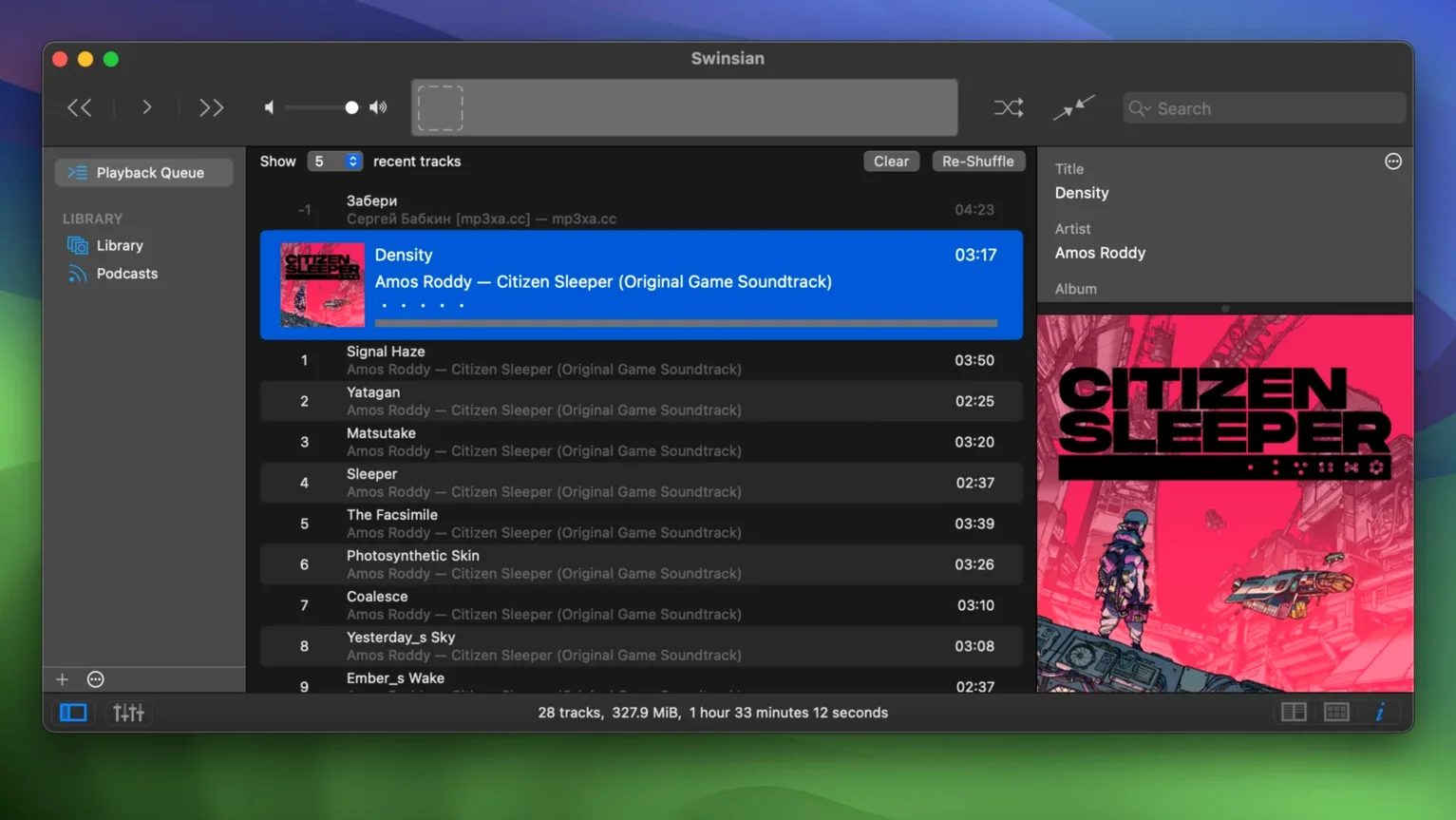
Thirteen audio formats in one library — FLAC, DSF, APE, Ogg Vorbis and the usual suspects — and Swinsian 3.0.8 stays responsive while you scroll through all of them. That is the first thing an experienced user notices.
Tag editing that actually scales
Find-and-replace with regular expressions is built into the tag editor. Batch-rename artist fields, fix inconsistent album titles, strip junk from comments. Folder watching means new files appear without a manual import. Smart playlists and AppleScript control let you automate the rest.
Playback details worth checking
Swinsian changes the device sample rate to match the file. Gapless playback works across FLAC and ALAC. AirPlay is there if you want it. Album artwork can be fetched automatically. Version 3.0.8 also fixes quadraphonic FLAC playback and iPod playlist removal.
Menu bar controls and global shortcuts that work everywhere
Swinsian sits in the menu bar with playback controls, so you do not need to switch windows just to skip a track. Global keyboard shortcuts work across Spaces and full-screen apps — same commands in the browser, in Pages, in Xcode.
The player talks to macOS in ways a browser-based streaming service cannot. It respects the media keys on Apple keyboards and third-party mechanical boards. Playback notifications appear in Notification Centre, which means Do Not Disturb rules apply. AppleScript lets other Mac apps control the library. You can trigger playlists from Alfred, Keyboard Maestro or a Shortcut that fires when you connect a Bluetooth speaker.
AirPlay output is solid. Send FLAC to a HomePod in the kitchen without converting to ALAC first. Swinsian also shows up in the system Now Playing widget on macOS 14 and later.
Point it at a watch folder instead of importing files
The most common mistake is adding files instead of pointing Swinsian at a folder. The app watches directories. Drag a folder into the library settings once, and new downloads appear on their own. People who treat it like an import-and-forget player miss half the point.
Second mistake: ignoring the search field's regex support. A plain text search for "live" returns hundreds of tracks with "live" in the title, album or artist. A regex like ^Live restricts it to tracks starting with that word. Regular-expression search is rare in music players, so no one expects it to work until they try it.
Third mistake: leaving the sample-rate switching off. The setting is in Preferences under Playback. Without it, your DAC stays at whatever macOS chose at login. With it, a 96 kHz file sends 96 kHz to the hardware.
Fourth: people forget separate playlist windows exist. Open a playlist in its own window and drag it to a second monitor. You can queue tracks in one view while browsing the library in another.
Scrolling 40,000 tracks without a stutter
A library with 40,000 tracks scrolls without a stutter on an M1 Mac. Column sorting stays fast. The Complete Tags window — which shows every metadata field for a selection — populates instantly. Searching 40,000 files with a regex takes under a second. Version 3.0.8 fixed a sorting bug in that window that used to trip up large selections.
Memory use sits around 180 MB with a library that size. Compare that to a web browser streaming tab, which can eat a gigabyte just sitting there. CPU use during FLAC playback is negligible — the decoder runs efficiently on Apple Silicon and Intel alike. The app has been around long enough that the developer has filed down most rough edges. Swinsian 3 rarely beachballs, and when it does, it is usually because macOS is indexing the same folder at the same time.
The equaliser, whether the 10-band or the optional 31-band view, applies live without introducing a delay. Cue sheet handling is reliable: embedded cues split a long DJ mix into virtual tracks, and external .cue files work as long as the filename matches the audio file.
Last.fm scrobbling runs on a background thread. If the network drops, tracks queue locally. Nothing gets lost. Podcast downloads also happen in the background, and the app does not nag you with alerts when episodes finish.
Worth it if you have a local library and want a player that stays out of your way.
Requirements
- macOS 10.13 or later
- Apple Silicon or Intel 64-bit Mac
FAQ
Does Swinsian support FLAC and other lossless formats?
Yes. It supports FLAC, ALAC, WAV, AIFF, DSF, APE, MusePack and more, alongside MP3 and AAC.
Comments 0
Sign in or create an account to leave a comment.
No comments yet…
If you’ve installed it, say how it went. Mention your Mac and macOS version — it helps the next person more than you’d think.