SoundSource for macOS
Description
SoundSource 6 needs macOS 15 or later. It runs on Intel and Apple Silicon Macs.
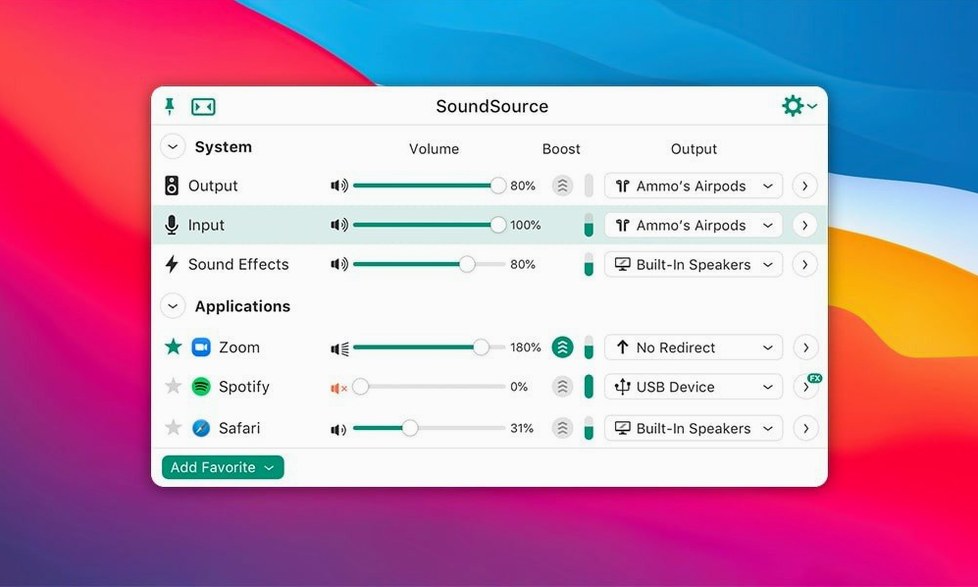
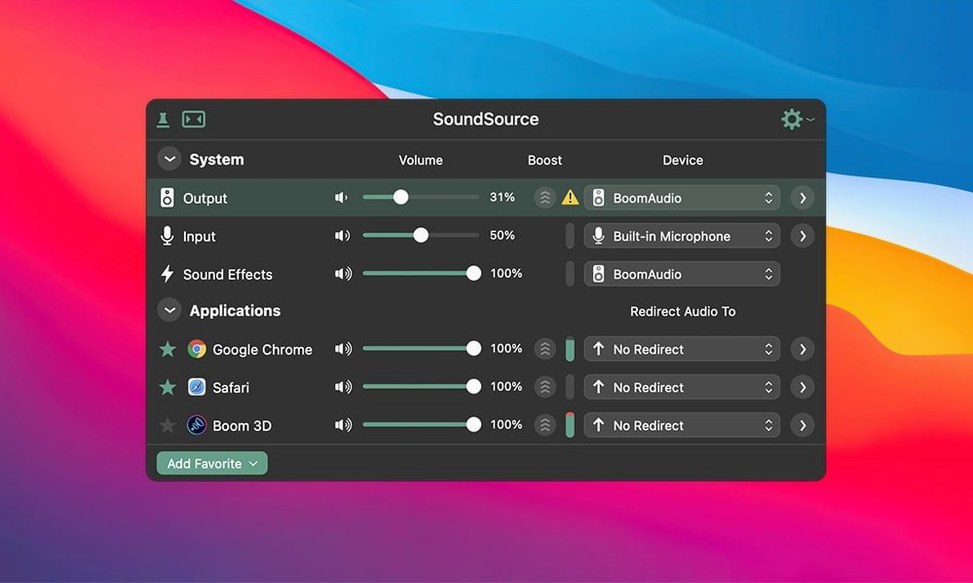
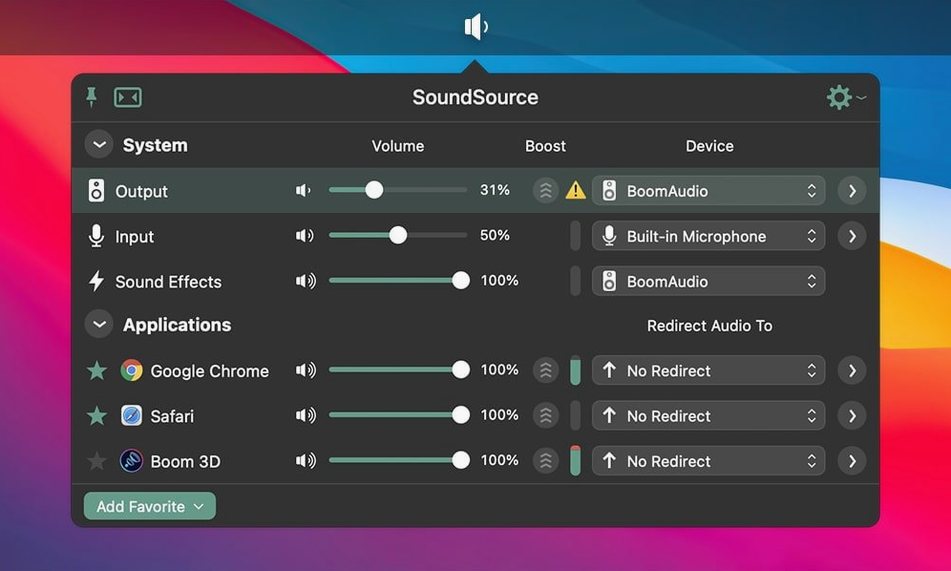
Per-app volume — set a different level for your music player than your browser, without touching each app’s own slider.
Device routing — switch input, output and sound effects device in two clicks from the menu bar. No trips into System Settings.
System audio settings — quick access to the controls you normally dig for, tucked into a compact panel.
Version 6.1.4 is a maintenance release. The ARK plugin inside the app was updated to 13.5.4. A crash triggered by Bluetooth devices that don’t honour requested buffer sizes on macOS 27 is now fixed, and general Bluetooth output performance on macOS 27 got tidied up. The core feature set — per-app control, fast device switching, effects hosting — stays exactly the same.
Switching devices in two clicks
People who switch audio devices several times a day. If your Mac sees a USB mic, a Bluetooth headset and an external DAC, SoundSource saves you those trips into System Settings. Two clicks, done.
Anyone who records or streams. Per-app routing means your DAW uses the interface while system alerts stay on the built-in speakers. You stop worrying about notification pings landing in a recording.
Headphone users who want a quick EQ. The built-in Headphone EQ works per-app, so you can brighten a flat podcast voice without touching your music player's tone.
It is less useful if you never plug in more than one audio device and leave the Mac volume at 100%. The menu bar icon would just sit there.
Instant output swaps, no System Settings
You sit down, plug in a USB headset, and the menu bar icon flicks to show the new device. Click it. A compact panel drops down.
- Set Output to the headset. The change is instant — no system preference pane, no sound effect delay.
- Open the per-app list. Spotify is up at 80%, Chrome at 40%. You drag the Chrome slider down to 25% because a tab somewhere is autoplaying video.
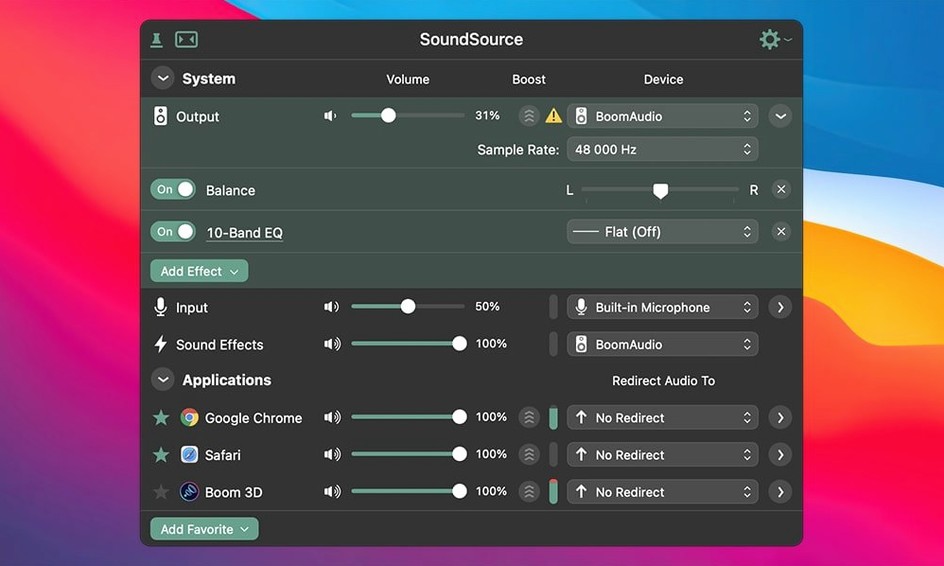
- Click the magic wand icon on your mic input. Add the built-in 10-band EQ, pull 200 Hz down a touch to reduce boom, and close the panel.
- Save the whole setup as a preset called "Recording". Next time you plug in the same gear, one click recalls input, output, per-app levels and the EQ curve.
The menu bar icon sits quietly otherwise. No dock clutter, no window to manage.
See your output device in the menu bar
Open Preferences from the menu bar dropdown.
- Launch at login. Ticked by default. Leave it on. You want SoundSource running from the moment the Mac wakes, especially if you use Bluetooth audio.
- Show output device in menu bar. The icon can display the current device name. Much easier than squinting at a tiny speaker symbol to guess where sound is going.
- Keyboard shortcuts for favourites. Assign keys to presets. One keystroke to switch between "Speakers" and "Headphones" is faster than clicking a menu.
- Super Volume. Enables a boost beyond the hardware limit for quiet sources. Use it sparingly — it clips if pushed — but it helps for a faint webinar recording.
Restart the tab, not the whole Mac
No sound after switching devices. Some apps, particularly older ones, cling to the audio device they launched with. Quit and reopen the stubborn app. If it is a browser, restart the tab. SoundSource reroutes per-app output but cannot force an app that refuses to let go of a dead device.
Bluetooth output stutters or drops. Version 6.1.4 fixed specific macOS 27 Bluetooth issues, but the underlying cause is often buffer size. In Preferences, try a larger buffer. If the headset supports AAC and SBC, forcing SBC in the Bluetooth menu sometimes stabilises things at the cost of a slight quality drop.
Per-app slider greyed out. The app is not currently playing audio. SoundSource only shows controls for active audio streams. Start playback in the app you want to adjust, then the slider appears.
Output Groups not in sync. When you send audio to multiple devices at once, macOS may drift. AirPlay destinations add half a second or more of latency. Use Output Groups for background music across rooms, not for critical monitoring. For sync-sensitive work, stick to a single wired device.
Effects crackle under load. Hosting third-party Audio Unit plugins inside SoundSource works, but a heavy mastering chain on a live input can strain the CPU. If you hear crackling, strip back to one or two lightweight effects and move the heavy lifting to a DAW.
What’s new
SoundSource 6.1.5 brings the latest round of bug fixes and under‑the‑hood refinements from Rogue Amoeba.
Requirements
- macOS 15 or later
- Apple Silicon or Intel 64-bit
FAQ
Which macOS versions does SoundSource 6.1.4 support?
SoundSource 6 requires macOS 15 or higher. Version 6.1.4 is a 64-bit application for Intel and Apple Silicon Macs.
What changed in SoundSource 6.1.4?
The ARK plugin was updated to version 13.5.4, and two Bluetooth issues on macOS 27 were fixed — a crash with certain devices and poor output performance.
Comments 0
Sign in or create an account to leave a comment.
No comments yet…
If you’ve installed it, say how it went. Mention your Mac and macOS version — it helps the next person more than you’d think.