Sketch for macOS
Description
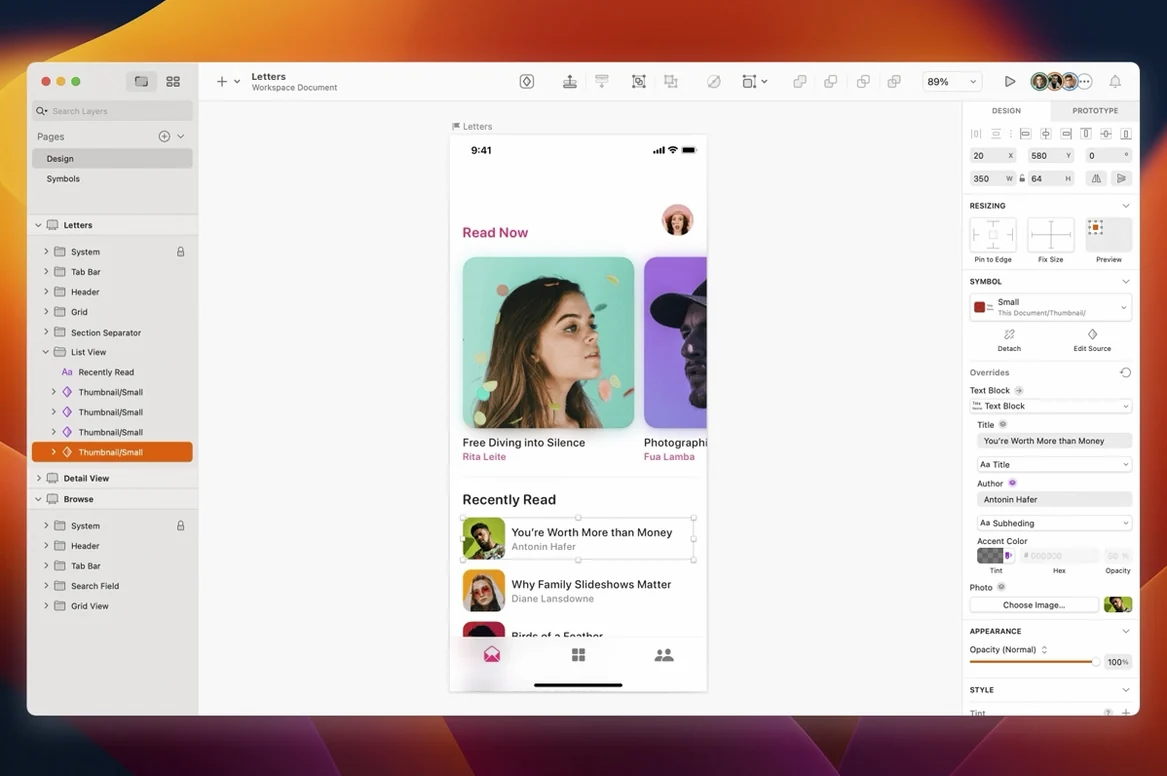
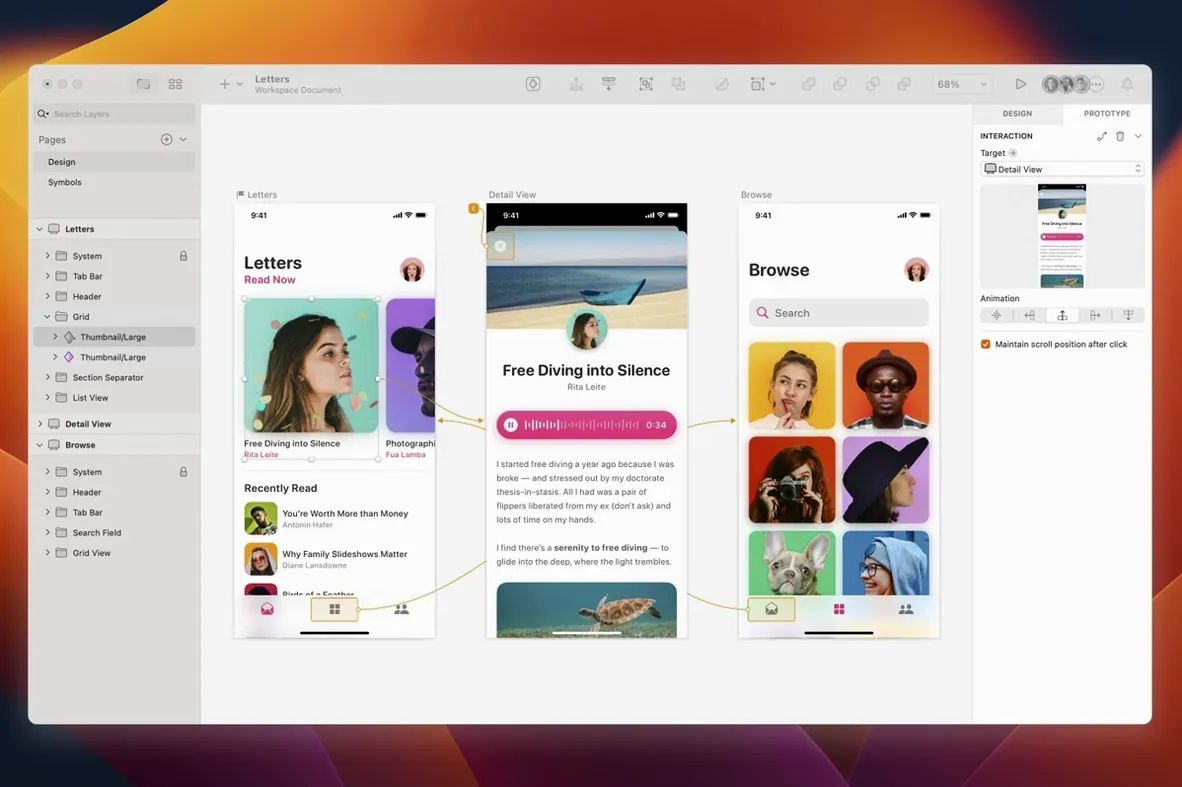
You're laying out a mobile screen. A few rectangles become buttons, a text layer turns into a heading, and you need the spacing to hold up when the stack resizes. That's where Sketch earns its place.
Requires macOS Sequoia 15.0.0 or newer
You need macOS Sequoia 15.0.0 or newer. Both Intel 64-bit and Apple Silicon Macs are supported.
What does version 2026.3.1 fix?
It sorts a stack layout bug where a text layer's minimum width was ignored. Tooltip clipping near the screen edge is fixed, and blank canvas trouble with Writing Tools on macOS Golden Gate is gone too.
Your day job is designing app screens, web pages or icon sets
Built for screen work, not print layouts or complex illustration
Does it replace Illustrator or Figma? For screen work — yes, mostly. Sketch is built for drawing interfaces, not for print layouts or complex illustration. If your day job is designing app screens, web pages or icon sets, it does the job with less clutter. If you need CMYK separations or a pen tool that feels like a scalpel, you'll keep another app around.
Will my old Sketch files open? Files from Sketch 43 onward open fine. Anything older needs a middle step through an earlier version, but that's rare now. Libraries and Symbols carry forward too, though you might need to relink a few assets if your team folder structure has changed.
How steep is the learning curve? Shallow for anyone who has used a design tool before. The canvas behaves as you expect — select, drag, resize, group. Newcomers to vector work pick it up in an afternoon. The deeper bits (Symbols overrides, resizing constraints, nested styles) take a couple of projects to feel natural.
Does it need an internet connection? Not for day-to-day design work. You only need a connection for collaboration features and third-party plugin installs. Sketch runs fully offline otherwise, which matters on trains and in coffee shops with flaky Wi-Fi.
Set the nudge amount to 8 instead of 10
Out of the box, a few defaults are set for a generic screen. Spend five minutes here and the app fits your hands better.
- Nudge amount. Go to Sketch → Settings → Canvas and set the nudge to 8 px instead of 1 px. Most grid-based layouts move in multiples of 8. Hold Shift while nudging to get 10× that distance when you need it.
- Pixel fitting. Turn on Round to Pixel in the same pane. Nothing looks sloppier than a shape sitting on a half-pixel edge. This keeps edges sharp on exported assets.
- Snapping behaviour. Under Layer → Snapping, disable "Snap to Bounding Box" if you work with centred layouts. It fights the alignment you actually want. Keep "Snap to Grid" on if your grid is set to 8 px.
- Color profile. Switch the default from Unmanaged to sRGB in the Canvas settings. Your exports will match what you see on screen instead of shifting subtly in a browser or device preview.
- Auto-save interval. Bump it to every 2 minutes in Settings → General. The default is longer than you think, and nothing is more irritating than losing an hour of layout tweaks after a crash.
Symbols, text styles and layer styles shared across the team
UI designers working inside a design system. Sketch's Symbols, text styles and layer styles are the engine. Set up a Library once, share it across the team, and every mockup stays consistent. Overrides let you swap icons, toggle button states and adjust copy without detaching anything. That alone saves hours on a multi-screen project.
Freelancers who hand off to developers. The export presets are straightforward — mark a layer exportable, pick 1×, 2×, 3×, and drag out PNGs or SVGs. Developers get clean assets without you needing a separate export tool. Slices make repeat exports predictable when specs change five minutes before a deadline.
Designers moving from older versions or similar tools. If you last used Sketch around version 93 or the 2025.1.x releases, version 2026.3.1 feels familiar but tidier. The layer list is cleaner, resizing controls are more predictable, and the Mac-native feel is still there. No browser wrapper, no Electron sluggishness. Fans of the 2025.3.x line will notice the document chrome respects the system corner radius now — small detail, but it stops the window looking like it belongs to a different OS.
Prototypers who need quick click-through demos. Sketch's built-in prototyping links artboards together with hotspots. It is not a full interaction design tool, but for showing a client how screens flow, it is enough. No separate app to learn.
People who want a tool that stays out of the way. The interface is deliberately sparse. A canvas, a toolbar, two sidebars you can hide. That suits designers who get distracted by panels full of options they never touch. You spend more time looking at your work and less time managing the tool around it.
Beginners picking up vector editing and professional designers building screen interfaces. It fits into prototype and collaboration workflows with other apps.
What’s new
Adds Florence release features and enhancements for macOS 27 Golden Gate. Document windows now use the system corner radius. Fixes a stack layout bug involving the minimum width of a text layer.
Requirements
- macOS Sequoia 15.0.0 or newer
- Intel 64-bit or Apple Silicon processor
FAQ
Is Sketch still a one-time purchase?
The developer hasn't announced a change to the licensing model. Check their site for current options.
Does Sketch support plugins?
Yes, it has a plugin ecosystem, though the brief doesn't list specific ones for this release.
Comments 0
Sign in or create an account to leave a comment.
No comments yet…
If you’ve installed it, say how it went. Mention your Mac and macOS version — it helps the next person more than you’d think.