Serato DJ Pro for macOS
Description
Serato DJ Pro talks to over 90 hardware devices from the big manufacturers.
Stems — The real-time track separation engine. Tap a pad to isolate vocals, melody, bass or drums mid-mix.
Stems Pad FX — Effects built for Stems. Echoes throws the vocal around the room while the beat stays put. Brakers does quick tape-stop gating on one element.
Practice Cue — A headphone mix that doesn't need a full hardware setup. Useful for getting to know a new controller's layout.
Library crates — Smart playlists that update themselves. Set a rule for BPM range or key and the crate fills itself. Less scrolling, more mixing.
Disable library protection during gigs
Out of the box, Serato DJ Pro leans conservative. A few tweaks make it feel less like a rental car.
Disable "Protect Library" during gigs. This setting stops you accidentally deleting tracks from a crate mid-set, which sounds sensible. It also blocks you from dragging a tune into a different order on the fly. If you improvise setlists, turn it off.
Set your USB buffer size manually. The default sometimes picks a value that works for a bedroom but stutters under club subs. Drop it to 5ms if your Mac can handle it; raise it to 10ms or 15ms if you hear crackles. Test it with a full deck loaded, not an empty one.
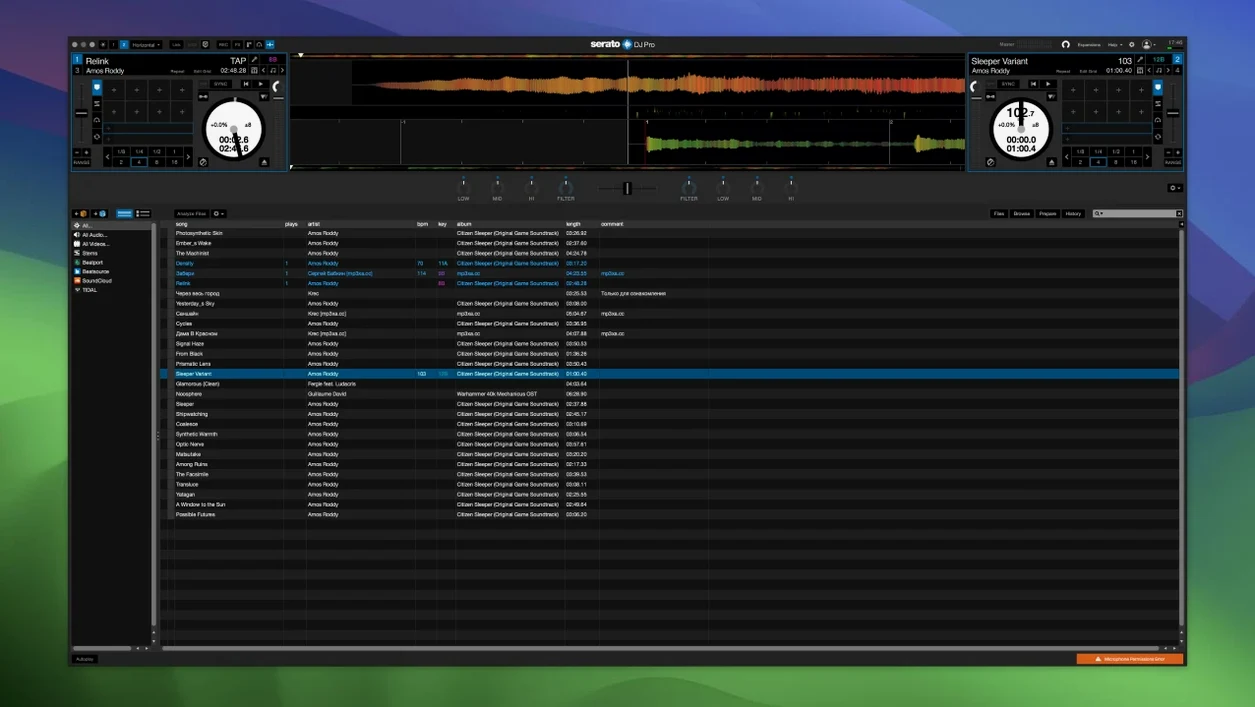
Switch the waveform view to vertical zoom. The horizontal zoom is the factory default. Vertical zoom shows you the kicks and snares as distinct shapes, which makes beatmatching by eye actually usable when the booth monitor is rubbish.
Turn on "Show Key" in the library columns. If you mix in key, the Camelot wheel notation sits right next to the BPM without needing a separate analysis tool. Serato's key detection isn't Mixed In Key, but it's close enough for a dark room.
One more: under the Library + Display tab, check "Show offline tracks." Nothing worse than loading a deck and seeing greyed-out silence because the file moved.
Tight hardware mapping for club mixers
Club DJs with a Pioneer or Rane mixer benefit first. The hardware integration is the whole point. The software doesn't try to be clever on its own. It maps tightly to what the knobs and faders already do, so you spend less time looking at the screen.
Open-format and mobile DJs get the next biggest lift. The crate system handles sprawling libraries without collapsing. A wedding DJ with 20,000 tracks can build smart crates for dinner, first dance, and floor-fillers, and switch between them without a panic scroll.
Turntablists using DVS will find the sticker-lock and slip release customisation worth the setup time. The software respects what a real crossfader cut sounds like, rather than smoothing it into something polite.
Bedroom producers who also DJ get value from Stems. Pulling an acapella from an obscure B-side without hunting for a remix pack saves hours. The isolation isn't perfect — you'll hear faint artefacts on complex tracks — but in a mix at volume, nobody else will.
Analyse every track before you play
Not analysing tracks before a set. Dragging a folder of new tunes into a crate five minutes before you play works, until the waveform builds slowly and the BPM reads 0.0 for the first eight bars. Analyse everything in advance. Let it finish.
Treating Stems like magic. Hitting the vocal isolate pad on a track with heavy reverb or a wide stereo spread leaves ghostly remnants. Stems works best on dry, well-mixed recordings. Test it on your own tracks at home before you try it on a PA.
Ignoring the hardware setup screen. Plugging in a controller and assuming every knob mapped itself correctly is optimistic. Check the MIDI tab and the audio routing before you load a deck. One misrouted channel and you're playing the backing track to the wrong room.
Leaving Smart Sync on by default. It's tempting to let the software lock the beats. But if you haven't set the beatgrid properly — and Serato sometimes guesses the downbeat wrong — Smart Sync will align the wrong transients and your mix sounds like a car crash in slow motion. Ride the pitch fader until you know the grid is solid.
Not backing up the database file. The _Serato_ folder holds your crates, cues, and analysis data. Lose that and you lose every loop and hot cue you set. Copy it to an external drive regularly. It's tiny. No excuse.
Brakers effect on isolated melody stems
Version 4.0 brought the Stems Pad FX, which changed how you approach transitions. Before, you'd layer a filter sweep over the whole track. Now you can drop a Brakers effect on just the melody while the drums roll clean underneath. It's a small tool that opens up a different kind of drop.
The customisable hardware slip release, tightened up around the same time, gave turntablists finer control over how quickly the track snaps back after a scratch. Earlier versions sometimes felt a fraction loose. The newer behaviour is tighter, closer to real vinyl tension.
Stems itself improved between the 3.x and 4.x line. The separation algorithm got faster — on an Apple Silicon Mac, loading a Stem takes under two seconds now rather than the four or five it needed on the first release. That matters when you're cueing the next track with thirty seconds left.
Library search got an under-the-hood rewrite. Typing a partial artist name into the search bar used to lag on libraries above 10,000 tracks. The current build returns results as fast as you can type, even on older Intel machines. If you play long sets from a deep collection, that's the kind of invisible fix that keeps a set flowing.
One quieter change: the offline player view now mirrors the hardware layout more faithfully. Practising without a controller plugged in still isn't the same, but the screen no longer lies about where your hot cues sit. If you prepare sets on a laptop in a coffee shop, that accuracy saves a moment of confusion when you plug in later.
Requirements
- macOS 12 Monterey or later
- Intel or Apple Silicon Mac
FAQ
Does Serato DJ Pro work with my controller?
It officially supports more than 90 hardware devices from industry manufacturers. Check Serato's downloads page for the full compatibility list.
Can I separate the drums from a track?
Yes. Serato Stems lets you isolate or remove vocals, melody, bass and drums in real time.
Comments 0
Sign in or create an account to leave a comment.
No comments yet…
If you’ve installed it, say how it went. Mention your Mac and macOS version — it helps the next person more than you’d think.