Serato Studio for macOS
Description
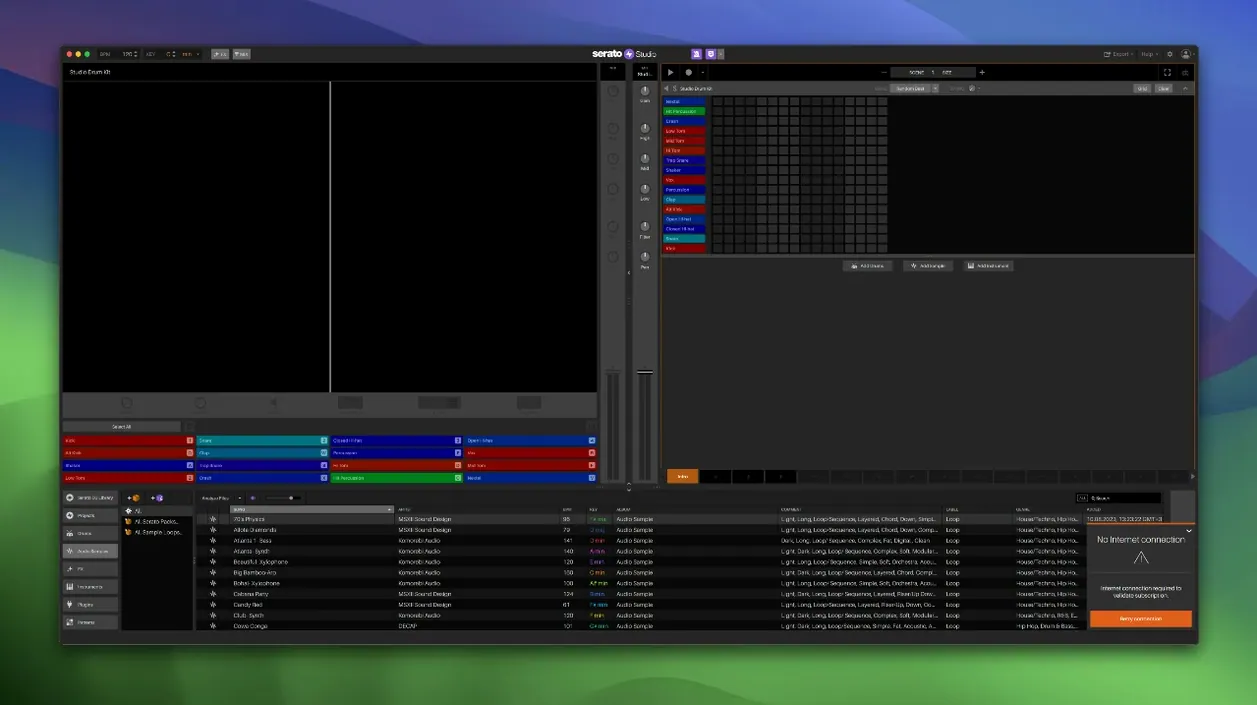
If you have spent time in Serato DJ, Studio feels like the production room attached to a familiar club. The library, the hardware habits, the way tracks are organised — they carry over. These are the first things worth trying.
Scene View — where beats live. Scenes are short patterns you stack into a full track. Open one, hit a pad, and a ready-made drum pattern plays in time with your project BPM.
Stems — the DJ trick turned production tool. Load a sample deck and switch individual stems on or off. Acapella, melody, bassline, drums. You can automate those levels in Scene View, which is useful for drops and breakdowns.
Key-matched chords — no theory required. The chord generator suggests chords in your project key. One-touch key switching keeps everything musical while you audition ideas.
DJ hardware — it just works. Plug in Serato-compatible gear and the pads map to Studio. Version 2.5.0 adds native control for the AlphaTheta SLAB.
Flip the pad layout before your first project
Out of the box, Studio makes a few choices that are worth undoing before you start a project.
- Reverse Pad Order. The setup screen includes an option to flip the pad layout. If you come from Serato DJ and your muscle memory expects Cue points running left‑to‑right, tick this. It saves a lot of wrong hits in the first hour.
- Library columns. Right‑click the library header and add Track Rating, BPM, and Key columns. The 2.5.0 update brought Track Rating and Crate Search, so you can mark keepers and filter a messy crate without scrolling.
- Favourite Crates. Drag your go‑to sound packs into the Favourites section. It sits at the top of the library tree. Less time browsing, more time auditioning.
- Metronome during count‑in only. Open Preferences, switch the click to count‑in mode. The constant tick gets old fast when you are looping a four‑bar idea.
- Audio buffer. If you run VST instruments live, drop the buffer to 128 or lower. Studio shares Serato’s audio engine and it handles low latency well, especially on Apple Silicon.
Beat sketchpad with DJ stems, not a full recording studio
Studio sits between a DAW and a groovebox. Knowing where it overlaps — and where it does not — helps.
- vs Logic Pro. Logic is a full recording studio. Studio is a beat sketchpad with DJ‑style stems. If you need multitrack vocals, flex pitch, or scoring to picture, Logic wins. If you want a loop playing in key with stems muted in under a minute, Studio is faster. Many producers build the groove in Studio, export stems, and finish in Logic.
- vs Ableton Live. Live’s Session View and Studio’s Scene View share the clip‑launching idea, but Live’s warping and modulation are deeper. Studio fights back with the Serato library, instant DJ‑hardware mapping, and the Stems workflow. For a Serato DJ user who wants to make original beats without learning a new ecosystem, Studio is the shorter path.
- vs Maschine (Native Instruments). Maschine leans into pad‑based sampling and browsing. Studio feels more like a mixer‑first environment. The Feel control — which adds human timing to chords — has no direct equivalent on Maschine. Maschine’s pattern‑chaining is more flexible, but Studio’s scene‑to‑arrangement flow needs less menu diving.
Independent sliders for acapella, melody, bass and drums
Version 2.5.0 landed three changes that alter the daily workflow.
Individual stem level control. Before, you could toggle an entire stem on or off. Now acapella, melody, bassline and drum levels have independent sliders. That means you can drop the bassline to 30% for a verse and bring it back in the chorus — all inside a Sample Deck, without duplicating the track.
Stem automation in Scene View. The sliders are automatable. Draw a fade on the vocal stem across four scenes and you have a clean acapella intro. This used to require exporting stems to a DAW. Now it stays in Studio.
Crate Search and Track Rating. A search bar at the top of the library and star ratings in every crate. For anyone with a large Serato library — especially those who rely on serato studio mac as a second production tool alongside Serato DJ — this cuts down the hunt for a specific kick or loop sample considerably.
The AlphaTheta SLAB support is more niche, but if you own that controller, the pads now map without a third‑party MIDI profile. The 2.5.0 patch also adds macOS 26 Tahoe compatibility, so the app keeps running on the latest Apple OS.
What’s new
Adds native control for AlphaTheta SLAB.
Adds support for macOS 26 Tahoe.
Adds individual level control for acapella, melody, bassline and drum stems in Sample Decks.
Adds automation for Stems On/Off and individual Stems Levels in Sample Decks.
Requirements
- macOS 10.14 or later
- Intel or Apple Silicon
FAQ
Does Serato Studio work with my Serato DJ library?
Yes. You can pull tracks from your existing Serato DJ library into Studio.
Can I export stems from Serato Studio?
Stem export is supported, so you can bounce individual parts for use elsewhere.
Does Serato Studio run on Apple Silicon?
It supports both Intel and Apple Silicon Macs, with macOS 10.14 or later.
Comments 0
Sign in or create an account to leave a comment.
No comments yet…
If you’ve installed it, say how it went. Mention your Mac and macOS version — it helps the next person more than you’d think.