Maschine for macOS
Description
It turns a pile of samples and half-formed loops into finished tracks without needing to stare at a DAW timeline all day.
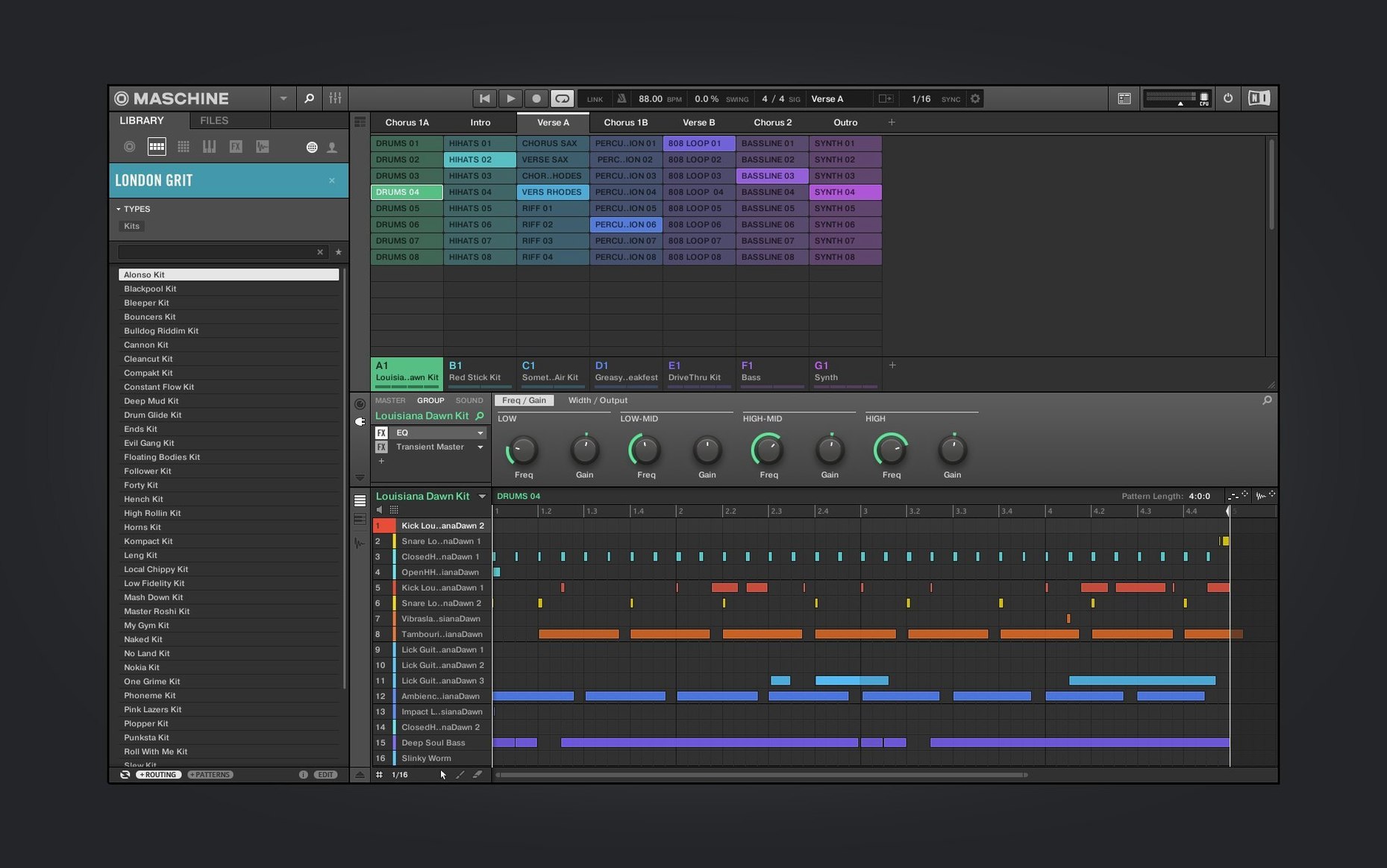
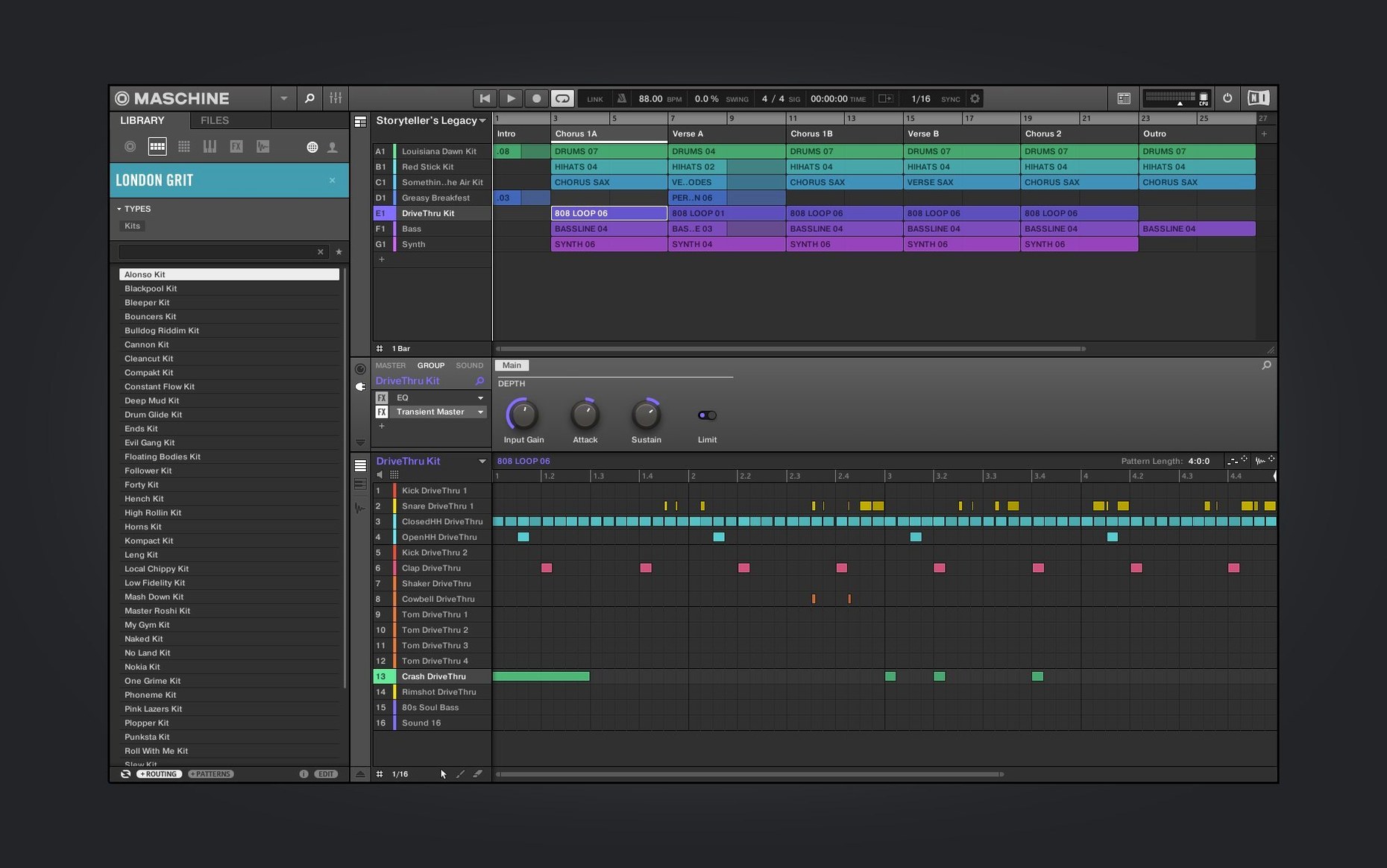
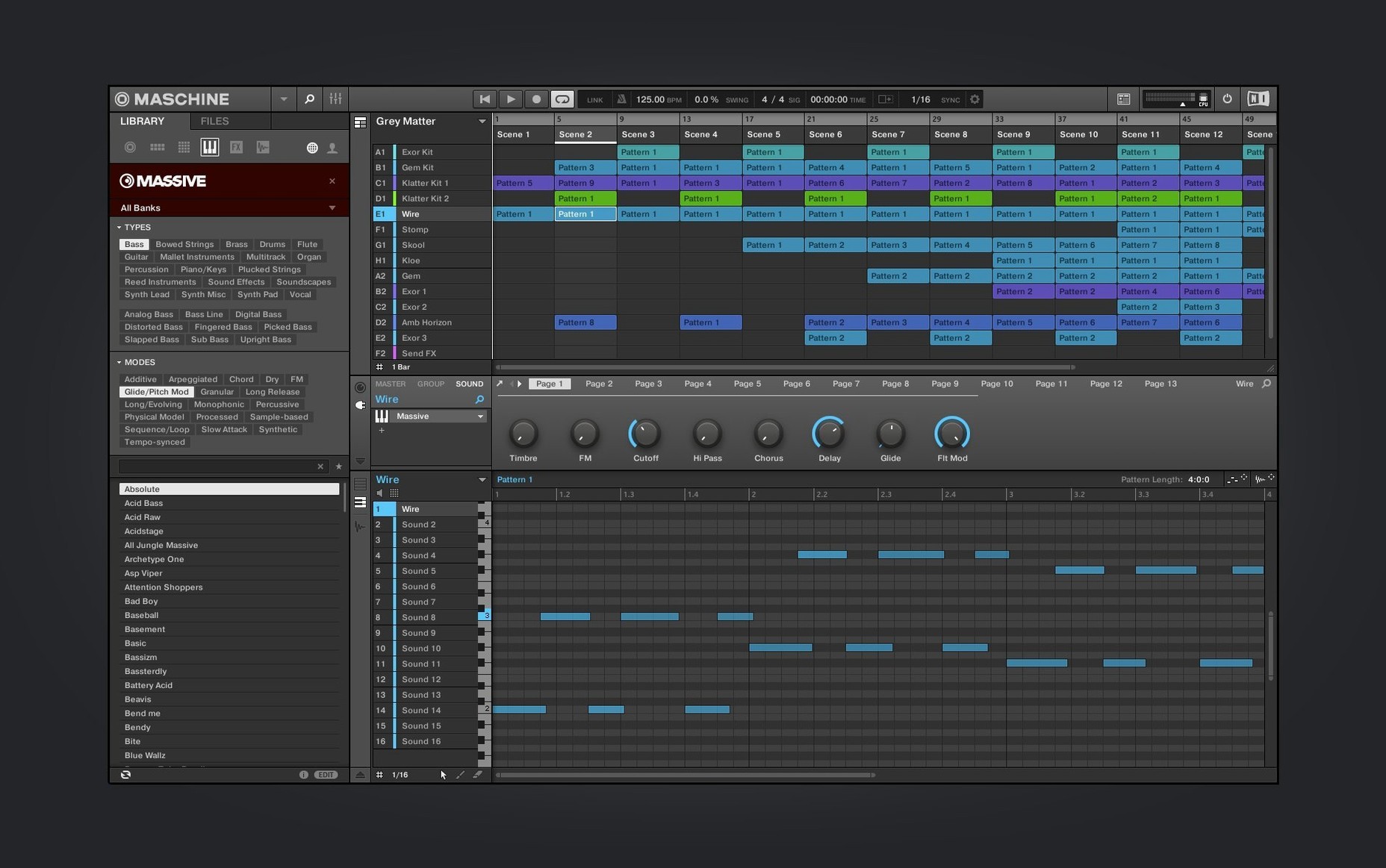
Pattern-based sequencer — ideas are built in scenes and patterns, not a linear arrangement. Good for trying out variations quickly.
High-performance sampler — record, chop and map audio with automatic slicing. Timestretch stays tight even when you push it far from the original tempo.
Integrated drum sequencer — step sequencing, pad mashing or live recording. Three ways to get a beat down, and they all sync properly.
Built-in audio interface — the hardware handles input and output. One less box on the desk.
Loop slicing — drop in a break, Maschine cuts it to pads. Re-pitch individual hits or the whole thing. No external editor needed.
NKS Connect — version 3.6.0 added support, starting with the AKAI MPK mini IV. Compatible controllers show Maschine parameters on their displays.
Only runs on macOS 13 or later. Interface is English only. The Audio, Poly Synth and Drum Synth modules got a redesigned UI in 3.6.0, so panels look less like a spreadsheet and more like an instrument.
Demo projects join the redesigned welcome screen
Version 3.6.0 didn't add new sound engines or a shiny flagship feature. It tidied things up. The welcome screen now points you at demo projects and tutorial videos — helpful if you've been away from Maschine for a while and want to see what a finished pattern looks like before starting from scratch.
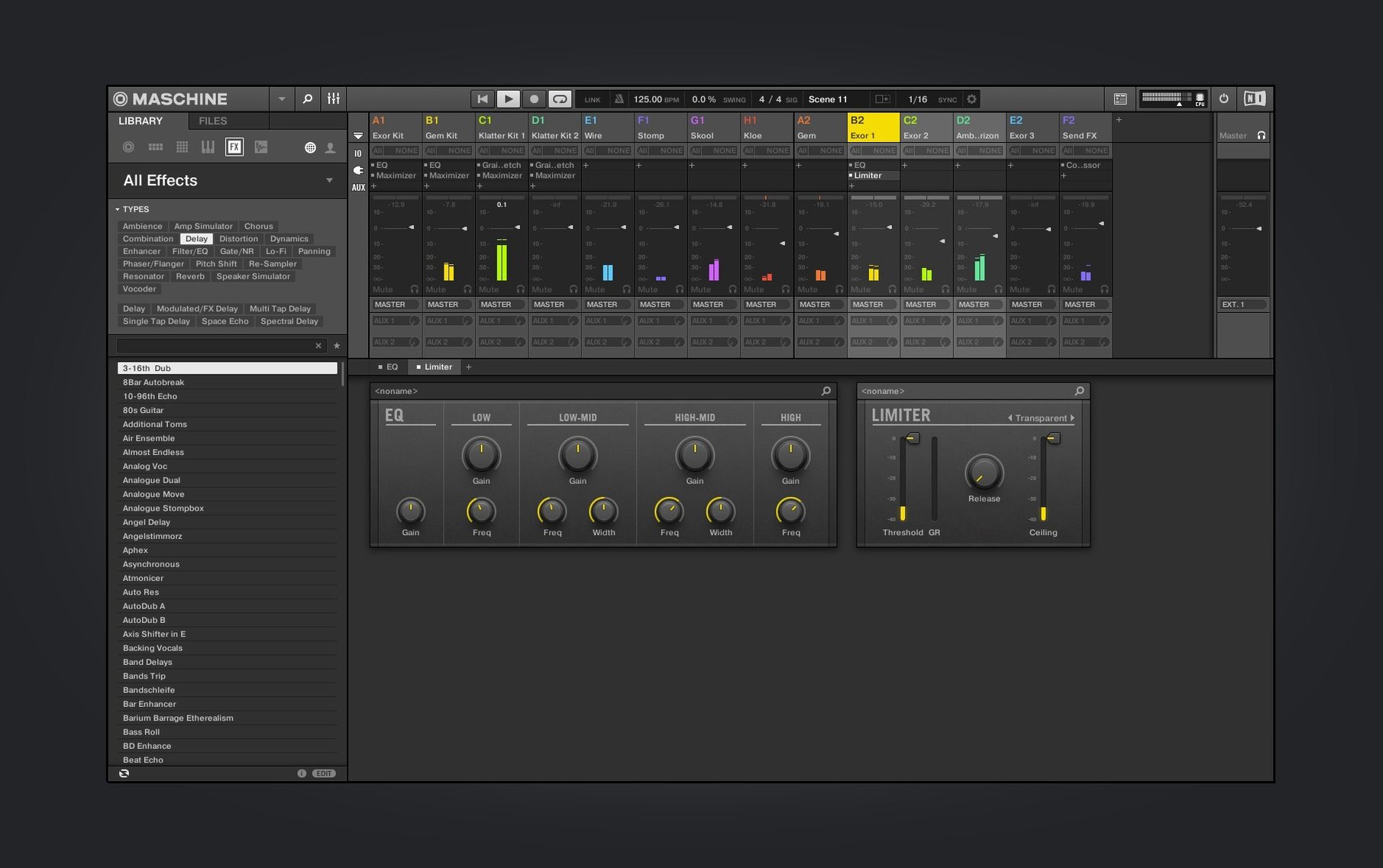
The bigger shift is visual. Audio, Poly Synth and Drum Synth panels got a proper redesign. Knobs are larger, labels are clearer, and the whole thing reads faster at 2 a.m. when your eyes are tired. The Mixer view redesign is still in progress, but what's there already feels less cramped than before.
If you use an AKAI MPK mini IV or another NKS Connect controller, Maschine now talks to it directly. Parameters appear on the hardware display. No mapping pages, no guesswork — plug in and the knobs do what the screen says they'll do. It's a small thing that removes a regular annoyance.
Beginner traps
New users often treat Maschine like a linear DAW. They drag clips to a timeline and wonder why nothing loops. The software thinks in patterns and scenes. If you don't create a scene first, there's nothing to play back. Learn the scene list before you touch the arrange view.
Another common mistake: ignoring the sampler's choke groups. Load up an open hi-hat and a closed one on adjacent pads without setting a choke, and both ring out over each other. It sounds like a mistake because it is. Two clicks in the pad settings fixes it.
People also skip the manual slice mode and rely on auto-slice for everything. Auto-slice is fine for clean drum breaks. For a vocal phrase or a muddy sample with transient bleed, switch to manual and place markers yourself. It takes two minutes and the result is useable instead of frustrating.
Finally, don't install the full factory library to your system drive if space is tight. The installer doesn't warn you. Point it at an external SSD before you click through.
Pre-installation requirements checklist
Does Maschine work as a plug-in inside another DAW?
Yes. You can run it standalone or load it as a plug-in inside Ableton Live, Logic Pro, Bitwig and others. In plug-in mode the hardware controller still works — pads trigger sounds, knobs adjust parameters, and the transport controls sync to the host. Routing multiple audio outputs takes a minute to set up but works reliably once configured.
macOS 13 Ventura is the minimum requirement
macOS 13 is the floor. If your machine can't run Ventura, this version won't install. Both Intel and Apple Silicon are supported, so M1 through M4 Macs are fine, and most Intel Macs from 2017 onward should handle it. Performance depends more on your sample library location than on raw CPU — an external SSD keeps things snappy.
What's actually included, and what's extra?
Maschine itself comes with a core set of sounds, effects and the three synth modules. The full Komplete library is a separate thing. What you get here is the engine and enough content to build tracks immediately — drum kits, one-shots, bass sounds, a few sampled instruments. It's not a stripped demo.
Do I need the hardware controller?
Strictly speaking, no. The software works with mouse and keyboard. In practice, you'll fight the interface without pads. The whole design assumes two hands on a controller — browsing sounds, tapping out patterns, tweaking parameters while a loop plays. If you plan to use only a screen, a conventional DAW is less friction. Even a second-hand Maschine Mikro changes the experience entirely.
What’s new
Redesigned the UI for Audio, Poly Synth and Drum Synth modules. Continued the Mixer view redesign. Added NKS Connect support, starting with AKAI MPK mini IV. Added NKS Mode integration for compatible NKS Connect controllers.
Requirements
- macOS 13 or later
- Apple Silicon and Intel Macs
- Interface language: English
FAQ
Does Maschine work without the hardware?
Yes, the software runs on its own, but you lose the hands-on control that makes the system quick to use.
Comments 0
Sign in or create an account to leave a comment.
No comments yet…
If you’ve installed it, say how it went. Mention your Mac and macOS version — it helps the next person more than you’d think.