MAMP PRO for macOS
Description
Web developers who need a separate local environment for every project use MAMP PRO. It gives you a front end to control the server stack without editing config files by hand.
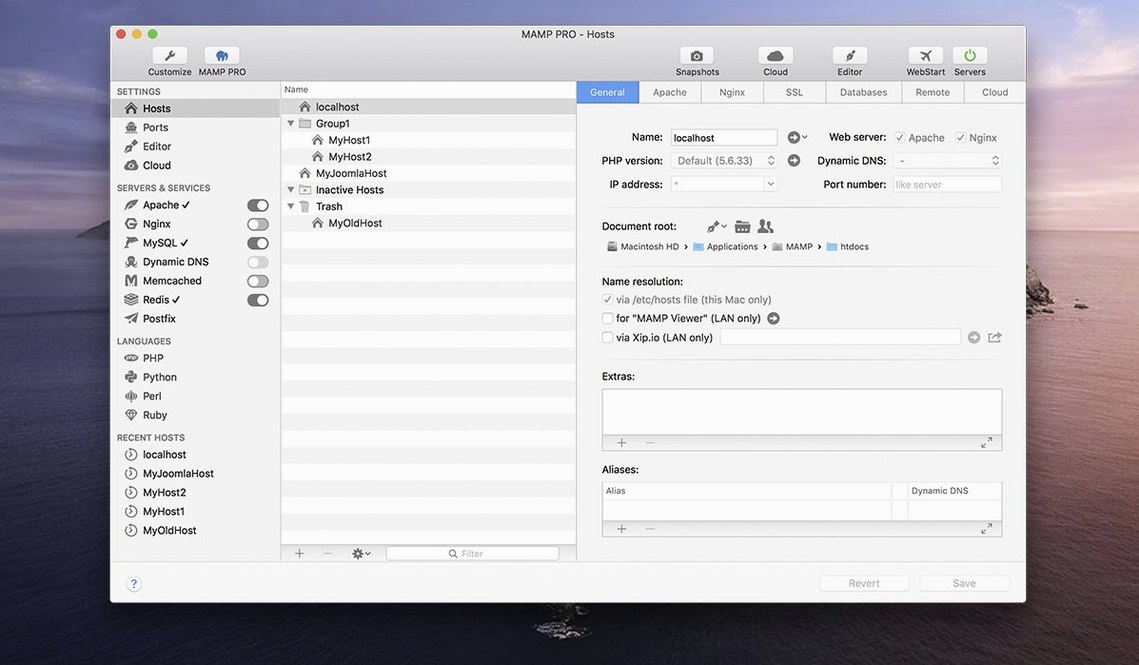
Host per project — Each site gets its own host with individual server and PHP settings. You can run Apache for one and Nginx for another, side by side.
Built-in stack — Apache or Nginx, MySQL 5.7 and 8.0, Redis, Memcached. Multiple PHP and Python versions, switchable per host.
WordPress import — Pull a live WordPress site straight into a local host. Host ordering keeps the list tidy when you have dozens of projects.
Where it fits — It sits next to your code editor and Git client. You do the development work in your usual tools; MAMP PRO handles the server layer and lets you test before anything hits a live domain.
Your Mac’s Apache stays untouched on its own ports
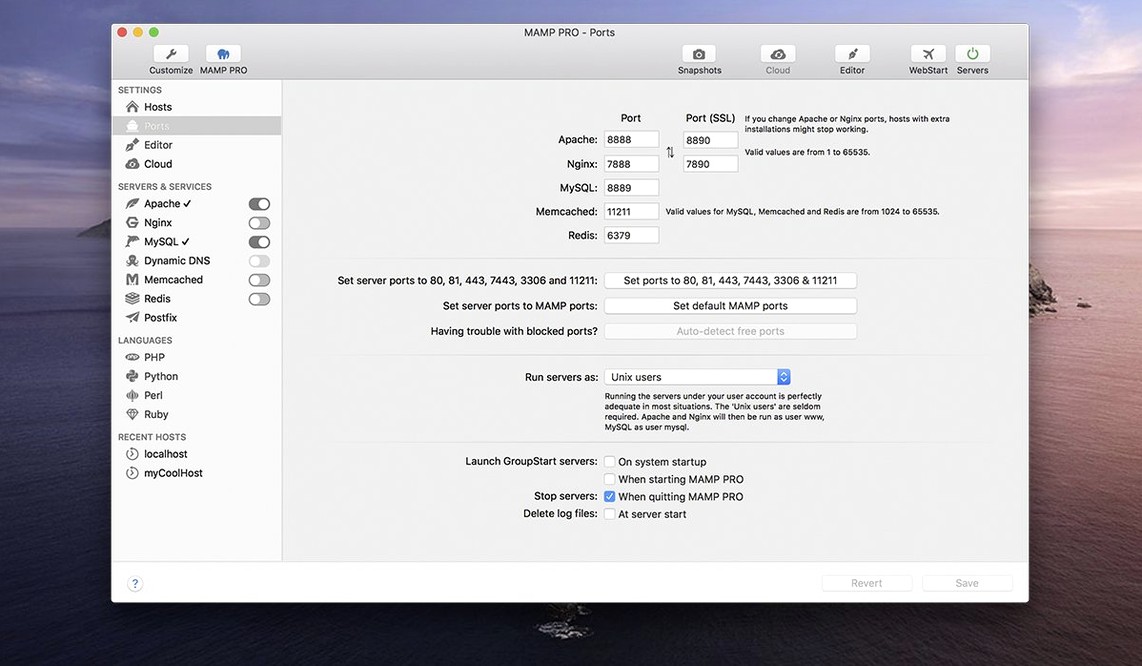
Does it mess with the built-in Apache on macOS? No. MAMP PRO runs its own stack on its own ports. The system Apache stays untouched unless you deliberately stop it to free port 80. The default install uses 8888 for Apache and 8889 for MySQL, so there is no collision.
Can it sit alongside other dev tools like Docker or Valet? Yes, but you manage port conflicts yourself. If another service grabs port 80, MAMP PRO will complain when you try to start servers. Pick one stack per port range and it works fine. Many people run Docker for containerised projects and MAMP PRO for quick local WordPress sites without bothering to spin up containers.
Do I need to know command-line Apache or MySQL? Not really. The interface handles virtual hosts, PHP version switching and MySQL database creation. That said, terminal users can still SSH in or run mysql from the command line. The app does not lock you out of manual config — it just means you rarely need it.
Port 80 refusing to start because of built-in Apache
Port 80 already in use. If you switch Apache to port 80 and it refuses to start, something else is already listening there. Often it is the macOS built-in Apache. Run sudo apachectl stop in Terminal, then disable it from launching at boot with sudo launchctl unload -w /System/Library/LaunchDaemons/org.apache.httpd.plist. Skype and some VPN clients also grab port 80. Quit them or change their port settings.
MySQL won't start after a macOS update. This happens when system permissions shift. Open MAMP PRO, go to the MySQL tab and click the small folder icon next to the database path. Make sure the directory still exists and is writable. If the error mentions a missing socket file, stop the server, delete any leftover .sock or .pid files inside /Applications/MAMP/tmp/mysql, then start again.
PHP version switching appears to do nothing. The host settings override the global default. Check the host you are browsing — not the main server settings — to see which PHP version is actually assigned. If you changed the host setting but the site still reports the old version, restart the Apache service for that host specifically. The global restart button in the toolbar covers it.
phpMyAdmin returns a blank page or 403 error. Since version 6.9.0 the alias handling for phpMyAdmin 5 improved, but stale browser cache sometimes hides the fix. Hard-refresh the page (Cmd-Shift-R) or open it in a private window to rule out cached redirects.
Workflow: importing a live WordPress site for local testing
This is one of the main reasons people reach for MAMP PRO. You have a WordPress site running on a remote server, and you want a local copy to test a plugin update or redesign without breaking production.
- Create a new host. Give it a local domain like
testsite.local. Pick the PHP version that matches the live server. If you are not sure, pick the same major version — PHP 8.1 and 8.2 rarely cause issues with the same WordPress codebase. - Under the WordPress tab in the host settings, click "Import". Enter the FTP or SFTP credentials for the live server, plus the database host, name, user and password. MAMP PRO connects and pulls down the files and the database dump.
- Once imported, the local site is ready. The app rewrites the site URL in the database so WordPress loads from
testsite.localinstead of the live domain. Open the host in a browser to verify. - Make your changes — update plugins, tweak the theme, test new content. When you are happy, use the WordPress export feature to push the altered database back up, or migrate the whole host to a staging server using the built-in migration tool.
- If the import stalls on a large site, increase the PHP memory limit for that host temporarily. 256 MB usually handles most WordPress installs; 512 MB covers sites with heavy page builders.
This round-trip workflow saves the fiddly step of manually exporting and importing SQL dumps and editing wp-config.php every time.
Drag hosts in the sidebar to group client and personal projects
- Host ordering by drag and drop. The host list is not locked alphabetically. Grab a host in the sidebar and drag it up or down. If you work on five client sites and three personal projects, grouping them visually makes switching faster than scrolling through an unsorted list.
- Screenshot capture for client records. Right-click a host and pick "Take Screenshot". MAMP PRO opens the local site's homepage in a headless renderer and saves a PNG. Use it to keep a visual record of site states before and after major edits, or to drop into project documentation without opening a browser.
- Redis toggle per host. In the Extras tab of a host, you can enable Redis caching for that specific site. If you develop WordPress sites that use object cache plugins, turning this on locally gives you a realistic cache layer without installing Redis separately.
- Remote editing from the toolbar. The redesigned toolbar has a small icon that opens the host's document root in Finder. One click instead of digging through /Applications/MAMP/htdocs or custom host directories. If you use a code editor that opens folders, drag the Finder window into the editor dock icon to mount it.
- MySQL 5.7 and 8.0 side by side. You can assign different MySQL versions to different hosts. If you maintain a legacy WordPress site that does not play nicely with MySQL 8.0's authentication changes, give it MySQL 5.7 while newer projects run 8.0. No need to downgrade the whole stack.
What’s new
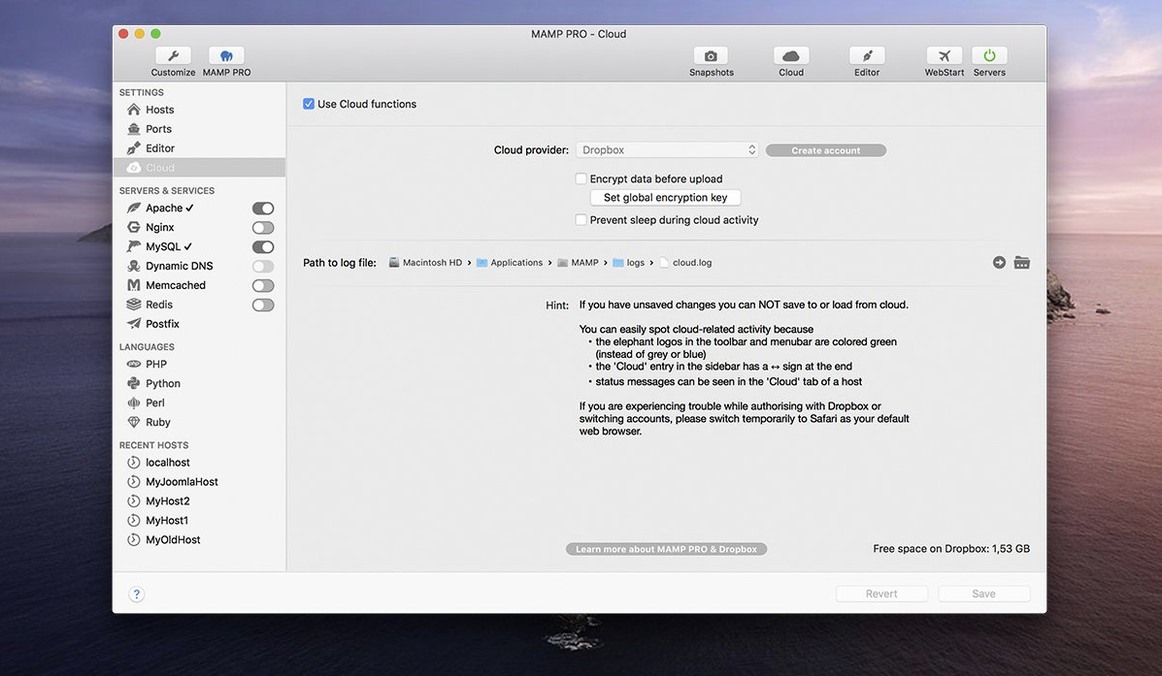
Fixes a crash when editing host-specific server configurations. Fixes several network issues in the MAMP Cloud feature. Improves the installation of PHP versions. Opening phpMyAdmin 5 via alias was improved.
Requirements
- macOS 10.12 or later
- Apple Silicon and Intel Macs
- Interface: English
FAQ
Does MAMP PRO 6.9 run on Apple Silicon?
Yes. Version 6.9.0 lists ARM Mac support and requires macOS 11.0 or later. It is also a 64-bit Intel build.
Can I run different PHP versions for different projects?
Yes. MAMP PRO manages multiple PHP and Python versions, and you can assign a specific version to each host you create.
Comments 0
Sign in or create an account to leave a comment.
No comments yet…
If you’ve installed it, say how it went. Mention your Mac and macOS version — it helps the next person more than you’d think.