
MacFamilyTree for macOS
Description
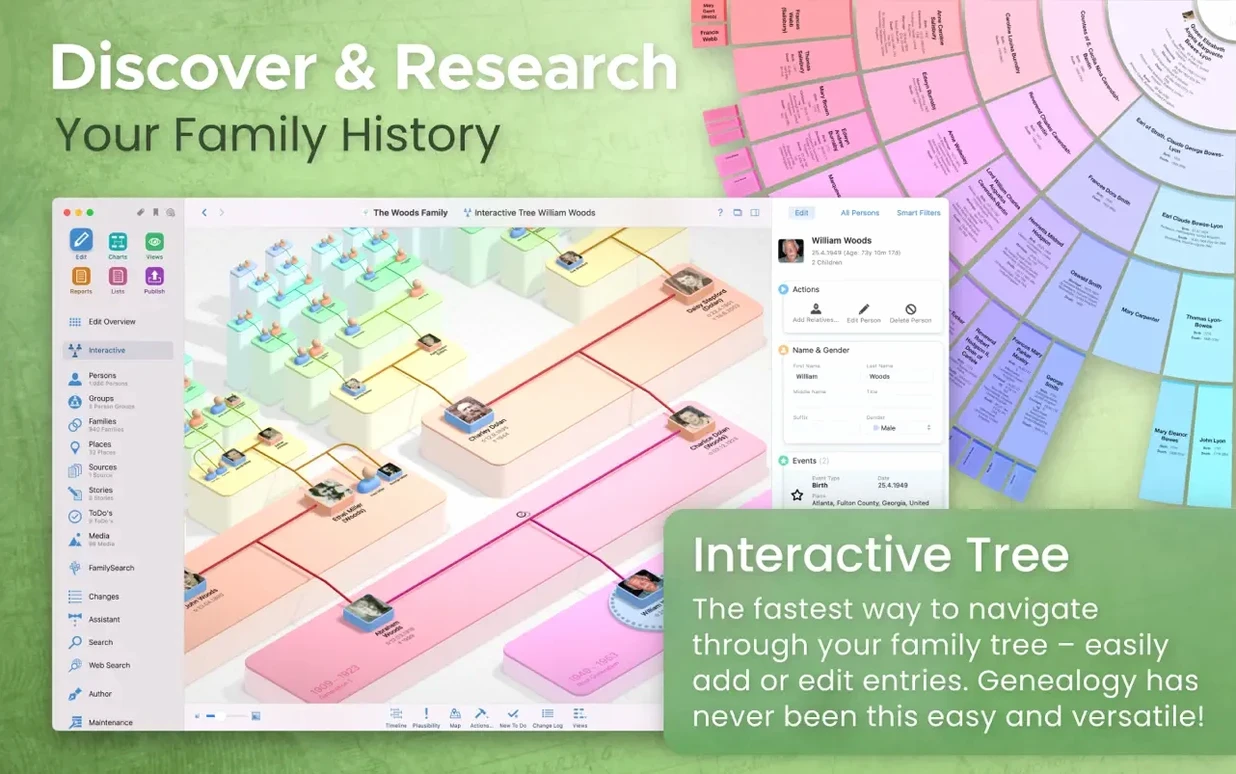
The family tree can hold over a million people. Whether anyone has the patience to enter that many relatives is another question, but the ceiling is high. This is MacFamilyTree 11, a native Mac genealogy app now on version 11.3.2.
- Apple Silicon and Intel 64-bit support. The developer says version 11 is optimized for Apple Silicon Macs.
- CloudTree Sync & Share keeps trees in step across devices. It needs an iCloud account.
- GEDCOM import and export, plus a search that reaches into FamilySearch records.
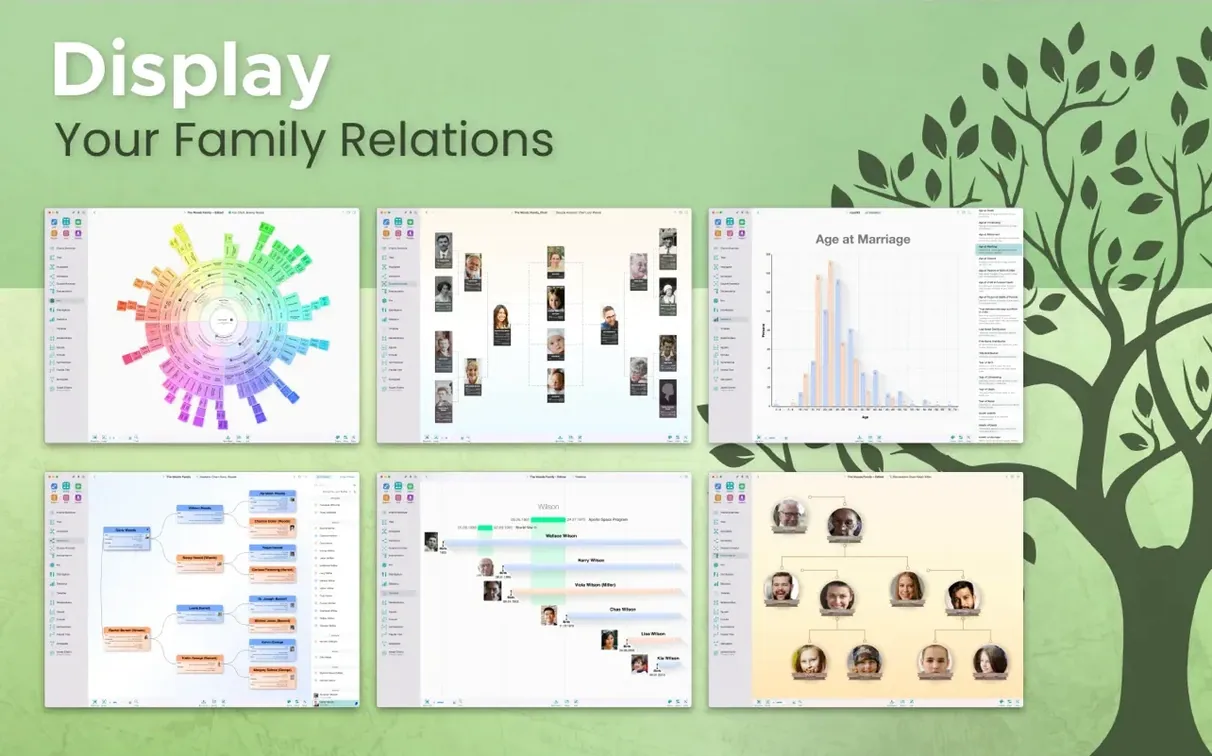
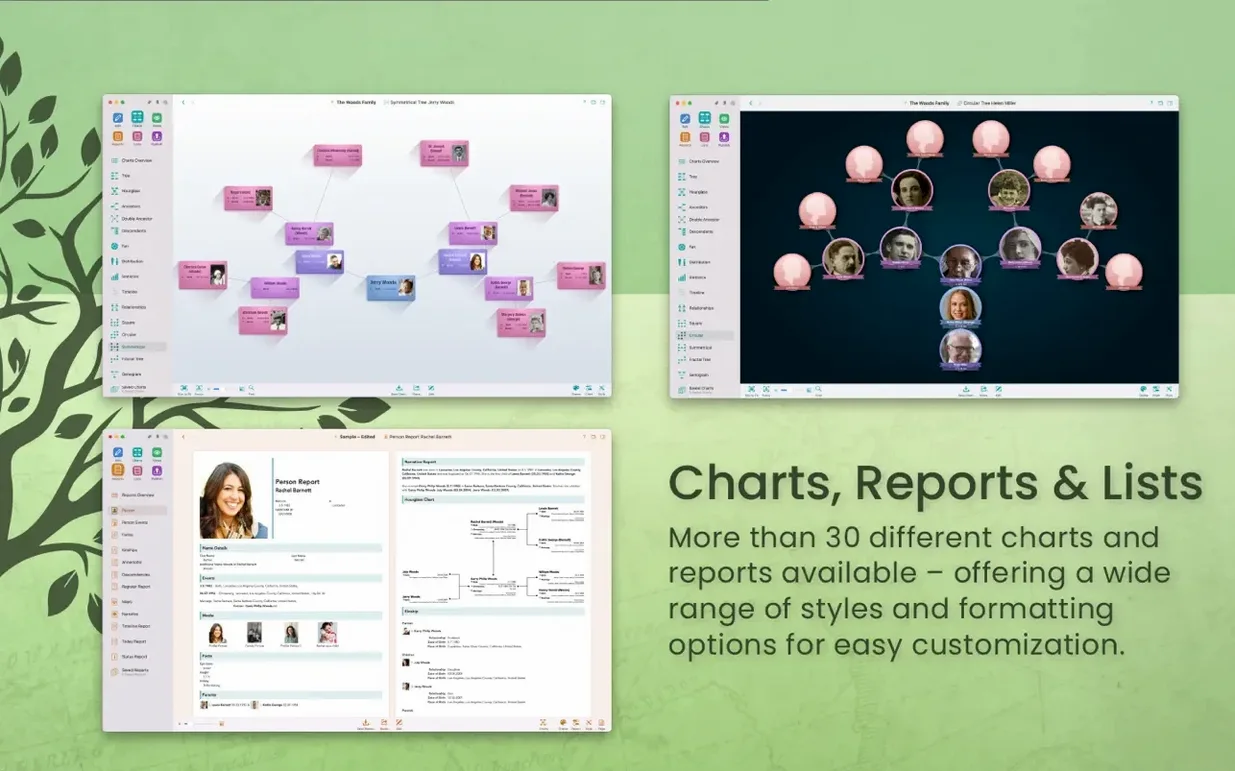
- Over a dozen chart types: fan, genogram, hourglass, virtual globe, name distribution, and more.
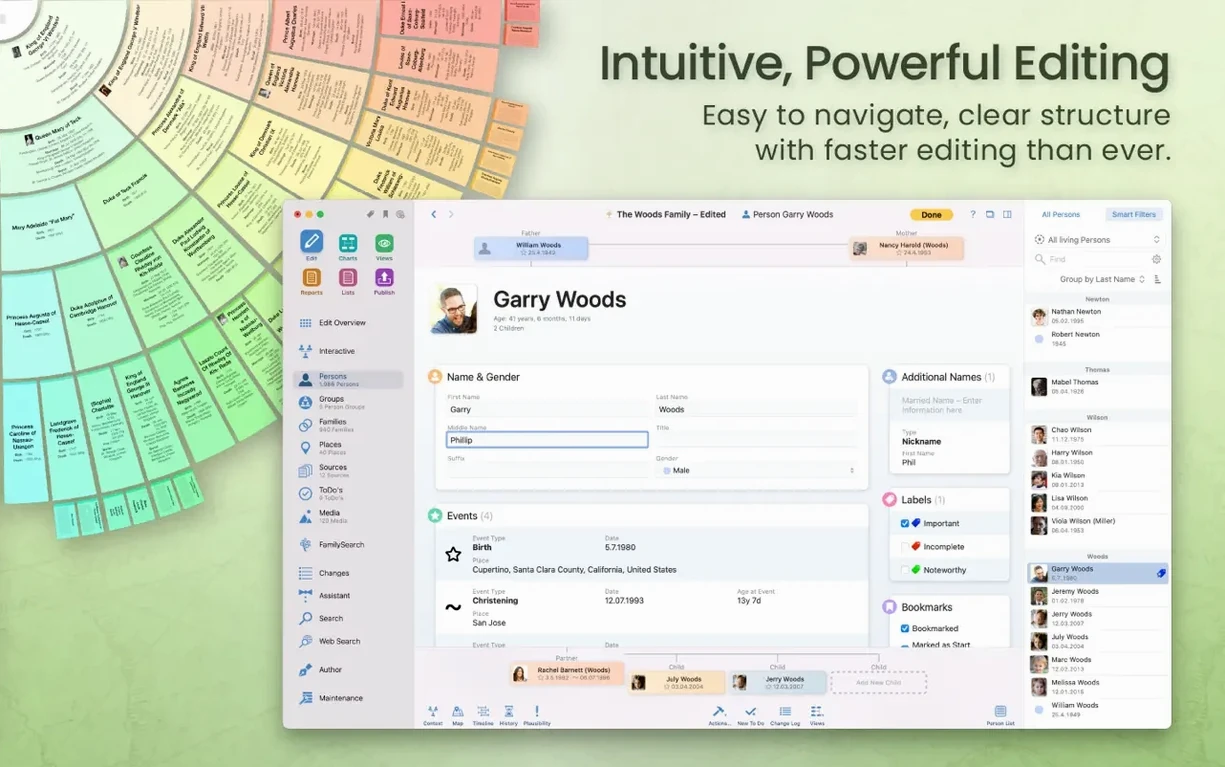
- Reports cover family, person, relationship, sources, events, credibility, and narratives.
- Hide people and records from exports. Handy when a branch is best left off the printout.
The interface handles sixteen languages and the interactive tree view makes navigating large files feel closer to a map than a database. Charts and reports export in multiple formats, so you can get them out of the app without fuss.
MacFamilyTree next to Heredis, Family Tree Maker and Reunion
Heredis 2024 leans harder on data entry helpers — its search-as-you-type place names and automatic source suggestions save clicks during long sessions. MacFamilyTree counters with CloudTree sync across Mac and MobileFamilyTree on iPhone, something Heredis does not match. Family Tree Maker has the tightest Ancestry integration of the lot, plus a bigger Windows user base, but its Mac port still feels like a guest in the house. Reunion shares MacFamilyTree's long Mac pedigree and its interface is leaner, yet it lacks the 3D tree view and the built-in web publishing that Synium bundles in.
If your priority is sharing a tree with relatives who will open it on a phone, MacFamilyTree wins. If you spend most of your time pulling records from Ancestry, Family Tree Maker is the shorter path. For pure data-entry speed on a Mac, Heredis nudges ahead. MacFamilyTree sits in the middle — it does a bit of everything without feeling stretched thin.
Scrolls through tens of thousands of names without a stutter
On an Apple Silicon Mac the app launches in a couple of seconds. The interactive tree view scrolls smoothly even with tens of thousands of individuals loaded; pinch-to-zoom on a trackpad feels native. The 3D globe view pushes the GPU a little harder — fans may spin up on Intel machines, but nothing that would worry a help-desk regular.
Memory use stays modest. A tree with 15 000 people sits around 400 MB of RAM while you browse. Exporting a large GEDCOM or generating a multi-page book report will spike CPU briefly, then settle. Crashes are rare in 11.3.2 — the stability fixes in recent updates seem to have nailed down the most common triggers, particularly around CloudTree sync conflicts and large media imports.
On older Intel Macs running Monterey, the app is usable but chart rendering takes an extra beat. If you are still on an iMac with a spinning hard drive, keep your media files on an external SSD and the tree file itself will stay snappy.
iCloud sync drops new names into MobileFamilyTree in seconds
MacFamilyTree reads iCloud for syncing, so it slots into the same Apple ID ecosystem as your photos and notes. CloudTree changes appear in MobileFamilyTree within seconds — useful when you are at a family gathering and someone pulls out a box of old letters. You can add a source photo on the phone and see it on the Mac before the kettle boils.
Export a person sheet as PDF and drop it into Apple Notes or a shared iCloud folder. The GEDCOM export works cleanly with DNA services that accept family tree files; import your matches and the app does not mangle non-English characters the way some cross-platform tools do. Drag a chart straight from the app into Pages or Keynote — it arrives as a vector PDF, crisp at any size.
The web publishing feature generates a static site you can host anywhere. Password protection keeps living relatives' details off search engines. For researchers who want their data to stay portable, the combination of local storage, encrypted iCloud sync and standard GEDCOM output means you are never locked in. If someone in the family runs Windows, a GEDCOM export handed to Family Tree Maker keeps the collaboration going without everyone needing the same app.
What’s new
Stability improvements.
Requirements
- macOS 12 Monterey or later
- Apple Silicon or Intel 64-bit Mac
- iCloud account required for syncing between devices
FAQ
Does MacFamilyTree work with FamilySearch?
Yes, it can search FamilySearch genealogy records directly from within the app.
Comments 0
Sign in or create an account to leave a comment.
No comments yet…
If you’ve installed it, say how it went. Mention your Mac and macOS version — it helps the next person more than you’d think.