Loop Mash Up Pro for macOS
Description
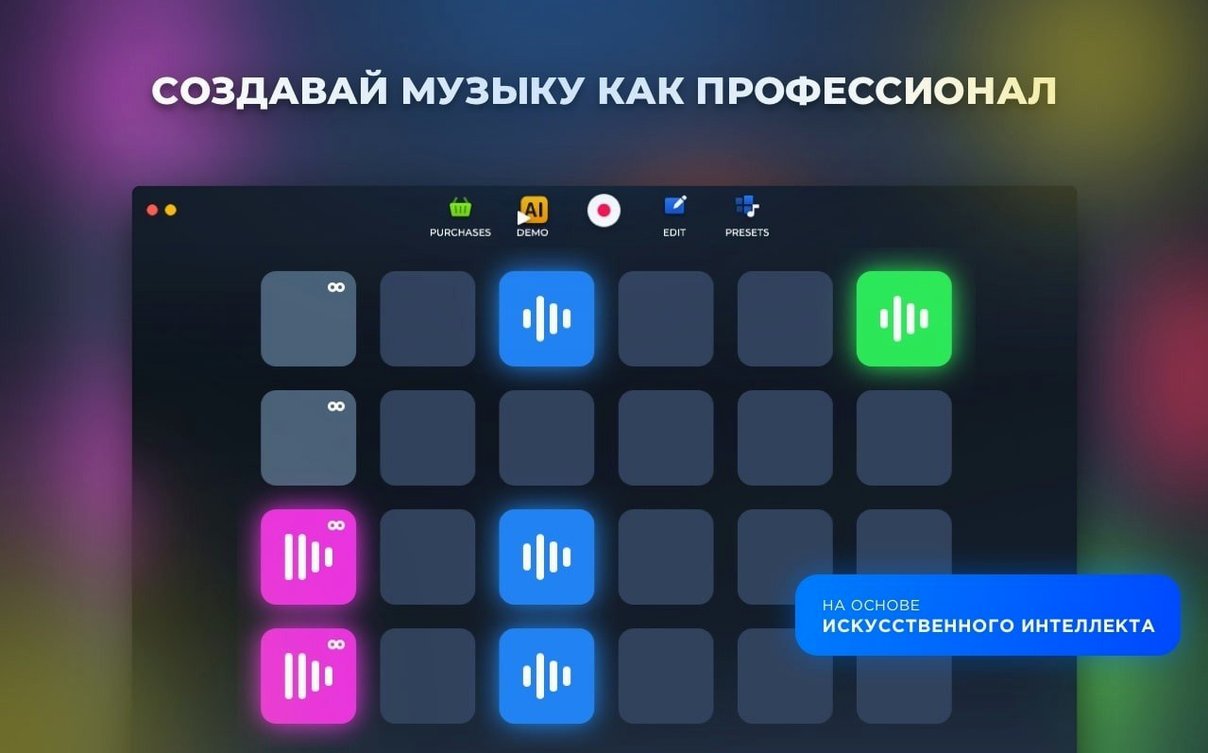
If you have ever tapped out a rhythm in GarageBand, Loop Mash Up Pro will feel like its scruffier, club-ready cousin. It is built entirely around sampling, looping and turning a handful of sounds into a proper track.
Trigger cuts with your keyboard number row
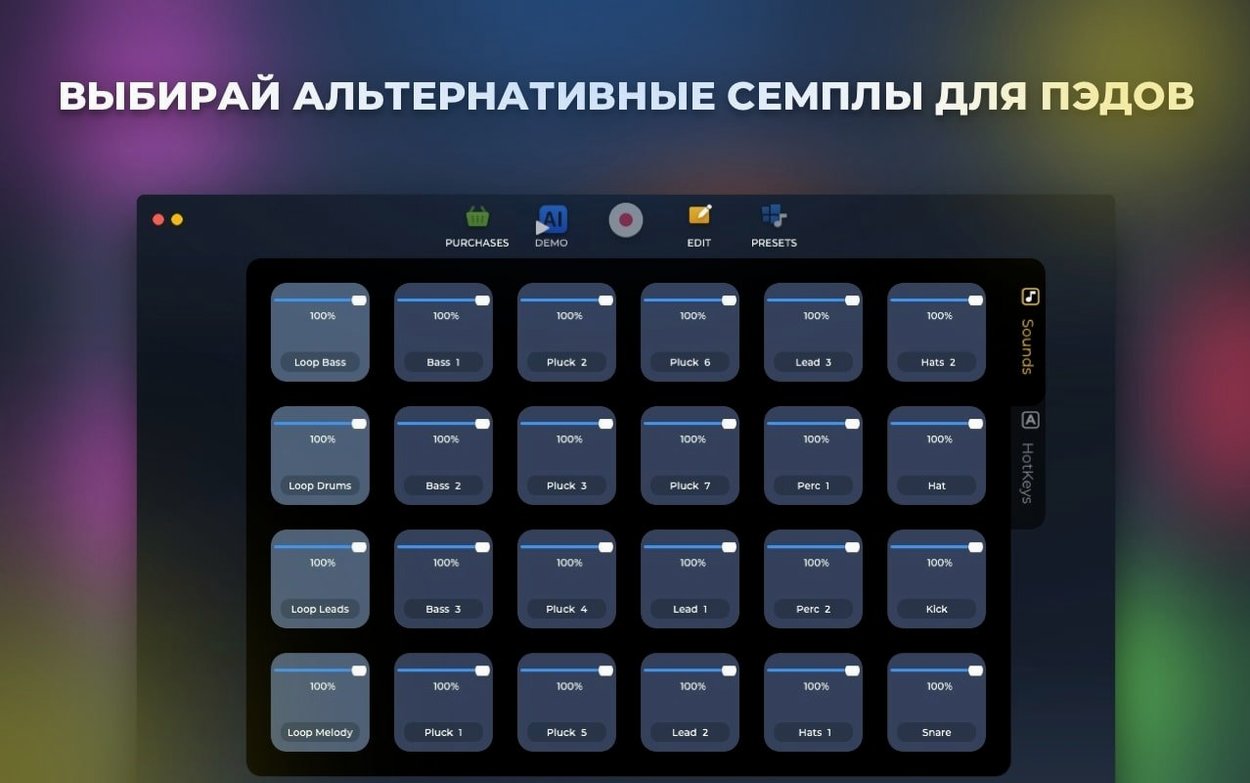
Open a fresh project and assign your first few samples to the on-screen pads. Then bind them to your keyboard’s number row so your fingers can trigger cuts without looking at the screen.
Can the app generate ideas for me?
Yes. The AI generation is not a full songwriting assistant, but it will spit out a loop based on a mood. Treat it as a sketch pad — drag the bits you like onto pads and build from there.
How do I capture a live jam?
Arm the record button and go. Everything you trigger gets laid down as a track you can save straight to your Mac. It is the quickest way to turn happy accidents into something you can use later.
Record a live jam then drop it into Logic
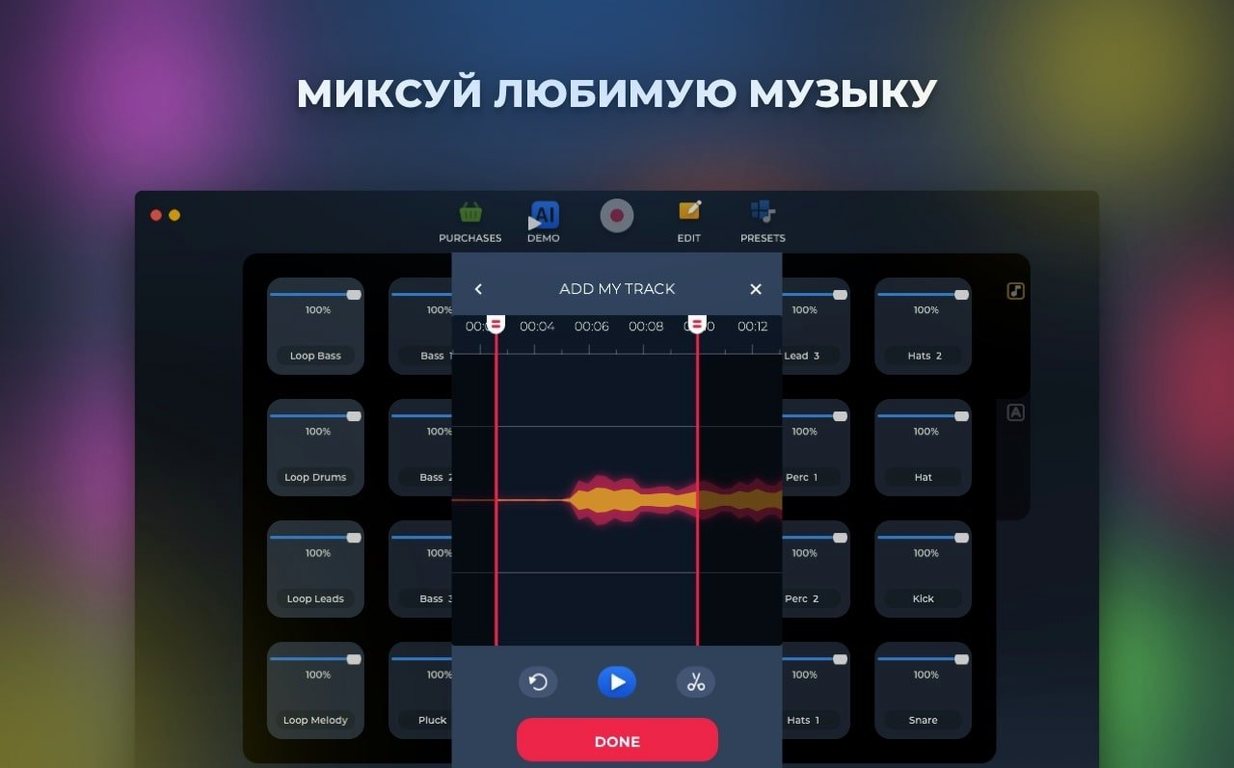
Loop Mash Up Pro does not pretend to be a full DAW. Think of it as a sketchpad that feeds into Logic Pro, Ableton Live or even a quick GarageBand session. Record a live jam inside the app, save the file to your Mac, then drag it straight into your main DAW as a stereo stem. The timing stays tight because the app locks to its internal clock — no drift, no extra sync steps.
On the macOS side, the app plays nicely with Audio MIDI Setup. If you use an external interface — a Focusrite Scarlett, a small Behringer mixer — macOS sees it and Loop Mash Up Pro follows the system output. No fiddling with separate audio routing. The same goes for Bluetooth headphones, though latency will bite you: wired is the way.
Keyboard shortcuts map easily alongside your existing muscle memory. If you already use the function keys for Logic or Ableton, assign Loop Mash Up Pro's hotkeys to the number row or a block of letters you never touch. Mac's built-in Keyboard Viewer helps you spot conflicts before they ruin a take.
One underrated workflow: record a few AI-generated loops in the app, bounce them, then open QuickTime's audio recording as a temporary scratchpad while you rearrange pads. Quick, dirty and surprisingly useful when you are away from your main setup.
Beachballs fade when switching built-in styles
Version 1.2.17 is a maintenance release, but the fixes matter for daily use. The App Store notes mention under-the-hood improvements and a more stable, responsive app. In practice, that means fewer beachballs when you switch between the six built-in styles mid-session. Earlier builds could stutter if you hammered the pad grid during a live recording; the latest update tightens that up.
Several bugs were fixed. The most noticeable was a crash that sometimes hit when assigning a hotkey to a pad that already had one mapped. That is gone now. Another quiet fix: the app no longer forgets your output device after sleep. Small things, but they add up when you are trying to keep a flow going at two in the morning.
If you have been sitting on an older build — maybe from a loop mash up pro download you grabbed months ago — the current version is worth the update for the stability alone. The AI generation still needs a nudge to produce usable material, but at least it no longer stalls the interface while it thinks.
Audition one music style for twenty minutes
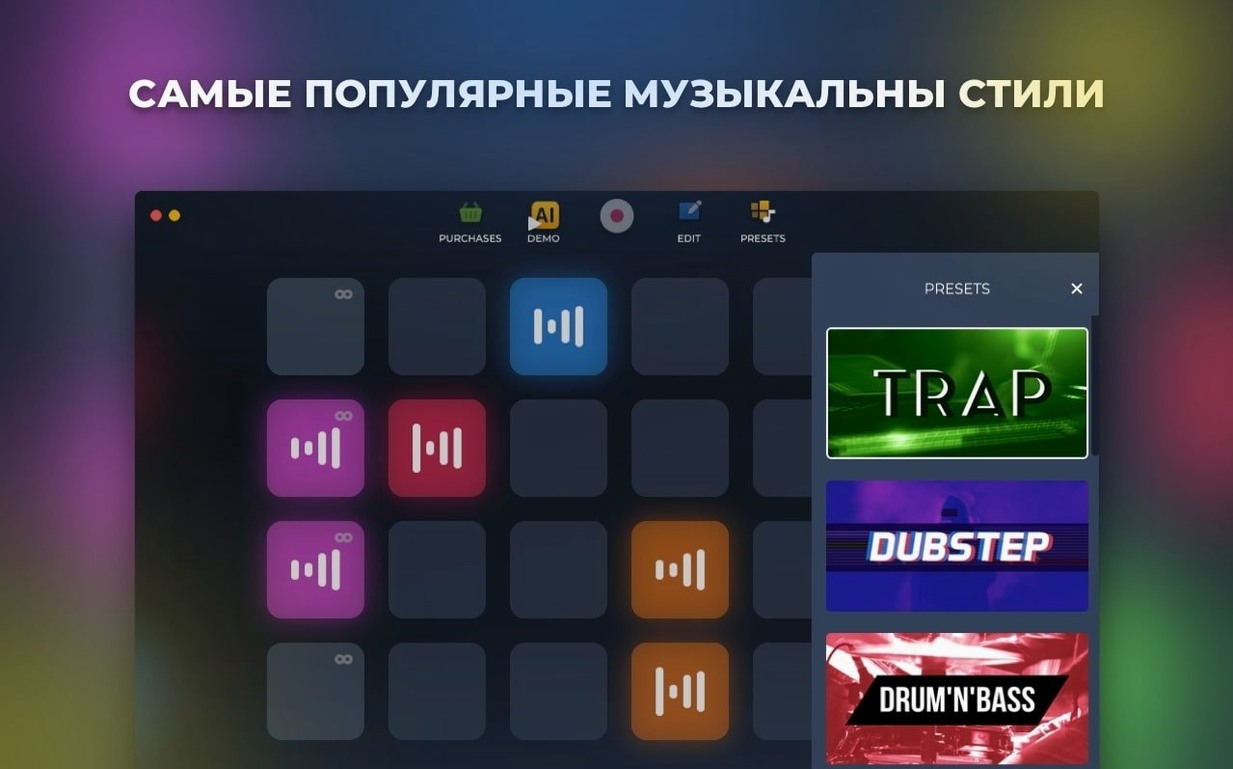
Start small. Pick one music style that is closest to what you make — dubstep, trap, house, whichever — and spend twenty minutes just auditioning sounds. The library is deep enough that skipping around all six styles on day one just leads to option fatigue.
Get your hotkeys sorted early. I map the first eight pads to keys 1 through 8 and leave the bottom row for toggling record and stop. If you ever used an ab loop player setup in a DJ controller, the muscle memory transfers quickly. Practise triggering pads in time with nothing playing — it forces your fingers to learn the distances.
Make a test recording within the first hour, even if it is thirty seconds of nonsense. Save it, find the file in Finder, and open it in your usual audio editor. This confirms the whole pipeline works before you invest a late night in something you cannot export.
If macOS blocks the app on first launch — Gatekeeper does its thing — open Terminal, type the path or drag the binary in, and press Enter. Then drag the app to the Applications folder and get on with making noise.
What’s new
Fixes several bugs.
Requirements
- macOS 11 or later
- Intel 64-bit processor
FAQ
Is Loop Mash Up Pro available on Windows?
No, it is a Mac-only application and requires macOS 11 or later.
Comments 0
Sign in or create an account to leave a comment.
No comments yet…
If you’ve installed it, say how it went. Mention your Mac and macOS version — it helps the next person more than you’d think.