MacCleaner Pro for macOS
Description
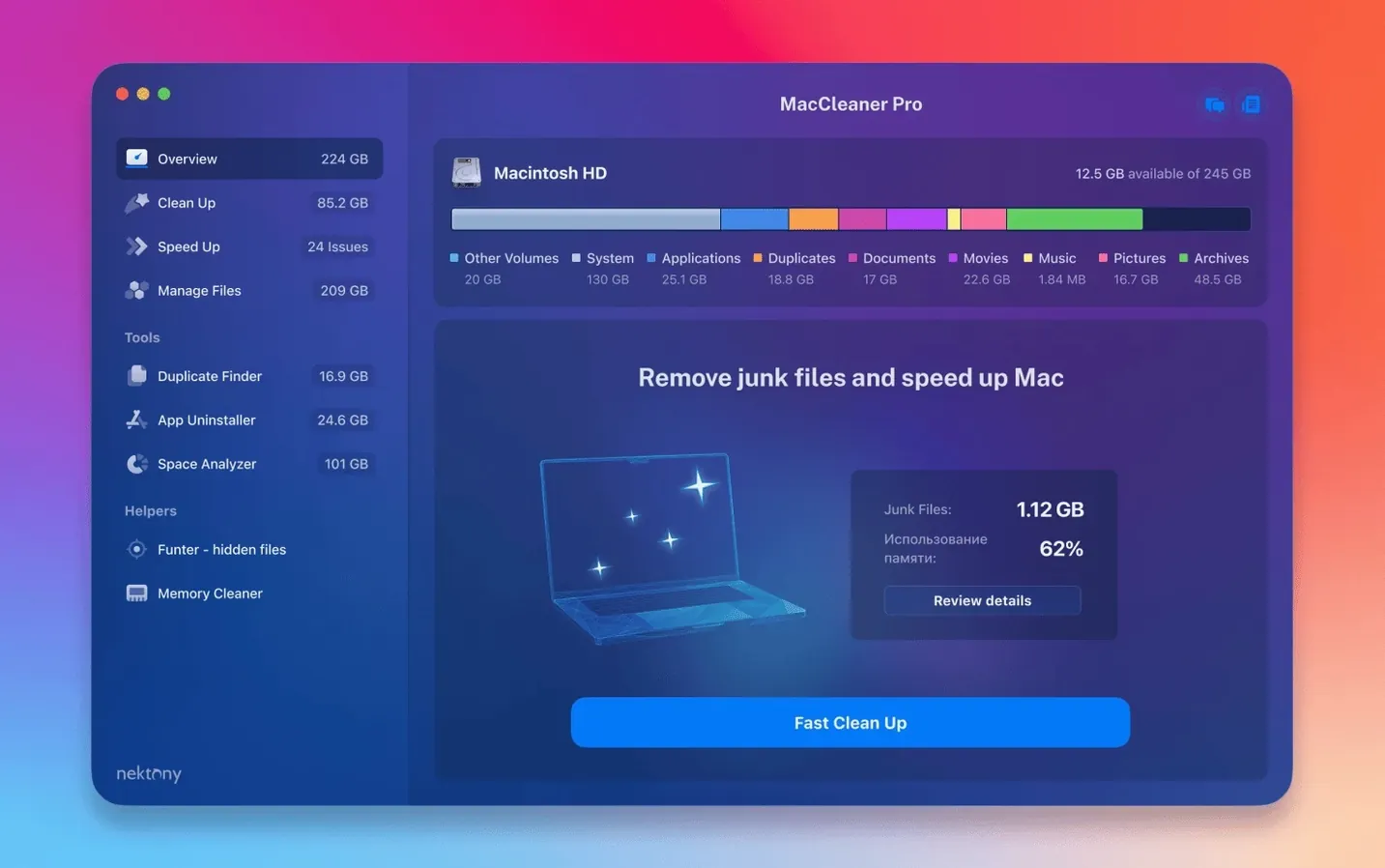
If you have used Disk Utility's First Aid and still got nowhere, MacCleaner Pro steps in with six separate tools under one roof.
Disk Space Analyzer — a visual map of what is eating your drive, folder by folder.
Duplicate File Finder — hunts down identical files and folders so you can ditch the copies.
App Cleaner & Uninstaller — removes an app plus all the leftover bits that a normal drag-to-Trash misses.
Memory Cleaner — frees up inactive RAM when the system has held onto it for too long.
Funter — shows hidden files and lets you toggle them on or off without Terminal commands.
Start with the treemap to spot your chunkiest folders
Run Disk Space Analyzer first. It draws a treemap of your disk, so you spot the chunkiest folders in seconds. Next, let Duplicate File Finder scan your home folder — it often picks up stray downloads and old backups you forgot about. If you are chasing every last gigabyte, the version 4.0.2 improvements mean it now catches items lurking in custom Home folders and iCloud directories that earlier scans could overlook.
iCloud folders no longer invisible to the scanner
Two of the 4.0.2 fixes sound small on paper, but they patch real gaps people hit. The improved iCloud folder detection means Duplicate File Finder and Disk Space Analyzer now see files that sit inside synced directories. Before, the scanner could walk straight past them — especially Mail downloads and Photos libraries that macOS had offloaded to iCloud but kept a stub for locally. You would run a scan, see 80 GB free, and wonder why Finder said 40. Now the numbers match more often.
The custom Home folder tweak fixes a similar blind spot. If you moved your Home folder to an external drive or a non-standard path (common on shared lab Macs and older setups where the internal SSD is tiny), earlier versions sometimes treated it as an unknown volume and skipped it. 4.0.2 handles that cleanly. The interface fixes are minor — a few alignment glitches in the treemap view, a crash when resizing the Duplicate File Finder window on Intel laptops with integrated graphics. Nothing flashy, but the kind of polish that stops you swearing at the screen on a tight deadline.
Running all six tools at once grinds the disk to a crawl
Running all six tools at once, on the first day. Each app in the bundle can hammer the disk. Disk Space Analyzer and Duplicate File Finder both do deep crawls. Stack them together on a spinning hard drive, and the system crawls to a halt. Let one finish before you start the next.
Deleting duplicate system files without checking the path. Duplicate File Finder will happily flag two copies of a font or a framework — one in /System/Library, one in an old backup on a USB drive. The backup copy is fair game. The system copy is not. Always look at the parent folder before you hit Delete. The app shows full paths; use them.
Trusting Memory Cleaner to fix a slow Mac. It frees inactive RAM, yes. But if your Mac is slow because the CPU is pinned at 100% or the SSD is full, clearing memory does nothing. It is a targeted tool for memory pressure spikes — large Photoshop files, virtual machines left running — not a general speed-up button. Watch the pressure graph in Activity Monitor alongside it until you get a feel for when it actually helps.
Hiding files with Funter and forgetting where they went. Funter toggles the hidden flag. It does not move anything. But people toggle a config file invisible, close Funter, and then panic a week later when they cannot find it. If you hide something, jot down the path. Or use Funter itself to toggle it back — it lists hidden files regardless.
Leftover scan finds orphaned prefs and caches automatically
App Cleaner's leftover scan runs automatically. When you drag an app into App Cleaner & Uninstaller, it does not just delete the .app bundle. It finds associated preferences, caches, saved states, and launch services entries. But it also shows you the list before you commit. Click any item to reveal it in Finder. If an entry looks wrong or belongs to another app you still use, uncheck it. The tool is thorough — sometimes too thorough — and the preview is your safety net.
Disk Space Analyzer remembers your last scan. Close the app and reopen it; the treemap comes back without rescanning. That is useful when you are steadily deleting files and want to check progress without waiting ten minutes. You can also export the scan results as a file — handy if you need to justify a storage upgrade to someone holding the purse strings.
Duplicate File Finder has a smart-select toggle. Instead of manually ticking 400 duplicate photos, use the "Select Best" option. It keeps one copy from each duplicate set, favouring the one in the most logical location — your Photos library over a random desktop copy, for instance. You can override the logic per set, but the automatic choice is right often enough to save real time.
Funter sits in the menu bar. You do not need to launch the full window. The menu bar icon gives instant access to show/hide hidden files, plus a quick search for any hidden item by name. Three clicks to reveal .htaccess or .bash_profile without touching Terminal. If you work with web projects or legacy Unix configs, that alone saves a dozen terminal sessions a week.
Some people search for terms like mac cleaner torrent or maccleaner pro 4 expecting a single-purpose junk remover. What they get instead is a bundle of five focused utilities and a launcher. The launcher is just a switcher — it does not run scans itself. You can ignore it completely and open each tool from the Applications folder. The suite works the same either way, and skipping the launcher means one less dock bounce.
What’s new
Improves detection of items stored in an iCloud folder.
Enhances detection of items in a custom Home folder.
Fixes several minor interface issues.
Requirements
- macOS 10.13 or later
- Apple Silicon or Intel 64-bit Mac
FAQ
Which Macs can run MacCleaner Pro 4?
It works on any Intel 64-bit or Apple Silicon Mac running macOS 10.13 or later.
What is the Funter tool for?
Funter lets you find and manage hidden files on your Mac without using Terminal commands.
Why use App Cleaner instead of dragging apps to the Trash?
It removes the application and all its leftover support files that a simple Trash delete leaves behind.
Comments 0
Sign in or create an account to leave a comment.
No comments yet…
If you’ve installed it, say how it went. Mention your Mac and macOS version — it helps the next person more than you’d think.