DxO PhotoLab for macOS
Description
You pull a batch of RAW files off a camera card, open them in your usual browser, and the first few look softer than you remember. The lens was wide open, the light was dropping, and the in-camera JPEGs are already doing more smoothing than you'd like. That's where this sits: a second pass for the frames that need proper demosaicing and correction, not just a quick slider tweak.
A standalone RAW processor that reads iPhone and mirrorless files side by side
DxO PhotoLab works as a standalone RAW processor you use before you finish in something else. It reads Apple ProRAW, HEIC and HEIF files without fuss, so images from an iPhone or a newer mirrorless body land in the same queue. The headline corrections come from DxO Modules — camera-and-lens profiles the company measures in a lab, not generic profiles guessed from EXIF. That means barrel distortion, vignetting and chromatic aberration are corrected against the actual optical design of your kit.
Corrections worth running early
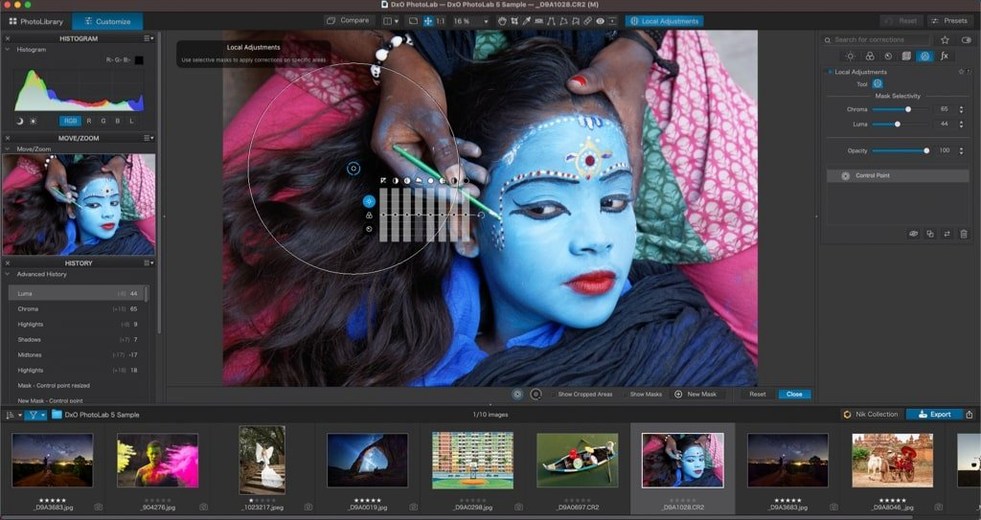
Noise reduction is DeepPRIME, which uses an AI model trained on raw demosaicing rather than just smoothing pixels after the fact. For high-ISO shots, it pulls out detail that a luminance slider alone would mush. DxO Smart Lighting lifts shadows without haloing, and ClearView cuts through haze in landscapes. The AI masking tools — sky, people, animals, backgrounds — let you paste local adjustments across a set of images, which saves time when the lighting stayed the same but your subject moved.
Folders feel sluggish while previews build in the background
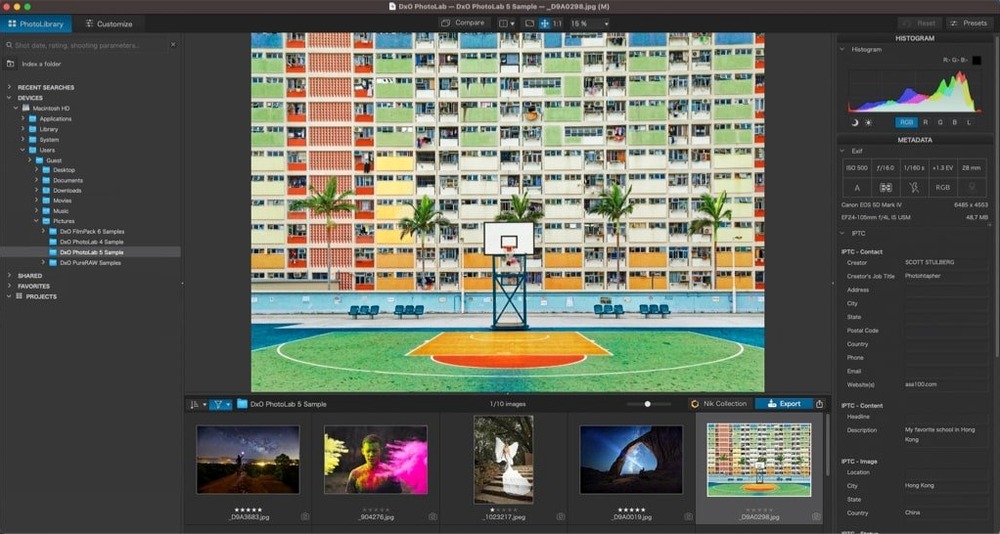
One complaint that crops up: the app feels sluggish when you first start browsing a folder. That's normally the background process reading every RAW and building previews. Give it a minute. If it keeps stalling, check that you're not pointing it at a network drive or a slow external disk through a USB hub. DxO PhotoLab wants direct access to the files, and a local SSD makes a real difference.
Another common one is missing lens profiles. The software uses DxO Modules that download on demand — it doesn't ship with all 80,000 in the installer. When you open a photo and see "No module available", go to the DxO Labs update panel and let it pull the profile for your body-lens pair. It only needs to do that once per combination.
DeepPRIME XD3 can produce slightly painterly edges on very fine texture — feathers, distant foliage — if you push the sliders too far. Knock luminance down by ten points before you blame the algorithm. Usually that's all it takes.
Hold Shift to lock a local adjustment perfectly horizontal
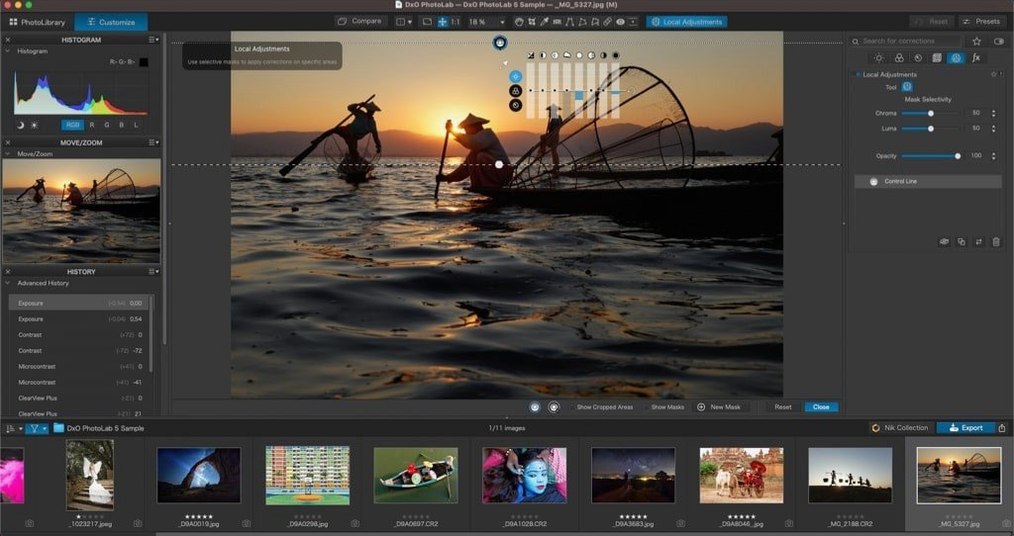
Hold Shift while dragging a local adjustment point. This constrains the movement to straight horizontal or vertical, which is handy when you're lining up a graduated filter on a horizon. Not mentioned in many walkthroughs, but it's been there for years.
The Copy-Paste system for local adjustments respects the AI Mask subject type. Paste a sky adjustment onto a batch of ten landscape shots, and each one recalculates the sky mask automatically — you don't get the same mask shape stamped blindly across different compositions. That's a quiet time-saver for event photographers.
Double-click any slider handle to reset it to the default value. Right-click a slider name to disable that correction entirely without losing the slider position. Both are faster than hunting for the reset arrow or ticking a checkbox in a panel you've already collapsed.
Requirements
- macOS 14.7 or later
- Apple Silicon or Intel Mac
FAQ
Does DxO PhotoLab support files from my iPhone?
Yes. It handles Apple ProRAW, HEIC and HEIF formats, so iPhone shots sit alongside camera RAW files in the same workflow.
How does the lens correction actually work?
It uses DxO Modules, which are optical profiles built from lab measurements of specific camera and lens combinations, not generic software guesses.
Comments 0
Sign in or create an account to leave a comment.
No comments yet…
If you’ve installed it, say how it went. Mention your Mac and macOS version — it helps the next person more than you’d think.