Duplicate File Finder Pro for macOS
Description
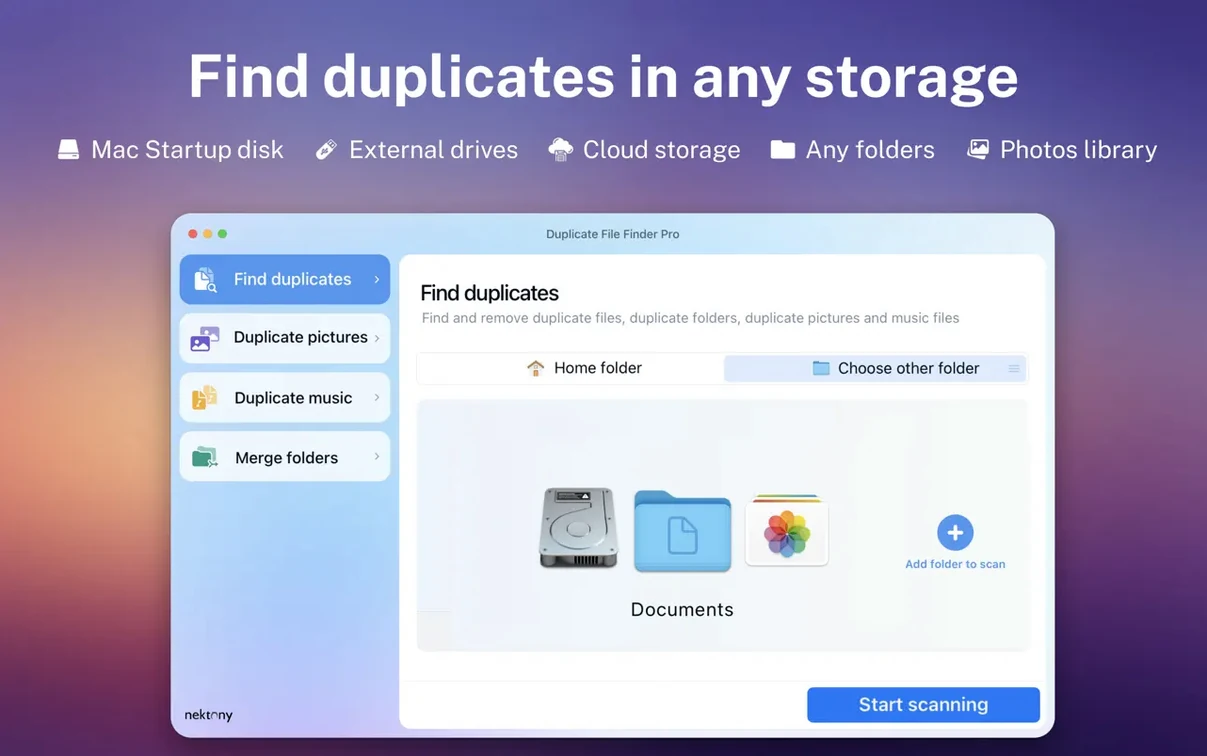
Duplicate File Finder Pro 8.5.2 needs macOS 10.13 or later. It runs on Intel and Apple Silicon Macs, and works with external drives and network folders.
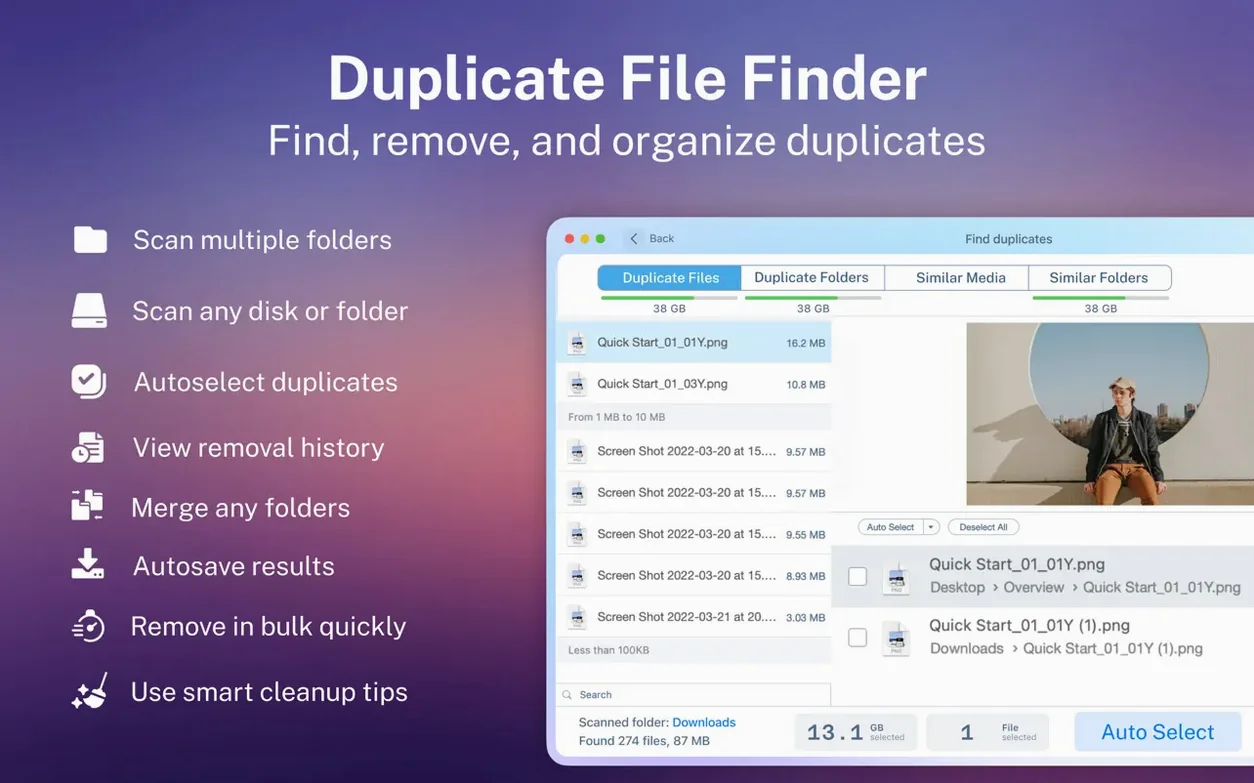
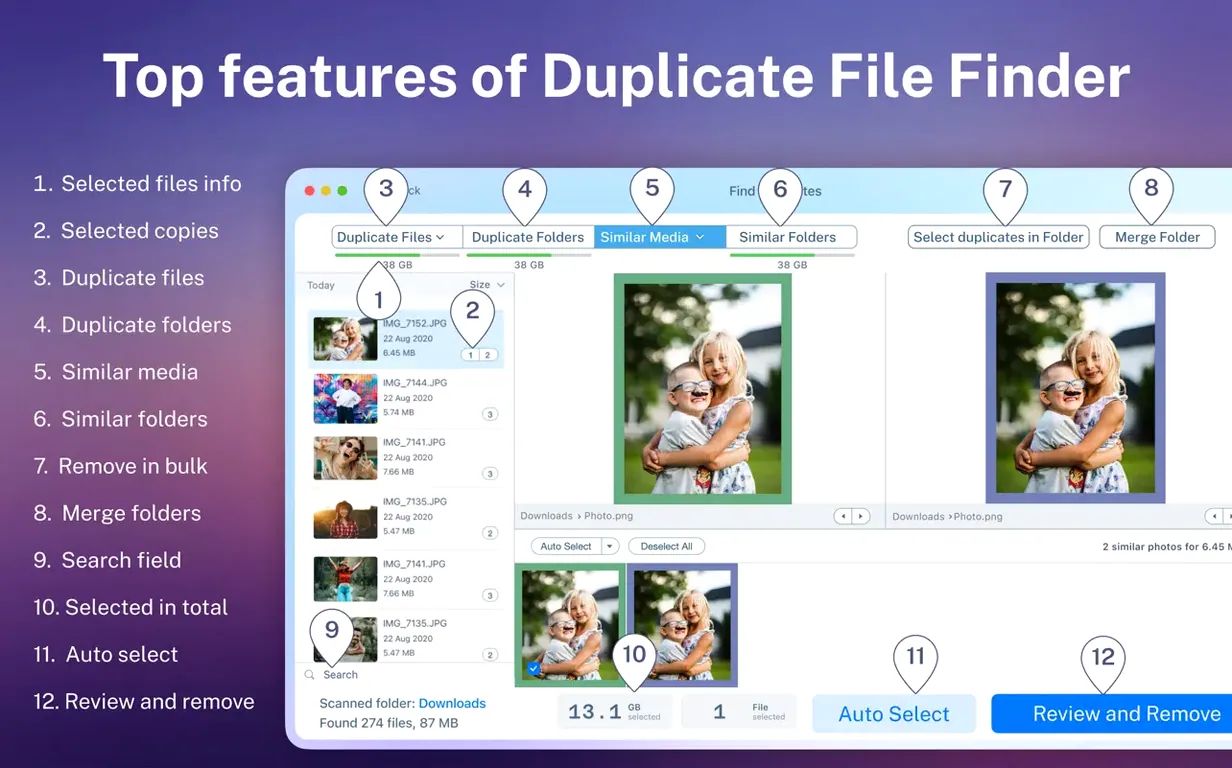
After a scan you get a visual report that sorts duplicates by name, size, type or count. You see exactly what you can clear out before you commit. The app also finds duplicate and similar folders, and offers folder merging — useful when you have scattered project directories.
If you delete something by mistake, you can restore it.
A photographer's weekend clean-up
Most photographers I've helped have a habit that bites them eventually: importing the same SD card twice, months apart. The result is a Lightroom library with side-by-side copies of 800 RAW files, each with a slightly different folder name and no obvious way to tell which is which. One photographer I knew found her 2 TB external drive suddenly full, mid-shoot, because three years of duplicated weddings were quietly eating half the space.
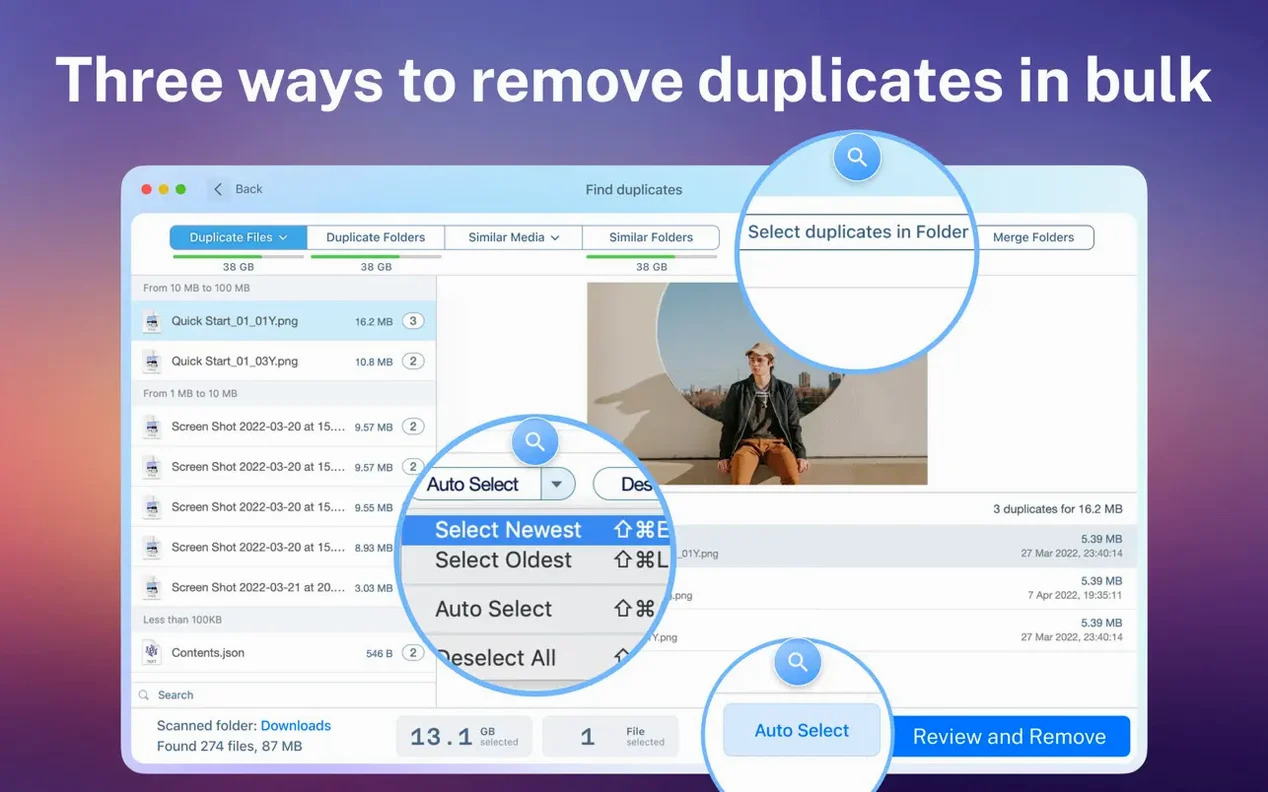
She ran Duplicate File Finder Pro across the entire drive. The scan broke results down by type, so she jumped straight into the Images category. Sorting by total size put the biggest offenders at the top. A quick preview confirmed the dupes, and the "Select Duplicates" button kept one copy in each group untouched. Twenty minutes later she had 400 GB back and no more panic on location.
Merging two project folders
Say you've got a client folder on your desktop and an older version in Dropbox. You're not sure which has the final PDFs. Here's a workflow that avoids manual comparison.
- Open Duplicate File Finder Pro and add both folders to the scan list.
- Run the scan, then click the Similar Folders tab. The app groups folders that share a high percentage of identical files.
- Spot the pair of client folders. Right-click the older one and choose Merge Folders. The app moves any unique files into the newer folder.
- After merging, the old folder is left empty except for files that already existed in the destination. Delete it or archive it.
That same approach works for scattered sample libraries, old backup fragments, or when two people on a team have been editing the same set of documents offline. It turns a tedious hour of click-and-compare into something you finish while the kettle boils.
If macOS blocks the app on first launch, right-click it in Finder and choose Open, then confirm the dialogue. Standard Gatekeeper behaviour.
Large media libraries that hide accidental duplicates
Users with large, messy media collections notice the difference straight away. Video editors, photographers and music producers see the biggest space savings because their files are huge and easy to duplicate accidentally. The visual report matters more to these users than a text list, because a thumbnail preview often tells you in a second whether a file is a true duplicate or a variant you want to keep.
People maintaining shared network folders also benefit. Duplicate File Finder Pro scans SMB and AFP shares without fuss, so you can clean a team drive from your own Mac. The folder merge feature appeals to anyone who inherited a chaotic archive — old job folders, multiple "Misc" directories, backups of backups — and needs to consolidate without losing unique files.
If you only have a 256 GB internal drive and mostly stream content, you won't feel the urgency. But the moment you start juggling external drives and offline projects, a duplicate file finder mac torrent might cross your mind. The real thing does the job without the guesswork of a cracked version that might stop working after an OS update. A duplicate file finder pro full version free download that works reliably on older macOS releases is surprisingly hard to come by; this one quietly gets on with it and even handles hidden folders when you ask it to.
Worth it if you need a straight-ahead duplicate finder that works on older macOS versions and handles folder clutter in one pass.
Requirements
- macOS 10.13 or later
- Intel and Apple Silicon Macs
- Works with external drives and network folders
Comments 0
Sign in or create an account to leave a comment.
No comments yet…
If you’ve installed it, say how it went. Mention your Mac and macOS version — it helps the next person more than you’d think.