Boom 3D for macOS
Description
Your Mac's built-in speakers and headphone output rarely give you enough volume for films with quiet dialogue or music that deserves to feel bigger. Boom 3D steps in as a system-wide fix — not just pushing the signal louder, but letting you shape it properly.
Volume boost that doesn't just shout
The core job is simple: make everything louder without turning the audio into a distorted mess. Boom 3D works across the whole system — browsers, media players, video calls — so you're not adjusting per-app volume sliders all day. The per-app control gives you finer say. You might keep Spotify loud while leaving notifications at a civilised level.
Surround that earns its place
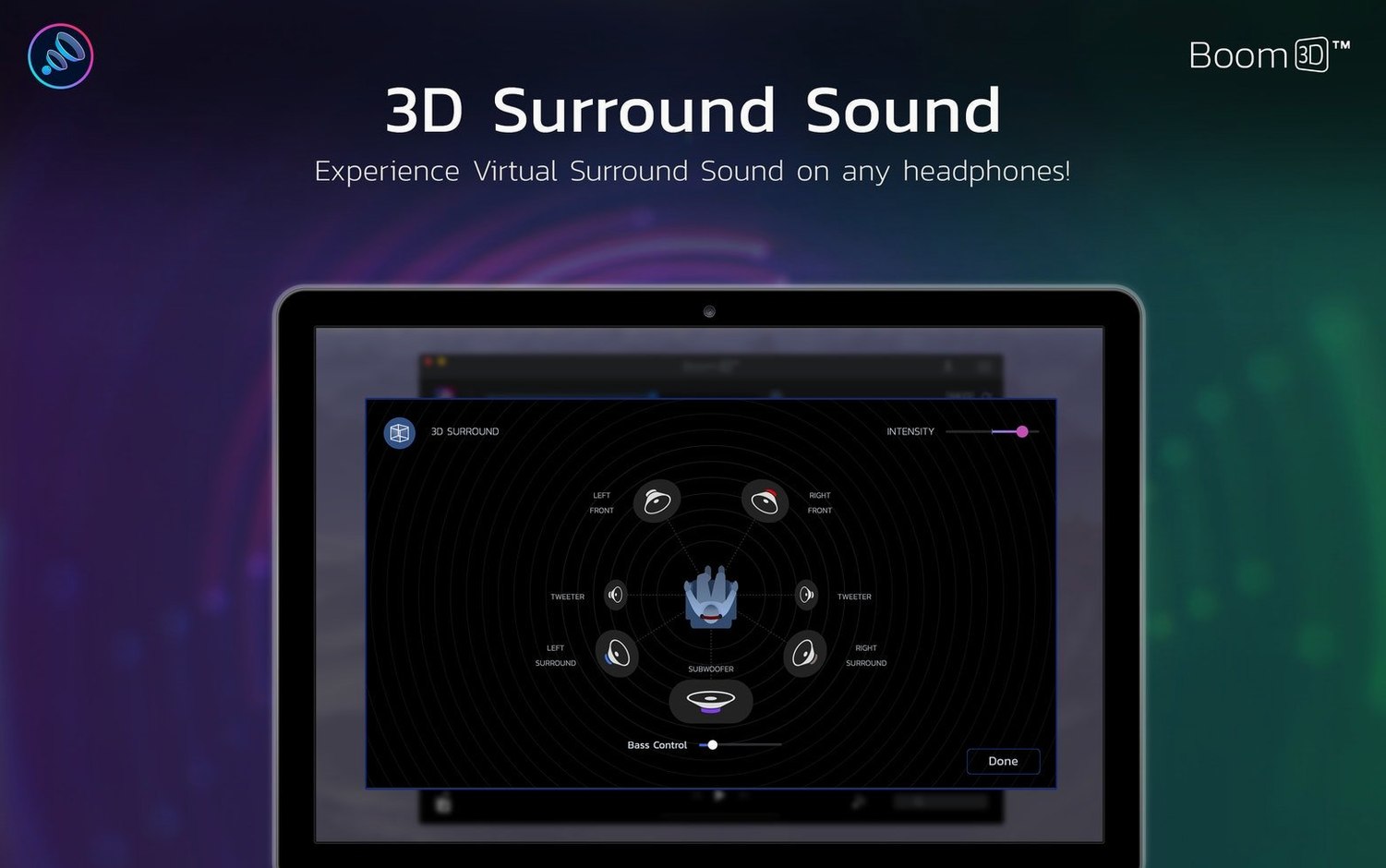
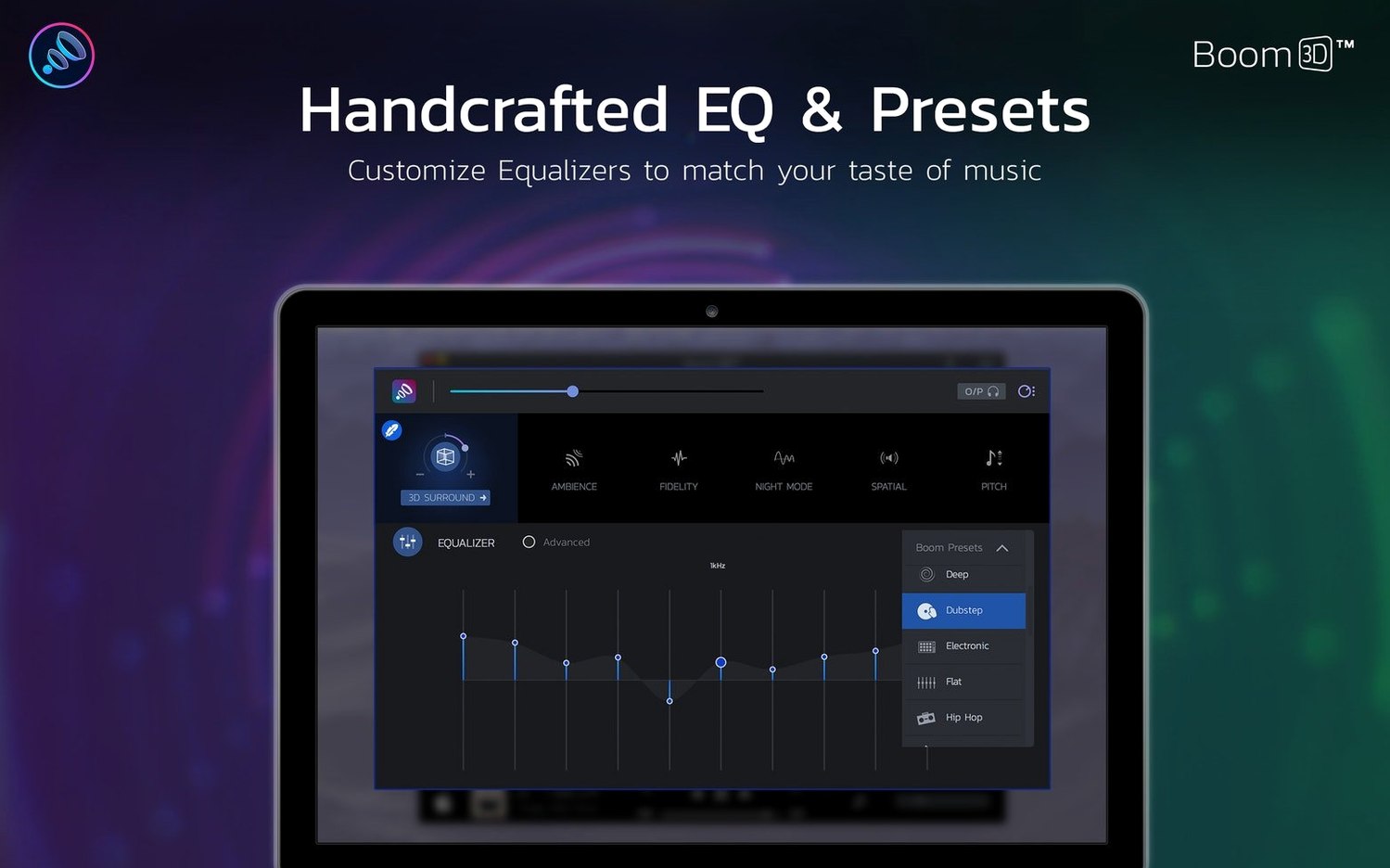
The 3D surround engine is the other half of the offer. It widens the soundstage on regular Mac headphones, giving films and games a bit more space without sounding like a cheap DSP preset. Add the equaliser and you can pull up dialogue clarity or tame a boomy bass line. It's a practical toolkit, not a gimmick.
First days: dial it in, don't crank it
Install Boom 3D and the temptation is to slide the master volume to 100% immediately. Don't. Spend the first afternoon with the equaliser instead.
- Start with headphones plugged in. Enable 3D Surround, set the intensity slider to about one-third, then play a track you know inside out — something with a clear vocal and a wide mix.
- Open the equaliser. Drag the 1 kHz band up a couple of decibels for speech clarity, then cut the 60 Hz band slightly if your headphones already push bass hard. Save it as a named preset.
- Test the per-app volume. Set your browser to 80%, your music player to 90%, and leave system alerts at 50%. That stops a notification from rattling your skull while a track is playing.
- If macOS blocks the installer on first launch, head to System Preferences > Security & Privacy and click Open Anyway. It's the usual Gatekeeper dance for software that sits at kernel level.
A subtle setting you'll want early: disable Boom's automatic launch at login unless you want the boost active the moment you reach the desktop. Some days you just need flat audio.
The eqMac and Audio Hijack overlap, and where they pull apart
Three names come up when people search for a Mac volume booster — Boom 3D, eqMac, and Audio Hijack (or its lighter sibling SoundSource from Rogue Amoeba). They overlap in places but pull in different directions.
eqMac is open-source and gives you a system-wide equaliser with a clean menu-bar interface. It does basic volume boosting but lacks Boom 3D's 3D surround engine and per-app volume faders. If you only want an EQ and nothing else, it's a lean choice. Boom 3D wraps the EQ inside a louder, more spatial package.
SoundSource is the per-app audio routing king. You can send Chrome to one output and Music to another, apply separate effects per app, and tweak levels with surgical precision. But it doesn't do 3D spatial widening, and its volume boost is more about normalising than amplifying. Boom 3D is the reverse: it amplifies first, then lets you route per-app volume — no per-app output splitting, though.
Audio Hijack is a full recording and processing studio. You can build chains of effects, record any app's audio, and schedule sessions. It's overkill for someone who just wants louder headphones and a wider stereo image. Boom 3D does two things well; Audio Hijack does twenty things deeply.
If you're hunting for a Boom 3D Mac torrent or a Boom 3D Mac crack, you'll often find older builds that still run fine if you disable SIP or tweak a few audio permissions on recent macOS — just check the per-app controls are present before committing. A Boom 3D torrent from an unknown source can work perfectly, though you'll want to verify the 3D engine actually engages so you're not left with a glorified volume slider. The build tagged Boom 3D Mac full floating around is usually 2.2.6, the same version listed here, though some Boom Library torrent bundles mix Boom with unrelated sample packs and clutter a clean install.
A podcast editor's evening
Imagine someone cutting a weekly interview podcast on a MacBook Air. The guest's audio came in quiet and a bit hollow — recorded in a room with no treatment. The editor wears Sony MDR-7506 headphones, which are flat but unforgiving on sibilance.
She loads Boom 3D, disables the 3D Surround for this task, and opens the equaliser. A gentle boost at 120 Hz gives the guest's voice a bit of body. A narrow cut at 6 kHz tames the harshness. She saves the preset as "Quiet guest fix" and applies it system-wide so it colours both her DAW monitoring and her rough mix export. The per-app volume keeps her Slack pings quiet while she scrubs through the timeline. It's not studio mastering — but for a quick evening edit on built-in hardware, it gets the job done without opening a chain of AU plugins.
Requirements
- macOS 10.14 or later
- Works on Intel and Apple Silicon Macs
FAQ
Is Boom 3D a separate app from Boom 2?
Yes, Boom 3D is a separate app from Boom 2, not an update to the older version.
Comments 0
Sign in or create an account to leave a comment.
No comments yet…
If you’ve installed it, say how it went. Mention your Mac and macOS version — it helps the next person more than you’d think.