Camo Studio for macOS
Description
Runs on Apple Silicon and Intel Macs with macOS 12.3 or later. Won't install on macOS Tahoe.
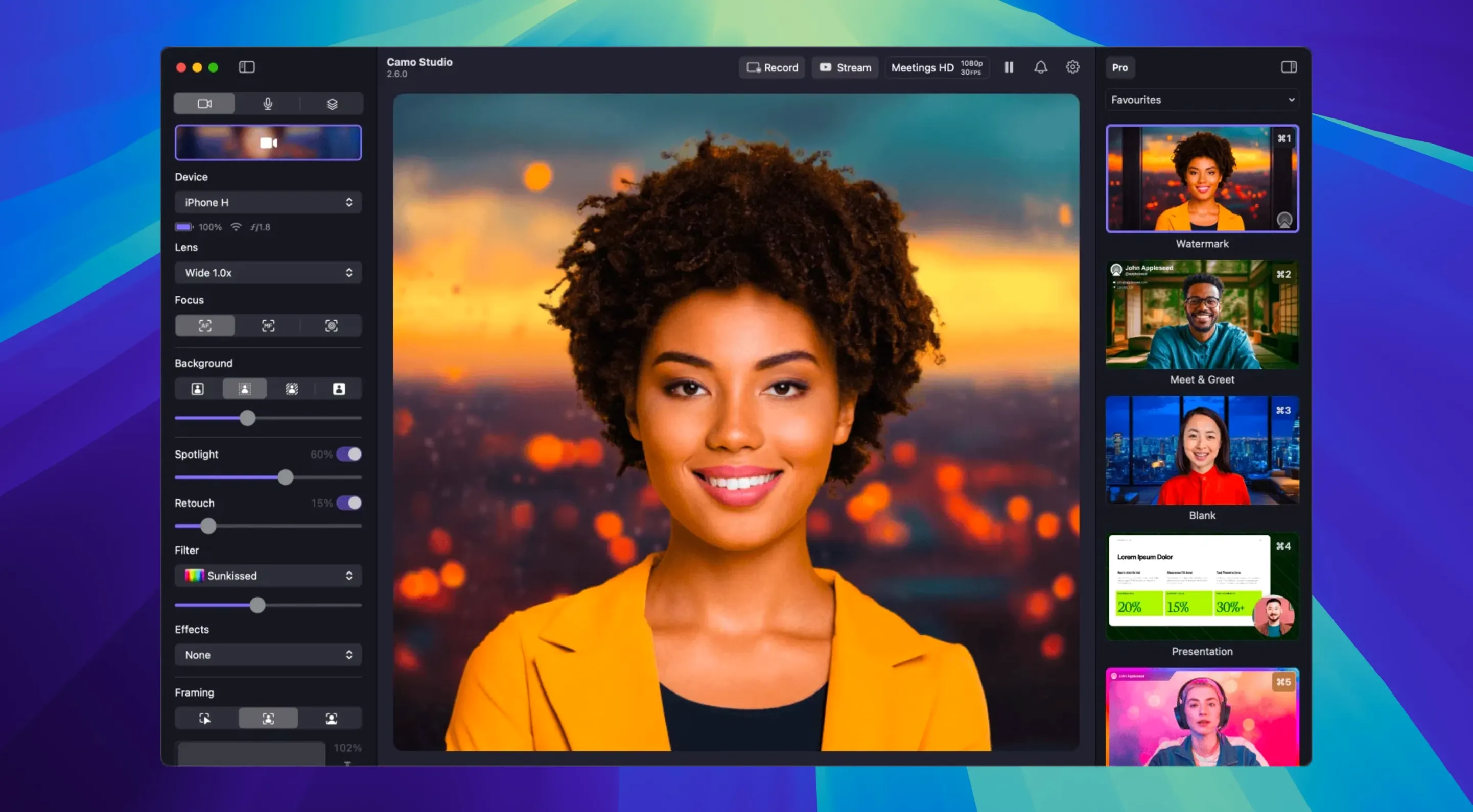
Phone as webcam — Camo Studio is the Mac companion that turns your phone into a high-res camera for video calls and recordings.
4K UHD — Maximum video resolution you can aim for. Processing happens on the phone, not your Mac.
60 FPS — The frame rate ceiling. Useful if you want smooth motion rather than a cinematic look.
Video Call mode — A one-click lighting fix. It brightens your face and balances the background so you don't look like you're in a cave on Zoom.
Audio noise reduction — New in version 2.9.0. Cuts out background hum before it reaches your call. Worth switching on straight away.
Dual-format recording — Also new. Lets you save isolated tracks while streaming, which saves a step if you edit later.
Plugging in the phone too early
Plugging in the phone before opening Camo Studio on the Mac. The app needs to be running first. Close it, launch it, then connect. Otherwise the phone sits there doing nothing and you waste five minutes checking cables.
Leaving the phone screen set to auto-lock. If the display goes dark mid-call, the camera feed cuts out. Set auto-lock to Never in phone settings before a session, or at least bump it to the longest timeout available.
Choosing the highest resolution for a routine Zoom call. 4K looks lovely but chews through phone battery and can make the phone uncomfortably warm on long calls. Stick with 1080p for meetings. Save 4K for pre-recorded material where you control the cooling.
Forgetting that Wi-Fi connections add latency. USB gives you a stable, low-lag feed. If you must use Wi-Fi, put both devices on the 5 GHz band and stay near the router. A 2.4 GHz connection with two walls in between is a recipe for stutter.
Turn on noise reduction before your next call
- Turn on audio noise reduction. It's off by default. Camo Studio 2.9.0 added it for macOS, and it cleans up fan noise, keyboard clatter and distant traffic before any of that reaches your meeting app.
- Assign a hotkey for auto-framing. The automatic framing that keeps you centred is useful, but you won't want it on all the time. Map it to a key you'll remember so you can toggle it when you stand up or shift in your chair.
- Check your default camera in every app you use. macOS sometimes reverts to the built-in FaceTime camera after a restart. Open Zoom, Teams, whatever you use, and confirm Camo Studio is selected. Do this once and you avoid the "why can't they see me" panic.
- Create one scene for calls and one for recording. A call scene might have Video Call mode and a subtle background blur. A recording scene might use a LUT, a logo overlay and no auto-framing. Switching between them takes one click instead of fiddling with six sliders.
When the phone won't show up
Phone not detected. Unplug, quit Camo Studio on the Mac, relaunch it, then reconnect the cable. If that fails, restart the phone. Still nothing? Try a different USB port — some hubs and monitor USB ports don't deliver enough power to keep the phone recognised.
Choppy video on an older Mac. The phone does the heavy video processing, so the Mac's job is relatively light. Choppiness usually means the connection is the bottleneck. Switch from Wi-Fi to USB. If you're already on USB, try a different cable — some charge-only cables don't carry data properly.
Portrait mode won't engage. It needs a phone that supports it, and it needs enough light. In a dim room, the effect either won't activate or looks wobbly. Add a desk lamp pointed at your face and try again.
Virtual green screen looks messy around the edges. This happens when the wall behind you is a similar colour to your hair or clothing. Wear something that contrasts with the background, and avoid busy patterns. If you can, put a plain, light-coloured wall behind you rather than a bookshelf — the algorithm has an easier time separating you from a flat surface.
Audio echo in calls. If you're using the phone's microphone through Camo Studio but your Mac's speakers are still active, the call app picks up speaker output through the phone mic. Wear headphones or set the Mac's audio output to a headset. Problem gone.
Some people search for a Camo Studio crack or a Camo Studio torrent to explore the full feature set before committing. Often these builds are months out of date, so you'll want to check they still include dual-format recording and that macOS doesn't quarantine the app on first launch. The real thing takes ten minutes to configure properly, and a torrent build can work the same way if you handle those permissions.
What’s new
Adds dual-format streaming and recording on macOS.
Adds isolated recordings on macOS.
Adds audio noise reduction on macOS.
Adds control from AI agents on macOS.
Requirements
- macOS 12.3 or later
- Apple Silicon or Intel 64-bit Mac
- iPhone with the companion app
FAQ
Does it work on macOS Tahoe?
No. Camo Studio needs macOS 12.3 or later and won't install on Tahoe.
What's the best quality I can get?
Up to 4K UHD resolution at 60 FPS, with all video processing handled on the phone.
Does it work on Intel Macs?
Yes. It supports both Apple Silicon and Intel 64-bit Macs.
Comments 0
Sign in or create an account to leave a comment.
No comments yet…
If you’ve installed it, say how it went. Mention your Mac and macOS version — it helps the next person more than you’d think.