Bitwig Studio for macOS
Description
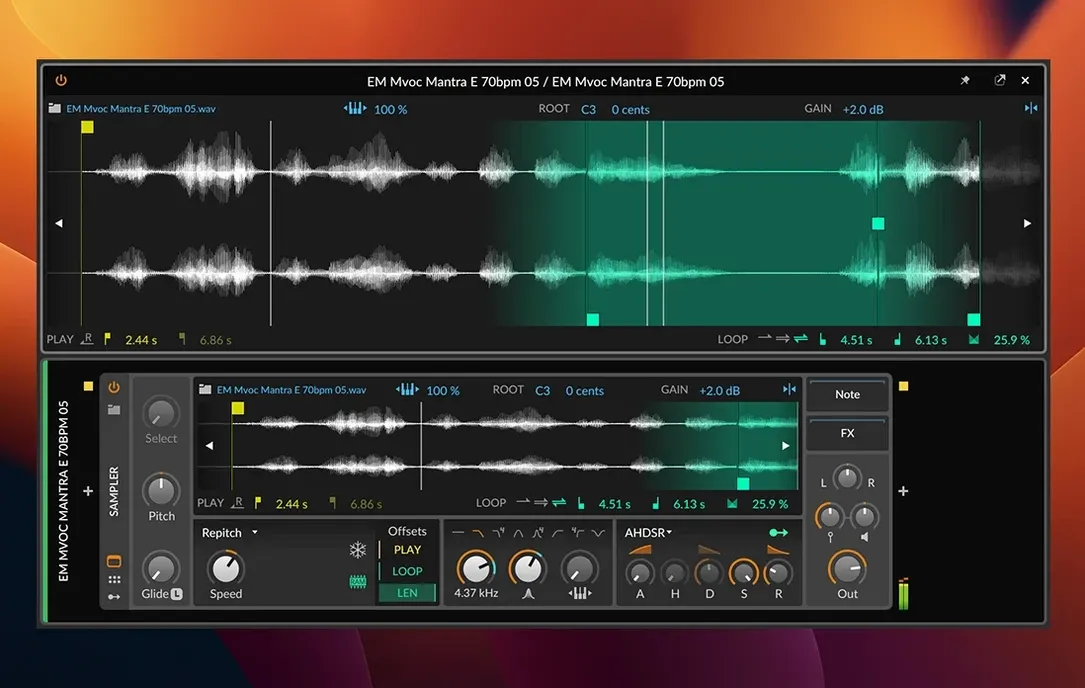
Spectral play mode is the standout addition in 6.1. Drop a vocal stab into the radically updated Sampler and it becomes a playable pad, stretched across the keyboard without the usual chipmunk effect. That's one of three new playback engines you get before we even talk about the modular backbone.
Here’s a typical first run after installing Bitwig Studio on a Mac that meets the requirements:
- Open the Sampler and load a drum break. The automatic tempo detection snaps it to your project instantly.
- Switch to Slicing mode. Click transient markers to chop the break, then trigger individual hits from MIDI notes.
- Route a slice through one of the eight time-stretching algorithms. The Elastic engine handles pads well; Stretch is better for drastic tempo changes on rhythmic material.
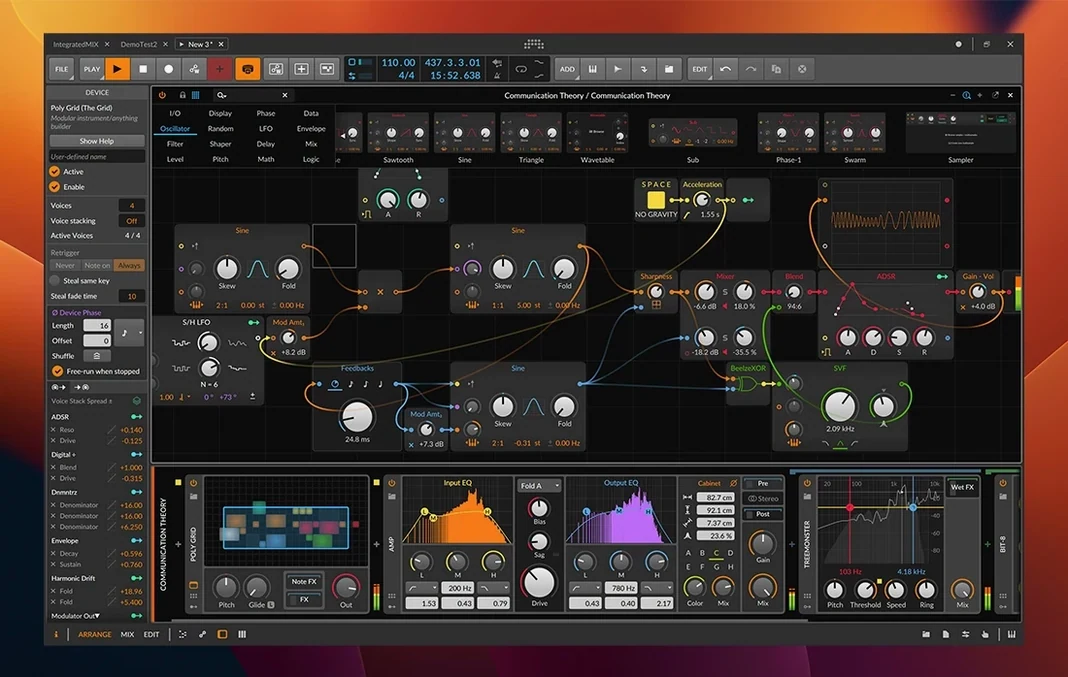
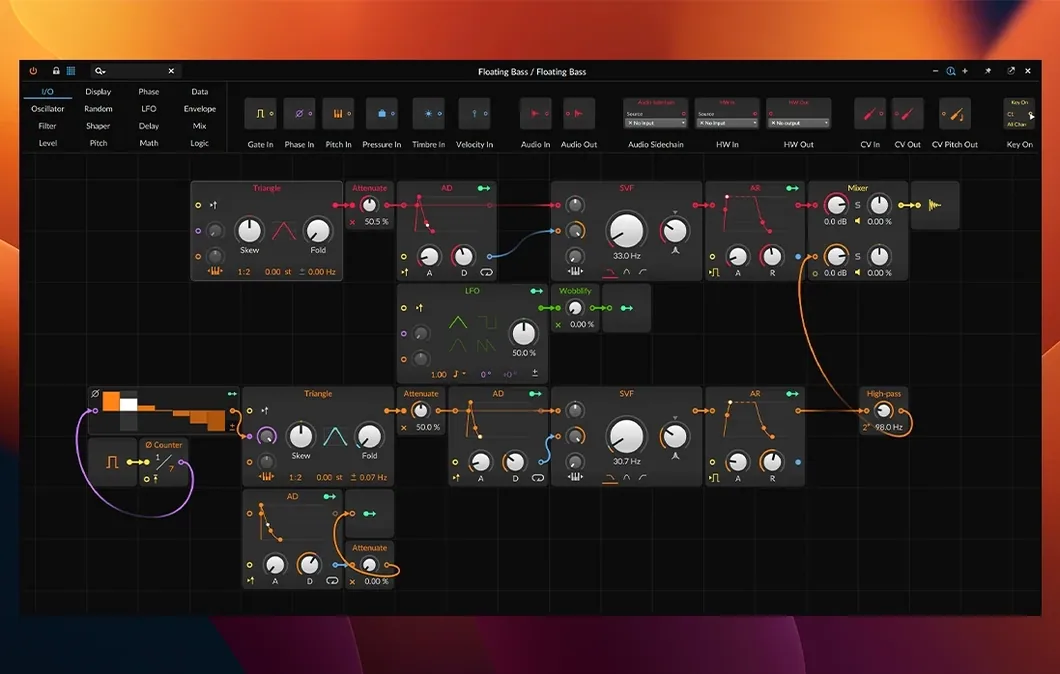
- Patch a CV/Gate modulator from the built-in device library to control the Sampler's pitch. The window-based interface means you can see the signal flow without tab-switching.
- Enable Ableton Link and jam alongside an iPad running a step sequencer. MIDI clock and notes travel both ways.
The modular design means you’re not locked into a linear mixer. Move panels, stack devices, and send control voltage between software instruments — all on a screen layout you’ve arranged yourself. Worth it if you want a DAW that treats sound design as a first-class citizen, not an afterthought.
The Detail Editor hides a few shortcuts that people overlook for months. Hold Option while dragging a note edge to stretch its duration and velocity together — useful for hi-hat rolls where each hit needs slightly less emphasis than the last. Double‑clicking a blank area of the clip creates a note at default length, but Shift-double‑click drops one that matches the grid value you last typed. And if you right‑click the track header and pick Show Automation, you can draw curves for Gain, Pan, Timbre, and Pressure per‑note without opening a separate lane. The microtonal tools are tucked away too: enable Micro‑pitch in the Inspector, then drag individual notes up or down in cents inside the piano roll.
Things that trip up newcomers
The biggest early confusion is the three‑workspace split. Arrange, Mix, and Edit are not different windows onto the same data — they are distinct views, and closing one does not close the project. New users often quit Bitwig by closing the Arrange window, then wonder why the audio engine keeps running. The Dock icon stays active. If you want everything gone, use Cmd‑Q.
Another common stumble is modulation depth. Dragging a modulator cable onto a parameter sets the amount, but the source range defaults to unipolar 0‑‑1. If your LFO is set to a bipolar waveform, half the cycle does nothing until you right‑click the destination and switch the range to bipolar. That one checkbox is the difference between a rhythmic tremolo and a silent gap.
Beginners also ignore clip gain. The mixer channel fader is for balance; right in the clip header there is a small gain slider that affects the clip before it reaches the device chain. Adjusting that first keeps your device presets clean and stops you from chasing feedback loops when you swap insert effects later.
Workflow: turning a field recording into a bassline
- Drag a short field recording — say, a metal gate closing — into an empty clip slot. Bitwig detects the tempo and pitch automatically (6.1 addition). If it guesses wrong, hold
Optionand drag the transient marker. - Open the Sampler and switch to Spectral play mode. Set the playback speed to zero so the timbre freezes, then map the Formant knob to key tracking. Now the gate sound holds a pitched drone, shifting resonance as you play higher.
- Send the Sampler output into an EQ‑5 and cut everything below 120 Hz. Insert a Tool device after it and boost the gain by 6 dB — this keeps the noise element present without losing the bottom end you will add later.
- Patch a sine wave from a Phase‑4 synth on a second track. Group both tracks and add a Dynamics device on the group bus. Sidechain the Phase‑4 to the Sampler’s amplitude envelope so the sine ducks when the gate drone speaks.
- Draw a MIDI pattern in the Edit view. Use the Pressure lane to open the filter slightly on held notes. Export the four‑bar loop, then re‑import it into a new clip and enable Slice mode. Rearrange the slices across the keyboard for a bassline that still sounds organic.
The result is a bass tone that moves like a synth but carries the texture of real metal. You can swap the field recording for a voice snippet, a bowed cymbal, or anything with a complex harmonic fingerprint — the Spectral engine reveals tuned content you would not hear otherwise.
What’s new
Adds a radically updated Sampler with slicing, plus Spectral and Fragments play modes. Adds automatic tempo detection. Adds automatic pitch detection.
Requirements
- macOS 12 Monterey or later
- Intel or Apple Silicon Mac
FAQ
Does Bitwig Studio 6.1 run on older Macs?
It requires macOS 12 Monterey or later, so Intel Macs that support Monterey are fine. Apple Silicon machines run it natively.
What does the Sampler update in 6.1 add?
It adds slicing, Spectral and Fragments play modes, plus automatic tempo and pitch detection.
Can Bitwig Studio sync with other music hardware or software?
Yes. It sends and receives MIDI notes and timing signals, supports Ableton Link, and includes plugins with CV/Gate and Clock support.
Comments 0
Sign in or create an account to leave a comment.
No comments yet…
If you’ve installed it, say how it went. Mention your Mac and macOS version — it helps the next person more than you’d think.