Beauty Box Photo for macOS
Description
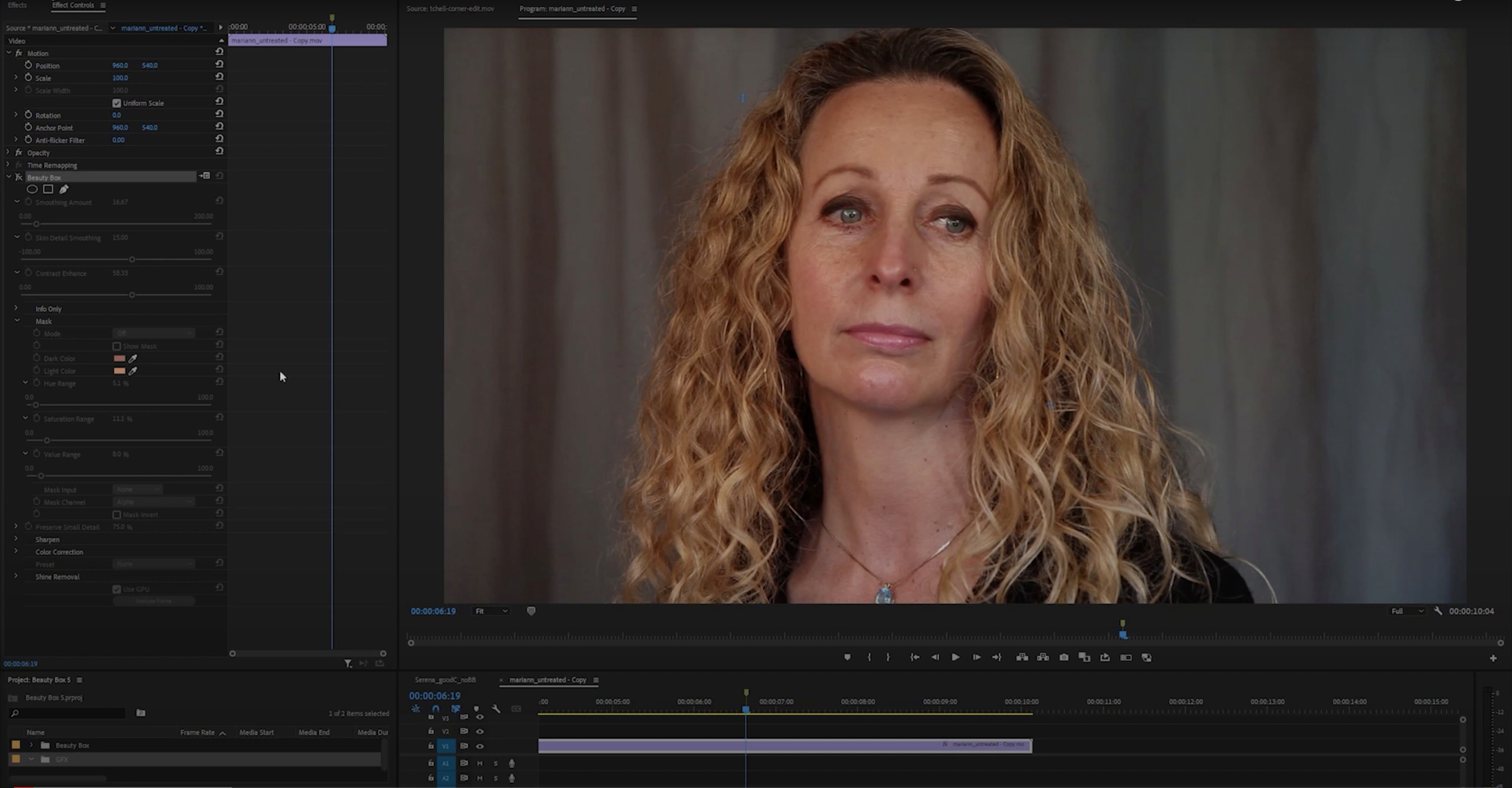
Retouchers and photographers who spend hours cloning and healing skin texture reach for this plug-in. Beauty Box Photo handles the repetitive smoothing work so you can focus on the grade and the crop.
- Open your portrait in Photoshop and duplicate the background layer. Non-destructive habits pay off.
- Launch Beauty Box. It automatically detects skin colour — no manual masking needed.
- Dial the smoothing slider until blemishes and wrinkles soften. The plug-in preserves sharpness around eyes, lips and hair edges so the face doesn't turn to plastic.
- Toggle the before/after view. Real-time rendering via CUDA and OpenGL means no lag while you tweak.
- Apply the effect and use a layer mask to paint it back selectively where you want it.
Hold Option to paint skin-detection masks by hand
The skin-detection mask is editable. Hold Option and click the mask thumbnail in the plug-in panel to view it as a greyscale overlay. A quick brush with black hides areas you want untouched — teeth, jewellery, background. White brings the smoothing back. Most people leave the mask on auto and never notice.
Dragging a slider with the Shift key held moves it in finer increments. Useful when 12 is too little and 14 is too much. The number keys 1–5 jump between preset smoothing strengths, and Cmd-Z works inside the plug-in window. Small things, but they save trips back to the Layers panel.
The plug-in remembers your last settings per session. If you are batch-processing headshots from the same shoot, you set it once and keep hitting Apply. No re-dialling between files.
Apple Silicon support drops Rosetta dependency
The jump to native Apple Silicon support meant the plug-in stopped relying on Rosetta. CUDA still does the heavy lifting on Intel Macs with Nvidia GPUs, but on M-series machines the OpenGL path is snappier than it was in the 5.x days. Preview renders land faster, even on 50-megapixel files.
Skin detection got a quiet accuracy bump. In earlier versions, pale skin under mixed studio lighting sometimes confused the auto-mask. Version 6 reads those tricky tones better — less manual cleanup around the jawline and temples. The smoothing algorithm also holds onto pore texture slightly tighter at lower slider values, so you can push less and still get a clean result.
The plug-in now plays more nicely with Photoshop's Select and Mask workspace. If you jump between the two, Beauty Box stops resetting your zoom level each time you return. A small fix that annoyed precisely no one until it disappeared.
Check GPU preference before your first portrait
Before you retouch a single portrait, open the plug-in preferences and check the GPU setting. On Intel Macs with a discrete Nvidia card, CUDA should be the default. On Apple Silicon, leave it on OpenGL. If you ever see black preview tiles or stuttering, switching this toggle usually fixes it.
Assign a keyboard shortcut through Photoshop's Edit > Keyboard Shortcuts menu. Filter > Digital Anarchy > Beauty Box Photo. Two keystrokes instead of hunting through menus every time you need it.
Build a tiny test PSD with three layers: a sharpened base, a heavily smoothed Beauty Box layer at full opacity, and a black layer mask. Save it as a template. When a new portrait lands, drop it in, Option-drag the mask across, and paint white with a soft brush where you want the effect. You will have a working file in under a minute.
For event photographers who deliver same-day edits, save a preset with conservative smoothing and tick Auto-apply on open. Load your batch, run an action that opens each file and fires the plug-in, and walk away while it churns through the folder.
A plug-in that does one job without overcomplicating the controls. Worth it for high-volume portrait work where consistency matters more than manual dodge-and-burn heroics.
Requirements
- macOS host running Adobe Photoshop
- Supports Apple Silicon (ARM) and Intel (x86 64-bit)
- Interface: English
FAQ
Does Beauty Box run natively on Apple Silicon Macs?
Yes. Version 6.0.5 supports both ARM (Apple Silicon) and x86 64-bit architectures.
Comments 0
Sign in or create an account to leave a comment.
No comments yet…
If you’ve installed it, say how it went. Mention your Mac and macOS version — it helps the next person more than you’d think.