Binary Ninja for macOS
Description
Runs on any Mac with macOS 10.15 (Catalina) or later. Native on both Intel and Apple Silicon.
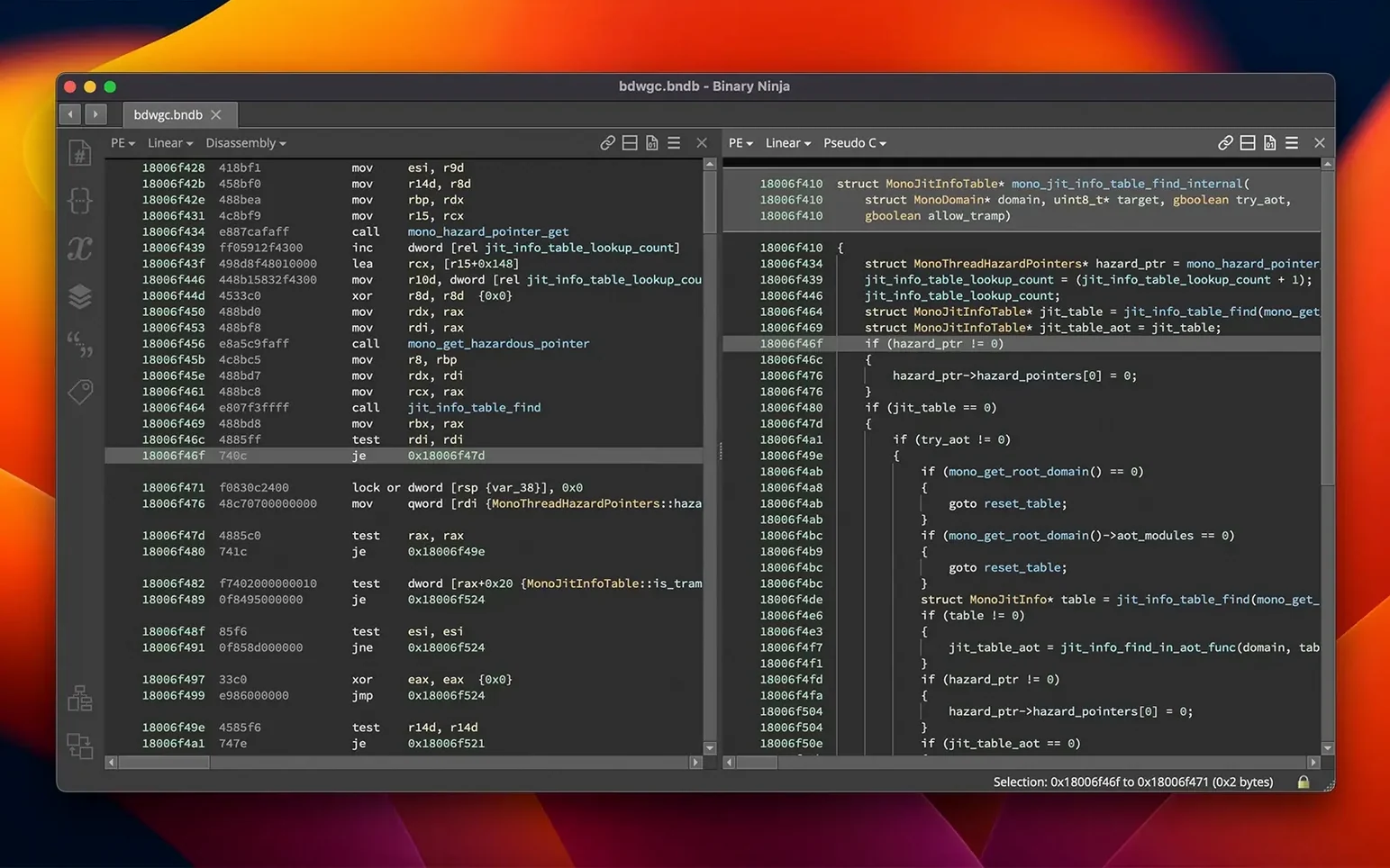
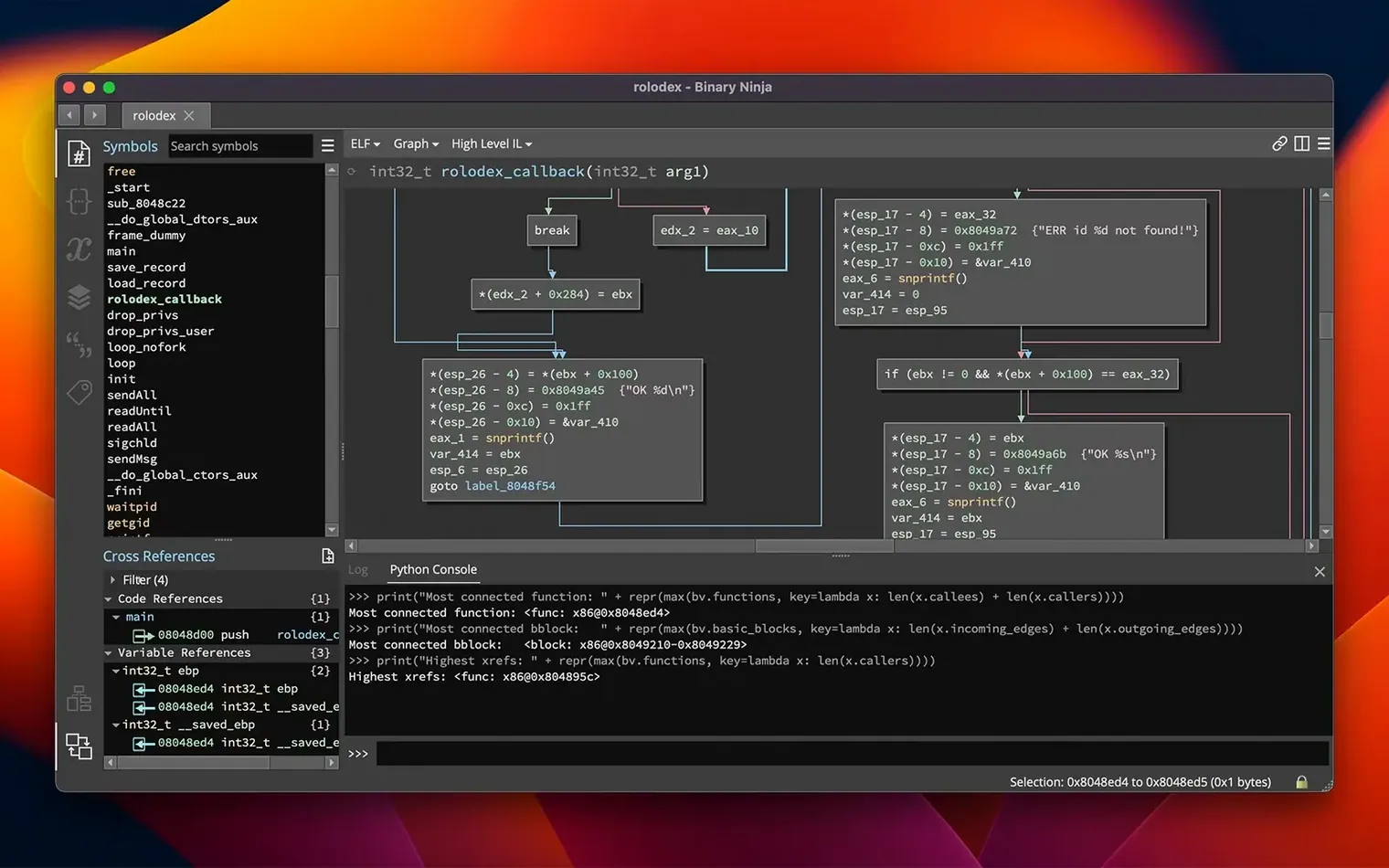
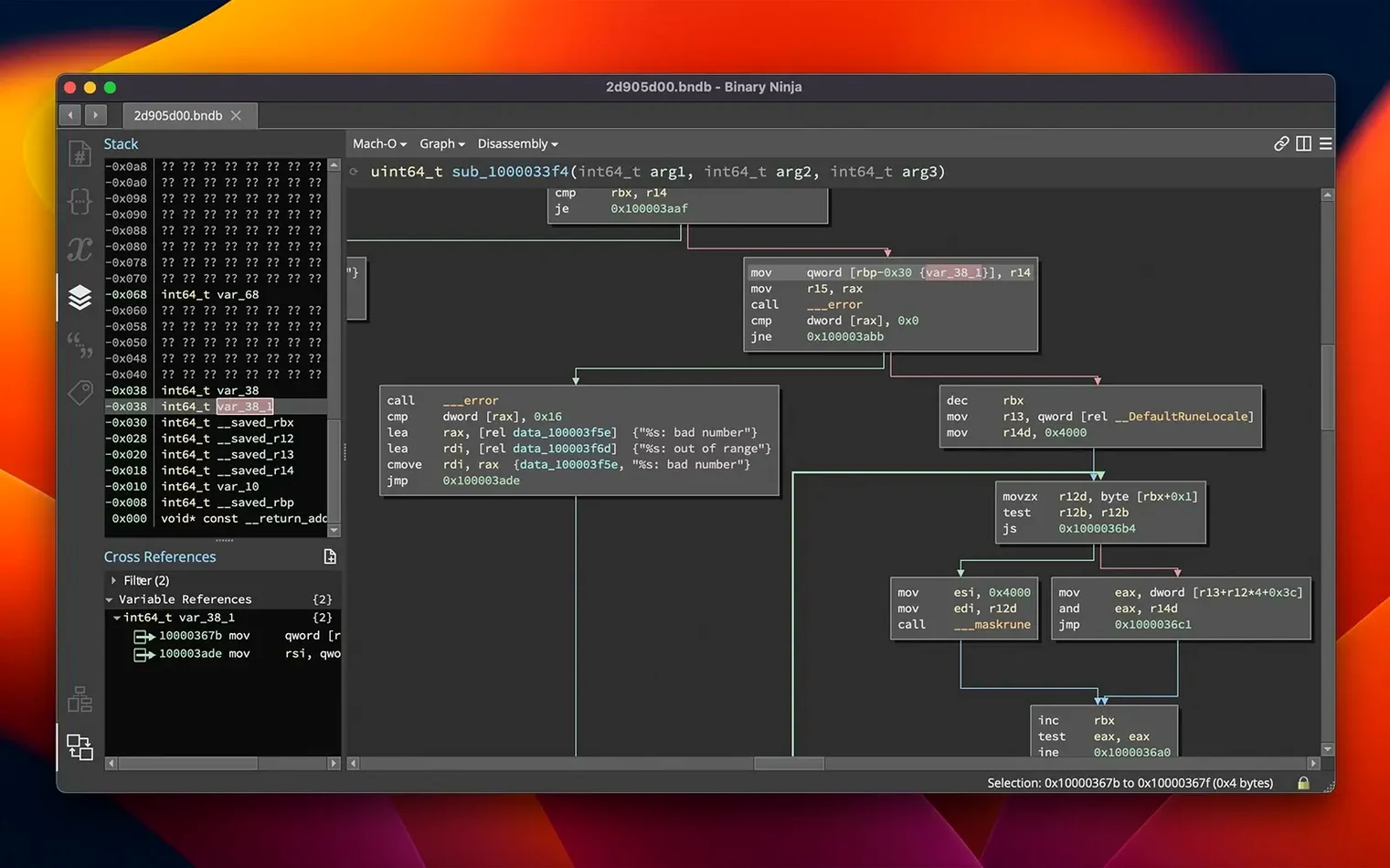
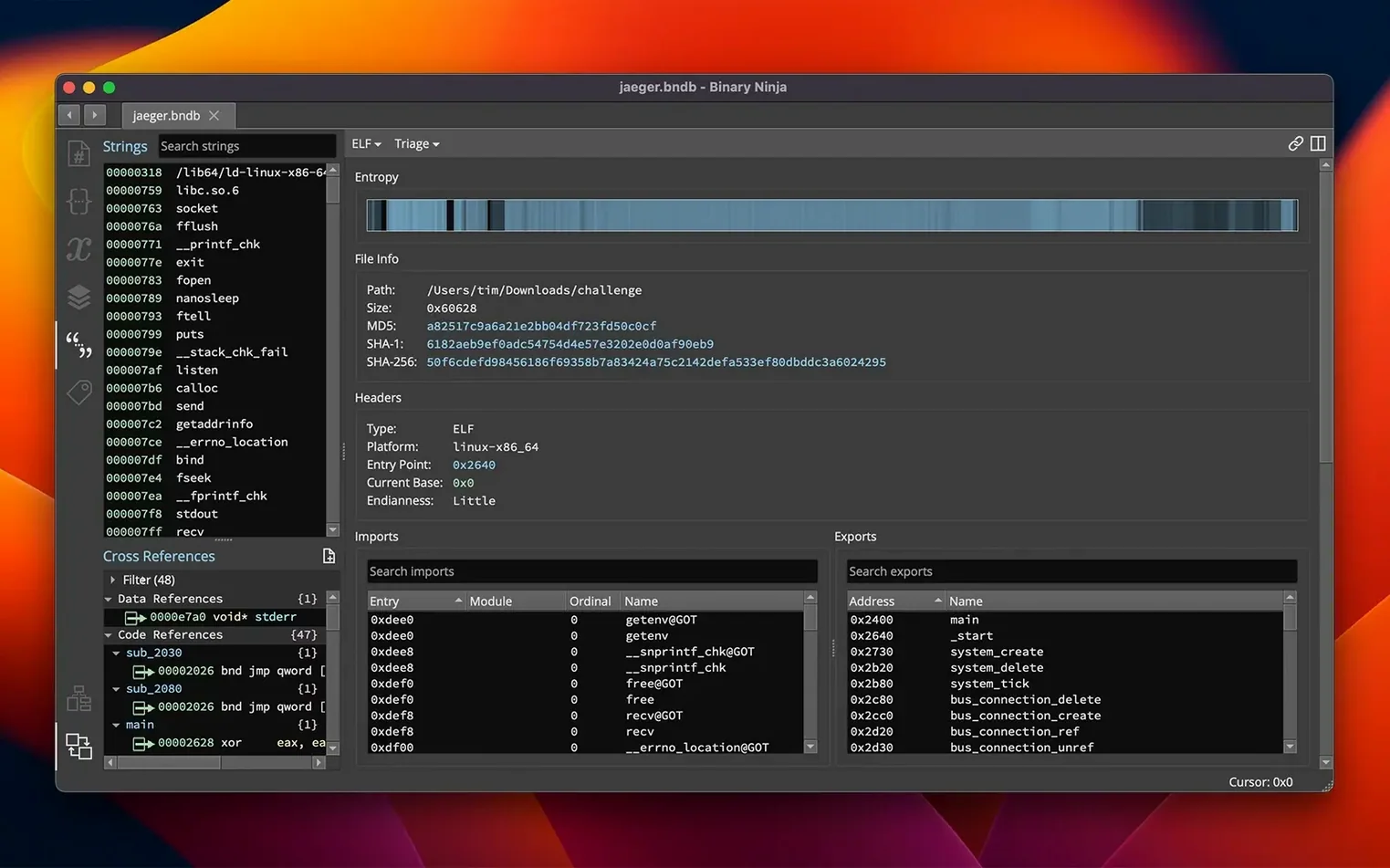
Binary Ninja is a reverse-engineering platform built for picking apart executables and libraries. It gives you a disassembler, a decompiler, and analysis tools that work across Windows, macOS, and Linux binaries. You can name variables and functions, apply types, create structures, and add comments as you map out how a program works. The interface stays out of your way.
Multi-arch analysis for annotating malware without source
- Malware analysts who need to annotate and share findings quickly.
- Developers debugging third-party libraries without source code.
- Security researchers working across multiple architectures — x86, x86-64, ARMv7, ARMv8/AArch64, PowerPC, 6502, Z80, and MIPS are all supported.
- Teams that want headless analysis for batch processing or CI pipelines.
- Anyone who patches binaries: edit assembly, apply preset patches, modify raw bytes in the hex editor, or compile C patches with the built-in SCC compiler.
English UI and a C++/Python/Rust API you script yourself
- The interface is English only.
- You'll need some reverse-engineering knowledge to get value from it — it's not a learning tool for beginners.
- The APIs (C++, Python, Rust) are powerful but expect you to write your own automation.
- An entropy graph helps spot packed or encrypted sections, but interpreting it takes practice.
Drag a binary in and get linear disassembly instantly
Can it open a file and show me something useful in under a minute? Yes. Drag an ELF, Mach-O, or PE file onto the window and you get disassembly and linear view straight away. Decompiling to C takes a few seconds more on larger binaries, but the default analysis is designed to be interactive, not a batch job you wait ten minutes for.
Does the personal version lock out features I need? The personal licence keeps full access to the disassembler, decompiler, and APIs. What it skips are commercial features like floating licences and priority support. If you work solo or in a small lab, you won't feel the ceiling.
How much Python do I really need to know? You can do solid work with zero scripting — renaming symbols, applying types, following cross-references, and patching bytes all happen in the UI. You reach for the Python or C++ API when you want to automate analysis across dozens of samples or write a custom architecture plugin.
Will it choke on a 200 MB firmware image? It handles large files, but you'll notice the analysis pass takes longer. The entropy graph becomes genuinely useful here: you can jump straight to high-entropy regions instead of scrolling through blank space, which saves more time than a faster disassembler would.
Extension Manager replaces Plugin Manager with one-click installs
Version 6.0 brought a redesigned Plugin Manager, now called the Extension Manager. Installing community tools like architecture plugins or analysis scripts is a matter of ticking a box rather than fiddling with folders. The new MCP server matters if you want to hook Binary Ninja into other tools — less relevant for quick triage, but a real shift for anyone building a pipeline.
The addition of the TMS320C6x architecture opened a door for people reversing DSP firmware, which used to require separate tooling. Binary Similarity, also new in 6.0, lets you ask "have I seen this function before?" across different builds of the same binary. In practice, that means you can diff a patched version against a known-clean copy and narrow down what changed in minutes instead of hours.
Memory usage improvements show up most on long sessions. Earlier releases could creep past 4 GB on complex projects; 6.0 keeps its footprint flatter, which makes a difference on a Mac with 8 GB of RAM and a few other tools open.
Decompilation runs off the main loop, so the UI stays fluid
Binary Ninja feels responsive on Apple Silicon even with large x86-64 binaries under analysis. The UI doesn't freeze during decompilation because the work threads don't block the main loop — you can click around and rename things while the analysis runs. On Intel Macs from 2018 onward, it's perfectly usable, just not snappy to the same degree.
Memory use depends on the binary. A small Mach-O executable sits around 200 MB. A stripped 100 MB ELF with debug sections can push closer to 1.2 GB during deep analysis. The 6.0 release tightened that range noticeably, and the process releases memory when you close a tab rather than holding onto it.
Stability is one of its stronger points. Crashes are rare in normal use; the place you might hit a rough edge is when loading a third-party extension that makes assumptions about the API. Stick with well-reviewed extensions from the manager and you'll have few surprises. The headless mode is solid enough to run unsupervised in a CI job — we've had it chewing through nightly builds without a segfault for weeks at a time.
What’s new
Adds a new MCP server and a Binary Similarity feature. Redesigns the Plugin Manager as the Extension Manager. Adds support for the TMS320C6x architecture.
Requirements
- macOS 10.15 or later
- Intel or Apple Silicon Mac
FAQ
Which CPU architectures can Binary Ninja disassemble?
It handles x86, x86-64, ARMv7, ARMv8/AArch64, PowerPC, 6502, Z80, MIPS, and the recently added TMS320C6x.
Comments 0
Sign in or create an account to leave a comment.
No comments yet…
If you’ve installed it, say how it went. Mention your Mac and macOS version — it helps the next person more than you’d think.