AppZapper for macOS
Description
Dragging an app to the Trash leaves behind preference files, caches and other bits that clog up your Mac over time. AppZapper is a no-nonsense uninstaller built to track those files down and remove them alongside the application itself.
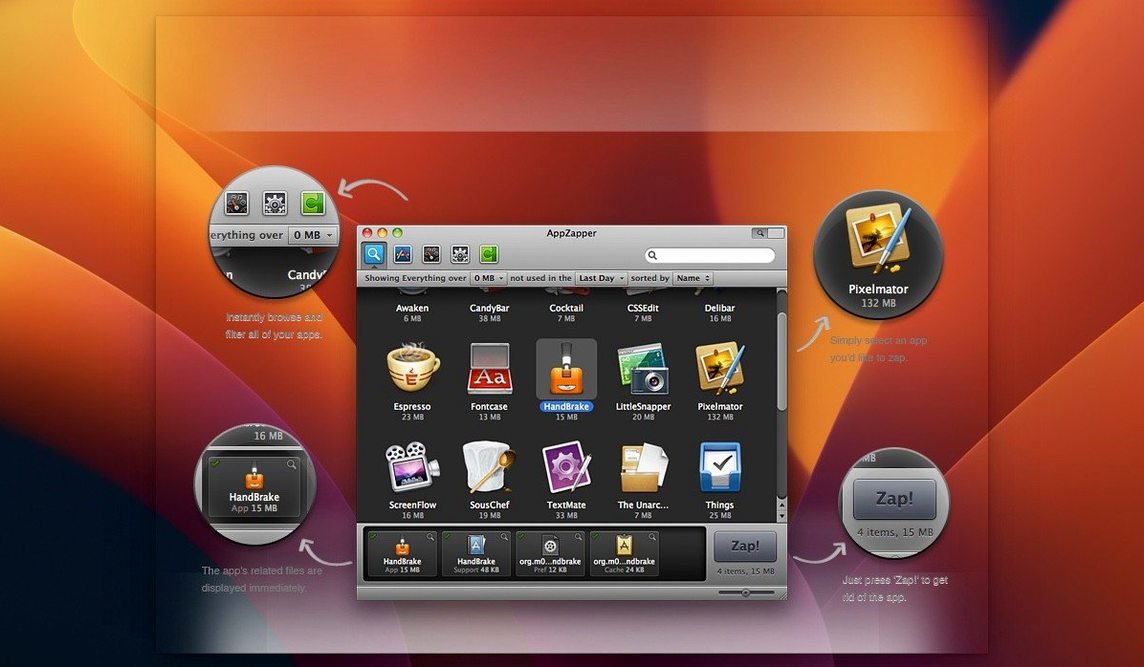
- Drop an app onto the AppZapper window to see every related file it finds.
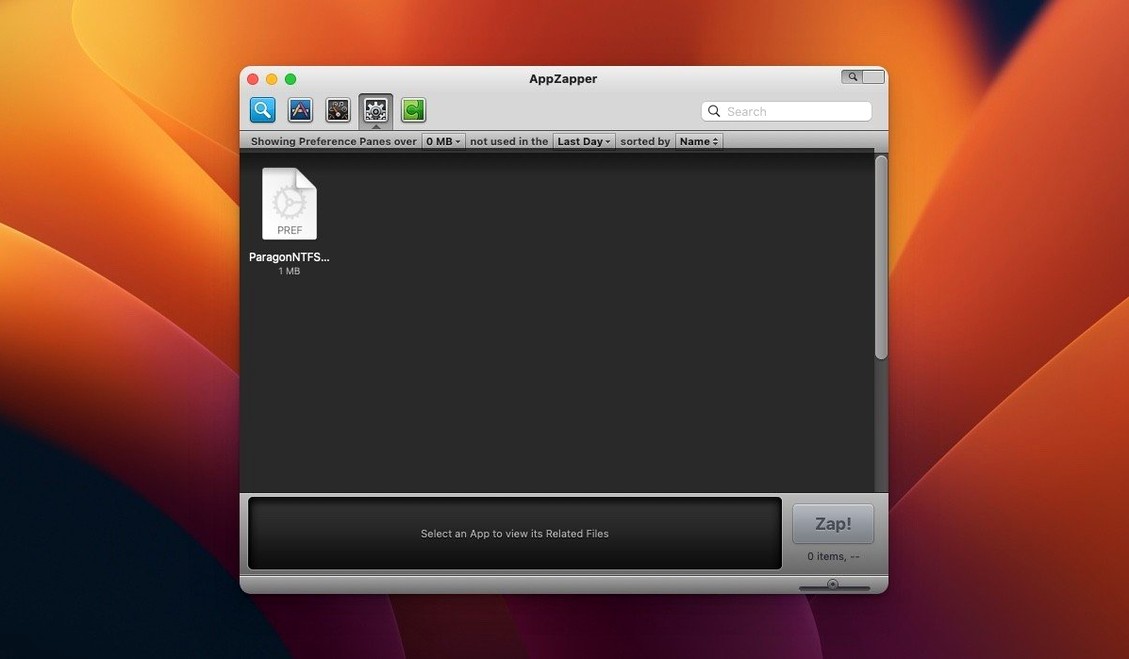
- Check the list of preferences, caches and support files before you delete anything.
- Hit the Zap button to remove the selected app and all its traces in one action.
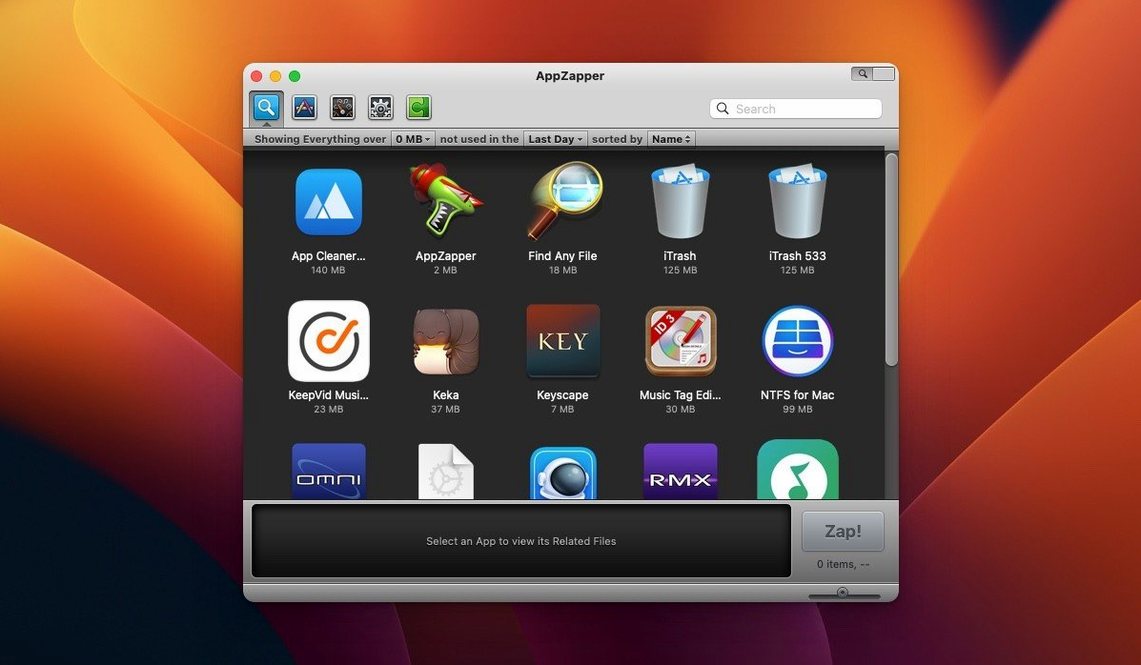
- Switch to the grid-style browser with large icons to scan your Applications folder visually.
- Export an app with its related files into a single package for archiving or moving elsewhere.
The interface stays out of your way. You pick an app, review what AppZapper has found, and decide what goes. The grid browser added in version 2 makes scanning a crowded Applications folder less of a chore, though the list view is still the quickest route for a single removal. It runs on 64-bit Intel hardware and needs OS X 10.9 or newer.
Where AppZapper’s search leaves leftovers
One question comes up again and again: does it catch absolutely everything? No uninstaller does. AppZapper finds the usual suspects — preferences, caches, application support folders — but a few apps scatter files in unexpected places. The hit list is usually right, and you can always check the Trash if you change your mind.
People also ask whether it works on a Mac that already has cruft from years of drag-to-Trash uninstalls. Yes, but it can only zap apps that are still present. Leftover files from long-gone applications sit there until you hunt them down manually. AppZapper is a prevention tool as much as a cleanup tool.
The Gatekeeper dance puts some users off. The disk image includes a Terminal command that clears the quarantine flag, which is standard for software distributed outside the App Store. Type your password, press Enter, and it runs exactly once. After that the app opens without complaint.
A photographer cleaning house
A freelance photographer keeps a MacBook Air as a field machine. Storage is tight, so she uninstalls software the moment a job ends. A tethered-capture app, a raw converter she tried for one project, an old backup utility — each drag to AppZapper shows three or four support folders she would have missed otherwise.
She uses the grid view to scan by icon, since she recognises apps faster that way than by name. Zap one, move to the next, done in under a minute. The export feature gets used once a year, when she archives a working setup before a macOS upgrade. She zaps nothing without glancing at the list first — paranoia pays off.
The ZapGenie browser turns old apps into obvious targets
Version 1.5 brought ZapGenie, a browser that lists every app with a last-used date. That made triage obvious: if an app hadn't been opened in eighteen months, it was a candidate for removal. The date filter turned a tedious audit into five minutes of clicking.
Sparkle updates arrived in 1.6, so AppZapper kept itself current without manual checks. The export feature in 1.7 gave users a way to bundle an app with its related files, which suits anyone who wants to move a setup intact to another Mac. Authentication prompts added in 1.8 made the tool usable from a standard account without switching users.
The version 2 grid browser changed the first impression. New users tend to land there, recognise something familiar, and start zapping. The older list view still handles the quick jobs. Version 2.0.3 fix is a maintenance release — no new features, just a quieter build that runs on the same OS X 10.9 minimum and the same Intel 64-bit hardware.
What’s new
Adds a grid-style app browser with large icons for scanning your installed apps.Requirements
- OS X 10.9 or later
- Intel 64-bit processor
Comments 0
Sign in or create an account to leave a comment.
No comments yet…
If you’ve installed it, say how it went. Mention your Mac and macOS version — it helps the next person more than you’d think.