
AmpliTube for macOS
Description
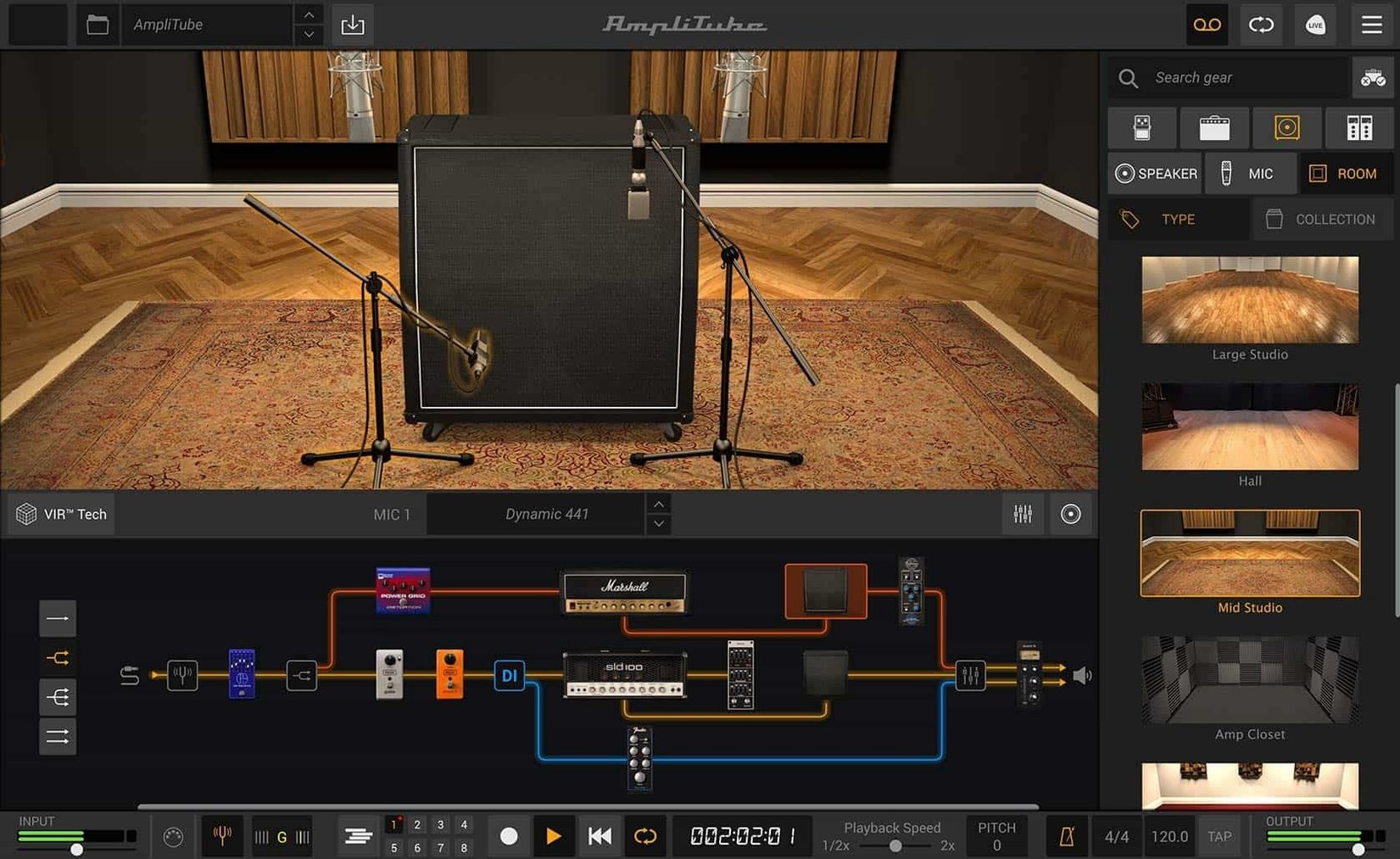
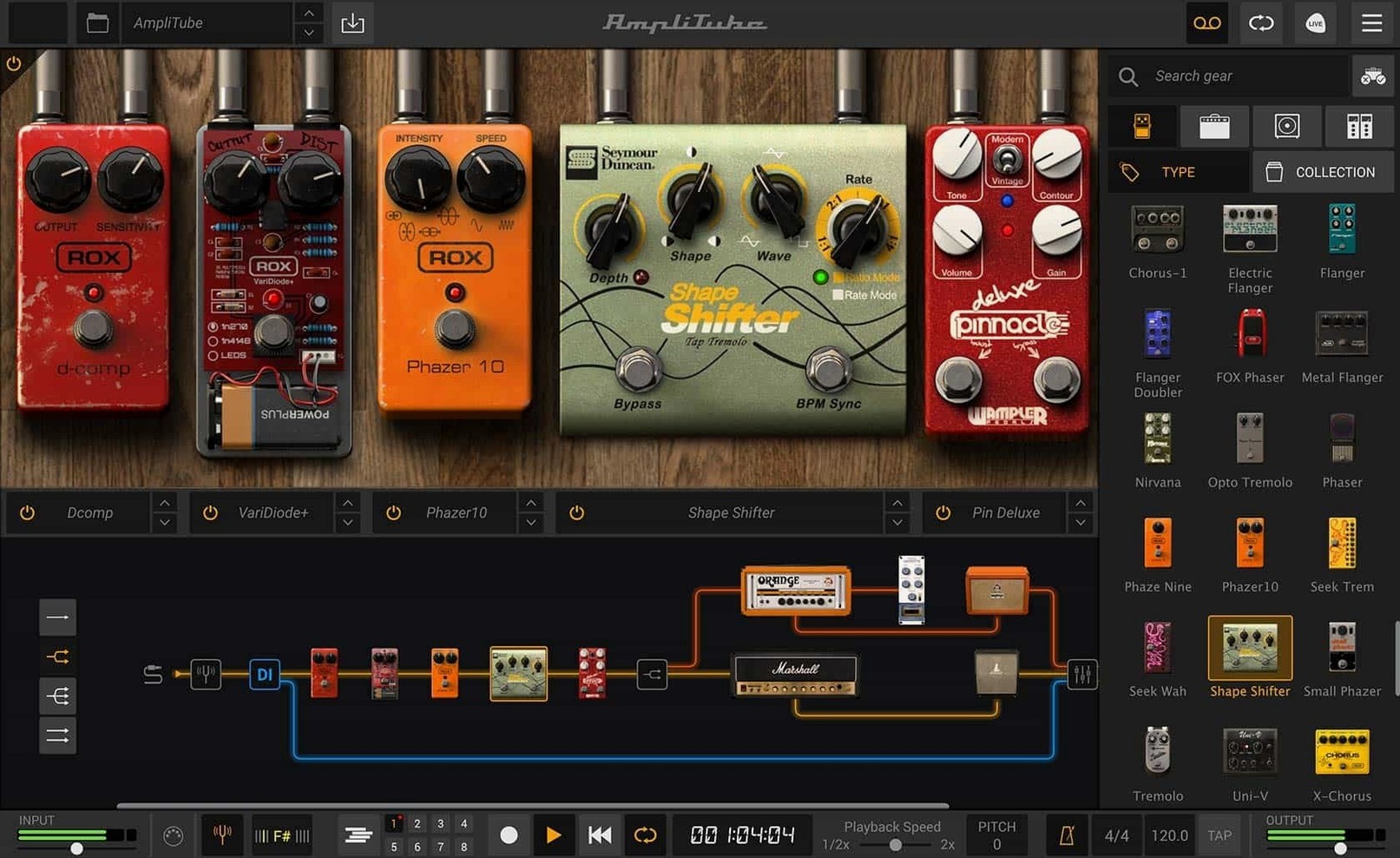
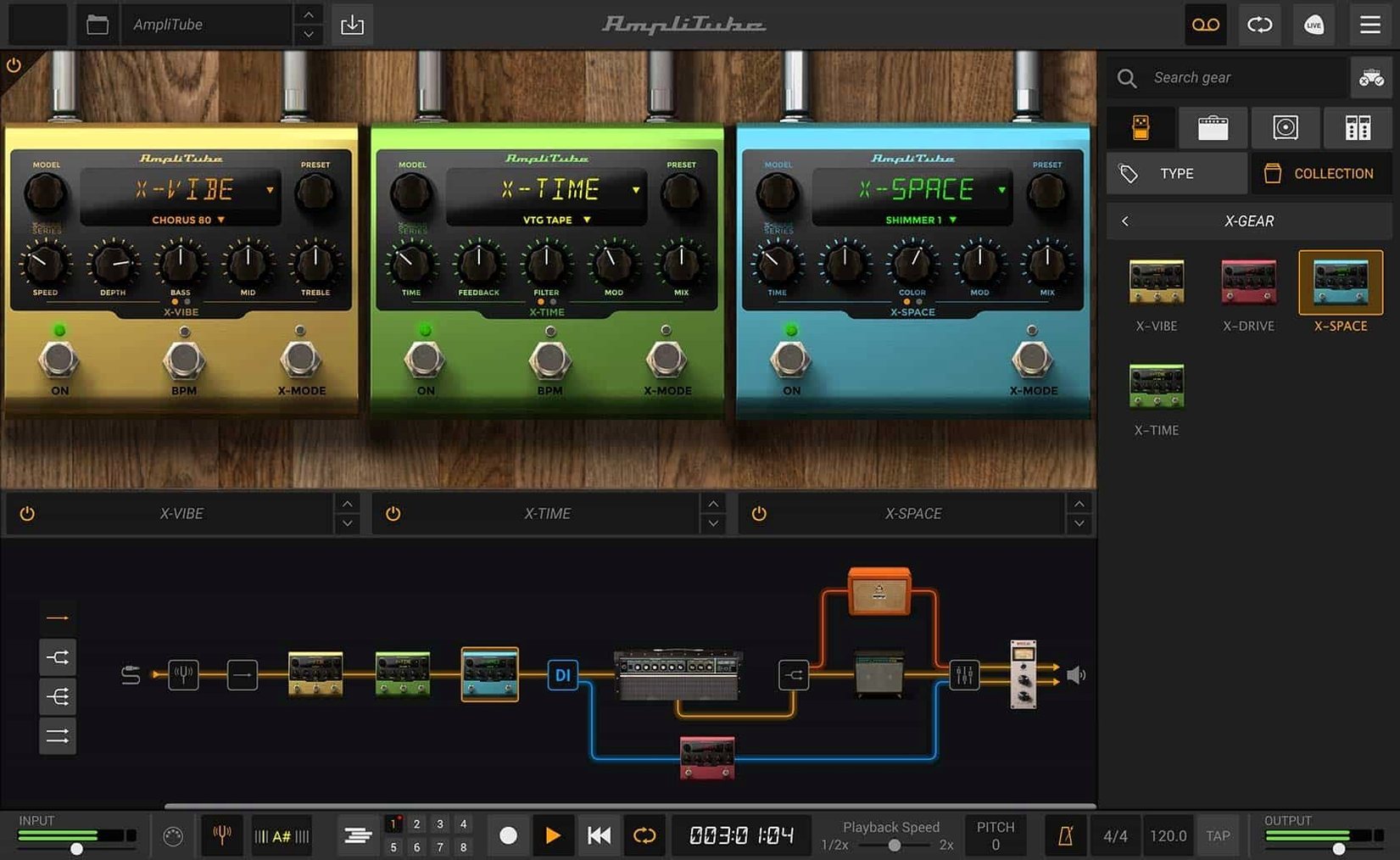
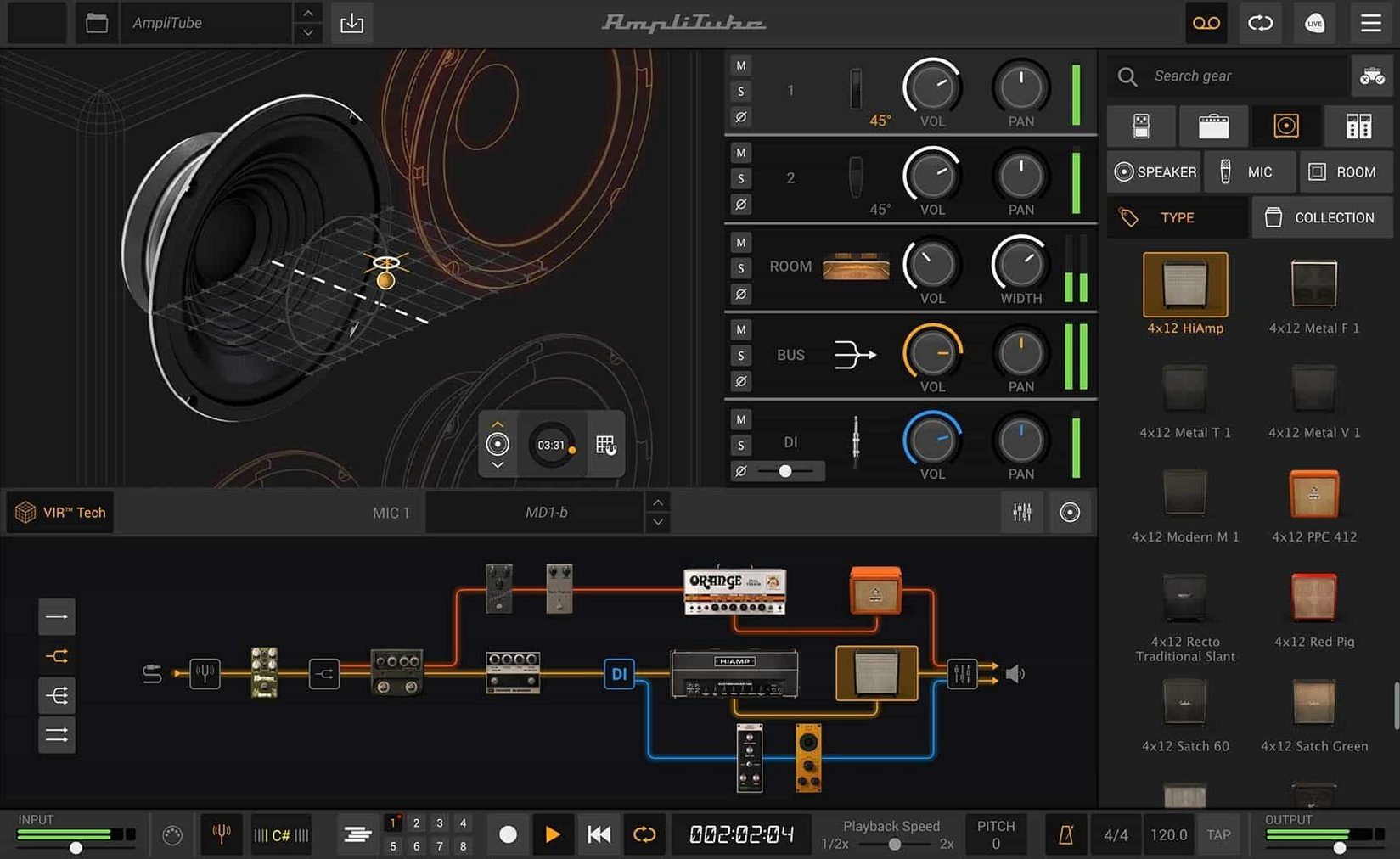
If you have ever plugged a real pedalboard into a DI box just to get a clean signal into your DAW, AmpliTube recognises that workflow. It starts with a blank rig and lets you build a signal chain by dragging pedals, amps, cabs and rack units into place — series or parallel, whichever the patch needs. The new cabinet section uses IK's VIR technology, so moving a virtual mic around the speaker cone changes the tone the way you expect it to.
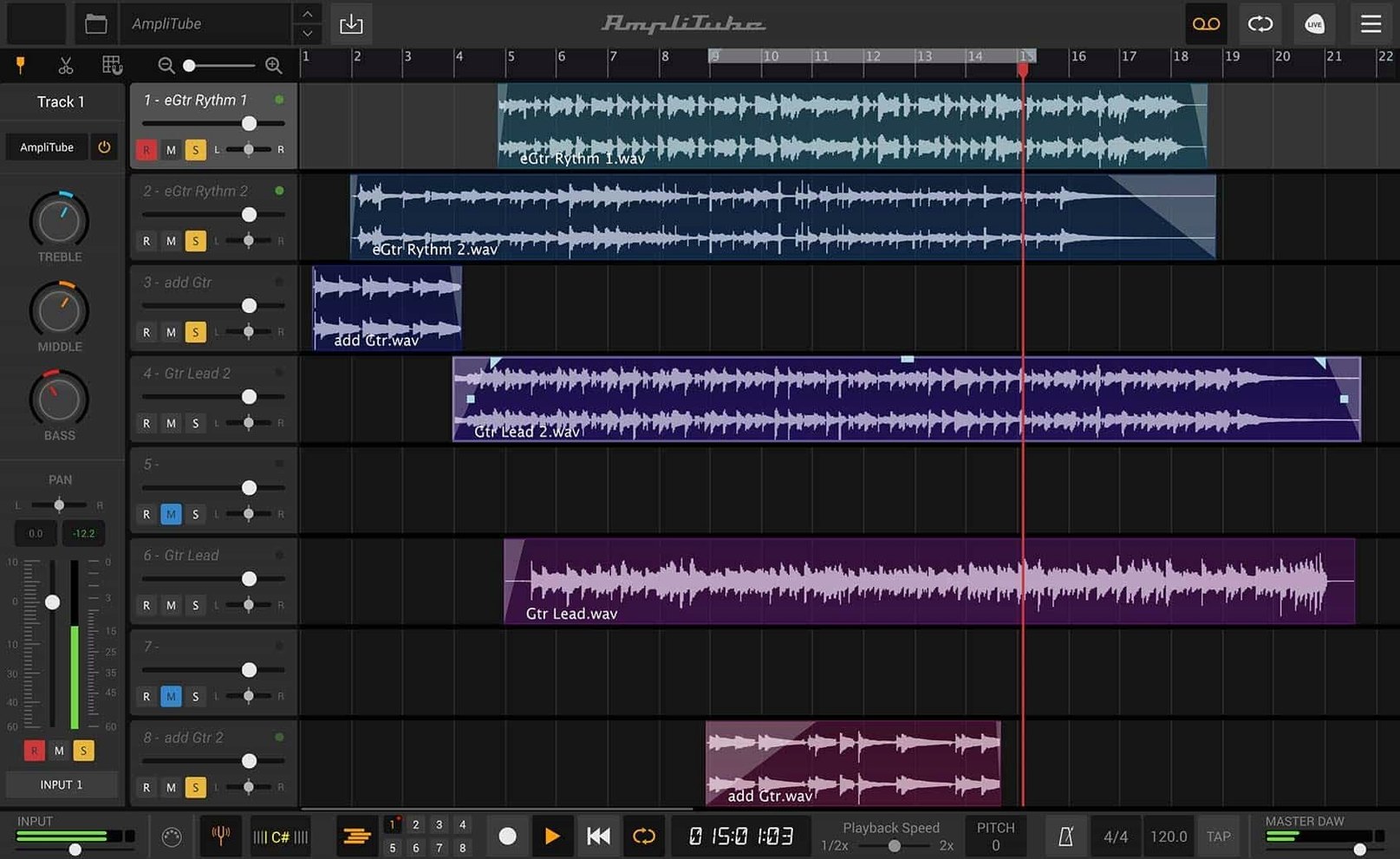
The current mixer is a proper desk now, not an afterthought. Each channel gets its own built-in effects, and you can blend a direct signal with the processed sound without leaving the window. Up to 57 models can run at once, which is enough for dual-amp setups with full stereo post-effects and still leaves room for a rack EQ.
Twenty-three rack effects joined the collection in version 5, alongside two new room simulations that work on the ambience rather than the source tone. Everything runs as a standalone app or inside a DAW via AAX, VST or AU — you are not locked into one host.
The software models the gear. The routing models the studio. That is the bit that makes sense to someone who has already spent an afternoon chasing ground hum.
Double-tracking a Telecaster in a virtual treated room
A bedroom producer with a Mexican Telecaster and an old Focusrite interface wants to lay down a double-tracked rhythm part that sounds like it was recorded in a treated room, not a corner of the spare bedroom. They open AmpliTube standalone, pull up a Fender-style clean amp with a hint of spring reverb, then add a stereo delay in the rack section. One side gets a short slapback, the other a longer dotted-eighth. They pan the two cabinet mics slightly apart, blend in about 15 % of the direct signal for note definition, and hit record in the DAW. The whole setup took six minutes. No microphones were knocked over by a cat.
Dialing in buffer size for lower latency
The defaults are sensible, but a couple of tweaks make daily use smoother. Open the audio setup panel straight away and set the buffer size manually — the automatic setting tends to play it safe at the cost of latency. If you are monitoring through the app rather than a hardware mixer, a 128-sample buffer at 44.1 kHz is a reasonable starting point on most Macs from the last few years.
Next, turn off “Restore last rig on launch” unless you genuinely want the same patch every session. It saves a few seconds of waiting and stops an accidental volume spike from a high-gain preset you forgot about. While you are in preferences, switch the cabinet section to high-resolution mode. The CPU hit is modest on Apple Silicon, and the difference in the low end is noticeable once you start moving the virtual mic off-axis.
If you use a DAW more than the standalone app, open the plug-in version and save an empty template rig with just a tuner and a noise gate inserted. Loading that instead of the default full stack skips the amp model initialisation and gets you into playing faster.
Assigning on-screen knobs to your MIDI controller with a right-click
- Right-click any knob to assign it to a MIDI controller. The learn function is fast — twist the physical knob, move the on-screen control, done. No menu diving.
- Hold
Shiftwhile dragging a module to copy it instead of moving it. Useful when you want two identical EQs in parallel chains without rebuilding the settings. - Double-click the input meter to open the full I/O panel, which is otherwise hidden behind a tiny arrow most people overlook.
- The cabinet section accepts custom IR files by dragging them straight onto the cabinet graphic. It names the slot after the file, so you are not left guessing which IR is loaded later.
- Press
Bto toggle the tuner. It mutes the signal, and the display is large enough to read from across the room with a guitar still on your lap. - The mixer channel strips remember their solo and mute states when you save a rig. That matters for live performance patches where you might want to pre-mute a second amp channel until a chorus section.
Running a dual-amp rig on an M1 Mac mini
On an M1 Mac mini with 16 GB of RAM, a moderate rig — overdrive, amp, cab, stereo delay, plate reverb — sits around 8–10 % CPU in Logic Pro at a 64-sample buffer. Stepping up to a dual-amp configuration with five rack effects pushes that to roughly 25 %, which still leaves headroom for other plug-ins. The app does not spike when switching presets mid-session, which has not always been true of previous versions. Loading times for the full MAX library are about fifteen seconds on first launch, under five seconds for subsequent opens.
Memory use is predictable: the standalone app idles around 900 MB, and each additional instance in a DAW adds roughly 300–400 MB depending on the complexity of the rig. If you run multiple instances, the shared resource handling keeps the total lower than multiplying the single-instance figure. That matters on older Intel Macs where RAM is tighter.
One quirk worth knowing: the cabinet section's VIR engine recalculates when you change IRs or mic positions, and on an Intel machine that can cause a brief audio dropout if the buffer is set too low. Apple Silicon handles it without interruption. If you are still on an Intel Mac, bump the buffer to 256 samples before editing cabinets mid-playback.
Stability under heavy automation in Logic and Ableton Live is solid. Automating gain, channel volume and delay feedback across a track does not produce clicks or timing drift. The plug-in also remembers its window size between sessions, which keeps the workflow tidy on a single-screen setup. For anyone digging around for a particular edition, searches like amplitube 5 max crack or amplitube mac crack tend to surface the same build — the one that ships with the full collection unlocked and no authorisation hurdles. The installer is straightforward, and once it is running, it stays running.
What’s new
Adds a drag-and-drop signal chain with mixed DI signal routing. Introduces a cabinet section with VIR technology. Redesigns the mixer with built-in effects per channel.
Requirements
- macOS 10.15 or later
- 64-bit application
- Intel and Apple Silicon Macs
FAQ
Does AmpliTube work as a plug-in inside Logic Pro?
Yes. It supports AU, VST and AAX formats, so it loads into Logic Pro and most other DAWs without extra wrappers.
How many amp and effect models can I run at the same time?
AmpliTube supports up to 57 simultaneous models, which covers complex dual-amp rigs with full pedalboards and rack processing.
Comments 0
Sign in or create an account to leave a comment.
No comments yet…
If you’ve installed it, say how it went. Mention your Mac and macOS version — it helps the next person more than you’d think.