Amadeus Pro for macOS
Description
Audio projects grow messy fast. Long recordings need trimming, multiple tracks need lining up, and applying the same edits to a folder of files shouldn't take all afternoon. Amadeus Pro is a Mac audio editor built to handle those jobs without fuss.
Rosetta 2 required for Apple Silicon
- Requires macOS 10.9 or newer
- Runs on Intel Macs (64-bit only)
- Apple Silicon support is not listed — expect Rosetta 2 translation
Waveform caching for long files
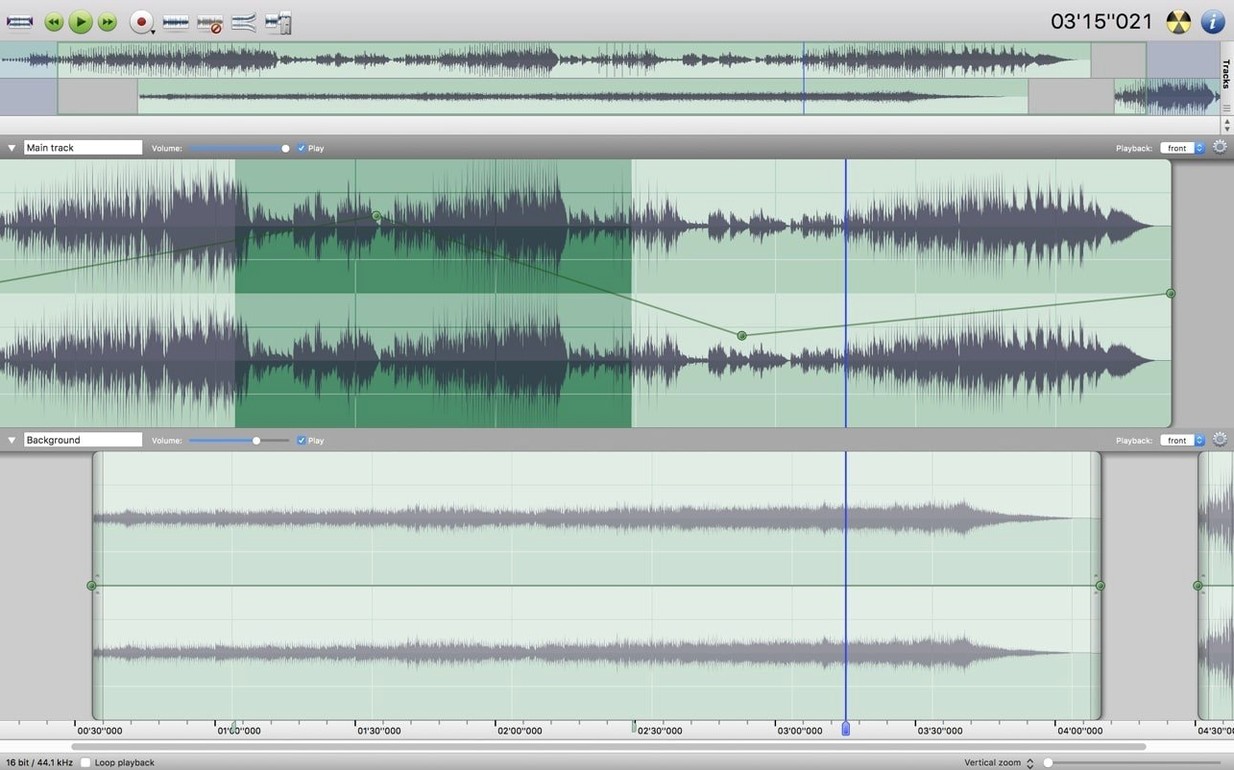
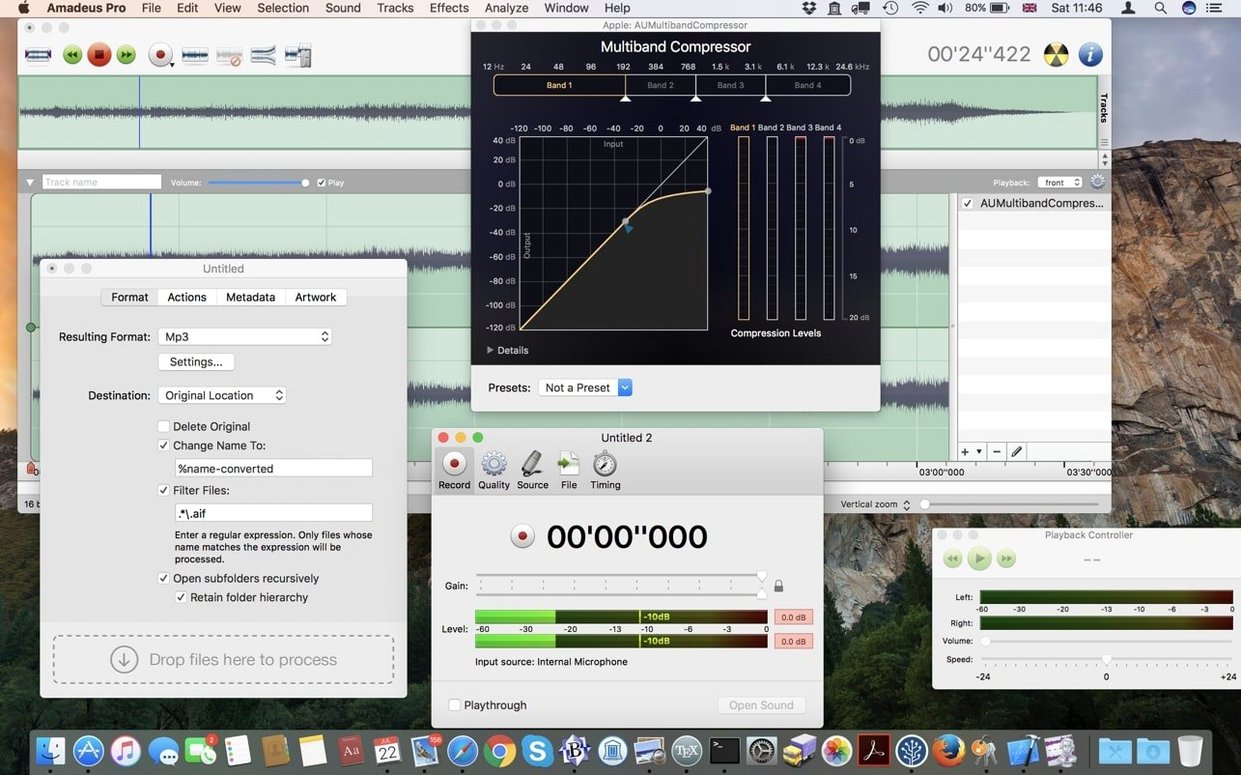
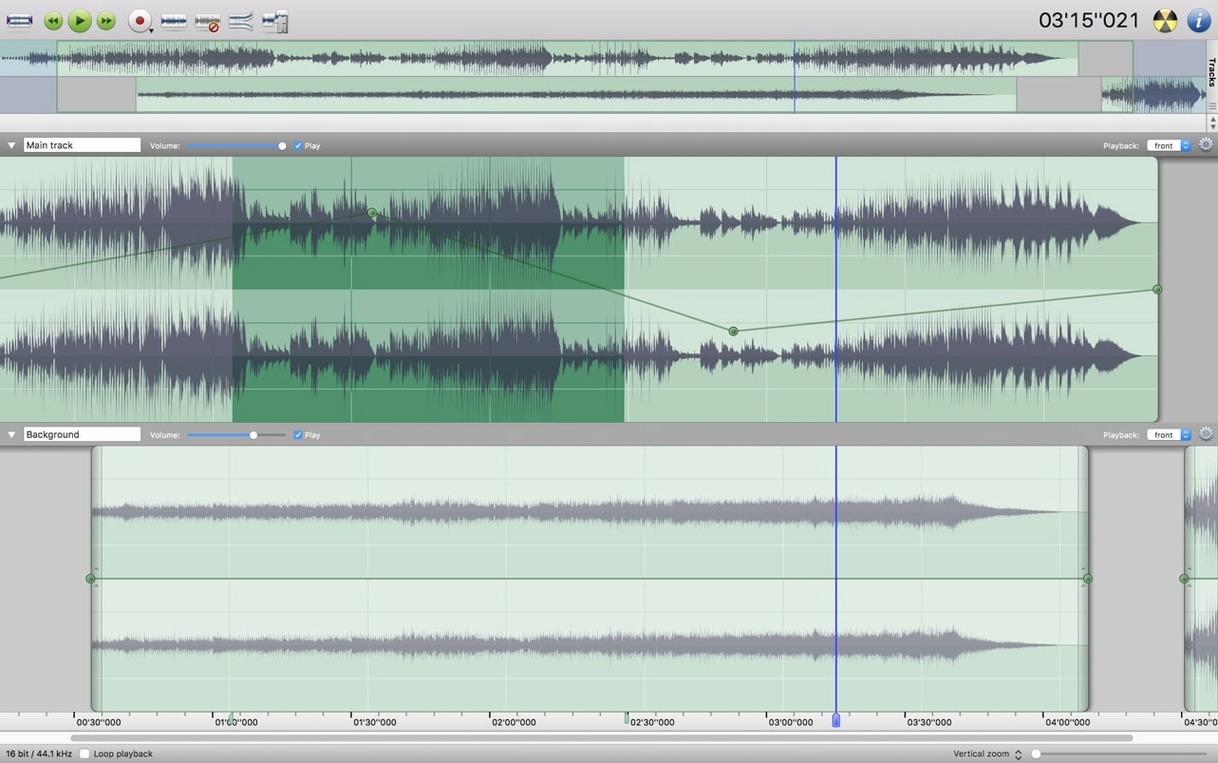
It's a multi-track editor with waveform caching so long files don't drag. You can add markers, apply fade ins and fade outs, and set up a Favourite Actions panel for the commands you reach for repeatedly. Audio Unit plugin support is built in, and the batch processor handles repetitive edits across multiple files at once.
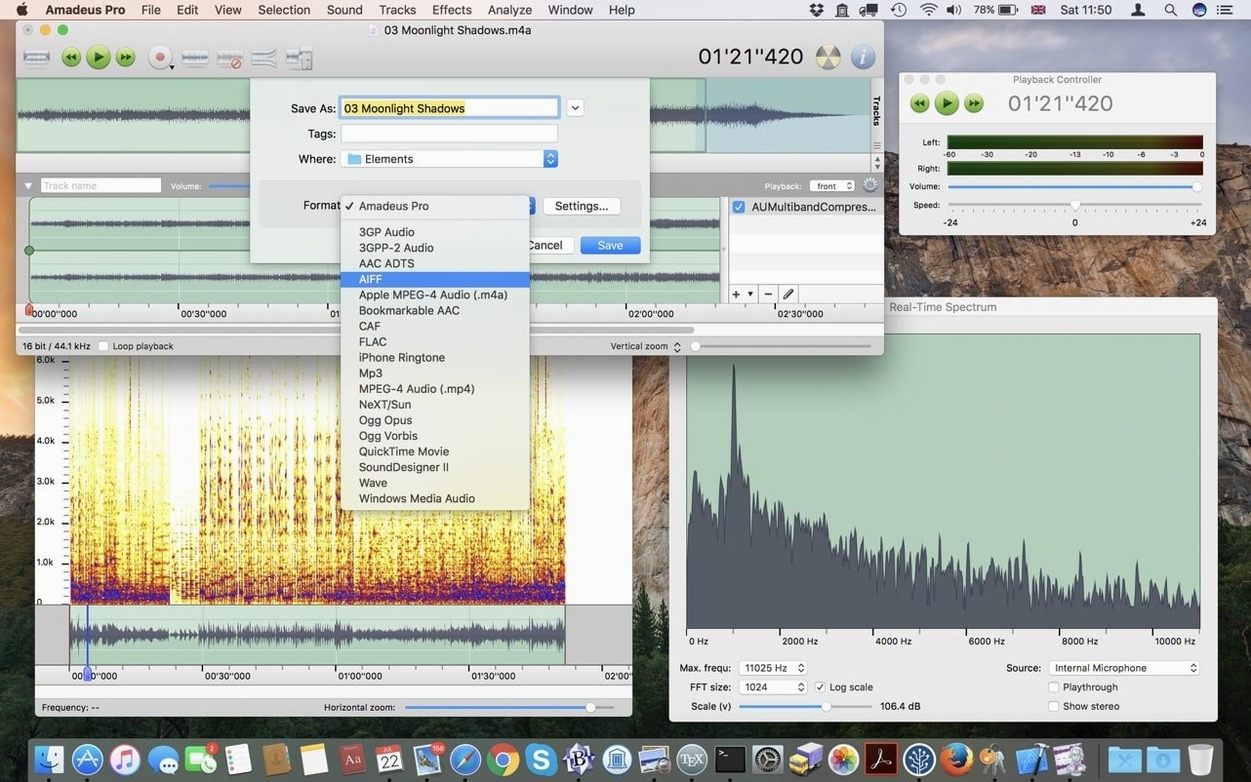
Set default format to AIFF or WAVE
Open Amadeus Pro's preferences before your first real project. The defaults are sensible, but a few things make daily use less annoying.
- Default output format. If you work mainly with podcast files, set AIFF or WAVE as your default save format. MP3 is fine for rough drafts but you don't want it as the fallback for masters.
- Waveform cache location. The waveform cache can grow large if you edit long recordings. Point it at a drive with free space, not your startup disk.
- Undo levels. The default undo depth is generous. If you work with hour-long takes, lowering it keeps memory use in check.
- Playback head behaviour. Decide whether the playhead should return to its starting point or stay where it stops. Musicians and editors rarely agree on this, so pick what suits your habit.
Opens FLAC, MP3, WMA and more
Most questions I hear from help-desk days come down to three things: what it opens, what it can do to a file, and whether it behaves itself.
What formats does it handle? MP3, MPEG-4 AAC, AIFF, WAVE, WMA, CAF, FLAC and Ogg Vorbis. If you've got a folder of old WMA files from a dictaphone, Amadeus Pro opens them without converting first.
Can it edit more than one track at once? Yes. Tracks sit in a multi-track view and you can select, trim or apply effects to them independently. It's not a full DAW, but it's more than a two-track editor.
Does it work with plugins? Audio Unit and VST plugins are supported. Your existing effect chain from another Mac editor should load without much trouble.
Will it record streaming audio? Yes, live audio and internet streams can be recorded straight into a document. Useful for archiving radio broadcasts or grabbing a clean take from a video call.
Learn zoom keystrokes before anything else
Start with a small project, not the three-hour live recording you actually care about. Learn the keystrokes for zoom and selection first — most early frustration comes from fighting the view, not the tools.
The noise reduction feature works on a whole track or just on a selected section. If you're digitising tapes or records, run it on a short quiet passage first and listen for artefacts before you apply it to everything. Batch processing is the quiet time-saver here: set up one action, point it at a folder of files, and walk away. Direct-to-disk output means you won't wait for the whole file to render before the next one starts.
For quick jobs, the Favourite Actions panel earns its place. Drag the three or four commands you actually use into it and you'll stop digging through menus by day two.
Requirements
- macOS 10.9 or later
- Intel processor (64-bit)
Comments 0
Sign in or create an account to leave a comment.
No comments yet…
If you’ve installed it, say how it went. Mention your Mac and macOS version — it helps the next person more than you’d think.