

Roland ZENOLOGY Pro for macOS
Description
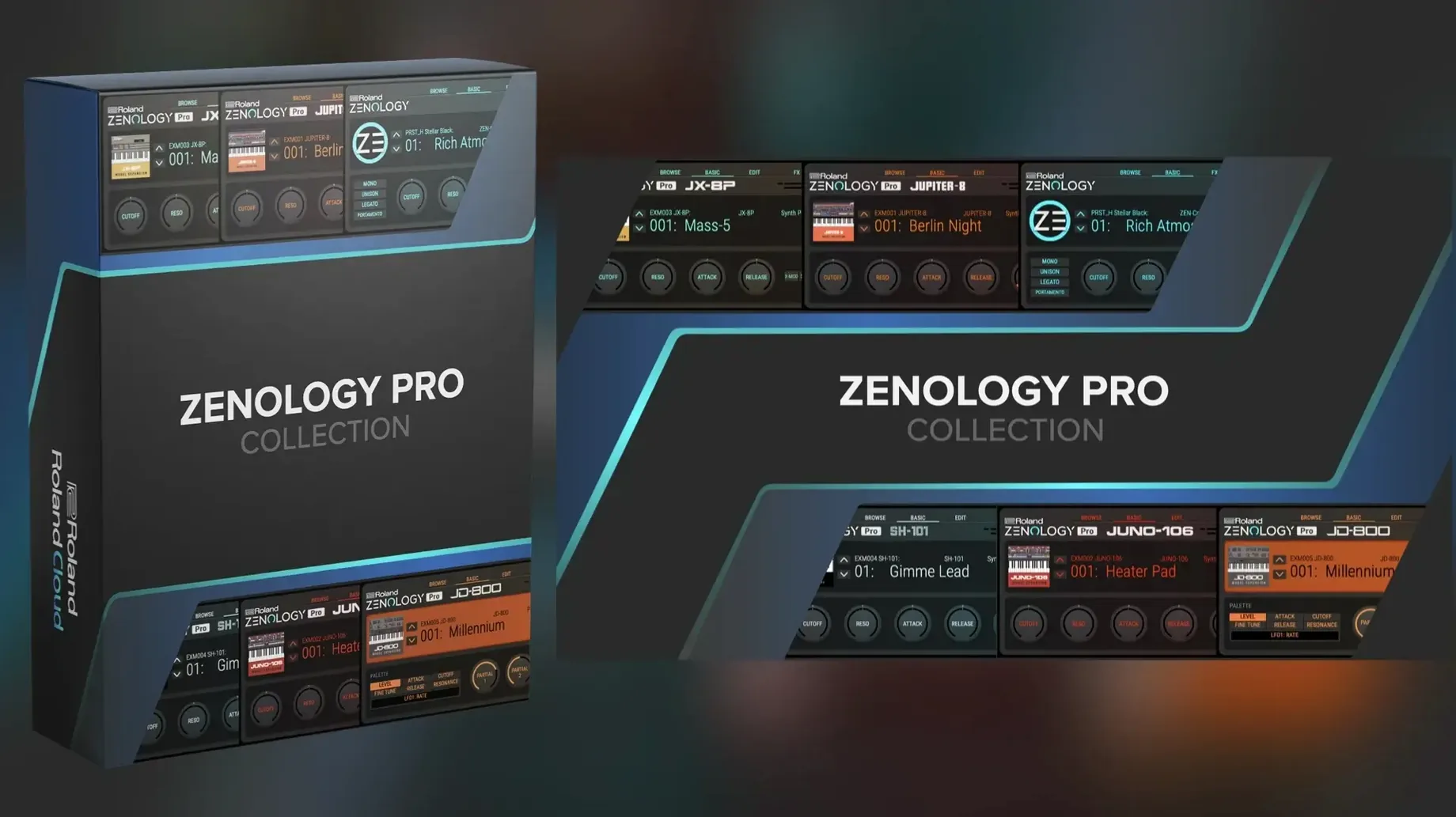
A soft synth that sounds thin in solo can sit perfectly in a track. The problem is the opposite: a preset that overwhelms the arrangement the moment you hit a chord. ZENOLOGY Pro gives you the controls to fix that without scrolling through three hundred patches hoping one fits.
Dialling it back from the oscillator
- Start with the oscillator section. Pull the level down a touch before you touch anything else. A lot of the Roland Cloud Sound Packs arrive hot.
- Move to one of the ten filter types. The JUPITER models are the obvious draw, but the simpler low-pass models are quicker for shaving off high-end fizz that clashes with cymbals and breathy vocals.
- Check the amplifier envelope. Shortening the release by a few milliseconds pulls the sound back into the track instead of letting it smear across the next bar — immediate space in a busy chorus.
- Assign one of the two LFOs to pitch or filter cutoff at a very low depth. Not for wobble. Just enough movement so a held pad doesn't sound like a frozen sample.
Each part includes its own EQ, so you can cut low-mids on a bell tone without touching the channel strip. The tone browser lets you mark favourites and build custom banks, which matters once you've expanded the library past a few hundred patches.
Download sound packs early so a 2 GB download doesn't stall your evening session
Download the Sound Packs you'll actually use before you start a session. The library can balloon to over 10,000 variations, and waiting for a 2 GB expansion to download at 9 pm on a Tuesday is not creative time well spent.
Spend twenty minutes with the tone browser. Mark about thirty favourites — not the flashiest presets, just the ones that sit in a mix without a fight. A clean sine bass, a pad that doesn't swallow the midrange, a percussive pluck that starts on time. When a deadline's looming, those thirty get you further than browsing four thousand.
If you own a FANTOM or JUPITER-X, test patch sharing early. Export a tone you've tweaked, load it on the hardware, and confirm the envelope timing translates. Some modulation routings shift slightly between the plug-in and hardware engines. Better to learn that on a Tuesday afternoon than during a rehearsal.
Patches load in under a second on Apple Silicon with no beachball delay
ZENOLOGY Pro loads quickly on Apple Silicon. A typical patch pulls up in under a second. The full plug-in window opens without the beachball delay that some sample-based instruments inflict when they're still indexing a library. On Intel Macs, the initial scan of installed Sound Packs adds a few seconds on first launch, but subsequent loads are snappy.
CPU use depends on voice count and effects. A single part with one of the lighter filter models sits around 2–3% on an M-series chip. Stack four parts with the JUPITER filter, two insert effects each, and a convolution reverb on the send — that's when the meter climbs. The plug-in handles it gracefully. No sudden spikes when you switch presets mid-playback, which is where some synths crackle or drop audio entirely.
RAM usage stays modest. The PCM waveforms stream efficiently, and the plug-in doesn't preload every expansion into memory. What you're not using sits on disk. For a synth with 1,840 PCM waveforms available, that restraint keeps a large project from grinding to a swap-file crawl.
One quirk: the resizeable interface can lag slightly when dragging the corner on older Intel integrated graphics. Set your preferred size and leave it. The controls themselves respond instantly — knob turns, slider drags, patch changes. No GUI sluggishness once the window is static.
Switch to highest quality mode for noticeably more open filter models
Open preferences before you play a note. Three changes make a difference straight away:
- Quality mode. The default balances CPU and fidelity. For a final render, switch to the highest setting. The filter models open up noticeably — less aliasing in the top octave, cleaner resonance sweeps. You can leave it on the lower setting while composing and flick it before bouncing.
- MIDI mapping. The mod wheel defaults to vibrato depth on most patches. If your keyboard has aftertouch, map it to filter cutoff instead. Pressing harder opens the filter rather than wobbling pitch, which is more useful on bass and lead sounds that need to poke through a chorus.
- Velocity curve. The linear curve presumes a weighted keyboard. On a synth-action controller, switch to one of the softer curves or you'll fight to reach the higher velocity layers where the brighter PCM attacks live.
Set your default bank to empty, not the full library. Opening a blank instance that doesn't load a preset avoids the temptation to keep whatever sound appears. You choose deliberately instead of settling for the first thing that plays.
Preset switching lag between large multi-part patches is gone in recent builds
Version 2.0.7 tightened preset loading times on Apple Silicon. Earlier 2.0 builds sometimes paused for a beat when switching between large multi-part patches; that hesitation is gone now. The tone browser also gained a sort-by-date-added option, which helps when you've just grabbed several Sound Packs and want to audition the newest material without hunting through categories.
Earlier in the 2.0 cycle, Roland improved the filter modelling across the JUPITER types. Resonance behaviour near self-oscillation is more predictable — it doesn't suddenly scream at 90% the way some earlier plug-in filters did. The Supersaw oscillator also received a phase reset option, which matters for punchy stabs that need to hit identically every time.
The interface scaling now remembers its setting per instance rather than globally. If you want a compact window on a laptop screen for the bass part but a larger view on the external monitor for detailed patch editing, that works without constant resizing.
Requirements
- macOS 11 or later
- Apple Silicon or Intel 64-bit processor
- DAW host software
FAQ
Can I use Sound Packs from Roland Cloud with ZENOLOGY Pro?
Yes, it is compatible with Sound Packs and Wave Expansions available in Roland Cloud.
Does ZENOLOGY Pro run natively on Apple Silicon Macs?
Yes, it supports both Apple Silicon and Intel 64-bit Macs.
Comments 0
Sign in or create an account to leave a comment.
No comments yet…
If you’ve installed it, say how it went. Mention your Mac and macOS version — it helps the next person more than you’d think.
More in VST Plugins
All in VST Plugins-
 Roland Cloud Legendary Series
2025.06.29
Apple Silicon
Roland Cloud Legendary Series
2025.06.29
Apple Silicon
-
 Safari Pedals Everything Bundle
2026.05
Apple Silicon
Safari Pedals Everything Bundle
2026.05
Apple Silicon
-
 RipX DAW Pro
8.0.3
Apple Silicon
RipX DAW Pro
8.0.3
Apple Silicon
-
 Scaler 3
3.3.2
Apple Silicon
Scaler 3
3.3.2
Apple Silicon
-
 Revoice Pro
5.1.30
Apple Silicon
Revoice Pro
5.1.30
Apple Silicon
-
 reFX Nexus
5.5.21
Apple Silicon
reFX Nexus
5.5.21
Apple Silicon
-
 Serato Hex FX
1.2.0
Apple Silicon
Serato Hex FX
1.2.0
Apple Silicon
-
 RC-20 Retro Color
1.5.1
Apple Silicon
RC-20 Retro Color
1.5.1
Apple Silicon