
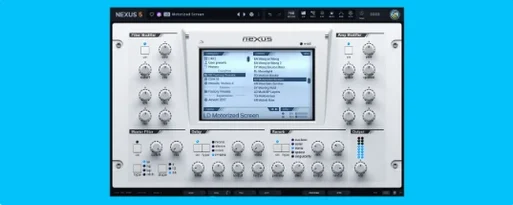
reFX Nexus for macOS
Description
Version 5.5.12 tightens a few practical corners. The arp pattern can now seed the main sequencer, the Ducker gets a keyzone trigger, and modulation depth rings actively track their source—handy when you have a dozen routings and need to see what is driving what at a glance.
ROMpler sounds with onboard effects chain
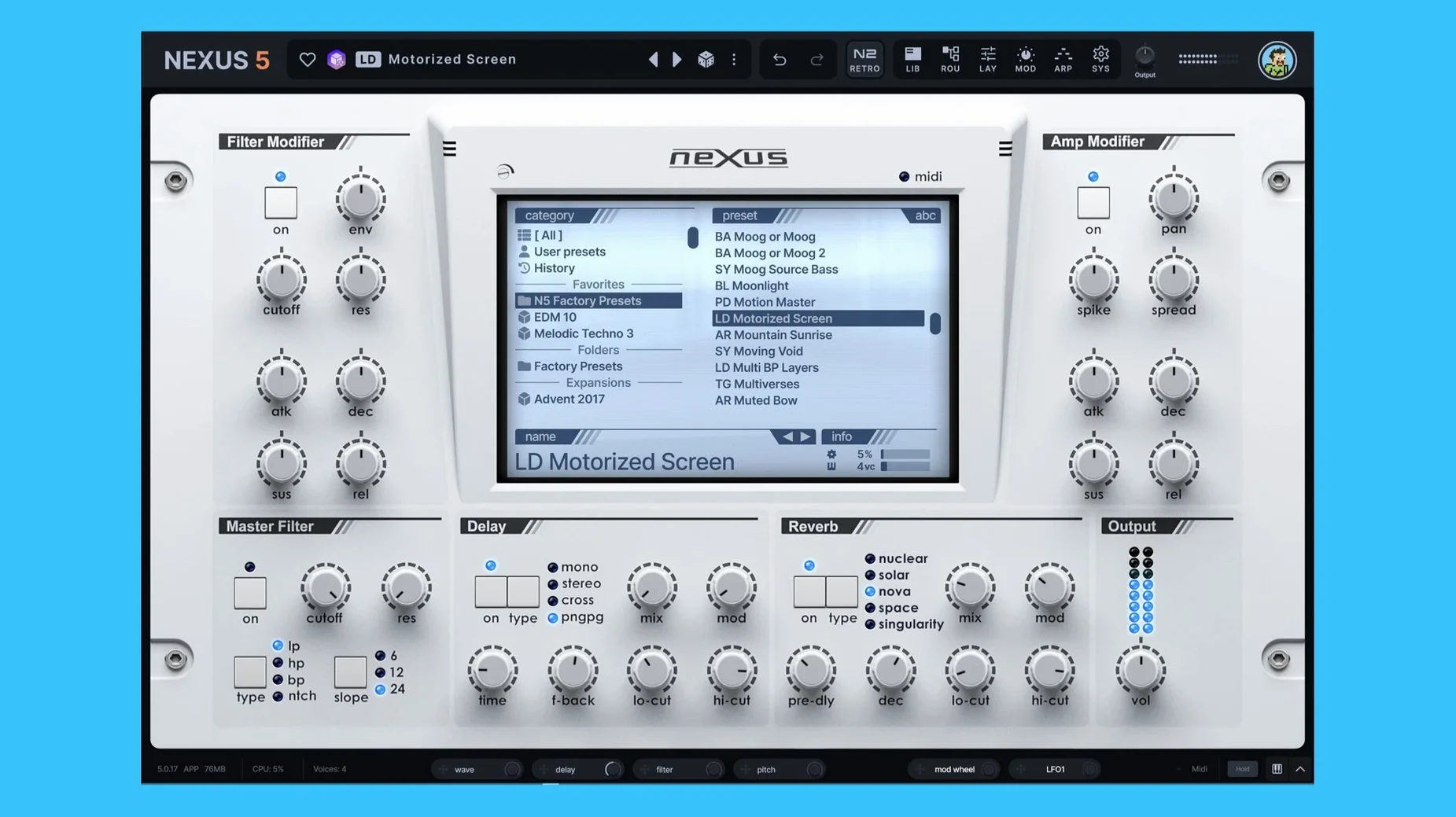
NEXUS sits on instrument tracks as a ready-to-play rompler. Load a preset, tap a key, and you have a produced sound. The built-in effects section means you can shape tone without leaving the window—EQ, reverb, delay, the new Clipper. If a preset is close but not quite right, the modulation section with custom routings lets you push it somewhere else.
On buses and in the editor
You can also route NEXUS to a bus and treat it like a layered texture source, stacking unison voices—now up to sixteen—for width. When a preset does not exist yet, the audio editor is where you slice, loop and crossfade your own samples into a playable instrument. Custom expansions keep everything self-contained, and reFX Cloud handles the library without clutter.
Preset browsing stays snappy during playback
On an Apple Silicon Mac, NEXUS loads presets about as fast as you can click through them. Browsing expansions while the transport runs rarely causes a stutter, and the interface redraws stay snappy even with the new skin editor open on a second display. It is not a featherweight—expect a few hundred megabytes of RAM once you stack three or four multi-oscillator patches—but it releases memory cleanly when you swap instruments. I have left it running in a twenty-track session for a full afternoon and watched Activity Monitor stay flat.
Intel machines feel a touch heavier on patch init, especially with the 16-voice unison overhaul engaged. The CPU meter in Logic will nudge upward, but freezing the track sorts it. Stability-wise, 5.5.12 has not thrown a single AU validation failure here. That is rarer than it should be.
A bass patch from scratch
Say you have a clean 808 sample and want something grittier without leaving NEXUS. Here is how I approached it last week.
- Drop the sample onto a new init patch. Trim the start point tight, then set a short loop just after the transient so the tail sustains naturally.
- Layer a sawtooth virtual analog oscillator an octave above. Blend it low—about thirty percent—just to add teeth.
- Route both oscillators through the new Clipper effect. Drive it until the waveform squares off slightly, then back it off a notch.
- Add a modulation routing: velocity to filter cutoff, so harder hits open the sound. Check the depth ring on the mod matrix—it tracks the source in real time, which confirms the routing is live without guesswork.
- Set the arp pattern as the initial sequencer pattern, lock it to host BPM, and save the whole thing as a custom expansion preset.
The whole process took under ten minutes and the result sat in a mix without additional processing. Being able to match preset previews to the host tempo meant I could audition variations in context before committing.
Common stumbles
New users often treat NEXUS like a static preset player and ignore the modulation section entirely. Every control with a ring around it can be a target—if you never right-click a knob, you are leaving half the instrument on the table. The modulation depth rings in 5.5.12 make this easier to learn because you can see at a glance which sources are active on a given parameter.
Another mistake: loading a sample and expecting it to play chromatically without setting root key and range in the multisample editor. NEXUS will map it, but the defaults are conservative. Spend two minutes in the keyzone view and the patch stretches properly across the keyboard.
And the Cloud app trips people up. It is not a download manager for the plugin itself—it handles expansions and updates. If you grab a reFX Nexus Mac torrent or a reFX Nexus 5 torrent, the plugin arrives separately and the Cloud client just keeps the content library in order. Mixing those steps up leads to head-scratching when expansions do not appear.
Worth remembering: custom samples and routings can all be packed into a self-contained expansion. You are not stuck with what ships in the box.
What’s new
Adds skinning support for dialogue windows — background, title bar, text and buttons can all be styled in the Skin Editor. Context menu in the skin browser now lets you open a skin file directly.
Colour names in the Skin Editor appear without internal prefixes. The Impulse oscilloscope uses the same colours as other effect displays.
Fixes loading, saving and thumbnail display for skins with dots in their filenames. Fixes knob colour saving when switching from a light skin back to the default. Fixes oscilloscope appearance in the Impulse import window. Fixes dialogue text not updating when the skin changes. Fixes double-pressing Save As reopening the window.
Requirements
- macOS 10.15 or later
- Apple Silicon and Intel 64-bit
FAQ
Can I use my old NEXUS projects with version 5?
Yes. Version 5 stays compatible with existing NEXUS projects and libraries, so your old sessions open as expected.
Can I make my own sounds in NEXUS?
You can edit, slice, loop and crossfade audio files, then save them as custom expansions with your own routings and effects.
Comments 0
Sign in or create an account to leave a comment.
No comments yet…
If you’ve installed it, say how it went. Mention your Mac and macOS version — it helps the next person more than you’d think.
More in VST Plugins
All in VST Plugins-
 RC-20 Retro Color
1.5.1
Apple Silicon
RC-20 Retro Color
1.5.1
Apple Silicon
-
 Revoice Pro
5.1.30
Apple Silicon
Revoice Pro
5.1.30
Apple Silicon
-
 RipX DAW Pro
8.0.3
Apple Silicon
RipX DAW Pro
8.0.3
Apple Silicon
-
 Roland Cloud Legendary Series
2025.06.29
Apple Silicon
Roland Cloud Legendary Series
2025.06.29
Apple Silicon
-
 Roland ZENOLOGY Pro
2.0.7
Apple Silicon
Roland ZENOLOGY Pro
2.0.7
Apple Silicon
-
 Safari Pedals Everything Bundle
2026.05
Apple Silicon
Safari Pedals Everything Bundle
2026.05
Apple Silicon
-
 Scaler 3
3.3.2
Apple Silicon
Scaler 3
3.3.2
Apple Silicon
-
 Pulsar Audio IPA
1.0.9
Apple Silicon
Pulsar Audio IPA
1.0.9
Apple Silicon