

Pulsar Audio IPA for macOS
Description
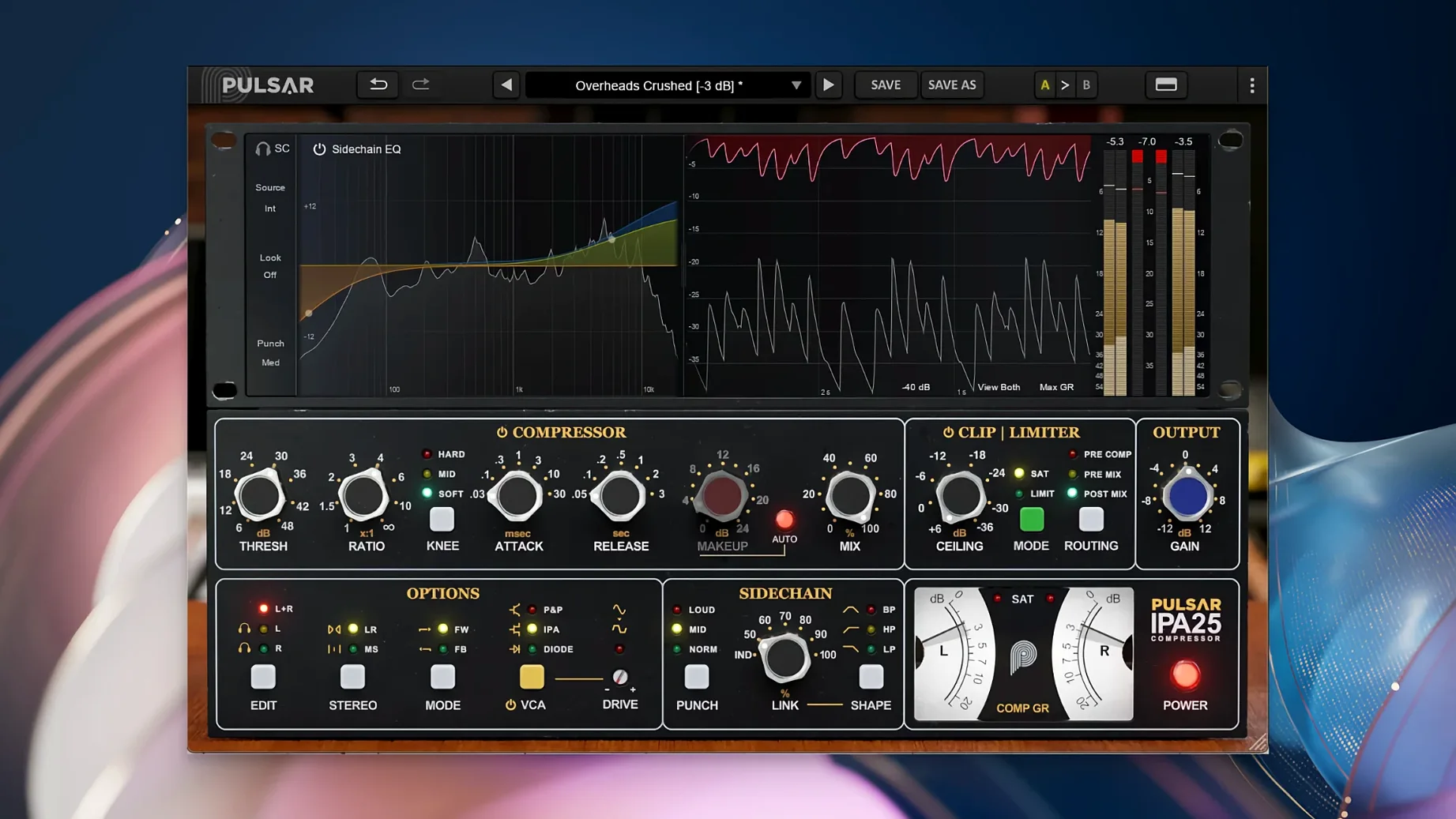
Four linked VCA stages sit at the core. That’s the engine Pulsar built their modern take on the classic API 2500 bus compressor around. You get a dynamics processor that lives on drum buses, mix buses and individual tracks without feeling like a one-trick box.
VCA glue that tightens drum buses and stabilizes the stereo field
On the drum bus it glues shells and cymbals with the punch you’d expect from a VCA design. Across the mix bus it tightens low-end bloom and keeps the stereo field stable. On a lead vocal it can level a performance before you reach for a slower opto-style compressor.
What does the Mid/Side section do?
It lets you treat the centre and the sides independently. You can clamp the middle to keep a vocal solid while letting the stereo reverb tails breathe, or tighten the sides to stop a busy mix spreading too wide.
How does the sidechain EQ help?
It’s a visual EQ built into the detector path. You can cut the low end so the kick drum doesn’t pump the whole bus, or notch a harsh frequency that keeps tripping the gain reduction. The curve shows exactly what the compressor is reacting to.
What about the clipper and limiter?
They sit after the compression stage. The clipper catches fast transients that slip through the VCA. The limiter sets a hard ceiling so the output doesn’t spike on downstream plugins. Together they make gain staging simpler.
A rough mix turned round in five minutes
A mix engineer gets handed a dense rock track. Kick and snare are fighting the bass guitar. The overheads sound washy and the whole drum bus lacks authority. The stereo buss already has a console emulation but the mix feels flat. They drop IPA across the drum bus and start from scratch.
- Load IPA on the drum bus. Set the VCA mode to P&P/Mu for a softer grab that still punches.
- Pull the threshold until gain reduction hovers around 4 dB on the snare hits. Attack at 10 o’clock, release auto.
- Engage the sidechain EQ. Shelf off everything below 100 Hz so the kick doesn’t yank the whole bus down.
- Switch to Mid/Side. Leave the mid channel as is. Tighten the side channel threshold by another 2 dB to pull the cymbal wash inward.
- Flip the clipper on. Dial it so only the hardest snare transients clip by half a dB. The limiter catches anything left over.
Five minutes later the drums sit in a pocket. The engineer prints the setting and moves on. They didn’t need a second compressor plugin or a separate clipper. IPA handled the glue, the tone and the transient control in one slot.
Dense rock, pop and electronic sessions with 40-plus tracks
Mix engineers working on dense rock, pop and electronic productions benefit the most. The VCA topology suits material where transients matter and low-end control is non-negotiable. If your sessions regularly hit 40-plus tracks, the Mid/Side routing and visual sidechain EQ save you from building elaborate parallel chains just to keep a mix from ballooning.
Producers who mix their own beats find the diode mode useful on 808-heavy material. The distortion character adds weight without blurring the attack. Drum programmers with aggressive transient material lean on the clipper more than the limiter. It shaves peaks musically rather than flattening them.
Mastering engineers get less out of IPA. It’s a colour piece, not a transparent leveller. On a final limiter chain you’d reach for something cleaner. But on a drum stem or a subgroup that needs attitude, it fits. Users familiar with the API 2500 workflow will feel at home immediately. The three VCA modes cover the ground of multiple hardware units without the recall headaches.
Requirements
- macOS 11 or later
- Apple Silicon or Intel Mac (64-bit plugin)
- Third-party DAW application required
FAQ
Does Pulsar Audio IPA work as a standalone application?
No. It needs a third-party DAW host on macOS 11 or later. There is no standalone version.
What is the compressor modelled after?
It’s based on a classic VCA design associated with the API 2500 bus compressor concept, with extra modern features added.
Who is the plugin intended for?
Music producers and sound engineers who need a flexible bus and track compressor with Mid/Side control.
Comments 0
Sign in or create an account to leave a comment.
No comments yet…
If you’ve installed it, say how it went. Mention your Mac and macOS version — it helps the next person more than you’d think.
More in VST Plugins
All in VST Plugins-
 Prototype Audio Eraform Fraction
1.1.2
Apple Silicon
Prototype Audio Eraform Fraction
1.1.2
Apple Silicon
-
 Plugin Alliance Shadow Hills OptoMax
1.0.0
Apple Silicon
Plugin Alliance Shadow Hills OptoMax
1.0.0
Apple Silicon
-
 RC-20 Retro Color
1.5.1
Apple Silicon
RC-20 Retro Color
1.5.1
Apple Silicon
-
 Plugin Alliance Brainworx Bundle
2025.06.16
Apple Silicon
Plugin Alliance Brainworx Bundle
2025.06.16
Apple Silicon
-
 reFX Nexus
5.5.21
Apple Silicon
reFX Nexus
5.5.21
Apple Silicon
-
 Revoice Pro
5.1.30
Apple Silicon
Revoice Pro
5.1.30
Apple Silicon
-
 RipX DAW Pro
8.0.3
Apple Silicon
RipX DAW Pro
8.0.3
Apple Silicon
-
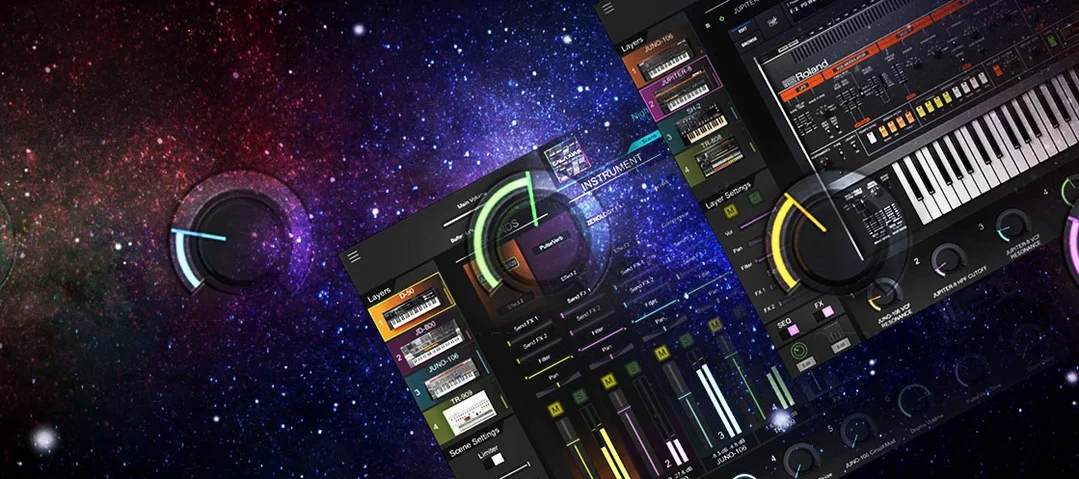 Roland Cloud Legendary Series
2025.06.29
Apple Silicon
Roland Cloud Legendary Series
2025.06.29
Apple Silicon