
Minuit Solstice for macOS
Description
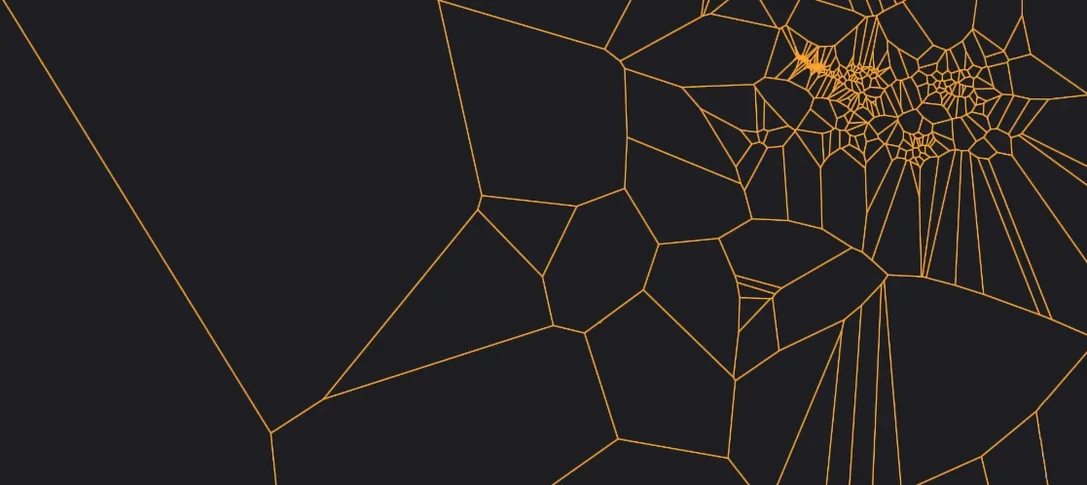
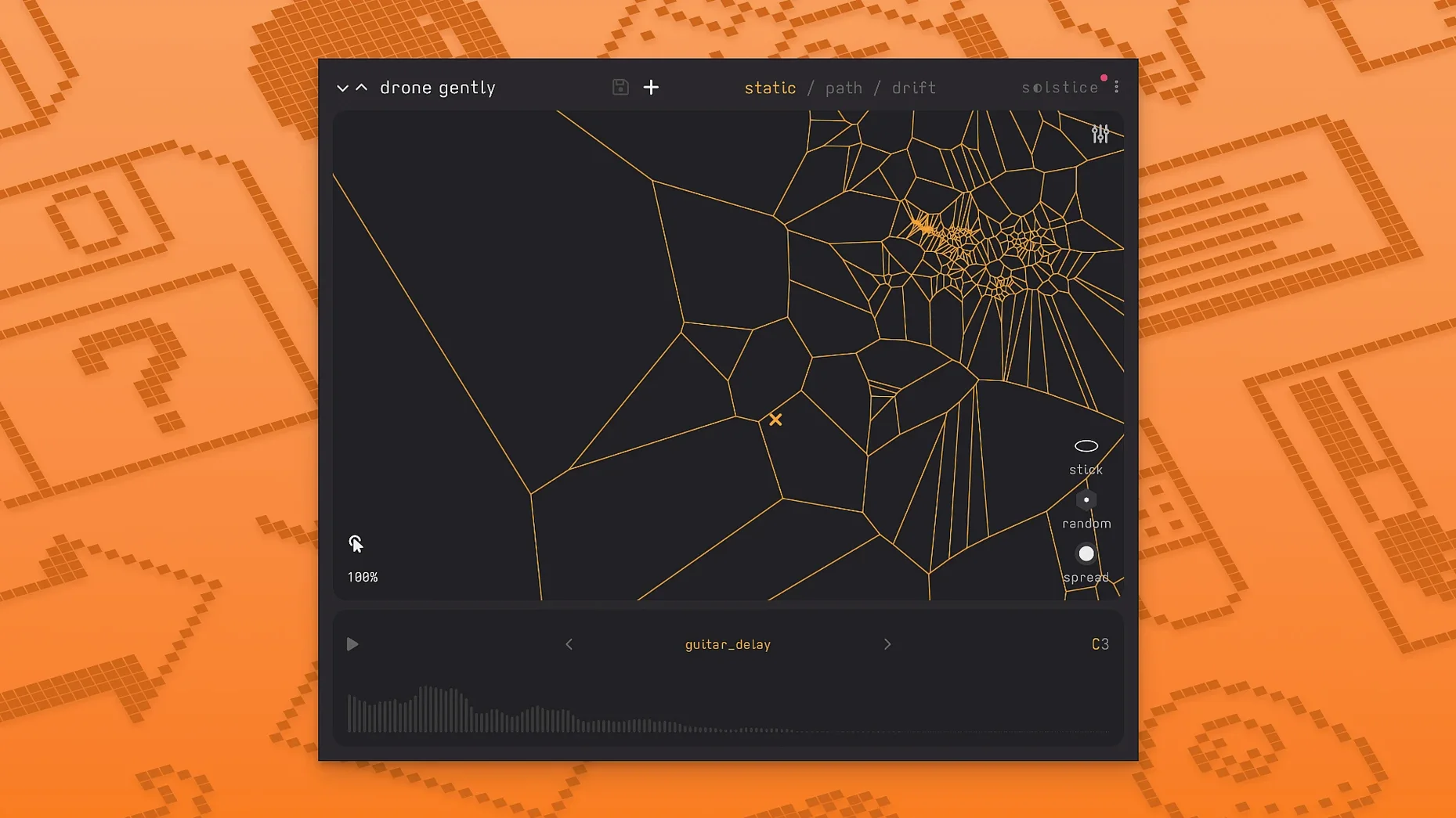
Solstice is a spectral sample-map synthesizer that projects any loaded audio file into a two-dimensional playable map.
MTS-ESP microtuning and MPE arrive in the latest update
Solstice runs on macOS 12 or later as an AU and VST3 plug-in — native on both Intel and Apple Silicon machines. The interface is English only. Version 1.2 adds MTS-ESP support for microtuning workflows and basic MPE support, so it slots into any host that speaks those standards without fuss. If you just need it in Logic, Ableton Live, or Bitwig, it loads cleanly and stays out of the way.
Drag across the spectral map to shift timbres in real time
The plug-in analyses a sample — any sample — and spreads its spectral content across a visual map. Click a point and you hear the timbre that lives there. Drag around and you get shifting textures that drift from the original material into something else entirely. It is built for ambient, experimental and aleatoric work, though there is nothing stopping you throwing a drum loop at it and seeing what comes out. Version 1.2 adds five spectral effects — texture, tilt, flutter, stretch and bloom — plus saturation, glue and reverb modulation control, so you can rough up or smooth over the results without leaving the window.
Start with a single sustained note and explore the dense clusters
Drop in a single sustained note — a piano, a cello, a clean sine wave from a hardware synth. Let Solstice build the map, then drag slowly across the densest clusters. That teaches you how it distributes harmonics faster than any manual. The sample itself matters less than you think. A dry vocal phrase and a field recording of rain will both produce usable maps, but they pull you in different directions rhythmically.
Next, record the output instead of playing it live. Hit record in your DAW, click a few points deliberately, then let the auto-drift take over for a minute. Chop the best eight bars. That one clip often becomes the backbone of a track before you have touched another plug-in.
A few things that save frustration early:
- Map-building takes a few seconds on longer samples. Don't click around until the display settles — you will just get garbled transients.
- The spectral effects stack in the order you enable them. Texture before bloom sounds different from bloom before texture. Try both.
- If a sample produces a sparse map with dead zones, pitch it up or down an octave before loading. The analysis engine grabs more detail from midrange material.
Where Solstice fits in a real chain
It works best as an insert on a dedicated track, not as a send. You want the full wet signal. Feed it something dry — a short acoustic snippet, a synth stab, a vocal chop — and treat everything after Solstice as sound design, not corrective mixing. The saturation and glue controls added in 1.2 mean you can often skip a separate saturator, but a surgical EQ after the plug-in helps tame the occasional resonant hotspot that the map throws up.
On the macOS side, Solstice plays nicely with Audio Unit hosts that support MPE routing. If Logic is your main DAW, drop it into a software instrument slot and assign an MPE-capable controller. The plug-in reads per-note pressure and slides without extra mapping. For microtuning users, MTS-ESP ties into oddsound or similar tools automatically — load your tuning file in the host and Solstice follows.
It does not sync to tempo, so if you need grid-locked modulation, automate the X/Y position from your DAW's automation lanes instead of relying on the internal drift. Ableton Live users can draw clip envelopes directly onto the plug-in parameters; Bitwig users can use the modulators for the same job with less manual drawing.
One afternoon with an ambient composer
Imagine someone scoring a short film — lots of slow aerial shots, no dialogue, the director asked for something "cold but not dark". They have a folder of vocals from an old session, a few takes of a singer holding a single note with vibrato. They load one take into Solstice, wait for the map to finish analysing, and drag the cursor to a region where the vibrato breaks apart into granular shimmers. They lock the reverb modulation to a slow cycle and add a touch of the flutter spectral effect. What comes out is a shifting, breath-like pad that never quite repeats. They record four minutes of it, pick the best two, and layer it under a simple piano figure. The whole thing took forty minutes and no other synth came close to that sound.
That is where Solstice earns its place: not as a workhorse, but as the plug-in you reach for when a sample has something hidden in it that a conventional sampler would miss. Worth it if you enjoy building sounds by exploration rather than by dialling in numbers.
What’s new
Adds basic MPE support. Adds MTS-ESP support. Adds five spectral effects: texture, tilt, flutter, stretch, and bloom.Requirements
- macOS 12 or later
- Intel or Apple Silicon Mac
- AU or VST3 host
FAQ
Does Solstice work on Apple Silicon Macs?
Yes. Version 1.2 runs natively on both Intel and Apple Silicon processors under macOS 12 or later.
What kind of music is Solstice designed for?
It is built with ambient, experimental and aleatoric music in mind, but it works with any sample you load, so other genres are fair game.
Comments 0
Sign in or create an account to leave a comment.
No comments yet…
If you’ve installed it, say how it went. Mention your Mac and macOS version — it helps the next person more than you’d think.
More in VST Plugins
All in VST Plugins-
 MiniMeters
1.0.30.358
Apple Silicon
MiniMeters
1.0.30.358
Apple Silicon
-
 Metric Halo Production Bundle
2025.05
Apple Silicon
Metric Halo Production Bundle
2025.05
Apple Silicon
-
 Melodyne
5.4.2.006
Apple Silicon
Melodyne
5.4.2.006
Apple Silicon
-
 Native Instruments Massive X
1.7.1
Apple Silicon
Native Instruments Massive X
1.7.1
Apple Silicon
-
 Neural DSP Archetype Cory Wong X
1.0.1
Apple Silicon
Neural DSP Archetype Cory Wong X
1.0.1
Apple Silicon
-
 Neural DSP Archetype Petrucci
1.0.0
Apple Silicon
Neural DSP Archetype Petrucci
1.0.0
Apple Silicon
-
 Neural DSP Archetype Rabea X
1.0.1
Apple Silicon
Neural DSP Archetype Rabea X
1.0.1
Apple Silicon
-
 Neural DSP Mantra
1.0.1
Apple Silicon
Neural DSP Mantra
1.0.1
Apple Silicon