
Effectrix for macOS
Description
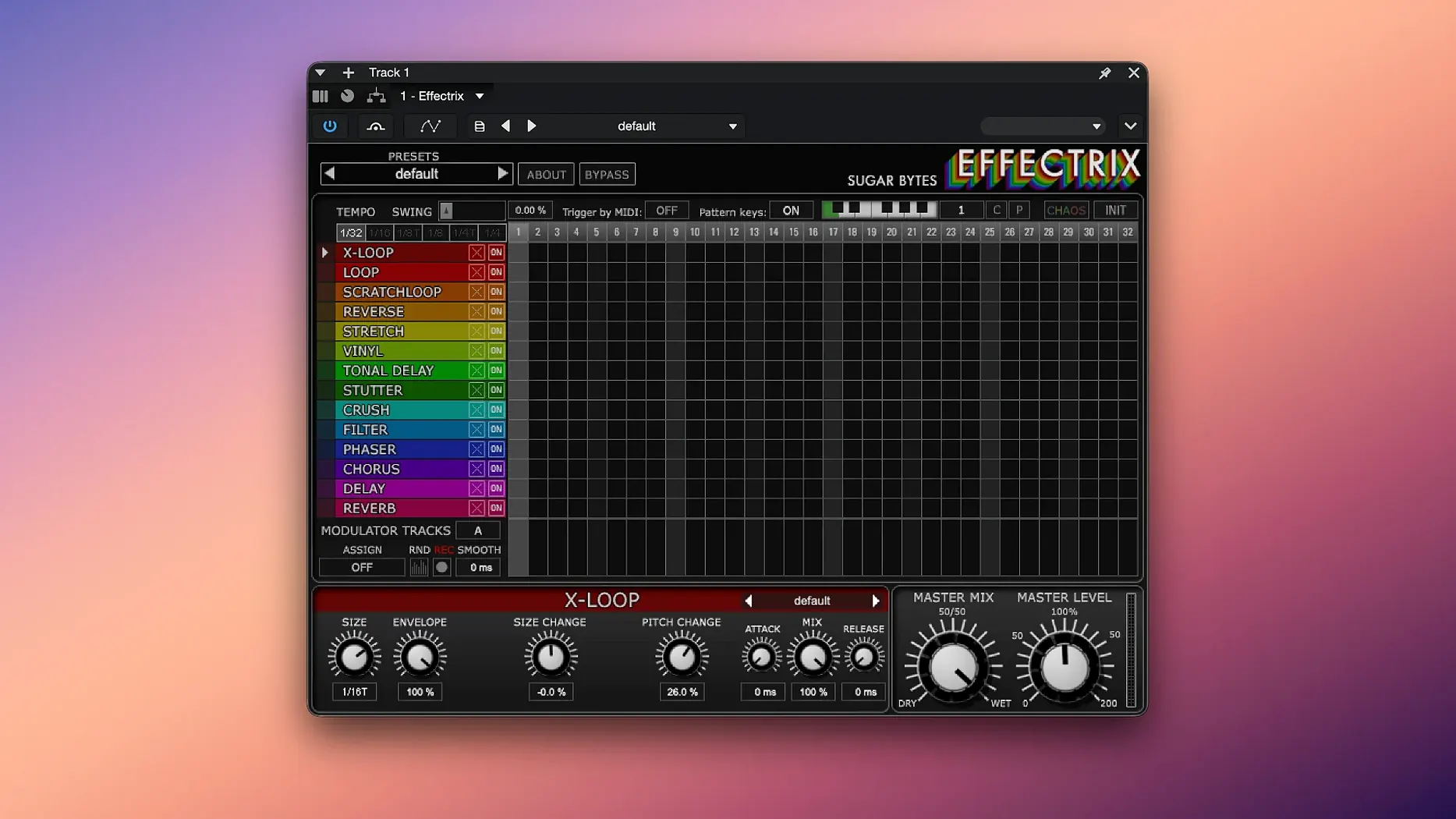
The Mod Envelope track is the quiet workhorse that makes a preset breathe. It lets you draw movement into a parameter per step, rather than leaving a filter or pitch static across the bar. That sequencing mindset — treat effects like notes — runs through the whole plugin. It needs macOS 10.14 or later and runs on Intel and Apple silicon.
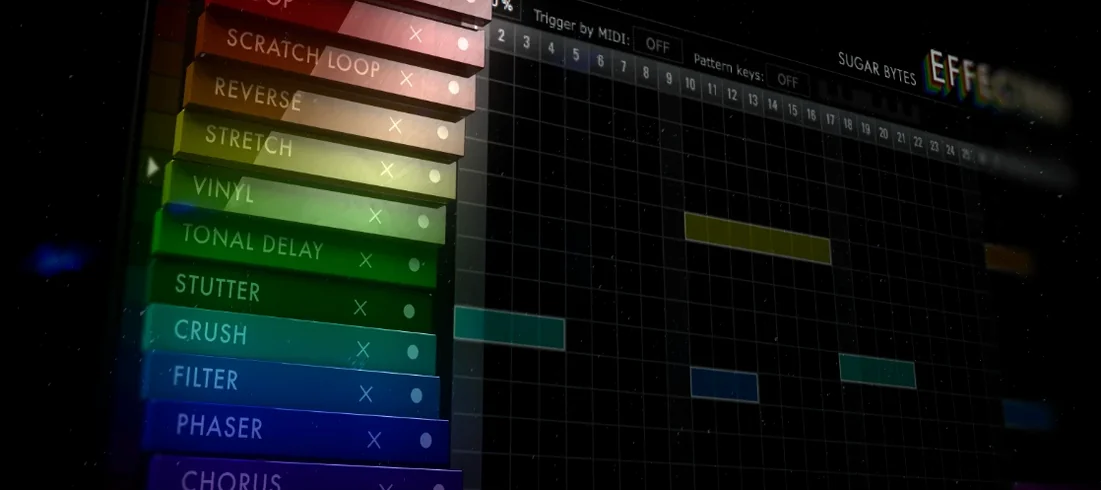
Fourteen effects sit on a step grid where you paint them in across a cycle length you can adjust. Each effect gets its own parameters, so one preset can hold a different treatment on every beat. The two modulation tracks ride on top of that, and there are hundreds of global presets per effect to start from.
The Chaos button randomises the pattern, which is less gimmick than fast auditioning when you have run out of sensible ideas. Up to 12 sequences fit in one preset and can be recalled from a MIDI keyboard, so you can switch mid-performance without touching the laptop.
In daily work, Effectrix 1.4.8 is a surprisingly light guest. A handful of instances in Logic or Ableton Live barely nudges the CPU meter on Apple silicon, and even Intel Macs manage four or five lanes of sequencer madness before the fan gives you the side-eye. I have seen more jitter from a single convolution reverb. Launch times are instant; there is no library to scan, no cloud authorisation to phone home. You drop it on a track and it is ready.
Stability has held up through long sessions. No sudden silence, no runaway feedback loops that were not my own fault. It remembers patterns correctly when you reopen a project, which is more than I can say for some sequenced effects I have cleaned off student Macs over the years. The only real resource spike comes when you lean on the Chaos button during playback — it recalculates the grid on the fly, which is fine unless you are already at 90% CPU with a hundred other plugins active.
Option-click copies an effect to any step
A few shortcuts save more time than they advertise:
- Hold Option while clicking a step to copy that effect’s settings to the clicked step. No menu diving.
- Right-click a pattern slot to duplicate it with all its modulation data intact. Great for variations.
- The Swing knob interacts with the tempo division in subtle ways — nudging it to 55–60% with a 1/8 division gives you a lazy, off-grid feel that sounds deliberate rather than sloppy.
- You can latch the Chaos button by right-clicking it, which turns it into a performance toggle instead of a momentary panic switch.
- Copy and paste works across presets. Build a kick treatment in one instance and drop it onto a snare track in another without rebuilding the grid.
Beat-driven genres twist patterns without automation
Beat-driven producers get the most immediate return. Hip-hop, trap, breakbeat — any genre where a hi-hat pattern or a snare roll needs to twist across eight bars without manual automation. Paint a lo-fi crush on step three, a reverse on step seven, a short delay on step twelve, and you have a fill that sounds handcrafted.
Sound designers who treat individual hits like raw clay also dig in deep. Loading a percussive one-shot, then sequencing pitch shifts, ring modulation and the x-loop effect across sixteen steps, spits out entirely new samples to resample elsewhere. Live performers lean on the MIDI pattern recall: twelve sequences on a single track, jumped between from a controller, keep a set evolving without a screen.
Users hunting an effectrix torrent or an Effectrix Mac crack often arrive expecting a toy and leave with a sequencer they did not realise their DAW was missing. The step-grid approach clicks faster than drawing automation lanes, especially when you want to try five ideas in two minutes. If you found the plugin through an Effectrix free download search or an Effectrix rutracker listing, you still get the same grid that the manual describes — no stripped features, no crippled preset count. It just works.
Requirements
- macOS 10.14 or later
- Intel or Apple silicon Mac
Comments 0
Sign in or create an account to leave a comment.
No comments yet…
If you’ve installed it, say how it went. Mention your Mac and macOS version — it helps the next person more than you’d think.
More in VST Plugins
All in VST Plugins-
 elastiquePitch
2.5.0
Apple Silicon
elastiquePitch
2.5.0
Apple Silicon
-
 EZbass
1.3.3
Apple Silicon
EZbass
1.3.3
Apple Silicon
-
 EZdrummer
3.1.2
Apple Silicon
EZdrummer
3.1.2
Apple Silicon
-
 FabFilter Total Bundle
25.06.2026
Apple Silicon
FabFilter Total Bundle
25.06.2026
Apple Silicon
-
 Devious Machines Infiltrator
2.5.26
Apple Silicon
Devious Machines Infiltrator
2.5.26
Apple Silicon
-
 Devious Machines Duck 2
2.0.30
Apple Silicon
Devious Machines Duck 2
2.0.30
Apple Silicon
-
 Cymatics VOXITY
1.0.0
Apple Silicon
Cymatics VOXITY
1.0.0
Apple Silicon
-
 Cymatics QUAKE
1.0.0
Apple Silicon
Cymatics QUAKE
1.0.0
Apple Silicon