TouchDesigner for macOS
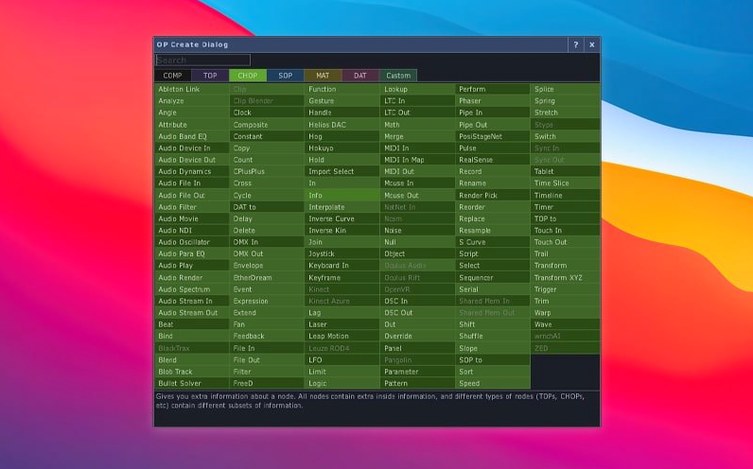
Description
The 2025 release introduces a whole new operator family: Point Operators (POPs). Meanwhile, most TOPs now handle 3D textures and 2D arrays natively.
A single project file driving projection, lights and audio
Projection-mapped installations, live stage visuals, interactive exhibits. It talks to lighting rigs, audio systems, input devices and show-control kit, so one project file can drive an entire room.
Does it need other software to run?
No. TouchDesigner from Derivative is a standalone visual development platform. It does not lean on any other app.
What's the macOS situation?
This build is Intel only and needs macOS 10.14 or later. On an Apple silicon Mac it is not native, so plan your machine accordingly.
Can you add your own bits?
Yes. The environment supports customisation and extension for project-specific needs. The built-in VR tools and the upgraded Kinect Azure wrapper (1.10.3) give you a head start on sensor-driven work.
One file listening to MIDI and tying stage cues together
Live performance designers. If you run a show where lights, sound and projection respond to what a dancer or musician does on stage, TouchDesigner ties all those threads into one place. A single project file can listen to MIDI controllers, read depth data from a Kinect and spit out DMX cues while rendering 3D visuals in real time.
Installation artists who build rooms rather than screens. The projection mapping tools handle curved surfaces and odd geometry without needing a second app. Museum and gallery people value that it keeps running for days without a restart — the official builds are described as production-ready and tested for exactly that kind of endurance.
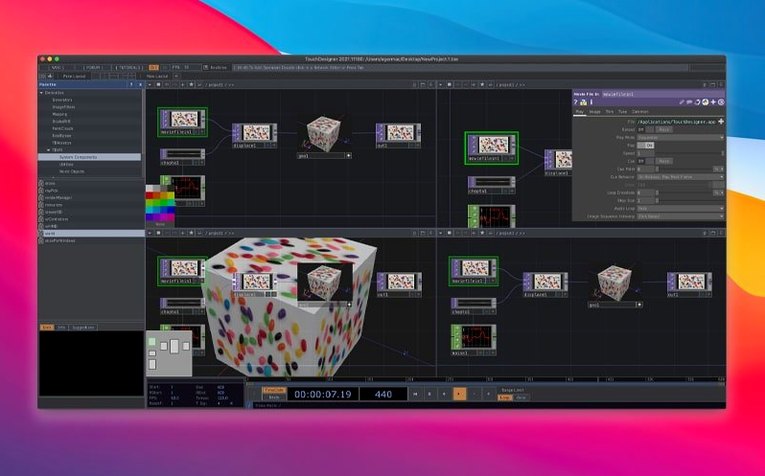
Programmers who prefer seeing data flow over typing it. The node-based layout shows you exactly what feeds into what. If you already think in signal chains, patch bays or modular synthesis, the mental model clicks fast. You spend less time debugging syntax and more time tuning behaviour.
Media designers working with sensor hardware. The upgraded Orbbec SDK (1.10.16) and Kinect Azure wrapper mean depth cameras and body tracking feed straight into your project graph. On an Intel Mac, the Orbbec SDK now has proper support where it didn't before.
A spinning cube and audio-reactive video before the whole show
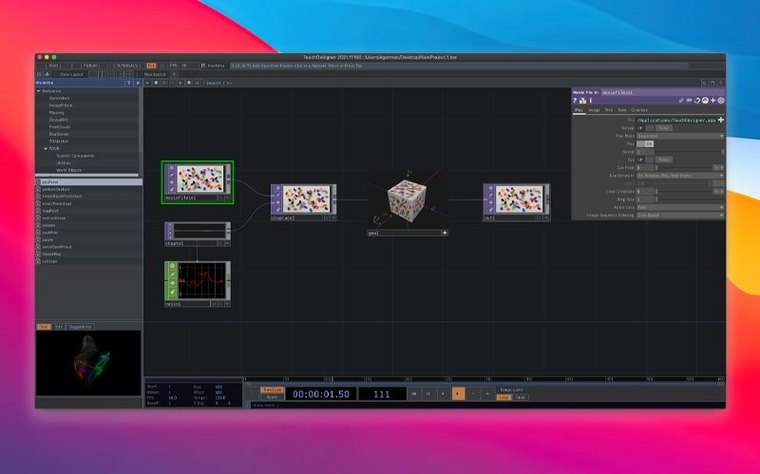
Start with a tiny project that does one thing. A cube that spins when you move a slider. Video that reacts to audio amplitude. The temptation is to build the whole show on day one — don't. TouchDesigner rewards small experiments that teach you how operators talk to each other.
Bookmark the operator help. Right-click any node and the built-in reference explains every parameter. It's terse but complete, and it's the fastest way to learn what a TOP or CHOP actually does without leaving the window.
Set your display frame rate explicitly. By default it may run unlocked, which hammers the GPU for no reason. Lock it to 60 or 30 fps in the Perform window unless you genuinely need higher. Your fan noise will thank you.
Save versions. The environment doesn't keep an automatic history beyond undo, so get into the habit of duplicating your .toe file before a big rewire. A project that worked at 2am may not work at 2:15am, and you will want the 2am version back.
Black projector output from a mismatched macOS colour profile
Black output window on an external display. macOS sometimes assigns the wrong colour profile to a projector or second screen. Open the Perform window's settings and check which monitor it's mapped to, then verify the display profile in System Settings. sRGB usually sorts it.
Stuttering when a lot of TOPs are active. TouchDesigner runs on the GPU, and Intel Macs share video memory with the system. If you're pushing many 4K textures through TOPs, reduce the resolution of intermediate nodes. A Scale TOP early in the chain can save a surprising amount of headroom.
Kinect or Orbbec not showing up. The upgraded wrappers expect specific USB controllers. On older Intel MacBooks, try a powered USB hub — bus-powered ports sometimes drop the device during initialisation. Also check that macOS hasn't prompted a privacy permission dialogue hidden behind the main window.
Terminal step on first launch. When you mount the disk image and open the Gatekeeper-friendly launcher, press Enter in the Terminal window that appears. If you close Terminal too early, the app won't copy to Applications properly. Drag it over manually and run the launcher again.
What the 2025 version changed day to day
The big shift is Point Operators. POPs run on the GPU and let you generate or modify 3D point data without round-tripping through the CPU. If you work with particle systems, LiDAR scans or point-cloud effects, the performance difference is immediate — operations that used to stutter now stay real-time.
Most TOPs now support 3D textures and 2D arrays natively. In practice, that means you can feed volumetric data straight into a shader without packing it into a flat 2D texture first. People doing medical visualisation or scientific rendering will notice the simpler node chains. Everyone else just gets fewer workarounds.
The Orbbec SDK bump to 1.10.16 and Kinect Azure wrapper to 1.10.3 fixed intermittent disconnections that plagued some multi-camera setups. If you had a project that dropped a sensor after an hour, the new build holds the connection better. The Intel Mac support for Orbbec is genuinely new — earlier versions left those machines out entirely.
What’s new
- Adds Point Operators (POPs) family.
- Adds native 3D texture and 2D array support to most TOPs.
- Upgrades Orbbec SDK to 1.10.16.
Requirements
- macOS 10.14 or later
- Intel processor
FAQ
Is it only for VJs?
Not even close. It is used for installations, performances and creative works that span galleries, theatres, concert tours and architectural projection.
Comments 0
Sign in or create an account to leave a comment.
No comments yet…
If you’ve installed it, say how it went. Mention your Mac and macOS version — it helps the next person more than you’d think.