
SketchUp Pro for macOS
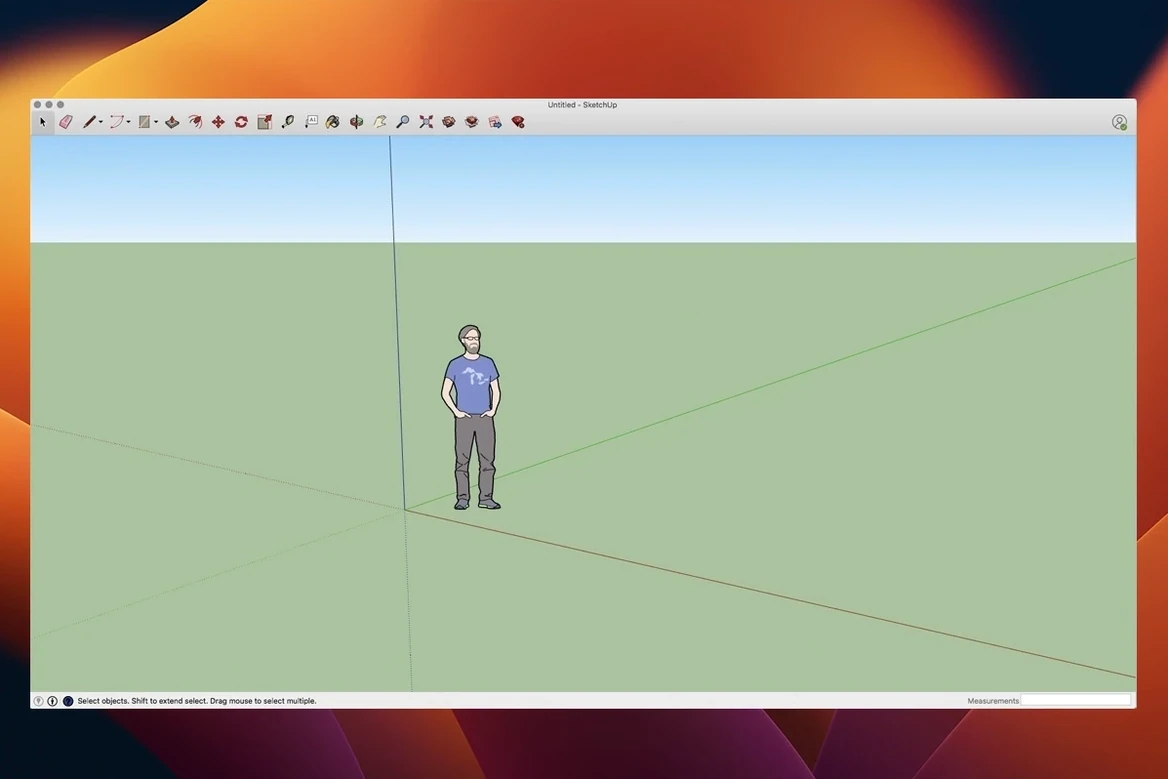
Description
Most 3D tools make you fight the interface before you draw a single line. SketchUp Pro is the one where you pick up a tool and start shaping something useful in minutes. It handles the full stretch from rough concept to dimensioned drawings without forcing you into a separate app for each stage.
What does the work
- The 3D workspace — draw, push, pull and detail any form. Good for early massing studies as well as finished models with full documentation.
- LayOut — build page layouts, annotations and scaled viewports straight from your model. When the model changes, LayOut updates the linked viewports so your sheets don't go stale.
- Live documentation — dimensions, labels and section cuts live in the model. Export for planning, fabrication info or client sign-off without redrawing anything.
Native silicon support and your Mac’s eligibility
Architects, interior designers and furniture makers lean on it for quick iteration. It runs natively on Apple Silicon and Intel Macs from macOS Ventura upward, so most machines from the last few years are covered.
What the 2026.2 build actually changes
Trimble's release notes for 26.2.242 mention four things worth knowing. Analysis Hub is the headliner — a new panel that calculates square footage, material quantities and daylight metrics without exporting to another tool. It sits inside the model rather than in a separate report window, so you can tweak geometry and watch the numbers update.
Extensions migration landed quietly but matters if you rely on third-party renderers or parametric tools. Older extensions that worked in SketchUp 2024 now load without the usual compatibility dance. LayOut picked up graphics improvements — viewports redraw faster when you pan across a dense sheet, and line weights hold steady at odd zoom levels. A handful of Mac-specific shortcut and UI fixes round it out: the Escape key now reliably exits nested groups, and the Materials browser no longer stutters on Apple Silicon machines with high-resolution textures.
For day-to-day work, the combined effect is fewer interruptions. You spend less time waiting for LayOut to catch up and less time digging through menus to find quantities a contractor asked for yesterday.
Stop losing early work with a template habit
After you drag the app to Applications and launch the SketchUp 2026 License installer, a few habits will save you grief in the first week.
- Set your template early. Open the Welcome window, pick a template that matches your unit system and save it as the default. Switching millimetres to inches mid-project leaves a trail of scaled-down disaster.
- Check the inference colour. If the green and red axis hints feel faint on your display, bump up the inference colour intensity in Preferences > Graphics. A clear snap is half the speed of modelling.
- Resist the extension binge. The built-in toolset does more than it used to. Live with the stock install for a few sessions, then add Solid Inspector or your preferred renderer once you know what you genuinely miss.
- If macOS blocks it. The first launch may trigger a Gatekeeper prompt because the app isn't notarised in the usual way. Open System Settings > Privacy & Security and click "Open Anyway." The next launch works without complaint.
Push-Pull a two-storey massing model in minutes
Say you need a quick massing model for a client meeting the next morning. You open SketchUp Pro, pick the architectural template in millimetres, and draw a rectangle on the ground plane. Push-Pull drags it into a two-storey volume in about four seconds.
You group the volume, triple-click a face and scale the top to suggest a set-back upper floor. A few Offset and Push-Pull cuts punch window openings through the facade. Nothing is dimensioned yet — it's a sketch, not a tender set — but the proportions read clearly from across the room.
Next you drop into LayOut. You select an A3 landscape sheet, insert a viewport of the model, set the scale to 1:200 and switch the style to a pencil-effect linework. The viewport updates live as you orbit the model in the 3D workspace. You add a north arrow, a rough scale bar, and a text label with the project address. Ten minutes of fiddling with line weights, and the sheet looks presentable enough to export as a PDF.
Back in the model, you record a short walkthrough. You set the camera height to eye level, place three scene tabs along a path through the building, and export an MP4 animation. The whole session — from blank screen to a video and a PDF sheet — stays inside one app and wraps up in under an hour.
Dimensioned floor plans versus the Blender spaceship
Versus Blender. Blender does more — sculpting, rigging, physics, compositing — but none of that helps when you need dimensioned floor plans or a sheet set for planning approval. SketchUp Pro draws like a pencil; Blender draws like a spaceship cockpit. If you work in construction or interiors, the precision and LayOut alone outweigh Blender's feature sprawl.
Versus Vectorworks. Vectorworks handles BIM, planting plans and lighting rigs in one package, which sounds great until you spend an afternoon configuring class visibilities. SketchUp Pro keeps the model light and the documentation separate but linked. You trade some BIM smarts for a modelling experience that doesn't feel like filling in a database form.
Versus FormZ. FormZ shares a similar push-pull heritage and is still around for niche academic and product-design workflows. But its Mac version lags on Apple Silicon optimisation, and the community is tiny. SketchUp Pro runs natively on ARM, has a huge library of ready-made components, and won't leave you hunting for tutorials posted in 2009.
A furniture maker's afternoon
A sole trader building a fitted wardrobe for a narrow Victorian bedroom opens the client's room scan as an imported image and traces the footprint in SketchUp Pro. She draws the alcove at 1800 mm wide, 2400 mm tall, and pulls it out 600 mm deep. Inside the carcass, she models three drawers, two hanging rails and a shoe shelf, each as a separate group so the cut list stays clean.
She runs a quick quantity report from Analysis Hub — 2.4 square metres of 18 mm birch ply, four drawer runners, 12 metres of oak lipping — and emails it to her timber supplier before lunch. In LayOut, she sets up an A4 sheet with a front elevation at 1:20, a section through the drawer stack, and a notes column for hinge and handle specifications. The client signs off the PDF the same evening. The model stays live for any site tweaks, and the cut list regenerates in seconds if a dimension shifts.
What’s new
Updates the Mac 64-bit build to 26.2.242 (SU2026.2). Adds Analysis Hub and Extensions migration. Improves LayOut graphics. Fixes several Mac shortcut and UI issues.
Requirements
- macOS 13 Ventura or later (includes 14 Sonoma, 15 Sequoia, 26 Tahoe)
- Apple Silicon or Intel Mac
FAQ
Can LayOut drawings update automatically when I change the 3D model?
Yes. LayOut viewports link to the SketchUp model, so dimensions, geometry and scenes refresh when the model is edited and saved.
Comments 0
Sign in or create an account to leave a comment.
No comments yet…
If you’ve installed it, say how it went. Mention your Mac and macOS version — it helps the next person more than you’d think.