Adobe Dimension for macOS
Description
If you’ve ever nudged a Smart Object in Photoshop and wished it would just wrap around a coffee mug, Dimension is the logical next step. It takes the layer-based thinking you already know and gives you a 3D viewport where artwork snaps onto models with proper surface distortion. Version 4.1.7 needs macOS 11 or later and is an Intel build.
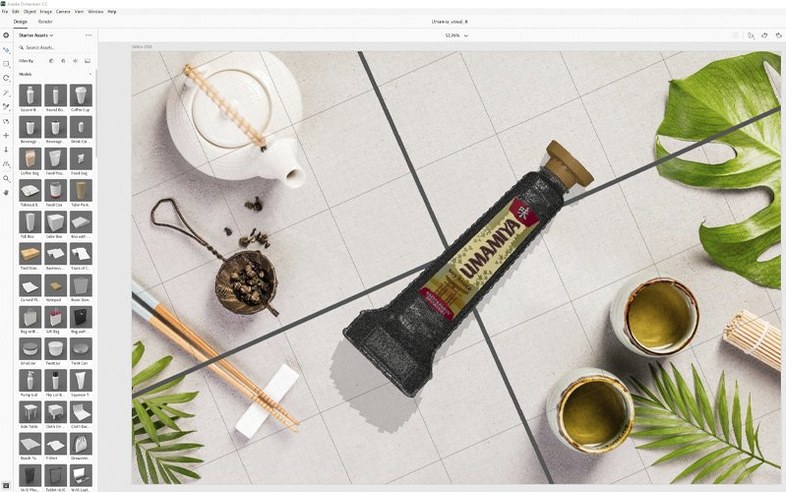
Start by dropping a stock model onto the canvas. Then drag your logo straight from the desktop onto the model’s surface. The app adjusts perspective and shadows as you move the light, so you spend less time fiddling with transform handles.
When the angle looks right, send the scene to Photoshop CC as layered output. You get the 3D render, the background and any masks on separate layers, which means you can tweak colours or add type afterwards without re-rendering.
Small studio, three labels, one afternoon
A freelance packaging designer I know keeps a folder of Dimension scenes for recurring clients. She builds a bottle or pouch once, saves it, then swaps the label artwork per product line. When a kombucha brand asks for three flavours by Friday, she opens the base scene, drops in each new label file, and renders from the same camera angle. The lighting stays consistent because the scene does not change. That consistency is what the client actually pays for.
Illustrators use it differently. One comic artist places flat character artwork onto book covers and tote bags to see where the spine folds or the strap casts a shadow. It is a fast way to catch awkward cropping before committing to a final illustration.
Security fixes landed with no workflow changes
The 4.1.7 update, released 21 January 2026, resolved security vulnerabilities. In practice that means no new features to learn and no interface changes to trip over. Documents saved in earlier builds load as before, and Adobe still lists Dimension as a supported product receiving technical and security updates. If you rely on it for client work, that matters more than a flashy tool addition.
The quiet release also means your existing scenes, custom materials and saved camera views stay intact. Nothing in the update forces a re-render or a rebuild of assets.
From flat logo to bottle render, step by step
Here is a start-to-finish path for a common task: putting a 2D logo on a 3D bottle.
- Create a new scene and pick a bottle model from Adobe Stock, or use a saved one.
- Drag the logo file from Finder onto the bottle surface. Dimension maps it with distortion that follows the curve.
- Rotate the camera to the angle you want. Move the key light until shadows fall naturally across the label.
- Switch the render preview to a higher quality setting and check reflections on glass or plastic.
- Export as layered output to Photoshop CC, then add type, adjust colours, or composite a new background.
The whole loop takes under ten minutes once the model and lighting are set. That is the appeal for anyone doing adobe 2d to 3d work without a dedicated 3D pipeline.
Keep an eye on the Render panel. The default preview is fast but soft; switch to a higher quality preset before exporting anything final.
What’s new
- Resolves security vulnerabilities.
Requirements
- macOS: macOS 11 or later
- Architecture: Intel only
FAQ
Can I turn a flat vector logo into a 3D scene in Dimension?
Yes. You can place logos or vector artwork directly onto 3D models, and Dimension handles the surface mapping for you.
Comments 0
Sign in or create an account to leave a comment.
No comments yet…
If you’ve installed it, say how it went. Mention your Mac and macOS version — it helps the next person more than you’d think.