Raycast Pro for macOS
Description
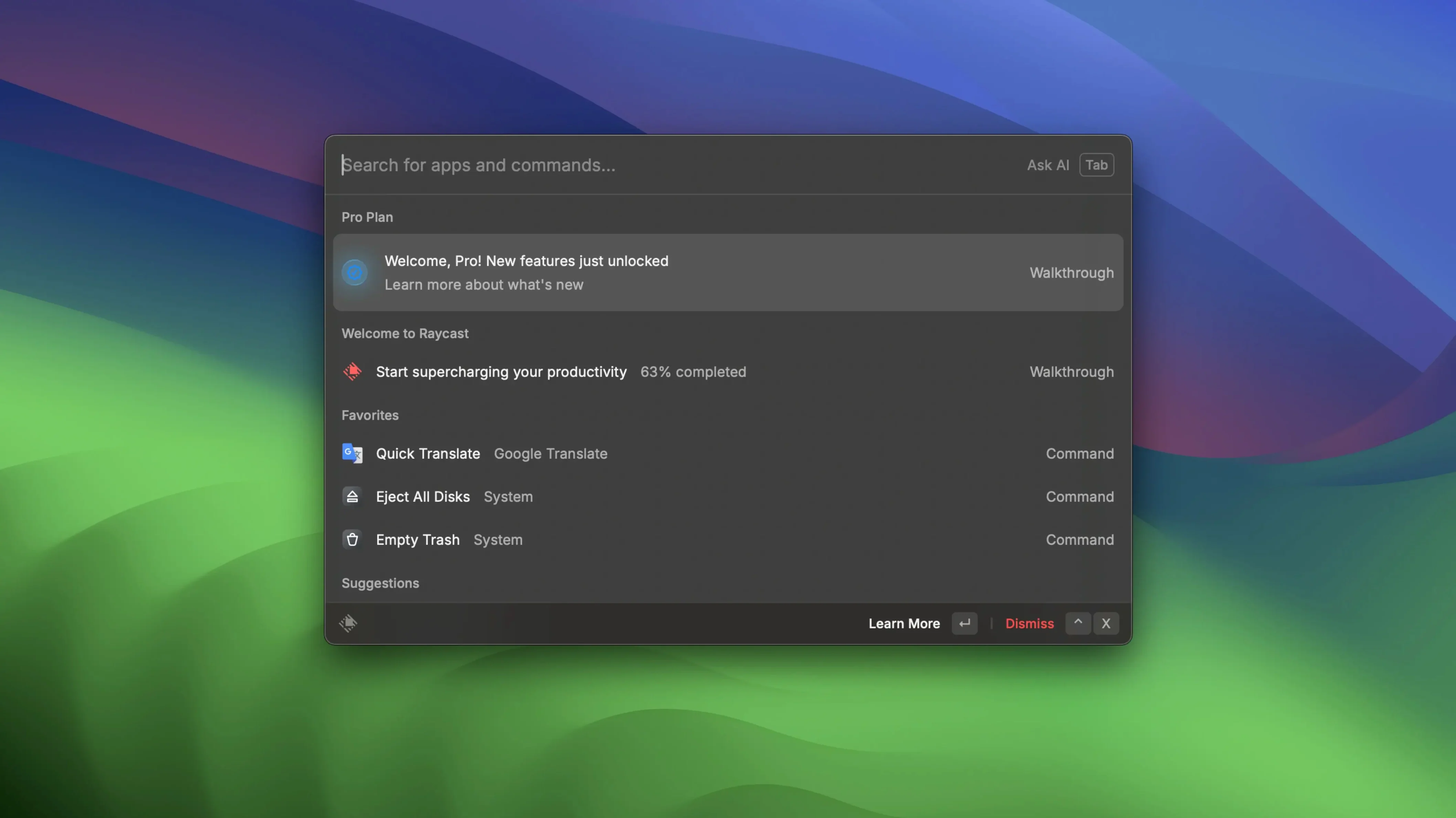
Spotlight does the basics, but it stops at search and sums. Raycast is for days when you think "there must be a quicker way" and you're right. It sits in the menu bar and opens a text field that runs commands, talks to apps, and stays out of your way until you call it.
Custom scripts and pinned floating notes
- People who enjoy customising their tools. You can write or borrow scripts to do almost anything.
- Quick floating notes — type something, pin it, and it stays visible above other windows.
- Wiring up apps that don't normally talk to each other. Start a Zoom call, run a Shortcut, or trigger a Launchpad action from the same bar.
- Tidying up repetitive Mac tasks behind a few keystrokes.
Runs entirely offline, English only
- Online functions do not work in this version. It runs entirely locally.
- English is the only interface language.
- Community scripts need you to read the code before you run it — treat them like any downloaded script.
Extension permissions need a Raycast restart
A few things trip people up in the first week. None of them are complicated to fix.
- Extension permissions loop. You install an extension, grant the permissions it asks for, and nothing happens. Usually Raycast needs a restart to pick up the change. Quit from the menu bar icon and launch it again.
- Hotkey clashes. Option+Space is muscle memory for some, but Magnet, BetterTouchTool or a browser extension might already claim it. Open Raycast settings, go to General, and pick something else. Control+Space is free on most setups.
- Aliases not working. You set up an alias for a script and it ignores you. Aliases are case-sensitive and don't tolerate stray spaces at the end. Delete and retype it exactly as you mean it.
- File search misses things. Raycast indexes ~/Applications and a few standard folders by default. If it can't find a file, add its parent folder under Extensions > File Search > Directories.
- Floating notes vanish on quit. Pinned notes stay on screen only while Raycast runs. If you quit the app, they go. The note content is still there when you relaunch — it just won't float until you pin it again.
If something gets properly stuck, reset the app's data folder. Rename ~/Library/Application Support/com.raycast.macos to something else and start fresh. You lose your custom commands, so back it up first.
From Zoom calls to file search before 11 a.m.
It's ten in the morning. You need to prep for an 11 a.m. call, find a document from last week, and send a quick reminder to someone.
- Hit Option+Space. Type "zoom join". The next meeting appears — Raycast pulled it from the calendar because you connected the Zoom extension ages ago. Press Enter. The call window opens.
- While Zoom loads, open Raycast again. Type a few letters from the document name. It surfaces a Numbers file from a subfolder you'd forgotten about. Right-arrow to see actions, choose "Copy File", and drop it somewhere handy.
- Mid-call, you remember something. Option+Space, type "note". The floating-note command opens a small window. Type the reminder, pin it with Command+P. It sits above the call window until you deal with it.
- After the call, click the pinned note, copy its contents to the clipboard, and dismiss it. Thirty seconds, no app switching.
That's the rhythm. You don't think about Raycast — you think about the thing you need, and your hands do the rest. After a week, opening Finder or Launchpad starts to feel like taking the long way round.
Raycast next to the launchers people actually use
The Mac launcher space is small but opinionated. Here's how Raycast sits next to the ones people actually use.
Alfred
Alfred has been around forever and does file actions, clipboard history and workflows with a Powerpack. Raycast feels snappier out of the box and the extension ecosystem is livelier. Alfred's snippet expansion is more polished, and some people just prefer its visual style. If you already own a Powerpack and have workflows tuned, there's not much reason to switch. Starting from scratch, Raycast is the easier one to set up.
LaunchBar
LaunchBar predates both and has the steepest learning curve. It does abbreviation-based navigation that's fast once it's in your fingers, but it looks dated and hasn't moved much in years. Raycast has overtaken it on integrations and sheer pace of updates. LaunchBar's file-browsing mode still has fans — the way it drills into folders with the arrow keys is more natural than Raycast's search-first approach.
Spotlight
Built-in, free, and fine for launching apps or doing sums. It won't run scripts, connect to Zoom, float notes or let you build custom commands. If you only ever open apps and search for files, Spotlight is enough. As soon as you chain actions together or want things like "convert this image to JPEG from a keyboard shortcut", Raycast pulls ahead.
People sometimes search for raycast crack or raycast pro crack looking for a way around restrictions. A raycast cracked download or raycast torrent works best when you verify the build's extension support and confirm online features connect properly. A raycast pro cracked build may need manual re-linking of integrations to get the app firing on all cylinders. A clean install that works as it should is the baseline for comparison.
What’s new
Raycast Pro 2.5.1.0 brings the developer's latest round of bug fixes and performance tweaks.
Requirements
- macOS 12 (Monterey) or later
- Apple Silicon or Intel 64-bit Mac
Comments 0
Sign in or create an account to leave a comment.
No comments yet…
If you’ve installed it, say how it went. Mention your Mac and macOS version — it helps the next person more than you’d think.