Plugin Alliance Brainworx bx_mastering studio for macOS
Description
Runs standalone, not as an AU or VST3 plug-in
bx_mastering studio is a universal binary. It runs on Apple Silicon and Intel Macs with macOS 12 (Monterey) or later. It works as a standalone application — you won't find an AU or VST3 plug-in here.
A workflow for experienced users
If you've moved past the basic Landr-style one-click processing, this app hands you proper Brainworx tools. Here's a practical master chain.
- Set the playback loop. Choose the loudest section of your track. The transport controls are basic, but they work.
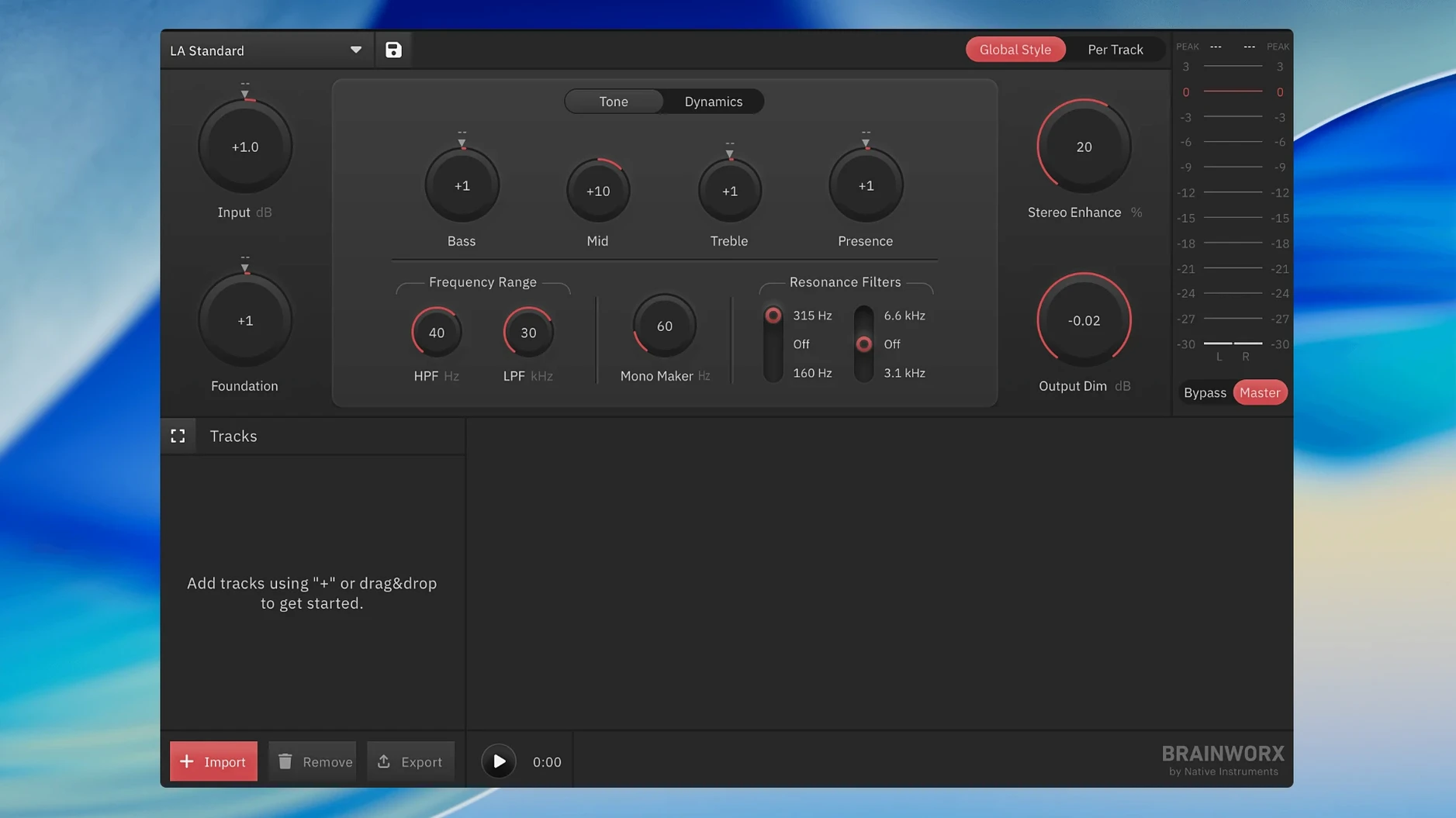
- Dial in the EQ. bx_mastering studio gives you the full bx_digital-style M/S EQ. Solo the mid or side band and make narrow cuts. This is where you fix a muddy centre without thinning the edges.
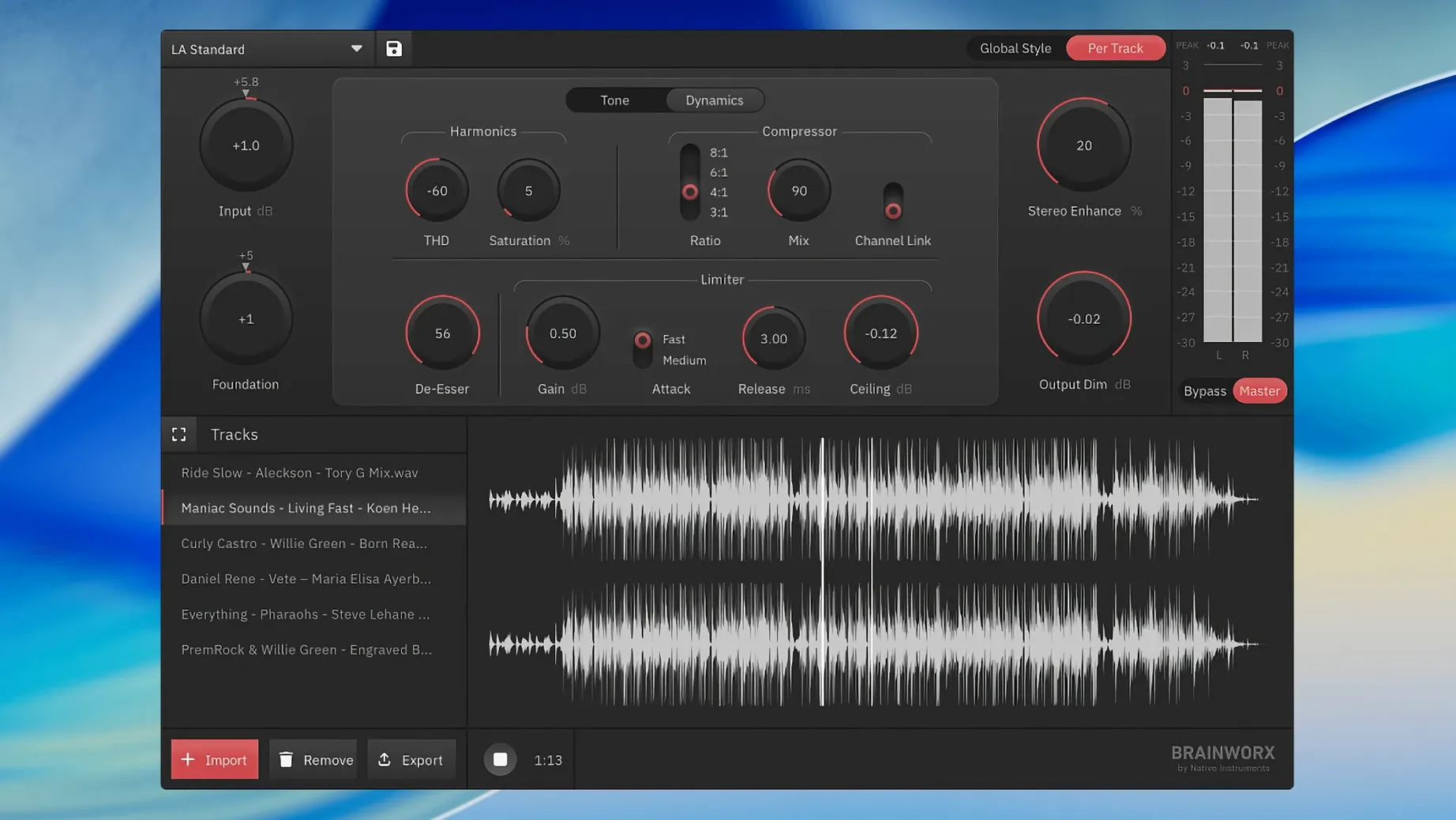
- Check the dynamic range. Use the compressor's sidechain filter so the low end doesn't pump the whole mix. The metering shows you exactly what's happening.
- Adjust the output ceiling. Set the limiter's ceiling to -0.3 dB. The inter-sample peak detection helps you avoid clipping on lossy streams later.
- Export. You get unlimited master renders. No credit system, no waiting.
Master stereo files without opening your DAW
bx_mastering studio doesn't try to replace your DAW — it fills the gap when you don't want to open one. That matters if you're assembling a release in Finder and just need to master a stereo file quickly.
You can drag a bounce straight from Logic or Ableton onto the app, but it's equally happy with exports from GarageBand, Audacity or a portable recorder. The processed WAV sits in the same folder as your source by default, so it slots into a file-based workflow without fuss. If you already use Brainworx plug-ins inside a DAW, the EQ curves and compression behaviour will feel familiar — the M/S matrix works the same way as the bx_digital V3 plug-in you might already know.
macOS integration is straightforward. The app respects Dark Mode and uses standard file dialogues. You can send a file to bx_mastering studio from Finder's "Open With" menu, and the recent-files list in the Dock icon shows your last few masters. It won't appear in Audio MIDI Setup or as a system audio device — it's strictly file in, file out.
If macOS blocks the app from opening
A few things trip up new users. Here's what to watch for.
- The app won't open. If macOS flags it as unidentified, head to System Settings > Privacy & Security and click "Open Anyway." This is standard for software distributed outside the App Store.
- Silent exports. If your rendered file has no audio, check you haven't soloed a band in the EQ section and forgotten about it. The solo buttons are small and easy to miss.
- Loudness surprises. The limiter's default ceiling is 0 dB. Set it to -0.3 or -0.5 dB before you start — inter-sample peaks on SoundCloud and YouTube are real, and the ISP meter is there for a reason.
- No plug-in version. You can't insert this on a DAW master bus. If you need the processing inside a session, reach for the bx_masterdesk plug-in instead. This app is for standalone work only.
Some users hunting for a landr mastering plugin torrent end up here expecting an AU component. It's a different thing — no plug-in wrapper, no real-time processing inside a host. The trade-off is that you don't need a DAW at all.
Let the Style Creator analyze three contrasting mixes
Spend your first session learning what the Style Creator actually does. It's not a preset browser — it analyses your track and builds a processing chain. Try it on three different mixes: a dense rock track, a sparse vocal-and-guitar recording and a synth-heavy electronic piece. You'll quickly learn when to trust it and when to dial things in manually.
Next, get comfortable with the metering section. The loudness readout (LUFS) tells you whether your master will get turned down by Spotify's normalisation. Aim for around -14 LUFS integrated if you're targeting streaming. The dynamic range meter is equally useful — if it reads under 6 dB, your mix might already be over-compressed before the limiter touches it.
A practical habit: always export a 24-bit version alongside any 16-bit file. You can do both from the same session, and the extra headroom in the 24-bit file matters if the track goes to a distributor that asks for it. The app doesn't limit your export count, so there's no reason to skip this.
Finally, test your masters on terrible speakers. A phone, a Bluetooth speaker, laptop drivers — if the low end survives those, the EQ decisions you made in the app were probably right. The M/S EQ is powerful, but it won't fix a mix that has no bass to begin with.
It's also a sensible upgrade path if you're producing in GarageBand and need proper metering and Mid/Side processing that the built-in strips lack.
Requirements
- macOS 12 (Monterey) or later
- Apple Silicon or Intel processor
FAQ
Is bx_mastering studio a plug-in?
No. It is a standalone desktop application, not an AU, VST3 or AAX plug-in. It is the successor to the browser-based mastering.studio.
How many masters can I render?
There is no limit on the number of masters you can render with the desktop app.
Comments 0
Sign in or create an account to leave a comment.
No comments yet…
If you’ve installed it, say how it went. Mention your Mac and macOS version — it helps the next person more than you’d think.