PopClip for macOS
Description
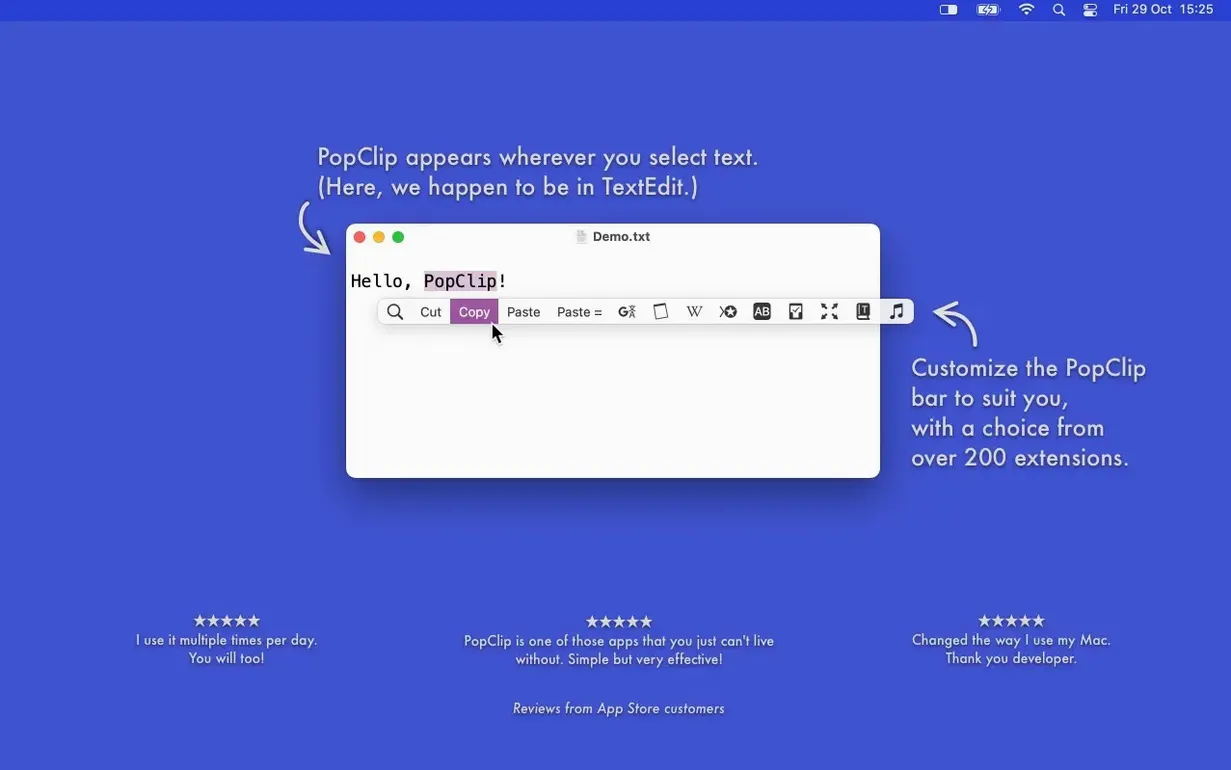
PopClip is a macOS utility that pops up a row of context-aware actions the moment you select text with your mouse. Think of it as a compact command bar that appears right where you are working, not in a menu a mile away.
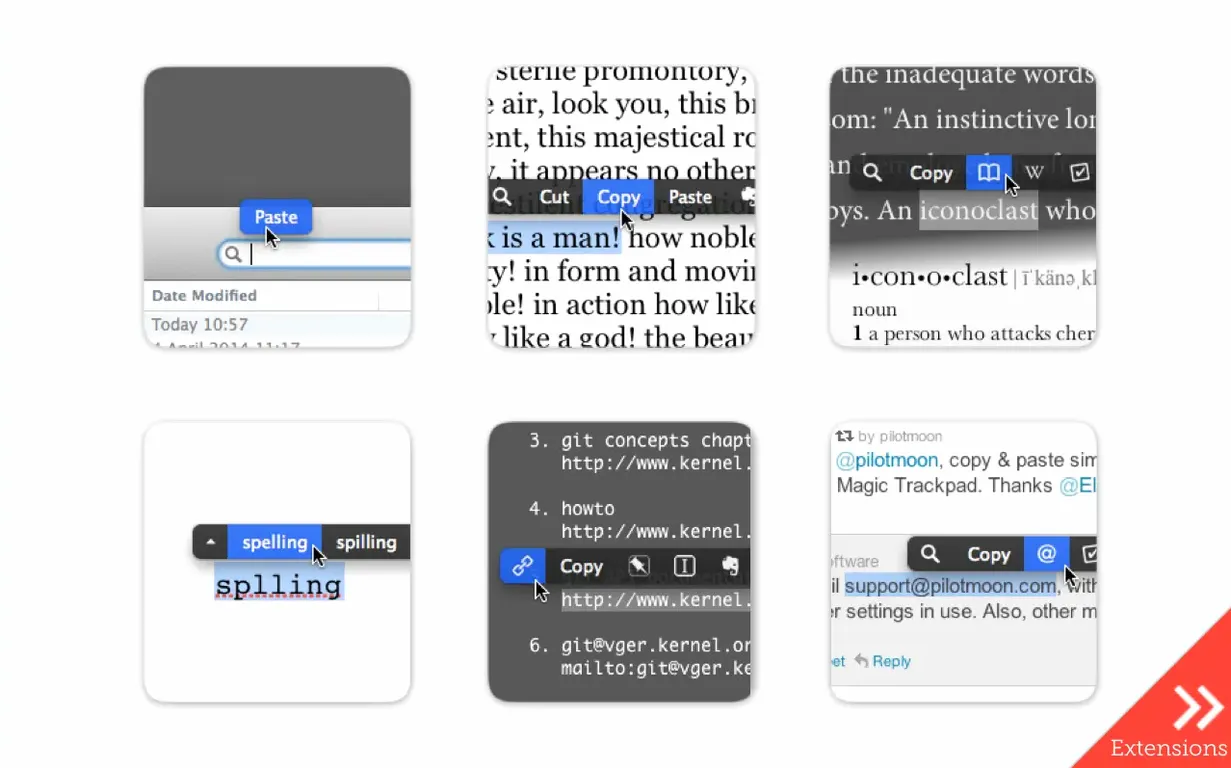
- Select a URL to open it directly in your browser without copying first.
- Highlight an email address to start a new message in Mail.
- Grab a phrase and search the web, translate it, or send it straight to Evernote.
- Change the case of a heading with one click — no retyping.
- Get an instant word count on a paragraph you have just written.
- Paste and match the destination style so your document stays tidy.
An everyday task like tidying up a draft becomes noticeably quicker. Select a stray ALL-CAPS heading, tap the case-conversion button, and it is fixed. Highlight a file path, and the app offers to open it. It works in most Mac apps, though not absolutely everywhere, and runs on Apple Silicon and Intel Macs. Nothing glamorous — just a properly useful time-saver for anyone who edits text all day.
When the pop-up stays hidden in terminals or password fields
PopClip doesn't appear in a few apps. Password fields, terminal windows and certain graphics programs block it deliberately. If the pop-up stays hidden, check System Settings → Privacy & Security → Accessibility — PopClip needs that permission ticked to watch for text selection.
Sometimes the bar flashes and vanishes. This usually means the selected text triggered no matching actions. Select something plainer — a URL, a single word, an email address — and try again. If you're on a fresh install and nothing happens at all, quit and relaunch. macOS occasionally holds back the accessibility permission until the app restarts.
Extensions can go quiet after a popclip 2025.9 update. Open PopClip's preferences, find the extension in the list, uncheck it and re-check it. That reloads the extension's configuration without reinstalling. A handful of community extensions from outside the built-in directory stop working between major releases — check the developer's notes if you rely on one.
Start with the stock six actions before piling on extensions
The pop-up row shows six or seven actions by default. That is enough to be useful but not overwhelming. In the first week, resist adding twenty extensions at once. Live with the stock set, notice which three you actually tap, and build out from there.
Turn the app off for specific programs where it gets in the way. The preferences pane has an exclusion list — add your password manager, your code editor, or any app where the bar popping up mid-select drives you round the bend. You control where it appears, not the other way round.
If you grabbed a popclip download zip, the install is drag-to-Applications. macOS will likely block the first launch with a Gatekeeper message. Go to System Settings → Privacy & Security and click "Open Anyway." Same drill as any unsigned Mac app. After that, PopClip sits in the background with no dock icon — you'll forget it's there until you select something.
A copywriter's Tuesday morning
Sarah writes product descriptions for an online shop. She keeps a running notes file with raw bullet points, URLs to competitor pages and half-written sentences in sentence case, uppercase and everything in between.
Tuesday morning, she opens the notes file. A batch of supplier specs arrived overnight in ALL CAPS. She selects the first heading, taps the lowercase button in the PopClip bar, then taps Title Case. Two clicks, done. Further down the page, she highlights a long tracking URL from a supplier email, taps "Open Link," and the product page loads in Firefox. No copy-paste, no accidental spaces at the edges.
She pastes a feature list into her draft using the Paste and Match Style action so it inherits the document's font. Before sending the draft to her editor, she selects the body text and hits Word Count — 287 words, within the brief. A French translation of a tagline arrives; she highlights it, taps the Translate extension, and gets a rough English version in a popover without leaving the page. The whole session runs without her right hand leaving the mouse.
That's the rhythm PopClip creates. You stop thinking about the mechanics of copying, opening, pasting and reformatting. The text is selected, the action is right there, one click later you are back in the sentence. Worth it if your day splits between a keyboard and a mouse and you are tired of the extra steps.
What’s new
Version 2026.8.1 is a maintenance and cleanup release that follows PopClip 2026.7. Fixes and tidies up loose ends — no new features this time.
Requirements
- macOS 13.5 Ventura or newer
- Apple Silicon or Intel 64-bit processor
FAQ
Which macOS version does PopClip 2026.8.1 need?
It requires macOS 13.5 Ventura or later and runs on both Apple Silicon and Intel 64-bit Macs.
Does PopClip work in every Mac app?
It is compatible with most Mac apps, but not all of them. If an app handles text selection in a non-standard way, the pop-up may not appear.
Can PopClip send selected text to other services?
Yes. Built-in extensions let you send text to Evernote, search the web, open URLs, translate, and more without leaving your current window.
Comments 0
Sign in or create an account to leave a comment.
No comments yet…
If you’ve installed it, say how it went. Mention your Mac and macOS version — it helps the next person more than you’d think.