PhotoScape X Pro for macOS
Description
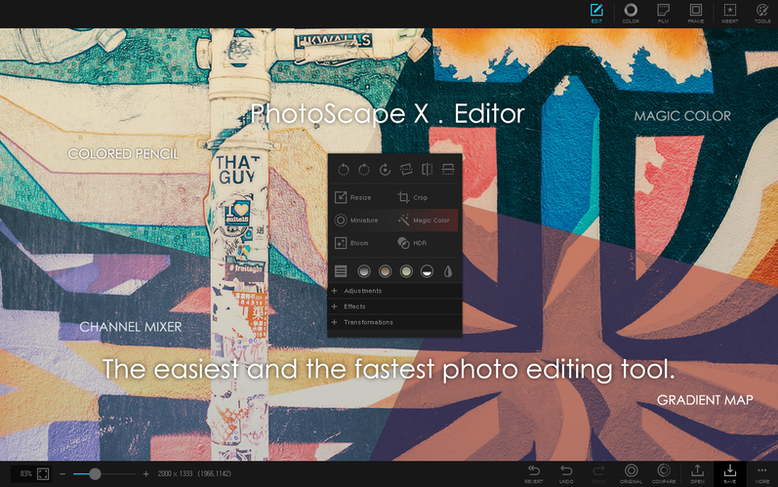
If you remember Picasa on the desktop, PhotoScape X Pro aims for a similar all-in-one spirit. It opens a viewer, an editor, a batch converter and a collage builder inside the same window, so you don't bounce between three different apps to get a set of photos ready.
One download for quick fixes, GIFs, prints and batch jobs
People who want one download that covers quick fixes, GIFs, prints and batch jobs. It isn't a Lightroom replacement, but it gets on with the work.
What tools does the editor pack?
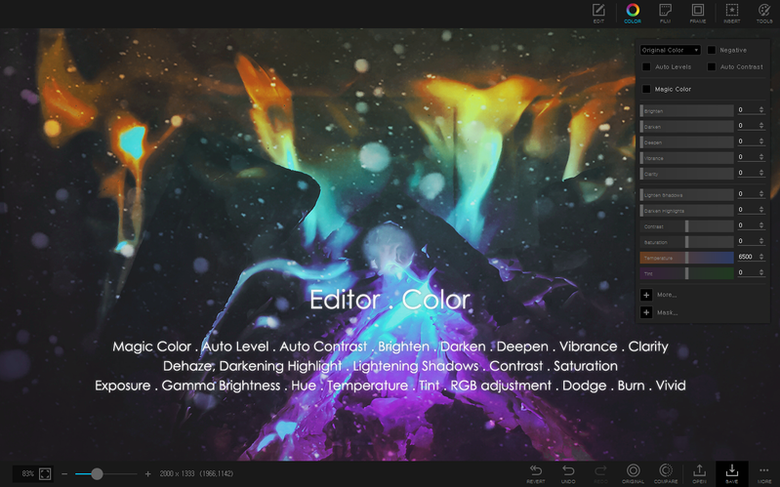
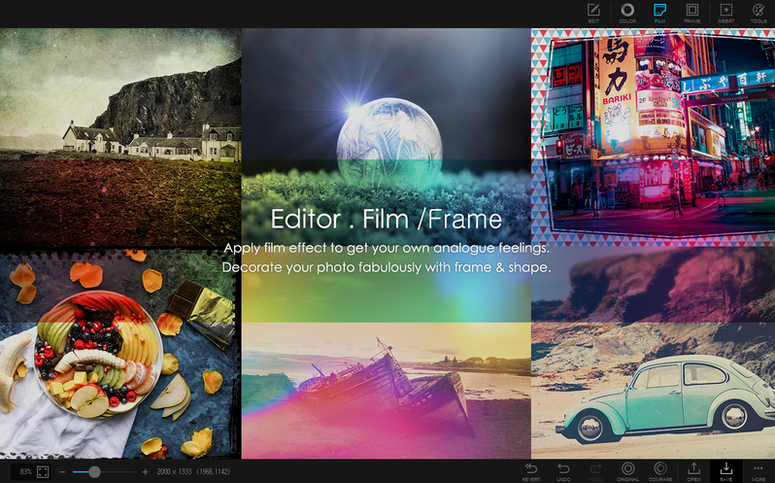
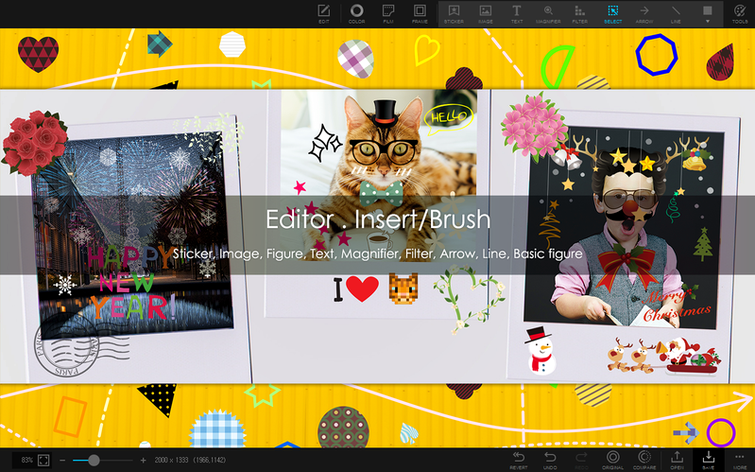
Over 1000 filters and effects, plus red-eye removal, liquify, a clone stamp and a healing brush. You get 1000+ stickers, 290+ frames and 240+ shapes for marking up or decorating images.
Can it handle more than one photo at a time?
Turn off the sound effects and pick a scratch disk
The default workspace is busy. Open Preferences and turn off the sound effects first — they're on by default and get old within five minutes. While you're there, set the scratch disk to a folder you can find later. PhotoScape X Pro writes temporary files during batch jobs and it will fill a small boot drive if you let it.
Next, open the Viewer and switch the sort order to Date Modified. The default is Name, which rarely matches how a camera dumps files. Flag a few photos, then star a couple. The keyboard shortcuts are . for rating and / for flag — memorise those two and you'll filter a card of 400 shots in ten minutes flat.
In the Editor, dial down the default filter intensity. Most filters apply at 100% opacity and look like a MySpace throwback. Drop them to 30–40% and they behave more like a Lightroom preset than a novelty overlay. Save a couple of your own presets once you've adjusted them — the app remembers the settings but won't suggest it.
Start on throwaway images to see what happens to originals
Spend your first session on a folder of throwaway images. Not your keeper library — just 40 or 50 test files. Run a batch rename, then a batch resize to 1200 px wide. Watch what happens to the originals: by default, the app saves alongside them rather than overwriting, but you want to confirm that before pointing it at anything important.
Try the collage module early. It's the part most users miss in the first week, and it's genuinely quick. Pick a grid, drop in four photos, adjust the spacing slider and export. The whole thing takes under a minute. If you make social media banners or YouTube thumbnails, this alone justifies the download.
The loupe view in the Viewer deserves a moment too. Hold the mouse down on an image and it magnifies a portion. Useful for checking sharpness across a burst set without opening each file. Combine it with the flag shortcut and you have a fast culling workflow.
If you downloaded the Mac build through a search like photoscape x pro mac, make sure you're on version 4.3. Older Mac ports were less stable with batch operations, particularly HDR merging. Some people hunting a photoscape torrent or photoscape x torrent find the best results by checking for ARM-native builds — the outdated Intel copies are the ones that crash on Apple Silicon. Stick with the ARM-native version and the HDR merge runs clean.
One pain point: the app doesn't warn you when it's building previews in the background. If the interface feels sluggish on day one, give it ten minutes to finish indexing before you judge performance.
How a real person uses it
A teacher running a school's social media page opens PhotoScape X Pro on a Wednesday morning with 60 photos from a sports day. She works in the Viewer first: flags the 15 usable shots, stars the 5 best, then sends the rest to the bin. The batch rename turns DSC_4721.JPG into sports-day-01.jpg in three clicks.
She picks four starred photos, drops them into the collage grid, adds a thin white border and a school-logo sticker from the built-in library. The export is a 1600px JPEG ready for Instagram. Before lunch she runs a batch resize on the full set of 15 for the school newsletter — all at 800 px wide, saved to a separate folder. No Photoshop, no online converter, no waiting for uploads. The whole morning is one app window.
People searching for photoscape x pro torrent often want exactly this: one tool that skips the subscription logins and just does the job. The Pro build on a MacBook Air handles the teacher's workload without spinning up a fan.
Yes. The batch module covers format conversion, resizing and renaming. You can also build animated GIFs, capture screenshots and pick colours without leaving the app.
What’s new
Fixes a build issue from the previous release.
Requirements
- macOS 13 Ventura or later
- Apple Silicon Mac
FAQ
Does PhotoScape X Pro work on Intel Macs?
No. The app is built for Apple Silicon and needs macOS 13 Ventura or later; Intel Macs are not supported.
Comments 0
Sign in or create an account to leave a comment.
No comments yet…
If you’ve installed it, say how it went. Mention your Mac and macOS version — it helps the next person more than you’d think.