Glyphs for macOS
Description
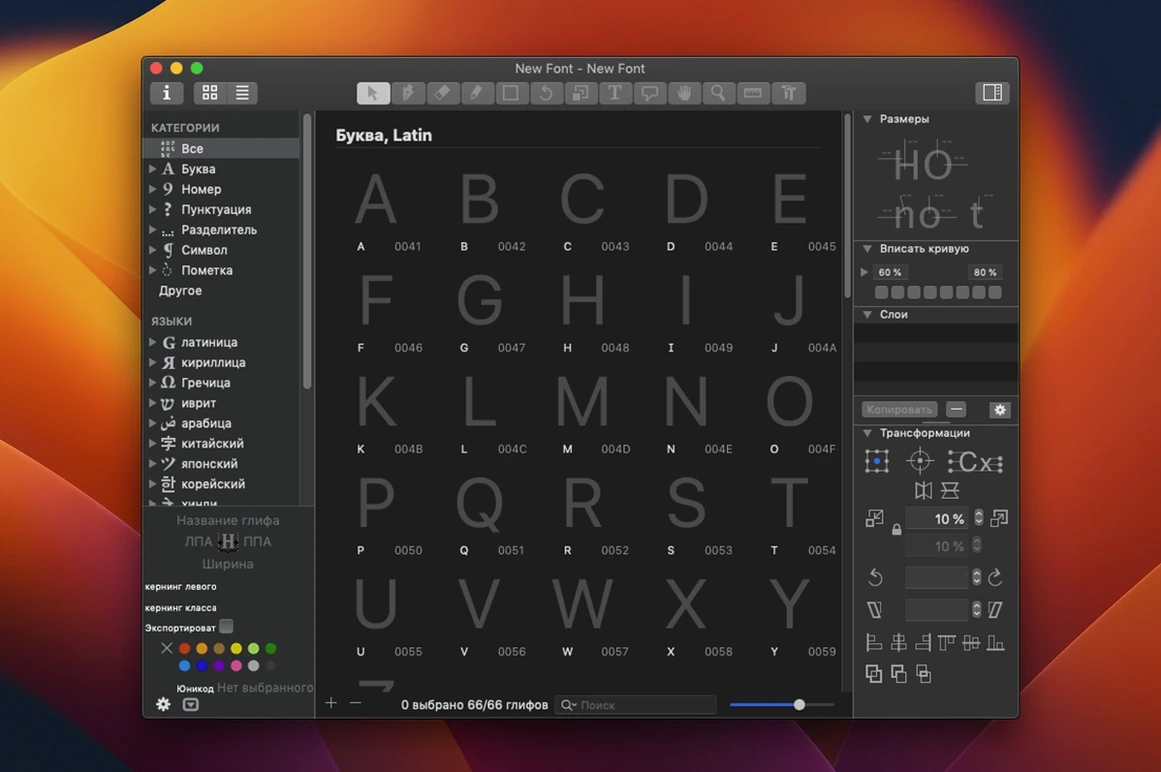
One .glyphs file can hold a hundred masters, a thousand glyphs and a dozen scripts. The file is a package, so version control tools can track individual drawings without choking on a single monolithic blob.
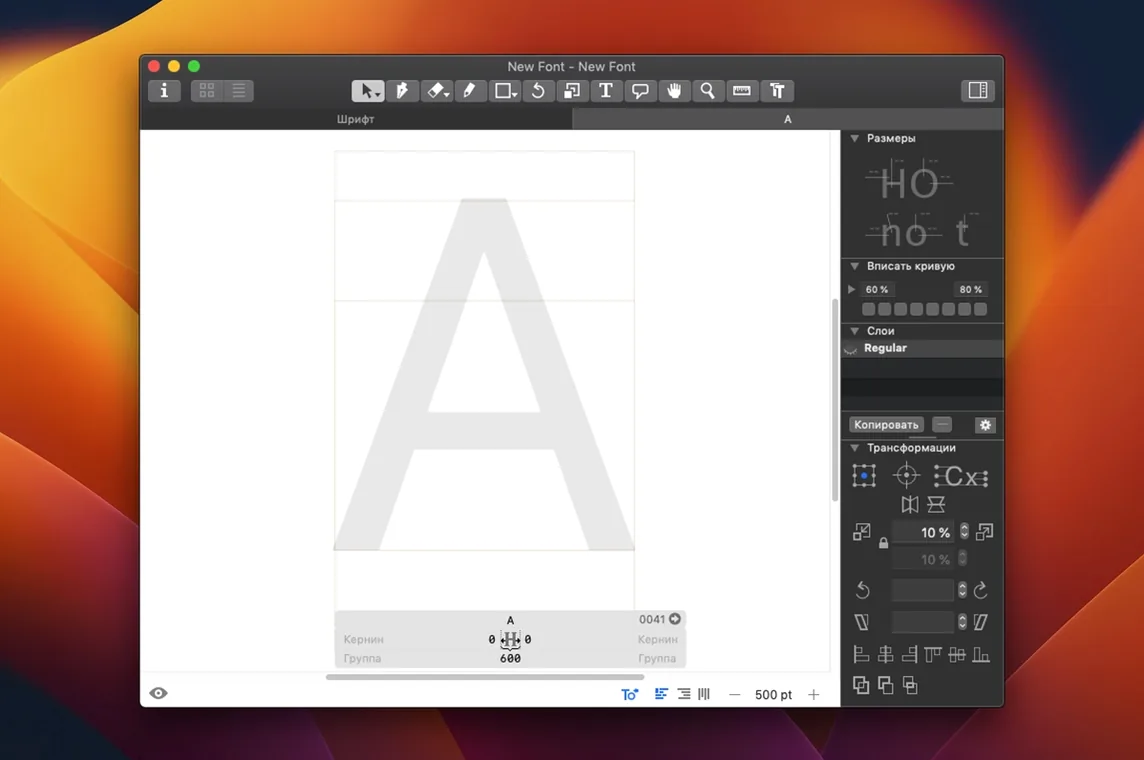
The drawing tools stay out of your way. The toolbar carries only what you need for the current task, and you edit outlines with the same selection and nudging logic the OS uses for text fields. Right-click a glyph name in any text box to pick alternates from a contextual menu.
Scripting support means the app bends to how you work. A plugin interface lets you bolt on tools that handle repetitive chores, and the built-in Python bridge talks to the rest of your pipeline. Export covers the formats you actually ship: OpenType fonts, plus PNG, SVG, PDF and SFSymbols for design specs.
The interface speaks fourteen languages. macOS 12 is the floor. Runs on Apple Silicon and Intel. Worth it if you need a type tool that treats a font as data, not as a stack of bezier curves you have to babysit.
Option-drag a node to snap to handle angle
Hold Option while dragging a node and the app constrains movement to the angle of the nearest handle. Double-click a component in the sidebar and the edit view jumps straight to its source glyph. These aren't advertised features — they're the sort of thing you stumble across six months in and wonder how you managed without.
Right-click in the Font view and you can reorder glyphs by dragging rows. The Filter field accepts Unicode names, not just glyph names — typing "arrow" finds every arrow variant across all scripts. And the greyed-out "Copy glyph name" command that appears when you right-click any Unicode field saves a surprising amount of typing when you're writing OpenType feature code.
The alignment menu under the Path menu offers "Align to metrics" in one click, which handles the most common spacing correction without touching the Transform panel. If you often work with multi-script families, the sidebar's script filter hides everything but the writing system you're focused on.
Turn off tooltips after the first week
Open Preferences, head to the General tab and disable "Show tooltips". They're helpful for the first week; after that they just cover up the thing you're trying to click. While you're there, bump "Undo steps" from the default 100 to something closer to 500. Bezier editing generates a lot of micro-actions and you don't want to lose the path you liked four minutes ago.
Switch to the File tab and enable "Autosave every…" at 5 minutes. Glyphs keeps explicit save points rather than relying on macOS document autosave, so this is separate from system behaviour. The "Number of backup files" field defaults to 5 — raise it to 10 if you work on client projects with shifting briefs.
In the Plugins Manager, the bundled "GlyphData" plugin updates character metadata. It's off by default and worth toggling on immediately. The "Fix compatibility" option under the Filter menu belongs on a keyboard shortcut too; it resolves path direction mismatches between masters in one pass.
Opening Glyphs 2 files updates them silently
Will it open my old Glyphs files? Version 4 reads everything back to Glyphs 2 files without fuss. Opening a file from version 2 updates the internal structure silently, and you can still export the same font binary you shipped years ago. No forced migration wizard, no "save as new format" nag.
Does it handle variable fonts properly? The multiple-master setup uses a slider-based preview that matches the axes you define. You can test interpolation across weight, width and any custom axis directly in the Edit view. The export dialog writes a fully compliant variable font that passes the OTS and FontBakery checks without extra tweaking.
What's the backup story? Every save writes a timestamped backup into the file package — right-click a .glyphs file and "Show Package Contents" to see them. The app also keeps a local Time-Machine-friendly history, and the package format means individual glyphs are plain text .glyph files inside, so corrupted outlines don't take down the whole project.
Can I run it on an older Mac? macOS 12 is the hard floor. There isn't a back-port for Catalina or Mojave, and the Apple Silicon build is native — no Rosetta dependency to worry about. If you're still on Intel hardware, the 64-bit binary runs without translation.
What’s new
A maintenance update that tidies up a few rough edges and keeps the type design work moving smoothly.
Requirements
- macOS 12 (Monterey) or later.
- Runs natively on both Apple Silicon and Intel 64-bit Macs.
FAQ
What file formats can Glyphs export?
It exports OpenType fonts and can produce PNG, SVG, PDF and SFSymbols files for design specs and asset pipelines.
Does Glyphs handle complex scripts?
Yes, it supports multiple scripts, allowing you to design and produce fonts for Latin, Cyrillic, CJK and other writing systems.
Can I extend Glyphs with my own tools?
It includes a plugin interface and a Python scripting bridge so you can automate tasks and add custom functionality.
Comments 0
Sign in or create an account to leave a comment.
No comments yet…
If you’ve installed it, say how it went. Mention your Mac and macOS version — it helps the next person more than you’d think.